Top HR Software 2026: Boost Payroll and Productivity
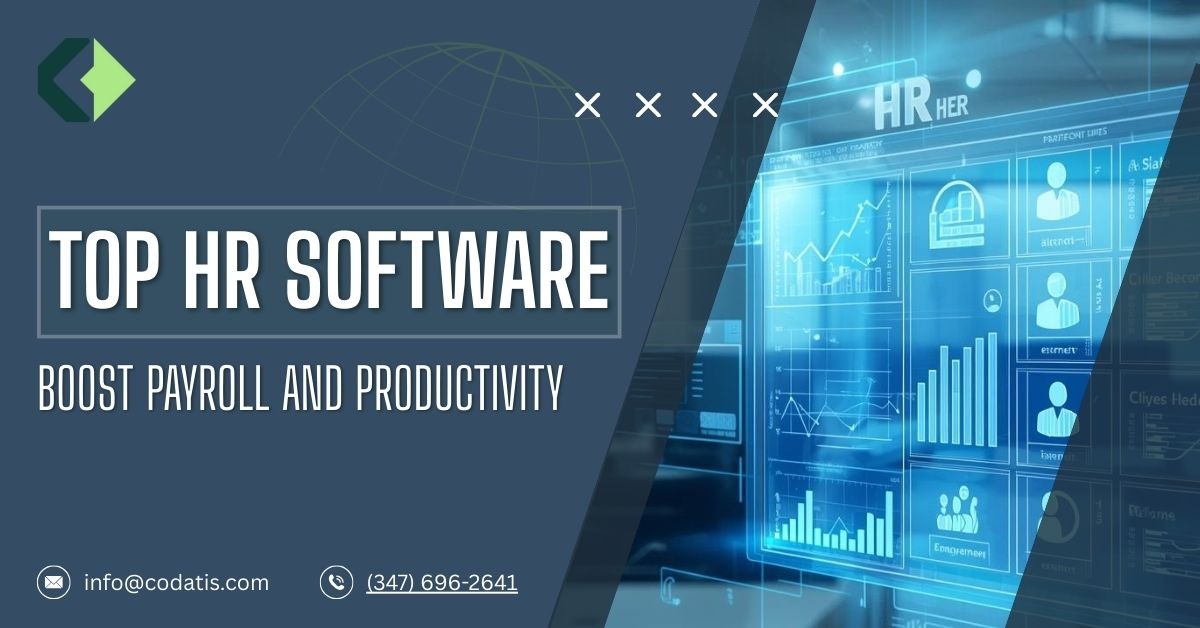
Choosing the best HR software in 2026 is overwhelming. From payroll automation and employee engagement tools to compliance management and analytics, there’s so much to consider. Today’s HRMS options are no longer only for tracking work hours. They’re about growing productivity, keeping employees happy, and improving business growth.
In this guide, we examine the best HR software for small to large businesses, breaking down each software by features, ease of use, and integrations. If you’re a startup in need of payroll software for a small business or a mid-sized company in need of HR operation centralization, this guide helps you make an informed decision.
How Is HR Software Redefining the Modern Workspace in 2026?
HR software has evolved from administrative support to a strategic powerhouse in modern organizations. Here’s how it’s transforming workplaces:
- Automated Administrative Tasks: Payroll, PTO tracking, benefits, and compliance alerts are automated so HR teams can focus on more strategic activities.
- Actionable insights: Real-time dashboards and analytics for productivity, labor costs, and skill gaps so you can make data-driven decisions for smarter workforce planning.
- Employee-Centric Experience: Self-service portals, goal tracking, performance feedback, and on-demand tailored learning are just some of the features that engages and retain employees.
- Powerful Integrations: Advanced HR technology seamlessly integrates payroll, benefits, recruiting, and productivity applications, which make for a cohesive ecosystem.
- AI and Predictive Insights: Smart algorithms forecast turnover, suggest training, and help optimize workforce planning to transform HR from a cost center into a growth engine.
Why Are SMBs Using HR Software?
Small businesses in 2026 are rapidly adopting HR software so that they can scale with efficiency and without needing to add headcount.
Some of the core functions automated by cloud-based systems include:
- Payroll and tax filing
- Attendance and time tracking
- Employee onboarding and training
This leads to more compliance, fewer errors, and allows teams to focus on growth rather than administrative tasks.
How to Choose the Right HRMS Software?
Before selecting an HRMS platform, consider these basics:
- Employee Lifecycle Coverage: The solution should support hiring, onboarding, performance management, and time/attendance/payroll/benefits.
- Payroll Compliance: Make sure the system accommodates local laws and tax submission.
- Scale: The system should scale with business growth
- Ease of use: Employees must naturally use self-service functionality.
- Integrations: Seamlessly connect with accounting, ATS, productivity, and performance solutions.
Top HR Software Solutions in 2026
Top HR Software Solutions 2026 (Ranked)
| Rank | HR Software | Company Size & Scope | Core Features | Usability & Learning Curve | Payroll / Benefits & Integrations | Notes / Limitations |
| 1 | ADP Workforce Now | Mid‑sized to large businesses | HRIS, payroll, time & attendance, benefits admin, compliance tracking | Moderate; dashboards customizable but setup can be complex | Full payroll + benefits, compliance updates, integrations with QuickBooks, SAP, Oracle | Pricing varies by module; some find UI dated; setup can be complex |
| 2 | Gusto | Small to mid‑sized businesses | Full-service payroll, HR basics, onboarding, PTO, compliance tools | Beginner-friendly, intuitive | Payroll + tax filing, benefits admin, integrations with Asana, DocuSign | Advanced enterprise features limited; best for US small businesses |
| 3 | BambooHR | Small to mid‑sized businesses | HRIS (records, onboarding, PTO, ATS), performance tools, reporting | Very user-friendly, low learning curve | Payroll & benefits as add-ons; 150+ integrations | Payroll not included by default; pricing requires sales contact |
| 4 | Paycor | Small to large businesses | HRIS, payroll, time & attendance, reporting, analytics | Moderate; training recommended for admins | Payroll + HR + time tracking; integrates with QuickBooks, Indeed, 300+ apps | Pricing transparency varies; support response times can be slow |
| 5 | Paylocity | Small to mid‑sized businesses, multi-location | HRIS, payroll, benefits, time & labor, self-service | User-friendly with mobile support; moderate admin complexity | Integrated payroll & benefits; integrates with QuickBooks, Sage Intacct, Oracle | Reporting may overwhelm beginners; mobile app limited vs desktop |
| 6 | Zenefits | Small to mid-sized businesses | HR management, onboarding, benefits administration, time & attendance | Intuitive, easy to adopt | Integrated payroll (optional add-on), benefits enrollment & ACA compliance | Payroll is optional; limited LMS capabilities |
| 7 | Paychex Flex | Small to medium businesses | Payroll, HR tools, benefits management, PEO options | Moderate learning curve; mobile & web apps | Full payroll + benefits, HR admin; integrations with BambooHR, Xero, Sage | Interface dated for some users; occasional performance issues |
| 8 | Bambee HR | Small businesses needing HR support | Compliance guidance, outsourced HR manager, document management | Very simple; guided support by HR manager | Basic HR documentation with third-party payroll/benefits tools | Not a full HRIS; focuses on compliance & policy support |
| 9 | HR Acuity | Medium to large enterprises | Employee relations case management, compliance tracking, reporting | Moderate; initial setup required | Employee relations management, anonymous reporting | Specialized tool; not full HRIS; setup time can be long |
| 10 | Performance Pro | Small to midsize organizations | Performance tracking, goals, training & competency management | Moderate; initial navigation learning curve | Performance management, learning & development; can integrate with payroll | Niche performance tool; not full HRIS; advanced workflows need setup |
1. ADP Workforce Now
ADP Workforce Now is a web-based human resources HR application designed especially for midsize businesses that helps them to streamline the management of their HR needs, such as benefits, payroll, time and attendance, insurance and health care, and other aspects of human resource management. More recent additions also include AI-powered sourcing, which helps businesses to pay their staff and recruit even faster. Although some users experience issues with ADP Workforce Now login and customer service, the powerful reporting, timekeeping, and analytics functionalities, however, make it great HR software for growing businesses.
Who Uses ADP Workforce?
It is used in various applications such as
- Education management
- Health care, manufacturing
- Shopping and commerce
- Banking and financial services
What are the ADP Workforce Now Integrations?
ADP Workforce Now integrates with the following applications:
- Accounting and ERP: QuickBooks Online Advanced, Xero, SAP, Oracle
- Sharing and Productivity: Microsoft Excel, Microsoft Outlook, Flock, Clockshark
- Talent and HR Management: Lever, Cornerstone, Sage.
- API Access: ADP SmartConnect and API Central for custom integrations
ADP workforce alternatives are UKG, BambooHR, and Dayforce.
ADP Workforce Now Pros and Cons
PROS
- Seamless API integration
- Comprehensive reporting for informed decision-making
CONS
- Limited or slow customer support
- Timesheet automation and cost center requirements
ADP Workforce Now Features
- Recruitment and Candidate Management: Reduces the hiring time with branded job postings, resume tracking, and collaborative hiring pipelines.
- Attendance and Time Tracking: Monitor work hours with online time clocks, smartphones, and biometrics.
- Employee Onboarding: Automate onboarding processes, organize paperwork, and sync with payroll.
- Employee Self-Service Portal: Allows employees to update personal information, request time off, and access pay stubs in mobile apps.
Why Is ADP Workforce Now a Leading HR Software?
ADP Workforce Now offers cloud-based HR and payroll technology tailored to meet the needs of small businesses. Automating not only attendance and payroll but also recruitment and benefits, improving compliance, reducing administration effort, and increasing the power of HR analytics software delivering real-time insights.
2. Gusto
Gusto HR is cloud-based HR software that streamlines payroll, benefits, and overall human resource tasks for small to mid-sized companies. Gusto offers auto tax filing, direct deposit, onboarding, and benefits to help business owners remain compliant while ensuring their employees get paid on time. This cost-effective HR solution combines workforce management and payroll automation into one user-friendly system.
Who Uses Gusto Software?
Gusto is used by a wide variety of small- to medium-sized businesses in various sectors, like
- Construction and Manufacturing
- Healthcare and Dental Practices
- Restaurants and Hospitality
- Retail and Service Businesses
Its modular design is useful for small teams, remote workers, and businesses that desire automated payroll and workforce management without the extra labor.
For a customized quote, contact the sales team with the number of employees you have.
What are the Gusto HR integrations?
Gusto integrates with other widely used business tools that simplify HR and payroll flows, such as:
- Payroll and Accounting: FreshBooks, Accelo, QuickBooks
- HR and Recruitment: Breezy HR, Traliant16, 15Five
- Collaboration and productivity: Asana, DocuSign, Amplitude
With these integrations, HR teams keep employee data accurate and eliminate duplicate information in the system.
Gusto HR Software Features
- Online employee records and job info: Use to determine compensation stored in one place.
- Recruitment and Applicant Tracking: Advertise jobs, monitor applications, and streamline the hiring process.
- Performance Management: Monitor employee goals, appraisals, and performance reports.
- Attendance and Time Tracking Management: Keep track of employee work hours and PTO. Integrate timesheet data with HR operations and payroll.
Gusto HR Pros and Cons
PROS
- Complete payroll and tax filing
- Effortless digital onboarding and employee self-service
CONS
- Basic plans have slower customer support
- Advanced functionality is available on more expensive packages
What Makes Gusto One of the Best HR Software for Small Businesses?
Gusto HR software makes payroll, benefits, and HR simple for small businesses and entrepreneurs. With its cost-effective plans, automation, and integration features, it’s one of the best HR software for small businesses in 2026. With employee benefits, compliance, and payroll and everything else related to HR simplified, from integrations with other software to highly trained customer support, Gusto is much more than payroll.
3. BambooHR
BambooHR is an all-in-one, cloud-based HR software system for hiring, onboarding, payroll, time-off management, and benefits administration. Built for small- to medium-sized teams, BambooHR removes the need to jump between different tool sets and instead offers an intuitive interface, customizable workflows, and intelligent tools powered by AI that help you work faster.
Who Uses BambooHR?
BambooHR is already relied on by more than 34,000 customers across the globe in different industries, such as
- Technology
- Healthcare
- Education
- Finance
It is useful for startups and SMBs looking for one system through which they can manage core HR. BambooHR pricing is based on the number of employees and features selected.
What are the Bamboo integrations?
BambooHR integrates with more than 150 third-party applications, such as:
- Payroll and Accounting: Deel, NetSuite
- Recruiting and ATS: Greenhouse, Indeed, Checkr
- Collaboration and Communication: Slack, TalentLMS, Okta
With these integrations, HR teams are able to keep their data consistent and automate workflows without switching back-and-forth between systems.
BambooHR Software Features
- Recruitment and Applicant Tracking: Advertise positions, manage candidates, and optimize the recruiting process.
- Scheduling and Timekeeping: Clock in away from the office using your phone or a web browser, and it will sync with payroll.
- Performance Management: Establish objectives, evolve assessments, and track employee progress.
- Employee Onboarding: Automate offer letters, welcome emails, and onboarding to-do lists.
Pros and Cons of BambooHR
PROS
- Centralized employee data and reporting
- Great for small teams and emerging business
CONS
- Precise BambooHR pricing often requires contacting sales
- Some feature limitations, such as goal tracking per employee
Why Is BambooHR a Top Choice for HR Software?
The centrally managed, mobile-friendly, and fully configurable HR software for small businesses by BambooHR integrates with a number of essential apps in the business as it automatically manages your HR tasks while enabling you to make informed decisions with the help of human resource analytics software. With a variety of features and increasing AI capabilities, it’s one of the top HR software choices for 2026 for teams that want to ensure compliance while staying efficient.
4. Paycor
Paycor HR is an integrated cloud-based software suite that offers functionality to encompass the employee lifecycle, from recruiting and onboarding to time and attendance management. Whether it’s managing employee attendance, administering benefits and payroll or monitoring performance, Paycor simplifies all the HR processes for you in one convenient place, perfect for healthcare, construction, retail, and nonprofit industries.
Who Uses Paycor Software?
Currently, a software with over 2.3 million active users that caters to industries like
- Construction
- Healthcare
- Education
- Retail
Paycor Pricing
To get a Paycor price quote, businesses can reach out to Paycor for a quote. Paycor pricing is module-dependent. Typical small businesses might pay between $74 and $99 per seat/month.
What are the Paycor HR Integrations?
Additionally, Paycor has 300-plus integrations and functionalities for HR efficiency:
- Accounting and Payroll: QuickBooks, Xero
- Recruitment and ATS: Indeed, background check service
- Custom integrations API: Adaptable for custom HR and business applications
- These integrations reduce data entry errors and help keep HR and payroll systems in sync.
Paycor Features
- Payroll and Tax Compliance: Automatically track all wages, deductions, and taxes to ensure compliance.
- Employee Onboarding: Simplify new employee paperwork, ensure compliance, and securely store documents.
- Performance and Compensation Management: Establish goals, provide performance reviews, and administer compensation.
- Time and Attendance Tracking: Keep track of hours, PTO, and shift scheduling at scale across any number of locations.
Paycor HR Pros and Cons
PROS
- Advanced reporting and workforce analytics
- Mobile-friendly payroll and time tracking
CONS
- Pricing transparency is limited
- Learning curve for new users
Why Is Paycor HR Software the Best HR Software for Small Businesses?
For companies that want one system that does payroll and HR, Paycor offers a good, customizable program. With cloud access, automation capabilities, and workforce analytics, it is among the most efficient HR software for small businesses and medium-sized enterprises. Paycor helps keep teams out of manual administrative work, keeps them compliant, and makes better HR with all of your employee data.
5. Paylocity
Paylocity is a cloud-based HR and payroll solution created for the unique needs of small to mid-sized organizations. From Paylocity login to payroll automation, benefit administration, and time tracking, everything is handled through a secure dashboard. Unlike most Paylocity alternatives, it automates payroll processes, is accessible with mobile devices, and connects companies with HR technology suppliers.
Paylocity Pricing
Paylocity’s cost is per-employee-per-month and increases with team size. The Paylocity cost depends on the features and modules that your company chooses.
Who Uses Paylocity?
Paylocity serves businesses in a variety of industries, including:
- Healthcare and Nonprofits
- Manufacturing and Construction
- Retail, Restaurants and Transportation
The modular nature of it allows you to build in hourly and salaried staff, making it perfect for small businesses or those mid-sized teams.
What are the Paylocity integrations?
Paylocity syncs with other business systems:
- Accounting and Finance: QuickBooks, Sage Intacct, Oracle
- Payroll and HR : Ease, Clover
- API Access : Integrate third-party tools or internal systems
These integrations mean no more duplicate data entry, greater accuracy, and enhanced productivity.
Paylocity Features
- Performance Management: Monitor and enhance employee productivity with analytics.
- Time and Attendance: Schedules, PTO requests, and labor compliance.
- Employee Onboarding: Automate new hire paperwork and orientation.
- Benefits Administration: Plan enrollment and selection made easy.
Paylocity Pros and Cons
PROS
- Centralized HR and payroll platform
- Minimized payroll mistakes and lessened admin work
CONS
- New users might be intimidated by some features
- The mobile app has limited features compared to the desktop.
Why Is Paylocity One of the Top Payroll Software Applications?
Paylocity is an all-in-one HR, payroll, benefits, and compliance solution. Its automation, integrations, and scalable pricing make it a great fit for SMEs (small-to-mid-sized enterprises) to ensure accurate payroll, increase efficiency, and power employee productivity.
6. Zenefits
Zenefits is a SaaS cloud-based platform designed for businesses that want to simplify HR processes and achieve process transformation while maximizing the productivity of their employees. Formerly called Trinet Zenefits, it’s both flexible and robust, enabling companies to handle HR workflows well even without a big HR team.
Who Uses Zenefits HR Software?
Small and mid-sized businesses across a variety of sectors use Zenefits, including:
- Manufacturing
- Financial Services
- Education
- E-commerce
What are Zenefits Integrations?
Zenefits integrates with the following well-known applications to improve HR workflow:
- Payroll and Accounting: QuickBooks, Xero, NetSuite and Sage Intacct
- Integration and HR Automation: BambooHR, Zapier
It is possible to use an API for custom integration to fit business requirements.
Features of Zenefits
- Employee Info Management: Centralized profile for all employees with personal data, job information and contact no.
- Recruitment and Applicant Tracking: Automate to hire, track applicants, and streamline onboarding.
- Performance Management: Keep an eye on what your employees’ aim is and how they perform and operate.
- Attendance and PTO: GPS and calendar-based tracking, PTO requests, and approval of timesheets.
Pros and Cons of Zenefits
PROS
- Intuitive employee onboarding tools
- All-in-one HR software platform
CONS
- Customer service might be slow to respond
- Limited customization options
Why Is Zenefits the Best HRM Software?
For companies with manual HR processes, payroll errors, or compliance risk, Zenefits is the solution. It simplifies HR processes, ensures accurate payroll and benefits processing, includes employee self-service features, and provides robust security, making it the best small business HR software for 2026.
7. Paychex Flex
Paychex Flex is a cloud-based human resource management solution that assists small and midsize businesses in managing the payroll processing operations and onboarding. The software allows you to efficiently handle any size of business. With Paychex Flex, organizations can automate regulatory compliance, streamline the onboarding process, and track workforce performance.
Who Uses Paychex Flex?
The software is used by small businesses in various industries, including
- Healthcare
- Hospitality
- Construction
- Education
Paychex Flex Pricing
Paychex Flex cost depends on the size of your business and which modules you choose.
What are the Paychex Flex Integrations?
Paychex Flex integrates with the most popular business applications to create a seamless ecosystem for HR, payroll, and accounting data:
- Accounting and Payroll: QuickBooks, Xero, Sage Intacct
- HR and Time Tracking: BambooHR, Time Tracking
- API Custom Work: Custom workflows for your organization
This integration minimizes errors, saves time, and streamlines processes for HR teams.
Paychex Flex HR Software Features
- Employee Data Management: Database for access to all employee information securely in one location.
- Workforce Analytics: Dashboards that track labor costs, performance, and productivity trends in real time.
- Recruitment and Applicant Tracking: Automate your hiring process with a built-in workflow and job posting functionality, and manage it all from a single dashboard.
- Attendance and Time Tracking: Employees can punch in and out with mobile, tablet, or online apps.
Pros and Cons of Paychex Flex
PROS
- Scalable HR and payroll platform
- Mobile-friendly and offers employee self-service portal
CONS
- Customer service is slow
- Feel outdated for some users in terms of interface design
Why Is Paychex Flex a Leading HR Software Solution?
Paychex Flex is an all-in-one HR and payroll management solution to help small and midsize businesses save time, stay compliant, and manage their employees more effectively. Its cloud-based, scalable platform automates payroll and integrates with other HR-related functions, which is why it’s one of the best HR software for small businesses and medium-sized companies in 2026.
8. Bambee HR
Bambee HR is a cloud-based HR management solution created for small and midsize businesses to help them manage HR operations. The onboarding, compliance, policies, and daily HR task management are all in one easy-to-use solution. Although there is a bit of a learning curve for new hires. The workflow is automated and structured, saving you manual labor hours and keeping employees in compliance, which explains the positive Bambee reviews from small business owners.
Who Uses Bambee HR?
Bambee HR is perfect for small to medium-sized companies looking for formalized HR practices and professional advice and assistance on issues such as
- Construction firms
- Retail businesses
- Healthcare providers
It is useful for teams with remote employees, which offers a consistency in HR practices across locations.
What are the Bambee integrations?
Bambee HR works with popular business tools like payroll software, benefits administration, and time-and-attendance tracking software. All employee records remain current, and you don’t need to duplicate the information from one system to another.
Bambee HR Software Features
- Employee Records Management: Store employee records, contracts, and HR documents in a safe place.
- Time and Attendance Records: Record hours, PTO, and employee attendance.
- New Hire Onboarding: Checklists and document workflows for a smooth onboarding experience.
- Training and Learning Support: You can assign trainings and track course completions.
Bambee HR Pros and Cons
PROS
- Complete core HR system for small businesses
- Expert guidance on compliance and policy management
CONS
- Onboarding steps could be more intuitive
- Initial set up is complex for new users
Why Is Bambee HR a Top Choice for Small Businesses?
Growing and mid-sized companies looking for easy, compliant, and guided HR manager software, Bambee HR is the ultimate solution. From hiring and training to benefits administration and policy creation, the platform minimizes administrative overhead while also guaranteeing legal compliance.
9. HR Acuity
HR Acuity is purpose-built for employee relations and offers the technology with the proven capability to reduce risk, cost, and time and optimize organizational performance. It offers an agile application to facilitate case management and facilitate enterprise compliance at every level of employee engagement. HR teams are able to use insights to spot trends, reduce risks, and achieve better on-site results while always being completely aligned.
HR Acuity Pricing
HR Acuity does not publish their pricing. Pricing varies depending on the size of your business, industry type, and the specific HR assistance you require. You can receive a personalized quote for your company.
Who Uses HR Acuity?
HR Acuity is the ideal employee relations platform for organizations with a high volume of ER cases or where compliance and risk are important, such as:
- Automotive
- Education
- Financial Services
- Retail
It is ideal for larger companies that need to standardize practices across multiple teams and locations.
What are the HR Acuity Integrations?
HR Acuity partners with leading HR and compliance platforms to empower the flow of work:
- UKG
- ServiceNow HR
- UltiPro
- Okta
This integration allows for a smoother data flow and increased HR capacity.
HR Acuity Features
- Employee information management: Keep all your employee records organized.
- Performance Management: Monitor HR results and issues.
- Talent Acquisition: Simplified onboarding for new hires.
- Training and Development: Consistently providing learning opportunities.
HR Acuity Pros and Cons
PROS
- Complete documentation with each stage of the investigation
- Advanced reporting and analytics
CONS
- There might be a need for more personalization in some of the modules
Why Is HR Acuity the Preferred Choice of Today’s Workforce Solutions?
The HR Acuity is perfect for an organization that wants their HR case management process to be private, trusted, and organized. It consolidates employee concerns, streamlines documentation, and offers insights through analytics that help HR teams manage risk, make better decisions, and reduce compliance issues throughout the organization.
10. Performance Pro
Performance Pro is a cloud-based HR performance management solution that helps businesses to retain employees, encourage engagement, and increase workforce productivity. The platform allows businesses to map skills to roles and deliver ongoing feedback so employees are kept on the right track with what matters.
Who uses Performance Pro?
Performance Pro is designed and suitable for organizations of the following type:
- Healthcare
- Education
- Finance
- Insurance
- Non-profits
It is specifically helpful for those companies looking to optimize employee performance, monitor their development, and increase workforce engagement.
Performance Pro pricing is flexible and based on the size of your team
What are the Performance Pro Integrations?
Performance Pro connects directly with several leading HR, payroll, and productivity software tools.
- JazzHR
- Microsoft Teams
- Payroll and HCM systems
These integrations keep data about employees, goals, and performance metrics in sync across both platforms.
Performance Pro Features
- Employee Information Management: Centralized info and profiles of employees.
- Performance Management: Monitor, evaluate, and improve employee performance.
- Training and Development: Lead training plans and upskilling activities.
- Compensation Management: Monitor merit, bonuses, and pay adjustments.
Performance Pro Pros and Cons
PROS
- Supports effective employee development
- Streamlines performance evaluation
CONS
- New user may struggle initially with navigation
Why Is Performance Pro the Best HR and Payroll Solution?
Performance Pro is an excellent fit for organizations that have all performance and learning management requirements in one suite and personalized reporting and analytics. By providing a way to ongoing learning and feedback, it helps the organizations improve employee performance, thereby meeting business objectives.
Conclusion
In 2026, HR software is at the very heart of how modern businesses run. Once confined to payroll processing and employee records, it has become a force for better decision-making that influences organizational culture, productivity, and long-term success. The best HR management software doesn’t just support your workforce; it actively improves how your organization hires, pays, manages, develops, and retains talent.
As work becomes increasingly remote, compliance more complicated, and employee expectations higher than ever, the old ways of manual processes or isolated tools are no longer effective. Today’s best HR software solutions combine payroll, benefits, performance management, analytics, and employee self-service all within one connected system. This level of visibility and automation enables companies to minimize errors, remain audit-ready, and make intelligent workforce decisions based on accurate data. When you have simplified your administrative burden with these strategies, you’re making a position statement to the market about how serious your commitment is to operational efficiency.
What truly separates top HRMS platforms in 2026 is their ability to adapt. Whether you’re a small business adopting HR software for the first time or a growing company scaling across locations, modern HR systems are built to grow with you. Whether your small business is new to using HR software or your business is expanding and operating in multiple locations, today’s HR solutions are designed to scale alongside you. From AI-driven insights and automated compliance alerts to personalized employee experiences and people analytics, these platforms transform HR from a back-office function into a strategic advantage.
Your Next Move: Choose HR Software That Actually Delivers
The best HR software is not the one with the most features, but the one your employees will actually use, trust, and adopt. By 2026, the correct HRMS software should streamline payroll, alleviate compliance anxiety, and provide an understanding of how your employees are doing.
Before you commit, pause and ask:
- Does this platform genuinely support the full employee journey, from hiring to performance management?
- Can it manage payroll accurately and keep you compliant in every location?
- Will its HR analytics help you make smarter workforce decisions?
- Does it integrate seamlessly with the tools you use?
Take Action—Don’t Overthink
Shortlist a few HR software solutions that fit your company size and ambitions. Book live demos and run actual payroll scenarios. Test out the employee self-service features. Use your instincts to choose your preferred HR software. Because in the end, adoption matters more than promises. The right HR platform will not only save you hours each month. Forget about costly errors, and expand your workforce with confidence in 2026 and into the future.
Who are the typical users of HR software?
It is used by HR professionals, managers, job candidates, and employees.
How much does the HR software cost?
HR software pricing depends on company size, features, and number of employees. Contact vendors for more details.
What is the purpose of using HR software?
It helps organizations by automating tasks, keeping employee information organized and generating data-driven reports.
Is it easy to set up the software?
Yes, the software is easy to set up.
What are the different types of HR software?
HR software comes in various types, from core HR and payroll systems to applicant tracking, talent management, and employee engagement tools, with many businesses opting for all-in-one suites to streamline workforce management.