Product Features

Explore what OnPay Payroll HR Software offers — from day-to-day workflows to advanced capabilities.

6 features

Advanced Reporting and Analytics

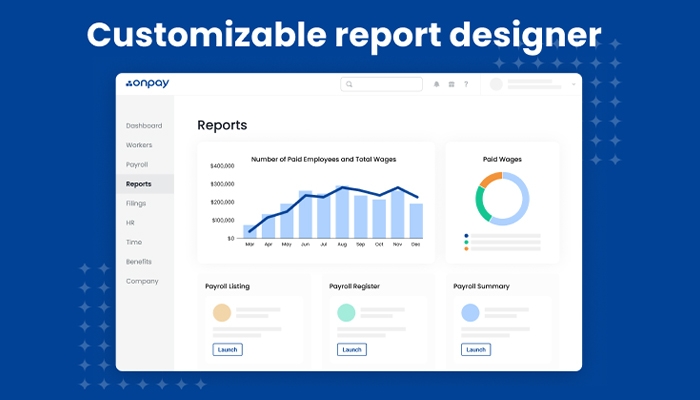
OnPay Payroll software offers detailed payroll and HR records on taxes, PTO, and federal filings. Organizations can track trends and costs to make better business decisions. It offers customized  reports  according to location, department, pay type or employee role. These reports work seamlessly with payroll reporting systems such as When I Work, providing accurate payroll monitoring and complaint tracking.

Streamlined Employee Onboarding

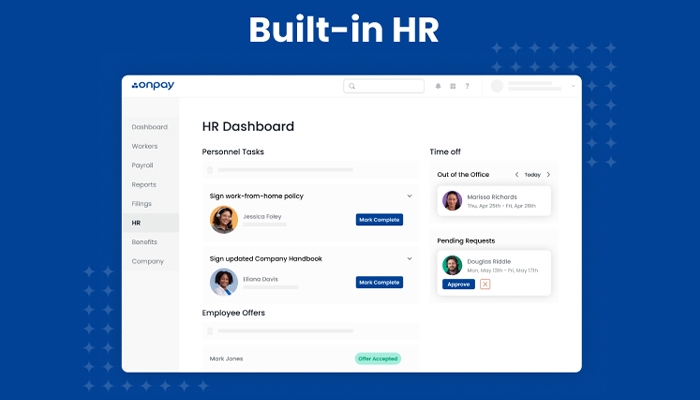
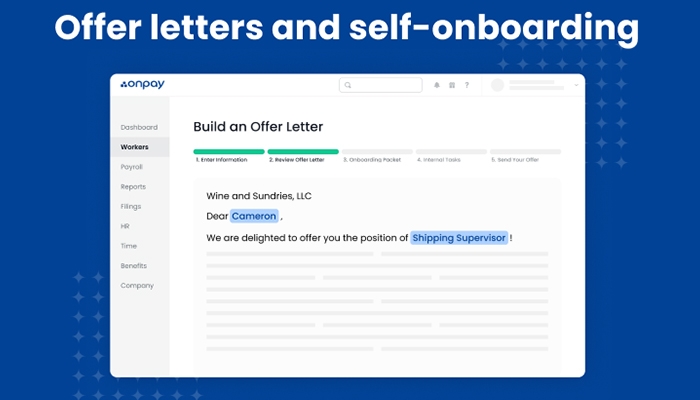
Using OnPay Payroll system, employees can add their personal information and fill out HR forms during setup through a self-service portal. Tasks can be assigned by administrators, and offer letters can be sent digitally, with customized onboarding workflows.

Centralized Employee Profiles and Database

OnPay Payroll keeps all your personal, payroll, and HR information in one secure central employee store. Employees can maintain data within self-service, while administrators can ensure consistency around data for HR actions like promotions, transfers or compliance checks.

Efficient Payroll Management

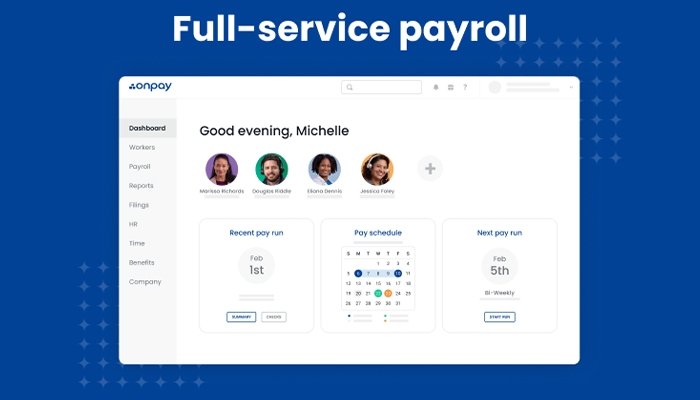
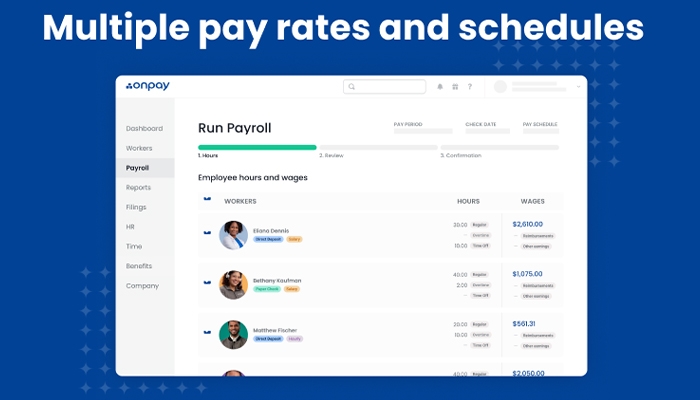
OnPay Payroll software for easy online processing, direct deposits, tax filings and deductions. The Onpay mobile app allows you to run payroll from your smartphone or other wireless device. 

Interactive Organizational Charts

Generate dynamic org charts to check departments, reporting lines, and employee locations. OnPay Payroll’s service helps employers visually see trends, simplify communication. Managers have more time to focus on their job, while improving collaboration among employees.

PTO and Leave Management

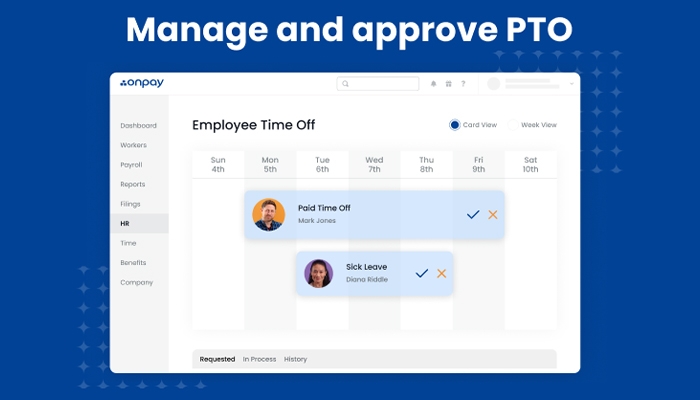
Set your own PTO accrual policies and allow real-time calculation. Managers can either approve or deny requests from their dashboard or from the Onpay mobile app, while employees monitor their leave accruals.

What Is OnPay Payroll HR Software?

OnPay Payroll  is a cloud- based payroll software and HR management system designed to enhance efficiency for small businesses operations. It includes payment processing for employees and independent contractors in multiple states, tax calculations and federal, state and local compliance.

OnPay Payroll provides simple payroll processing, onboarding and reporting for small businesses in accounting, banking, nonprofit management and retail. Users like its accounting integrations, but some report problems with leave tracking and tax filing.

OnPay Payroll Pricing

OnPay uses a simple and transparent pricing model:

  • Base fee:$49 per month 
  • Per‑employee fee:$6 per employee (or contractor) per month

This flat-rate applies no matter how many payroll runs you process in a month , you can run payroll weekly, biweekly or monthly without paying extra.

Tailored solutions can be negotiated depending on the size of the business.

  • Notice: Prices may change over time, check OnPay payroll service for the latest plan details.

Users of OnPay Payroll

OnPay Payroll is perfect for businesses of any size and industry such as:

  • Healthcare
  • Agriculture
  • Non-profits
  • Restaurants
  • Fitness and wellness
  • Retail

OnPay Payroll Integrations

OnPay Payroll is compatible with the following third-party add-ons:

How Does OnPay Payroll Work?

  • Once you are logged in, you will be able to manage your business as follows:
  • Go to the Payroll tab to run pay, use direct deposit, and find forms.
  • HR – This tab is for all employee records, hiring activities and communication.
  • Go to Benefits to add in health, dental, vision and retirement plans for employees.
  • Create payroll, attendance and compliance reports in Reports.
  • Apply filters to see data for particular dates or departments.
  • Notifications: Set timely reminders for key activities, and access supporting documentations.

Reach out to OnPay support via live chat, or request a free demo for expert help.

 Choose OnPay Payroll to simplify Workforce Management

If you’re in need of a complete HR software which handles payroll and benefits, OnPay Payroll is a solid choice. It manages important security and compliance requirements such as tax filings and employee data protection.


Employee Information Management Included
Workforce Analytics Included
Employee Onboarding Included
Training and Development Included
Employee Self-Service Portal Included

Pros

3
  • Diverse HR software features
  • Accurate payroll processing
  • Responsive customer support

Cons

1
  • Documentation feature could be improved

OnPay Payroll HR Software Reviews

Overall Rating

4

2 Review(s)

Rating Distribution

5

(0)

4

(2)

3

(0)

2

(0)

1

(0)

Share your experience

John S.

Consulting

Ease of use
8
Value for money
8
Customer Support
7
Functionality
8

My software review

Pros

The platform has been a dependable part of our daily operations. It handles core tasks smoothly and keeps everything organized without adding complexity.

Cons

Limited advanced customization options.

Damian K.

Technology

Ease of use
8
Value for money
9
Customer Support
7
Functionality
8

An excellent System

Pros

The software offers a good mix of features that support our workflow and improve efficiency. It covers most of our needs, though there are occasional areas where improvements could enhance usability. Still, it delivers solid value for the price.

Cons

Occasional lag in updates or syncing.

Frequently Asked Questions

OnPay Payroll costs begin at $40 per month and $6 per employee. Business plans are customizable.

OnPay offers support via knowledge base, chat, email, phone support and detailed documentation.

Yes OnPay Payroll software has an API which can be used for integration with other software.

The platform is used in Healthcare, retail, non-profits, agriculture, restaurants and fitness industries.

OnPay is available in several languages, including both English and Spanish.