DrChrono Features

Explore what DrChrono EHR offers — from day-to-day workflows to advanced capabilities.

5 features

DrChrono Patient Portal

To utilize this platform, patients are provided with a unique Dr Chrono login to their DrChrono portal. Through online accessibility, patients can easily coordinate with their physicians, request medications, make payments, view their progress reports, and schedule appointments at their convenience. Patients can also receive automated reminders on their portal that reduce the rates of missed consultation sessions.

Revenue Cycle Management

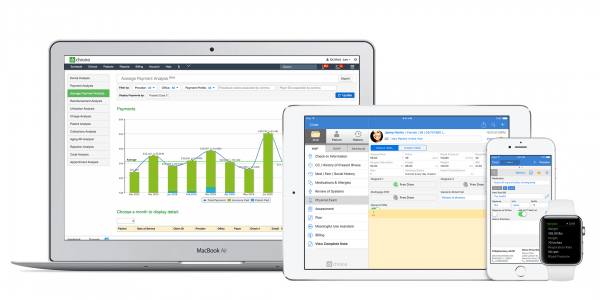
These tools are the core of ensuring a stable financial health. Dr Chronos EMR provides the monitoring capabilities for the payment collections and revenue timelines. This feature enables quick and precise eligibility checks, claims submission, denial management, etc. Due to this EMR training, practitioners can focus on providing optimal care services instead of managing these routine but important administrative tasks. 

DrChrono Telehealth

This feature gets high appreciation from the ambulatory services center due to its empowering capabilities. With this DrChrono EHR software, practitioners can provide treatment through virtual platforms. Patients don’t have to visit in person to share data, cooperate with the provider, and get quality care services. 

Laboratory Integrations

Doctor Chrono EMR enables practitioners to order laboratory tests, and the results are sent to this EHR system. These results get automatically added to the charts of the patients for centralized data access. These constant updates and comprehensive documents are crucial for making outcome-oriented, clinical decisions.

Voice transcription

This robust tool can convert all the consultation sessions to notes through voice recognition speech-to-text AI integrations. Doctor Chrono EMR eradicates the need to manually write the important clinical details. These automations are very adaptable to multiple languages and speaking patterns, leading to precise notes.

What Is This Product?

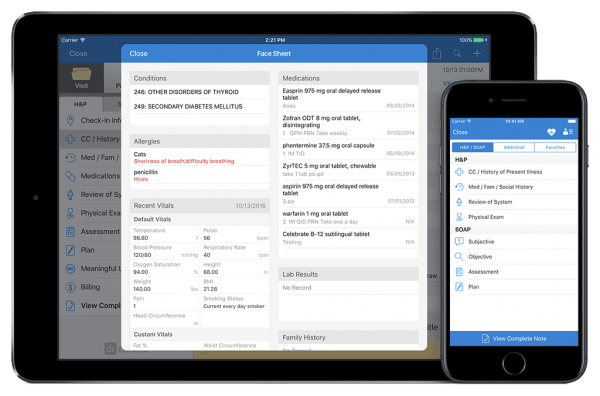
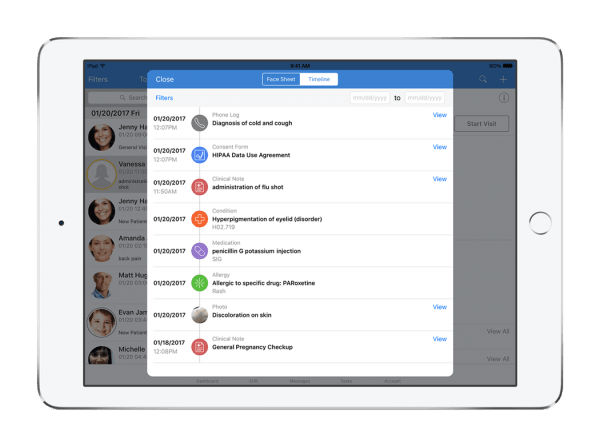
Dr Chronos EHR is popular due to its robust tools and user-friendliness. This EHR system provides the required personalizations and modifications so that the user can control the managerial aspect of these automated workflows. Physicians can make clinical notes in real-time for future access and informed decision-making. There are also telehealth capabilities that can help you in creating a better experience for your patients through virtual consultation sessions that can be done through mobile or other handheld devices. DrChrono software caters to many specialties through these built-in templates that can be modified and save a lot of hours that would have been spent on laborious charting.

Dr Chronos EMR integrations

Third-party apps and tools integrations are supported by this EMR software solution, which includes:

You can watch a Dr Chrono tutorial through a free demo and learn more about its integrations for a better understanding of its capabilities.

Who Can Use Dr Chronos?

All scales of operations of the healthcare businesses can utilize Dr. Chrono to the fullest. This intuitive software can empower physicians and clinicians from diverse specialties. Moreover, multiple specialty organizations and solo clinics can leverage the capabilities provided by this EHR. The specialty that usually demands DrChrono EHR are:

  • Podiatry
  • Family Practice
  • Pediatrics
  • Urgent care
  • Pain management
  • Mental and behavioral health

You can also schedule a DrChrono demo that will provide you with all the required details to figure out the suitability of this software solution for your particular clinical operations. You can also contact DrChrono support for a free demo or click on the option provided on our website.

How Much Does Dr Chrono Cost?

The beginning of DrChrono pricing is $199/month/provider, but practitioners can go for the option from the provided plans by the vendors according to their practice requirements and budget capacity.

The plans for tailored DrChrono cost per month are:

  • Elite
  • Advanced Plus
  • Essentials Plus
  • Advanced
  • Essentials

Practices with complex workflow and clinical operations might not be able to achieve full practice management capabilities with just standard features. But with the advanced functionalities, the Dr Chrono price might be increased significantly.

Many aspects can impact the final DrChrono cost, which includes tools, region, user volume, size, preferences, needs, and contract terms. You can get a tailored DrChrono pricing quote that suits your unique requirements by clicking on the ‘Get pricing’ option.

Note: These prices can be changed

Dr Chrono Application

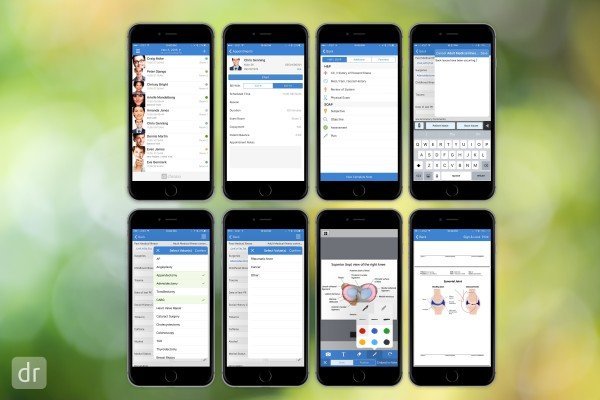
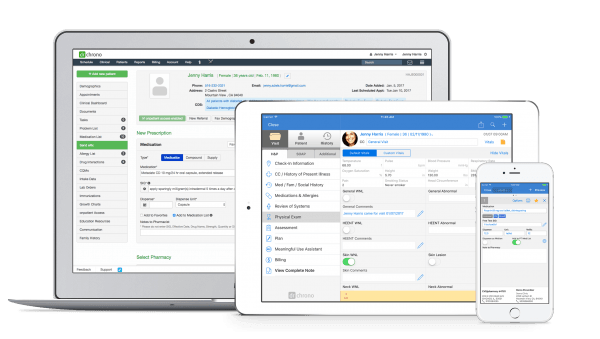
After installation, add your unique credentials for an authorized DrChrono login and navigate to the smart dashboard. Modify the dashboard according to your workflow and begin assigning roles for better data protection. All the patient data can be imported from the former system to the EHR of this software. After setting up the system according to your work style, you can begin by modifying the built-in templates and clinical forms to suit multiple specialties in your healthcare sector. Schedule appointments conveniently and automate reminders to reduce missed sessions. There is also DrChrono RCM, which can be used to ensure smooth revenue streams, financial stability, and billing processes. You can also perform clinical charting without any difficulty and make notes about the consultation sessions in real-time. There’s also a feasibility of digitization for medication that can be sent directly to the relevant pharmacy database. Patients can also easily collaborate with their healthcare provider and request medication refills conveniently.

To experience the functionalities of this software solution, schedule a complimentary DrChrono demo and read the Dr Chrono reviews mentioned on our website.

Is DrChrono the Best Software?

Your search for a unified hub that has all the features needed for optimized financial, clinical, and administrative operations ends here. OnPatient Chrono is a safe and secure platform that allows stress-free data exchange and storage. This platform scales as your business grows, eradicating the need to adopt another EMR system to match your productivity. This ONC-certified platform can be used by all scales of operations, from solo clinics to large enterprise-level hospitals. Moreover, there are no DrChrono alternatives in the market that can empower physicians like this EMR EHR. You can also leverage multiple options of DrChrono pricing that can be chosen according to your practice needs.

If you are interested in learning about the functionalities and suitability of this software, then get in contact with our consumer services team. If you want unbiased information about the experiences of practitioners with this software, then read the DrChrono reviews and watch a demo to know how to apply it in your database.


Patient Portal Included
Mobile Access Included
User Login Included
Activity Calendar Included
Claims Management Included
Patient Demographics Included
HIPAA Compliance Included
e-Prescriptions Included
Telehealth Included
Payment/Billing Included
Administrative Management Included
Invoicing Included
Laboratory Integrations Included
Personalized Forms Included
Appointment Scheduling Included

Pros

7
  • Accelerated medication management with e-prescribing
  • Intuitive and user-friendly interface
  • Smart dashboard with easy navigation
  • Patient management with understandable tools
  • Real-time insurance eligibility verification
  • Modifiable medical forms and templates
  • Convenient clinical documentation capabilities

Cons

3
  • Some Dr Chronos reviews reported a training need for software beginners
  • A reliable internet connection is needed to use its cloud-based functionalities
  • DrChrono EMR review suggested fewer intricacies in the personalization of advanced aspects

DrChrono EHR Reviews

Overall Rating

4.5

12 Review(s)

Rating Distribution

5

(7)

4

(4)

3

(1)

2

(0)

1

(0)

Share your experience
Ma. Rezie G.

Healthcare

Ease of use
8
Value for money
8
Customer Support
8
Functionality
8

Easy schedule tracking and documentation uploads

Pros

It’s really easy to view and create schedules, and I like that I can add tasks and keep communication logs. I also appreciate being able to upload patient documents directly into their charts.

Cons

One annoying issue is the loading time. The tool can take a while to load, and if I step away, it often logs me out automatically, so I have to sign back in multiple times.

Leanne

Healthcare

Ease of use
8
Value for money
8
Customer Support
7
Functionality
8

Effective and Streamlined EHR system

Pros

It’s user-friendly and easy to use, and I’ve noticed clear improvements compared to other software.

Cons

Doctor Chrono can be slow to navigate, which becomes a major issue during busy periods. It’s disruptive and has led to significant financial losses.

Chandra S.

Healthcare

Ease of use
10
Value for money
7
Customer Support
10
Functionality
10

It has all the features I need

Pros

I’m really impressed that it combines all the essential features I need into one platform.

Cons

However, the monthly cost felt too high for me to justify when I was just getting started.

Frequently Asked Questions (FAQs)

A: Certainly, DrChronos does not have a free plan available.

A: The final customized DrChrono pricing takes into account your unique business needs and budget capacity. Click on ‘Get Pricing’ to discuss the final DrChrono cost that suits your demands.

A: Indeed, Dr. Chrono is cloud-based, and it enables the medical staff members to manage patients and practice virtually.

A: English is the language that this EHR tutor supports.

A: DrChrono support allows buyers to get answers through informative guides, help desks, recruitment, technical assistance, communities, customer services, DrChrono reviews, FAQs, Dr Chrono log in, chat assistance, forums, phone, and email. You can also get details about DrChrono pricing.

A: Certainly, there is an App that provides a Dr Chrono patient portal for convenient collaboration and PM features to the practitioners. Users can have remote access to the functionalities of this software platform through a DrChrono login.

A: Of course, API access for smooth DrChronos integrations is available.

A: Certainly, iOS and Android handheld devices are supported by this EMR EHR, with a requirement for a Dr Chrono login to access the dashboard, according to DrChrono reviews.

A: Indeed, the apps and Dr. Chrono that integrate with this EHR software are Birdeye, Updox, Solv software, Square, Review Wave, etc. 

A: All scales of operations and diverse specialties of the healthcare practices can leverage this EMR system to the fullest, which includes mental health, urgent care, pediatrics, podiatry, family practice, pain management, etc.