Practice Fusion Features

Explore what Practice Fusion EHR Software offers — from day-to-day workflows to advanced capabilities.

4 features

Patient Record Management

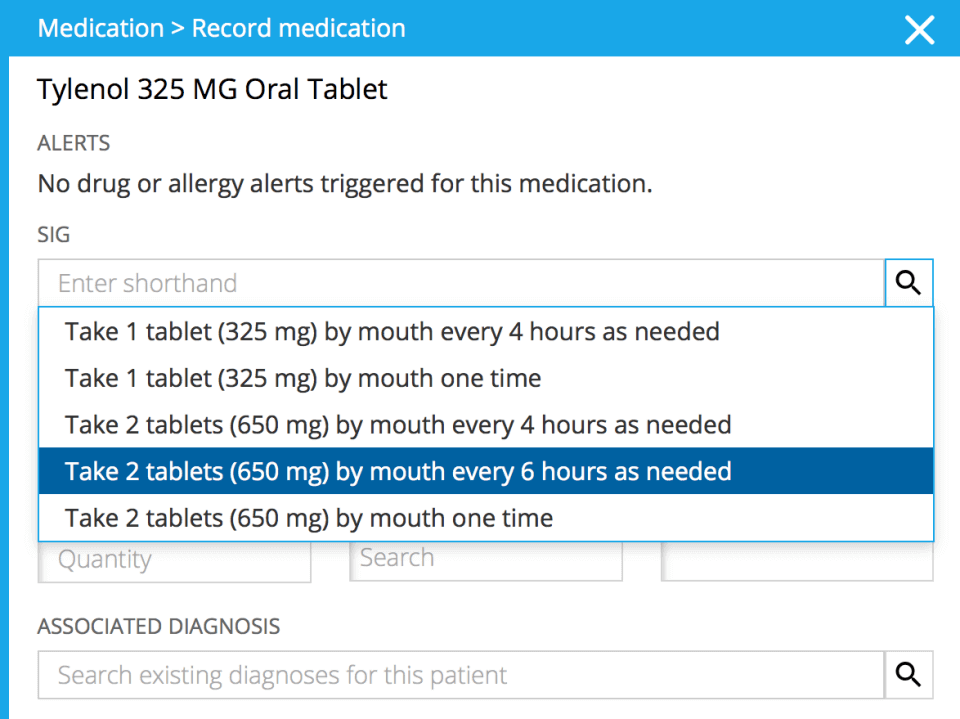
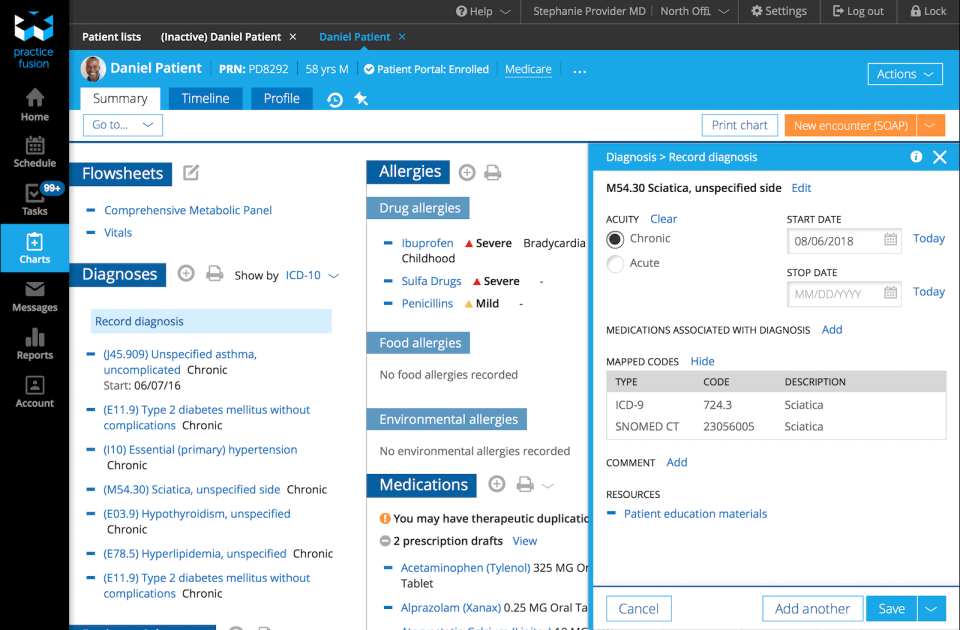
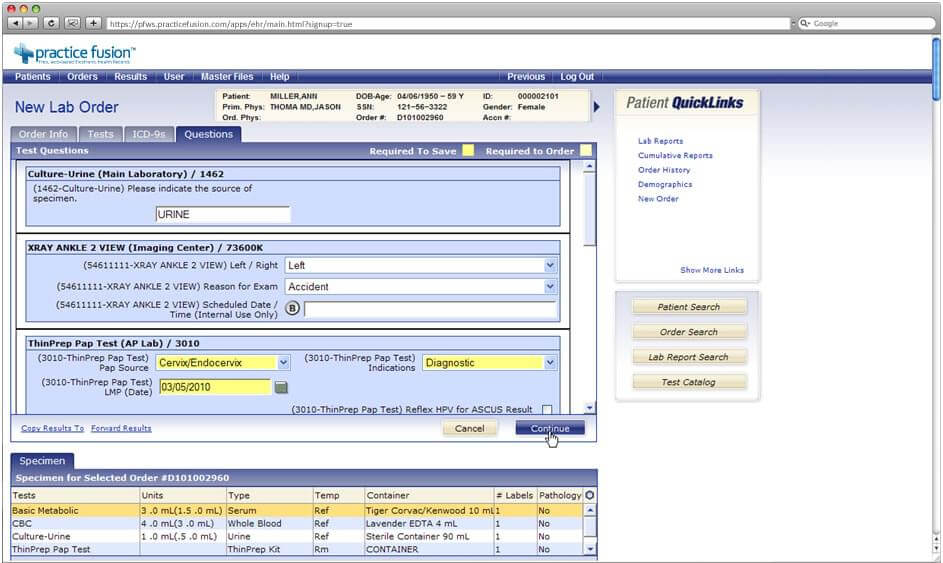
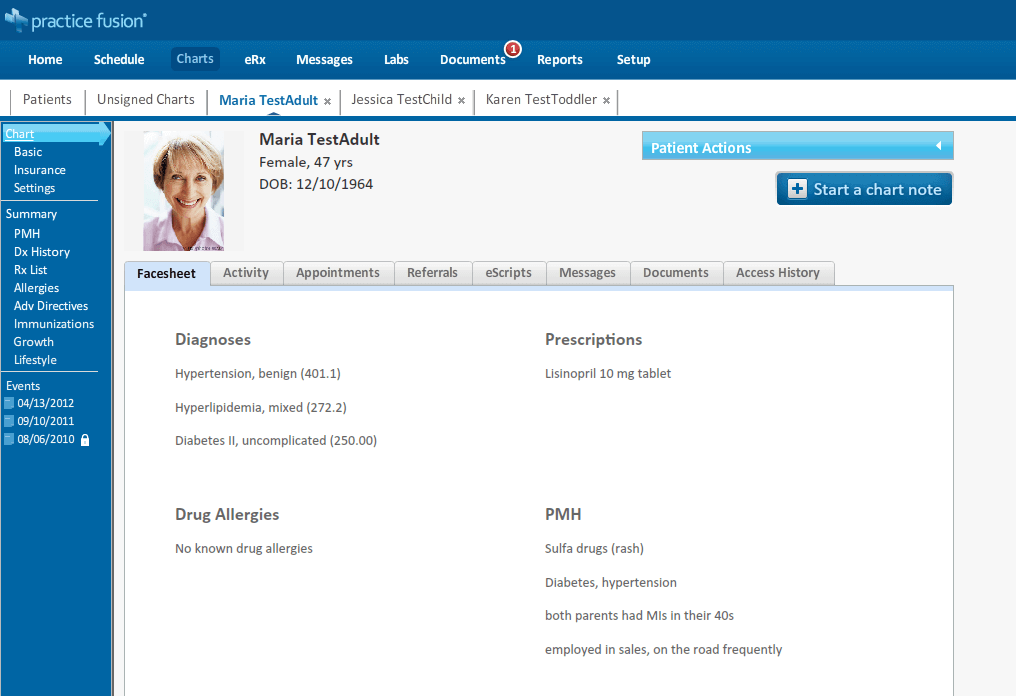
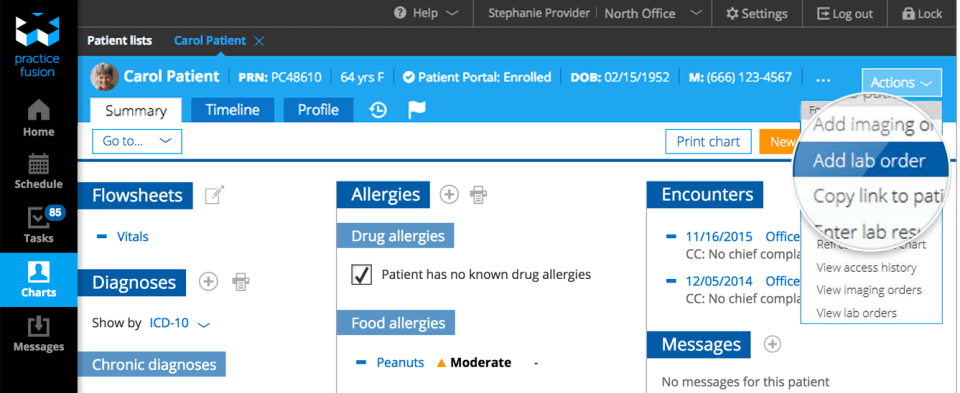
Practice Fusion offers a 100% web-based digital health record solution accessible on all devices like laptops, tablets, and desktops. It has a unique capability of handling different types of patient records, whether it’s billing history, digital files, or appointment records. This setup keeps care providers organized and updated with their patients’ health journey.  

Customized Charting

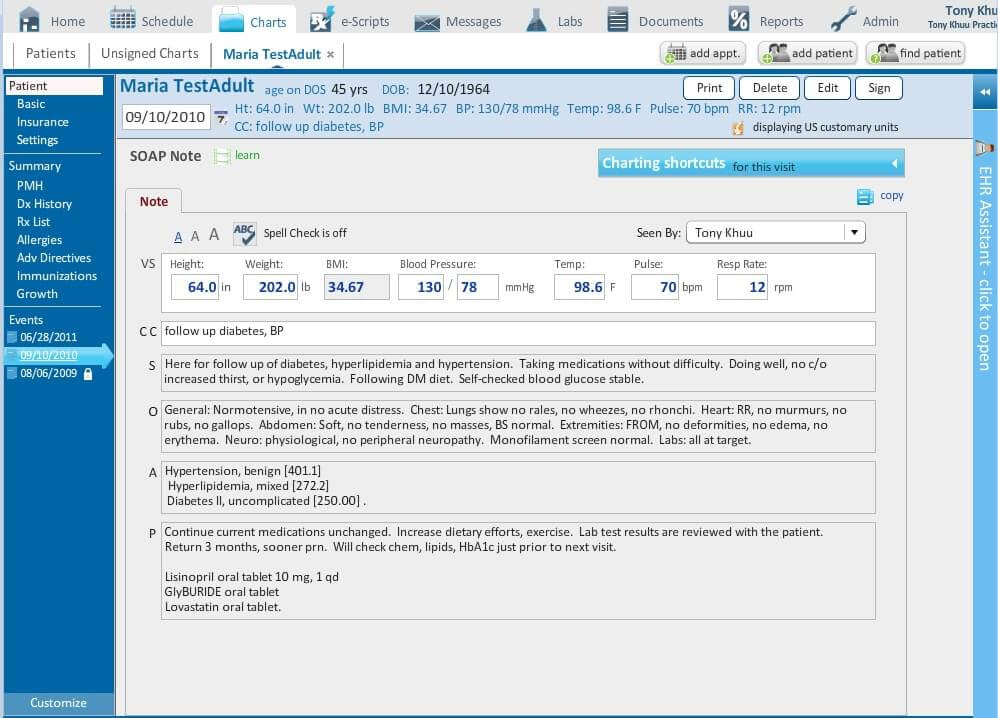
The Practice Fusion EMR software features built-in templates, customizable to cater to unique needs and track work balance. This also reduces errors, particularly in cases of seasonal sickness and pharmacy orders. Codes can be assigned to specific data for better management. 

Medical Billing

This feature of Practice Fusion EHR software is best for independent health centers. It manages their complete revenue cycle with the help of dedicated billing experts. Featuring white-glove implementation along with an integrated clearinghouse and customer care, the solution streamlines claims processing. 

Personal Health Record

The solution can easily link up with FollowMyHealth, a personal record tracker that provides free medical information 24/7. It enables patients to schedule appointments easily, check in from home, and review care instructions post-visit. This setup keeps patients engaged, active, and informed. 

What is Practice Fusion?

It is an EHR software designed for all sizes of clinical centers. It brings all the tools under one roof, helping treatment centers cut the clutter and shape their environment and workflow. By pairing clinical and financial tools, the solution keeps practice revenue steady while freeing providers to focus on other patients too.

What is the pricing structure of Practice Fusion? 

The platform starts at $199/user/month. In addition to a flat subscription fee, buyers should keep these add-on charges in mind. These include:

  • Integrated Billing Services: depending on business size, requirements, and selected services, it can fall between $300 – $1500/month. 
  • Payment Processing: Approx. 2.5% – 3.5% of transaction value is collected when applicable on the patient’s debit/credit card payments through an integrated billing functionality.

Reviewers have suggested it is a strong choice for small practices and startups. For accurate pricing based on your business needs, you can request a custom Practice Fusion pricing estimate.

Note: The pricing is subject to change 

Practice Fusion Integrations 

To increase workflow and operational efficiency, the solution has enabled third-party app integrations. They include:

  • NueMD
  • RadNet
  • Trinity Health
  • Lab Corp
  • Surescript
  • Walsgreen
  • AdventisHealth

How Does Practice Fusion Work?

To get started with Practice Fusion electronic medical records, there are some steps that you must follow after logging in. These are:

  • Set up your clinical profile and customize the workflow to fit how your team operates.
  • Import patient histories, records, and demographics into a central base.
  •  Schedule and manage appointments using an activity calendar across all providers and office staff.
  • Use flexible templates to log clinical notes, chart visits, and diagnoses during appointments.
  • Handle medical billing and monitor claim processes to keep practice revenue moving.
  • Run operational and clinical reports to review practice performance and trends.

If you still want to learn more about the software functionalities. Request a free Practice Fusion Demo. Contact now!

Is Practice Fusion a Right Choice For You?

If you have an independent practice, Practice Fusion will be the best EHR software for billing and record maintenance. It saves a lot of time on documentation and brings focus to delivering optimal patient care. This also increases the revenue of the practice.

The software also ensures data security by being HIPAA-compliant. It offers years of experience and customer insights to improve while providing good patient care. If you want to cut the load from admins and reduce errors, this solution merits a trial.

Still not sure about the software product? Contact our experts for detailed information, then decide whether you should get Practice Fusion or not.


E-prescriptions Included
Document Handling Included
Mobile Access Included
Digital Payments / Billing Included
Lab integrations Included
Personalized Reports / Forms Included
Immunization and Allergy Tracking Included
HIPAA Compliant Included
User Login Included
Dedicated Patient Portal Included
Payment/Billing Included
Patient demographics Included
Administrative management Included
Appointment handling Included
Activity Calendar Included

Pros

5
  • The platform is simple and fast to implement.
  • The interface is appealing, and it also enables users to sign in for emergencies outside the office.
  • The solution is very easy to learn and requires zero to minimal training to get started with it.
  • The framework of this solution is based on SOAP for easy scheduling and documentation.
  • The solution stays updated regularly to stay compatible with industry standards

Cons

3
  • There are limited options for personalization in this software product.
  • Customer support could be a bit better, especially regarding Practice Fusion login for patients.
  • The software becomes less intuitive when lists and charts are involved.

Practice Fusion EHR Software Reviews

Overall Rating

4.6

10 Review(s)

Rating Distribution

5

(7)

4

(2)

3

(1)

2

(0)

1

(0)

Share your experience

Samantha

Healthcare

Ease of use
10
Value for money
10
Customer Support
8
Functionality
9

Practice Fusion EHR is the best

Pros

It’s user-friendly and great for beginners, offering robust functionality without feeling overly complicated.

Cons

One downside is that the system can experience downtime.

Meri

Healthcare

Ease of use
9
Value for money
9
Customer Support
10
Functionality
8

Efficient system for Medical office

Pros

It keeps patient data organized in one place and is easy to use.

Cons

Frequent updates can add new features, but they also bring new challenges and sometimes cause issues.

Rhonda

Healthcare

Ease of use
8
Value for money
7
Customer Support
7
Functionality
7

Practice is a requirement

Pros

The Practice Fusion program is affordable and easy to use.

Cons

There’s a lot of redundancy in the system, with the same information appearing in multiple places depending on who entered it or how the practice operates. It can get confusing and isn’t ideal.

Frequently Asked Questions

Practice Fusion starts at $199 /user per month. It also has a free version plus a free trial available for clinics that want to try before investing. Reviewers suggested it is an affordable option for smaller and startup practices too. 

No, the software is no longer free but it offers a free 14-day trial. So if you want to buy Practice Fusion software, contact us for a cost breakdown and trial installation details. 

No, the solution offers a transparent cost structure, but optional add-ons are available for an extra charge. 

It is a turnkey solution for small companies, solo practices, and startups. It requires zero to minimal training and onboarding time compared to complex EHRs 

The solution has a scheduling widget and dedicated portals that allow direct messages. This patient fusion not only increases engagement but also crucially improves overall performance.