

Overview
Patient Chart Manager EHR Software is an on-premise electronic health record EHR software and practice management solution by Prime Clinical Systems. It helps medical practices manage patient charts, appointment scheduling, exam documentation, billing tasks, insurance eligibility checks, and patient reminders in a single system. Public product listings describe it as suitable for practices of different sizes and specialties. The demand for EHR software remains strong. CDC data from the 2024 National Electronic Health Records Survey found that 95.0 percent of U.S. office-based physicians used an EHR system, while 83.6 percent used a certified EHR system. This shows why many practices still compare older on-premise EHR systems with newer cloud-based options before choosing the right fit.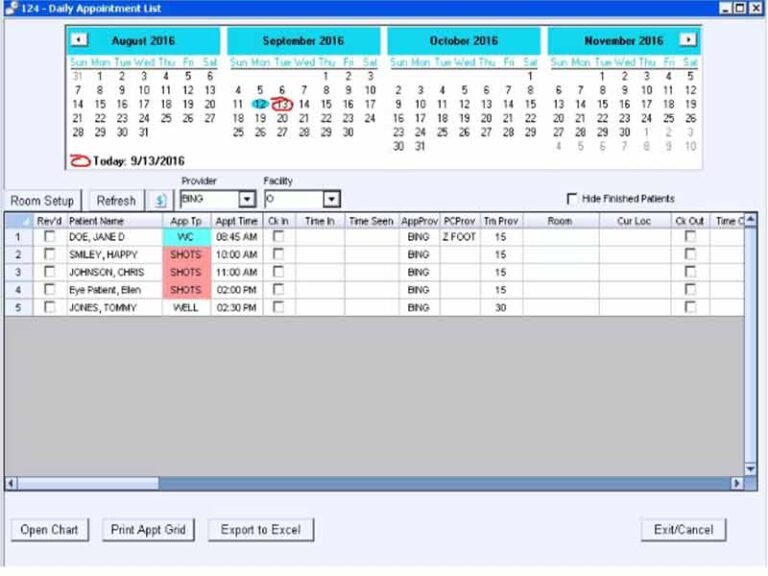
Patient Chart Manager Software Specifications
What is Patient Chart Manager EHR software?
Patient Chart Manager EHR Software is a Windows-basedEHR/EMR software solution that helps practices move clinical and administrative work into a digital system. It stores EHR records, supports patient documentation, manages appointments, and helps billing teams handle claims-related tasks.
Patient Chart Manager Pricing
Patient Chart Manager EHR pricing is not fully consistent across public listings. Pricing is customized. Contact the vendor or request a quote for current pricing.
Who uses patient chart manager software?
Patient Chart Manager EHR software is designed for medical practices that prefer an on-premise EHR system instead of a cloud-based platform. It supports practices that need appointment scheduling, exam documentation, billing support, and patient chart management in a single Windows-compatible setup.
Public listings describe its users as solo practices, medical groups, and specialty practices. Capterra also lists use cases such as family practice, occupational health, primary care, dermatology, and pain management.
Patient Chart Manager Integrations
Public sources do not give a full third-party integration list for Patient Chart Manager EHR. Available information says the software works with patient chart data, appointment history, prescription history, lab reports, and imaging. One product profile also mentions compatibility with HL7 data exchange and DICOM medical imaging standards.
The software also supports voice recognition tools, dictation, and touchscreen input. These options help providers enter notes without relying only on typing.
How Does Patient Chart Manager EHR Work?
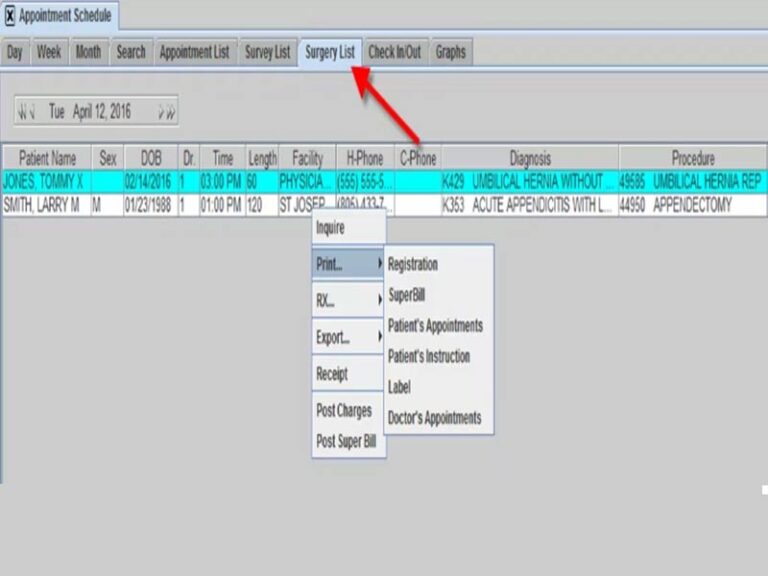
Patient Chart Manager EHR works by connecting clinical documentation, patient scheduling, and billing tasks in one on-premise system. Staff can schedule appointments, send reminders, check insurance eligibility, and generate billing statements. Providers can document exams, use templates, customize forms, and add patient notes through typing, touch screen input, voice recognition, or dictation.
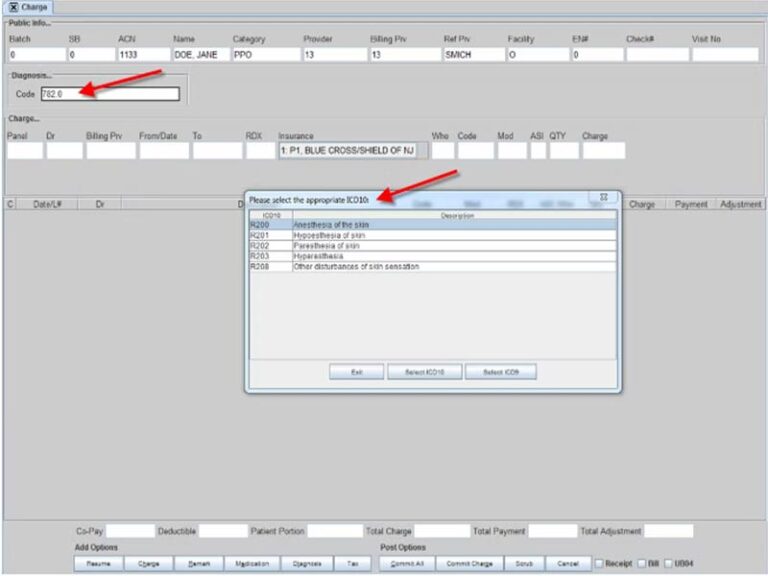
The system also supports ICD-10 coding and helps practices submit bills and insurance claims according to CPT code guidelines. This makes it useful for practices that want one software for EHR records and day-to-day practice management.
Choose Patient Chart Manager EHR Software For Windows-Based Practice Management
Choose Patient Chart Manager EHR software if your practice wants an on-premise medical EHR software solution for Windows. It works best for teams that need digital charting, appointment reminders, billing support, custom forms, and exam documentation without moving fully to a cloud-based system.
It is not the best fit for practices that need Mac compatibility, a fully cloud-based platform,, or a modern user interface.
Patient Chart Manager software Features
The software helps you manage appointments and send patient reminders by email, phone or text message. This supports front desk teams and helps reduce missed visits.
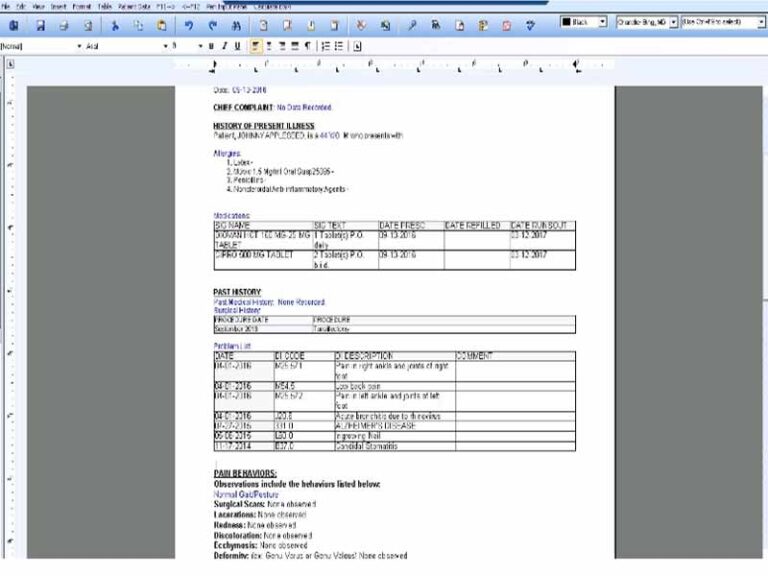
Providers can document exams, enter patient notes, and manage chart data inside the system. The software supports touch screen input, voice recognition, and dictation, which gives providers more ways to complete documentation.
Patient Chart Manager EHR supports automated billing, insurance eligibility checks, and billing statement generation. It also supports ICD-10 and CPT-related billing workflows, which help practices manage claim submission more carefully.
Providers can choose from a form library and customize forms according to practice needs. SoftwareFinder also lists form upload and editing as a positive point.
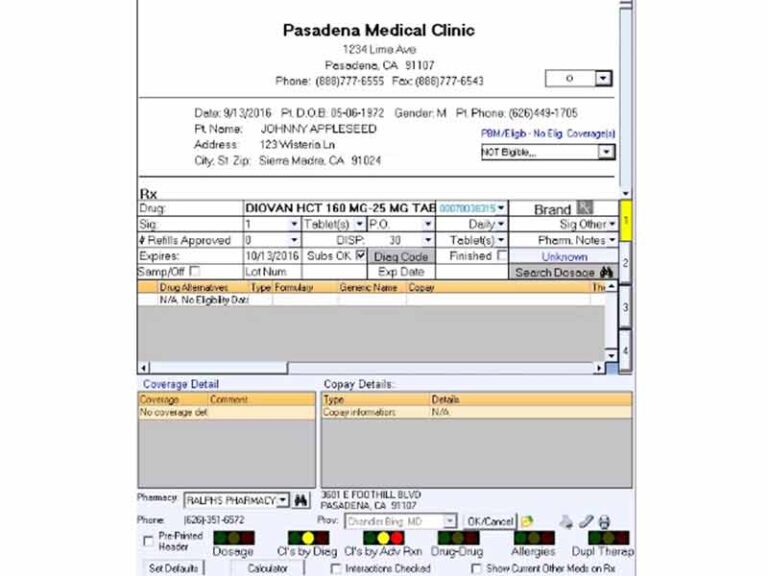
The system helps track patient chart data, appointment history, prescriptions, lab reports, allergies, and images. This supports better access to EHR records during patient visits.
See The Software In Action Watch Free Demo!
Top Recommended Software






Pros and Cons of Patient Chart Manager
Patient Chart Manager EHR Reviews
My software review
Pros
The platform has been a dependable part of our daily operations. It handles core tasks smoothly and keeps everything organized without adding complexity.
Cons
Limited advanced customization options.
An excellent System
Pros
The software offers a good mix of features that support our workflow and improve efficiency. It covers most of our needs, though there are occasional areas where improvements could enhance usability. Still, it delivers solid value for the price.
Cons
Occasional lag in updates or syncing.
Frequently Asked Questions
Patient Chart Manager EHR is an on-premise electronic health record EHR software and practice management solution. It helps practices manage patient charts, appointments, exam notes, billing, and administrative tasks.
No. Public product listings describe Patient Chart Manager EHR Software as an on-premise solution. It is not listed as a cloud-based EHR system.
Patient Chart Manager EHR pricing is listed differently across public profiles. Some sources show custom pricing, while Software Advice lists a starting price of 575 dollars. The safest option is to request current pricing from the vendor before publishing a fixed price.
Medical practices, solo providers, and specialty groups can use Patient Chart Manager EHR software. It is used in family practice, occupational health, primary care, dermatology, and pain management.
Yes. Patient Chart Manager EHR can send appointment reminders by email, telephone, or text message.
It is listed as both EHR software and EMR EHR software in public directories. In simple words, it helps practices manage digital patient records, clinical documentation, and practice management tasks in one system.
