MDToolbox Features

Explore what MDToolbox offers — from day-to-day workflows to advanced capabilities.

6 features

Secure Electronic Prescriptions

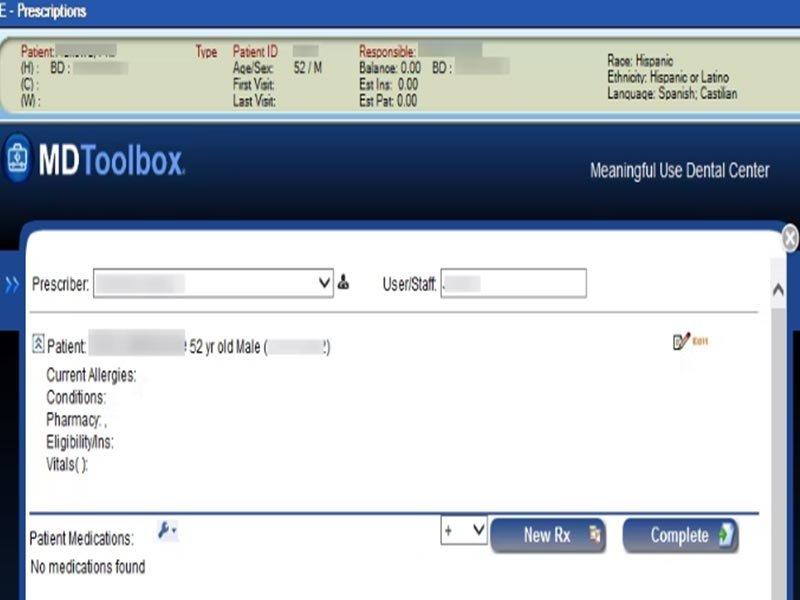
MDToolbox has a certified ePrescribing system which links prescribers with more than 70,000 U.S. pharmacies.Users can submit and receive prescription orders, including refills, directly on desktop or device. The platform provides drug reference information, real-time interaction checks, formulary requirements and patient education resources. These functions minimize inaccuracies and simplify prescribing processes in order to guarantee a much safer patient care.

Prescription Management

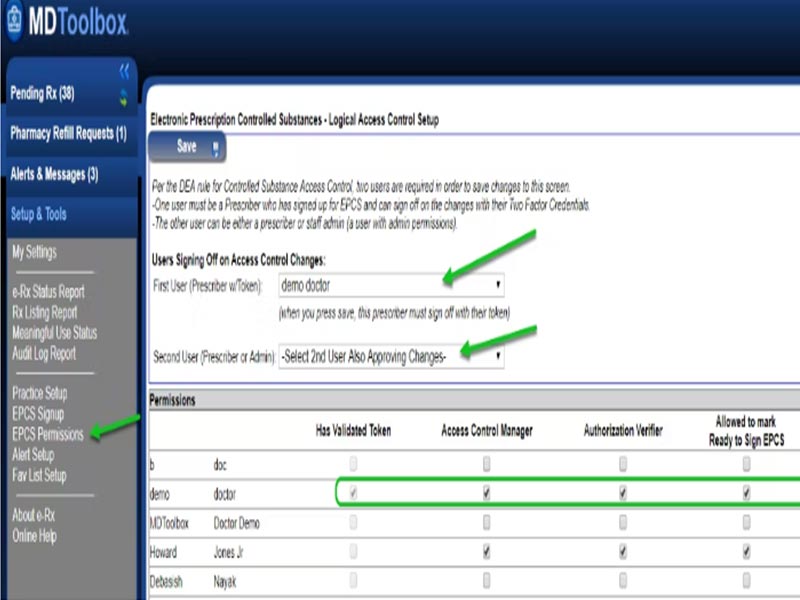
This feature guarantees patient safety, eases compliance with regulations, and makes it possible for prescribers to keep track of and manage controlled prescriptions easily from any device.

Electronic Prior Authorization Workflow

The system alerts prescribers when prior authorization is needed and provides smart, pre-filled electronic forms that present only essential questions. This streamlines approvals, reduces administrative delays, and ensures faster access to prescribed medications for patients. It speeds up approvals, minimizes administrative hold-ups, and gets patients the drugs they need faster.

Secure Clinical Messaging

MDToolbox provides a HIPAA compliant messaging system for delivery of patient data from prescribers to pharmacies. All communications are secure, keeping you and your healthcare team’s communication confidential while providing increased collaboration opportunities and care coordination. This feature enables you to securely communicate without relying on insecure email or paper-based workflows.

Mobile Prescription Management

Prescribers using their smartphone and tablet are now  free from the office and have peace of mind when prescribing on the go with the MDToolbox App. You have access to review patient medication history, send new prescriptions, respond to refill requests, and process controlled substances . Mobility, or accessibility from multiple locations and mobile devices, helps multi-site practices and traveling providers maintain consistent workflows and ensure compliance

Medication History and Decision Support

The solution offers full access to patients’ medication histories, in order to make better decisions. Embedded tools provide interaction, dosing calculations, and alerts for conflicts or duplication. These functions enable prescribers to avoid errors, enhance patient safety, and remain compliant with regulatory standards.

What Is MDToolbox

MDToolbox is an e-prescribing system for small to mid-size medical practices. It allows you to submit e-prescriptions, process EPCS workflows, manage authorizations, and access drug data in real time. It operates either as a stand alone or office package and supports direct messaging for secure business communication. MDToolbox app works for mobile, iPhones, iPads, android devices and tablets as well as office PCs.

MDtoolbox Pricing

There are two primary MDToolbox plans.

E Prescribe Premium: 30$ per month

E Prescribe Ultimate:$38 per month

There are optional add ons available from the vendor. Prices may vary, so confirm costs with current rates before purchasing.

Users of MDToolbox Software

  • Small practices
  • Medium-sized clinics
  • Licensed prescribers
  • Healthcare teams managing controlled medications
  • Clinics that need secure prescriptions on mobile devices

Integrations

You can connect MDToolbox to as many healthcare systems as you’d like. All third-party integrations are not published by the vendor but data exchange is possible using the MDToolbox API.

How MDToolbox Works

  •  Log in using the MDToolbox login (from here.
  • Search for an existing patient or add a new one
  • Submit the electronic prescription to the patient’s pharmacy
  • View insurance formulary information and prior authorization needs
  • Send and receive secure messages with other providers
  • Use the mobile version of the MDToolbox app to prescribe from any device
  • Manage controlled medications through the EPCS module
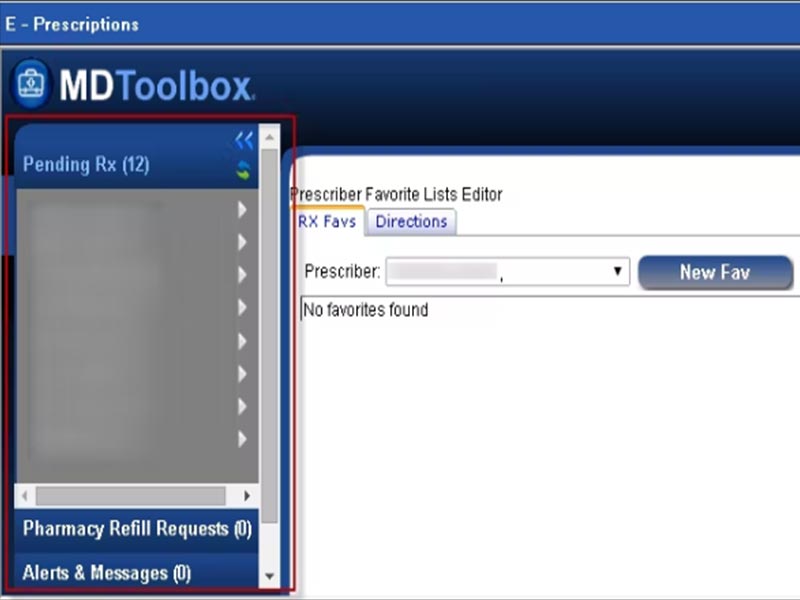
    Check prescription history and favorite lists to speed up your workflow

Choose MDToolbox For Fast and Secure ePrescribing

You can choose MDToolbox when you want a simple and reliable prescribing tool backed by compliance and mobile access. It works well for teams that need secure communication, clear workflows, and fast prior authorizations. The platform supports controlled substance prescribing and fits practices looking for a straightforward and affordable option.


Appointment management Included
Electronic prescriptions Included
Lab integration Included
Patient portal Included
Mobile application Included
Telemedicine capability Included
Billing and invoicing Included
Claims management Included
Customizable forms Included
Patient demographics Included

Pros

5
  • Clear and intuitive interface
  • Secure controlled substance workflows
  • Faster authorizations
  • Mobile access for flexible prescribing
  • Responsive MDToolbox support

Cons

2
  • Optional add ons increase cost
  • Potential integration issues with specific EHRs

MDToolbox Reviews

Overall Rating

4.6

7 Review(s)

Rating Distribution

5

(4)

4

(3)

3

(0)

2

(0)

1

(0)

Share your experience
Mark V.

Healthcare

Ease of use
9
Value for money
10
Customer Support
9
Functionality
10

Easy to perform E-prescribing

Pros

Prescription renewal information is readily accessible, repeating unchanged prescriptions is simple, the pharmacy search function is very helpful, and cancelling prescriptions is easy.

Cons

There are no major issues with MDtoolbox Rx, though the cost could be a bit lower.

chester W.

Healthcare

Ease of use
10
Value for money
10
Customer Support
10
Functionality
10

MD Tool box best for electronic scribing

Pros

The platform is affordably priced, easy to use, and meets the requirements for e-scribing with a single MDToolBox login.

Cons

Not all trade names are included, and it can be difficult to find newer medications in the system.

Susan W.

Healthcare

Ease of use
10
Value for money
10
Customer Support
10
Functionality
10

Excellent Prescribing System

Pros

The MDToolBox platform is easy to use, offers excellent customer support, and comes at a great price.

Cons

No drawbacks so far. It meets all my needs, and I highly recommend it.

FAQs

Yes, there are MDToolbox API’s for software developers.

 MDToolbox offers support via phone or email.

Yes, MDToolbox is cloud based.

It is used by small to mid-sized healthcare organizations.

The platform supports English.