ManageUp Features

Explore what ManageUp Software offers — from day-to-day workflows to advanced capabilities.

6 features

Fast Onboarding

ManageUps accelerates onboarding by analyzing early activity, behavior signals, and work output to predict employee performance within the first 90 days. This helps teams identify strengths quickly, reduce hiring risks, and align new hires with goals faster, saving time, cost, and effort while ensuring a smoother transition into the workflow.

Skill Tracking

The platform continuously tracks employee skills, utilization, and outcomes in real time, ensuring talent is used effectively. It helps managers uncover hidden strengths, rebalance workloads, and align individuals with the right priorities, improving productivity while maximizing the value of every team member.

Performance Management

ManageUp PMO replaces outdated annual reviews with continuous performance tracking and feedback loops. It keeps goals transparent, progress measurable, and improvements actionable, allowing teams to stay engaged, aligned, and consistently focused on growth without delays or guesswork.

Smart Leadership

This tool reduces leadership burden by automating performance monitoring, highlighting risks early, and surfacing achievements. Managers spend less time on admin tasks and more time coaching, planning, and strengthening their teams with clear, data-backed insights.

Planning Dashboard

ManageUp login offers a centralized, data-driven dashboard where managers can track progress, monitor key metrics, and prepare for reviews or meetings. It organizes performance data in one place, making planning, decision-making, and team alignment more efficient and structured.

Expense and Task Monitoring

The platform improves visibility by tracking work output, activities, and performance data in real time. ManageUp login allows teams to monitor task completion, evaluate efficiency, and reduce wasted effort, helping organizations control costs while maintaining consistent productivity. 

What is ManageUp?

ManageUps is a performance management tool built to help teams work faster and smarter without adding extra workload. It helps organizations reduce losses caused by poor hiring decisions, underused talent, and outdated review systems. ManageUp login allows users to share wins and highlight real impact while keeping track of efforts, making it easier to advocate for growth, promotions, and better opportunities.

ManageUp Integrations

Third-party apps and tools integrations are supported by this PMO software solution, which includes:

What Is Manage Up Best For?

ManageUp PRM helps professionals document meaningful work moments and stay prepared for career conversations. It captures achievements, milestones, and contributions in one place, turning them into clear, useful insights. This system uses these records to support effective performance reviews, helping users track progress, stay motivated, and confidently present results that support career growth and advancement.

Who Can Use ManageUp PRM?

This system can be leveraged by diverse industrial sectors like pharmaceuticals, healthcare, consulting, manufacturing, food and beverage, etc.

How To Use ManageUp Software?

To get the most out of ManageUp Project Management, follow these simple steps to streamline your team’s workflow and boost daily productivity:

  • Log in to your secure dashboard to get a real-time bird’s-eye view of all active projects and team performance.
  • Define your core objectives and key results to ensure every task aligns with your company’s big-picture goals.
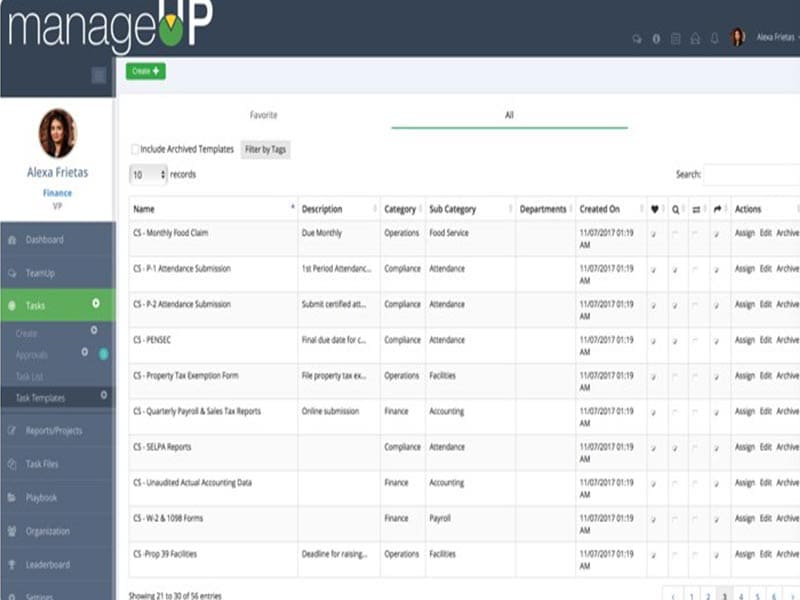
  • Create and assign specific tasks to team members, setting clear deadlines to eliminate confusion and overlapping work.
  • Use the automated feedback loops to replace long meetings with quick, actionable status updates and performance wins.
  • Monitor progress through visual tracking tools that highlight roadblocks early, allowing you to course-correct before a deadline.
  • Review integrated data insights to celebrate team achievements and identify areas where your workflow can be even smoother.

Book a free ManageUp to watch a visual tutorial of the usage capabilities of this system.

How Much Does ManageUp Cost?

ManageUp pricing begins at $7.00/month/user, but it is complimentary for businesses with up to five users. You can connect with the sales team for a detailed price breakdown and to request a personalized quote.

Is ManageUp Software The Right Choice?

ManageUp Project Management takes the headache out of tracking complex workflows by replacing messy spreadsheets with a single, intuitive hub. By using this tool, your team can coordinate tasks, monitor real-time progress, and automate repetitive updates to stay on schedule. It is built on a highly scalable cloud infrastructure that grows with your business, protected by AES-256 encryption. With SOC 2 Type II and HIPAA compliance, it ensures your sensitive data meets the highest industry security standards.

If you are doubtful regarding the suitability of this platform for your business operations and project management demands, then connect with our software experts. You can watch a free demo and read unbiased ManageUp reviews for a third-party point of view.


Employee Management Included
Mobile App Included
Task Management Included
Intuitive Dashboard Included
Time Monitoring Included
Analytical Reporting Included
Project Scheduling Included
Budget Handling Included
Project Templates Included
Resources Allocation Included

Pros

5
  • Easy task tracking and deadline management
  • Centralized dashboard improves team visibility
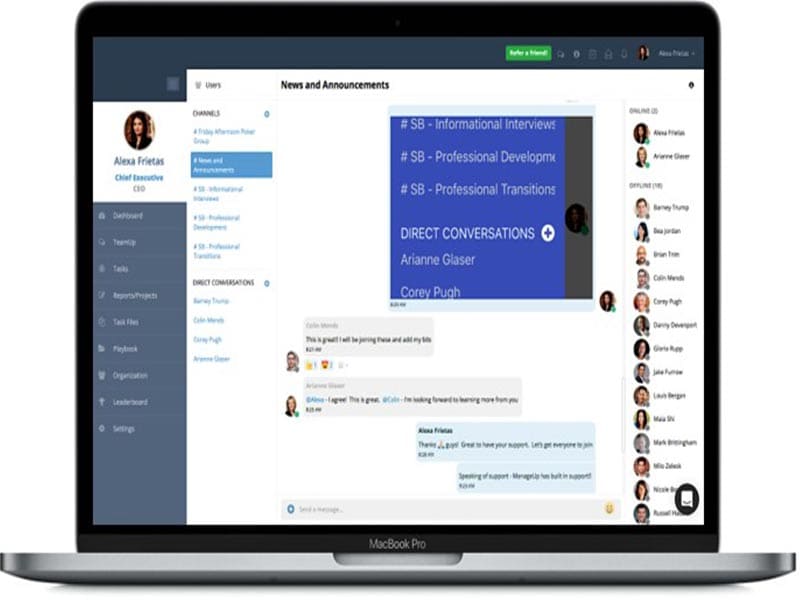
  • Strong collaboration with real-time updates
  • Custom reports support better decisions
  • Integrates with popular productivity tools

Cons

3
  • Limited public user reviews available
  • May require setup time for workflows
  • Advanced features may feel complex initially

ManageUp Software Reviews

Overall Rating

4.4

7 Review(s)

Rating Distribution

5

(3)

4

(4)

3

(0)

2

(0)

1

(0)

Share your experience
Souleima K.

Marketing

Ease of use
10
Value for money
10
Customer Support
10
Functionality
10

My Best Investment

Pros

It improved communication and kept everyone aligned on tasks.

Cons

Interface not very beginner-friendly.

Carter L.

It services

Ease of use
9
Value for money
10
Customer Support
10
Functionality
10

Smooth project tracking tool

Pros

Strong task tracking and team visibility.

Cons

Takes time to learn initially.

Martha Brooks

Consulting

Ease of use
8
Value for money
9
Customer Support
9
Functionality
8

My ManageUp Review

Pros

Helpful for scheduling and team management.

Cons

It requires training to fully use features especially for beginners.

Frequently Asked Questions

A: Certainly, the ManageUp software does have a free plan available.

A: Yes, ManageUps is cloud-based. 

A: English is the language that the ManageUp PMO supports.

A: Manage Up allows buyers to get answers through email. You can also get details about the ManageUp pricing. 

A: There is a ManageUp PRM app that provides remote convenience of performance management. Users can access the functionalities of this software platform through a single ManageUp login. 

A: No, the ManageUp API access information is unavailable.

A: Certainly, iOS and Android handheld devices are supported by this project management software, with a requirement for a ManageUp login to access the dashboard, according to ManageUp reviews.

A: Yes, there is a ManageUp free trial option, and you can also request a free demo.