

Overview
Findmyshift is a simple to use, online employee scheduling and time clocking software. With drag-and-drop scheduling and a variety of integrated time clocks, it simplifies how you manage your workforce.Findmyshift revolutionizes scheduling with scalable options and monitor labor costs.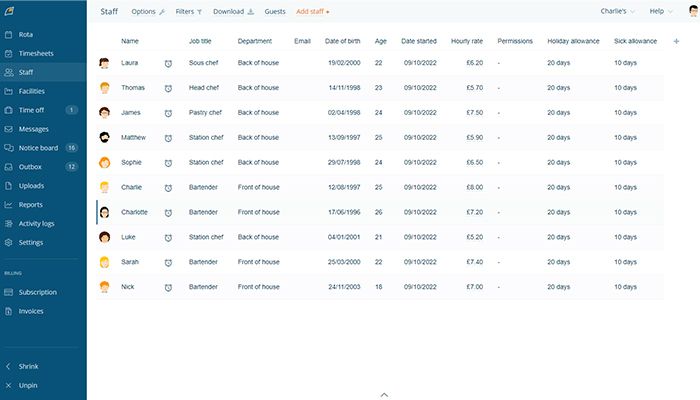
Findmyshift Specifications
Employee Information Management
Recruitment and Applicant Tracking
Performance Management
Attendance and Time Tracking
What Is Findmyshift?
Findmyshift is a web-based software solution that enables organisations to manage employee scheduling, reporting attendance, and track time-off effectively from any location. It offers drag-and-drop scheduling, time clocks and automated reminders to help managers create and share employee schedules, manage labor costs, and communicate with their staff. The software is helpful for businesses that have hourly or part-time employees, as it helps with making sure workers are scheduled appropriately.
What Is Findmyshift Best For?
Findmyshift is known for the time and attendance tracking it offers timeclock with its advanced in-built time clock. Companies can track staff’s onsite hours in real time, for precise payroll accounting and labor cost reporting. The time data integrates with scheduling, so that supervisors can easily compare punch times against work shifts scheduled. This integrated time and attendance tracking helps in managing businesses with real-time visibility into labor costs and activities.
Findmyshift Pricing
- Free plan at $0 per month for up to 5 team members
- Starter plan at $25 per month for up to 20 team members
- Business plan at $40 per month for up to 100 team members
- Enterprise plan at $80 per month for up to 300 team members
Findmyshift Integrations
The software with its built-in, exclusive app system makes it a fast and easy .These include:
How Does Findmyshift Work?
- Click the “Create Schedule” button to create your initial work schedule and set its date range as needed
- Upload your staff to the Staff list by clicking on the tab ‘Employees’, and either importing from excel or manually entering details.
- Click on schedule slots to assign shifts
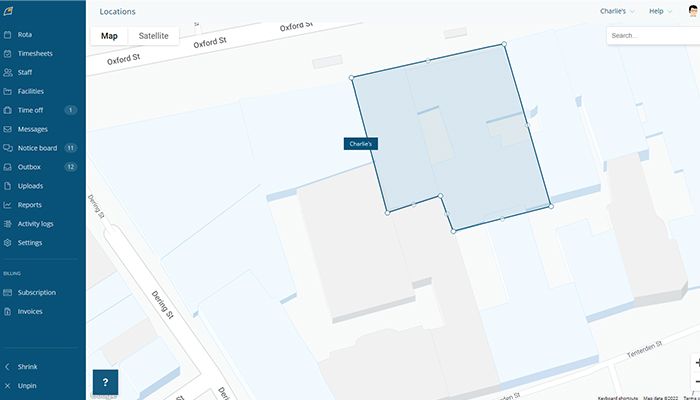
- Tag or attribute shifts with details such as site, location and job type for easy filtering and reporting
- Staff members are be able to see published rosters on the staff portal and can also submit shift requests, swap shifts and cancel shifts.
- Track what workers are really working on by having them clock in/out with the online/mobile timesheets
- Create a payroll report using scheduled information and timesheets to see how much labor costs and overtime hours you have accrued
- Message employees for on-call schedules, trade and availability updates parties
You can also sign up for a Findmyshift free demonstration to see how it works.
Users of Findmyshift
The software is suitable for small businesses, as well as for large enterprises with dozens of employees. It is often used in industries such as:
- Retail
- Law enforcement
- Healthcare
- Restaurants
- Shipping and transportation
Choose Findmyshift For Simple, Flexible Employee Scheduling and Time Tracking
It simplifies scheduling, time tracking, payroll and communication. The platform is scalable to meet the needs of businesses of all sizes, with thousands of employees.
It relies on effective security measures for data protection. All employee data and schedule changes are protected and encrypted to bank standards. By providing strict access control and automatically backing up data every day, it guarantee high level security of data and meet regulatory requirements.
It is credited as the best-in-class staff scheduling app and among the most trustworthy employee scheduling software available in the market, it helps to run operations for global brands worldwide. Its user friendly platform, award winning support and it gain rapid adoption among clients like Disney, Subway, NHS and St John.
Findmyshift Features
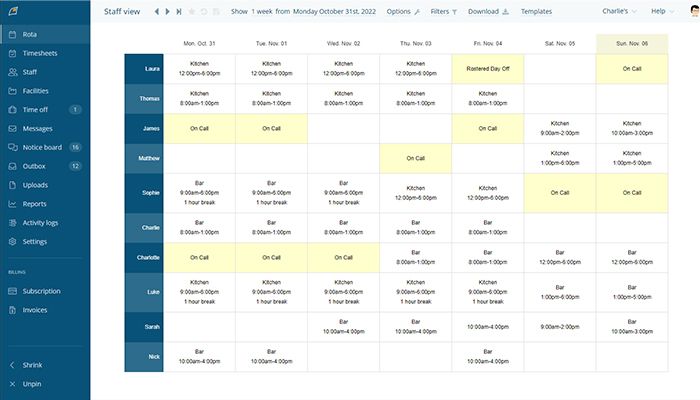
Managers can assign employees to shifts and edit schedules directly from the calendar by drag-and-dropping in an intuitive interface. With accurate data input or scheduling steps, the Fast Track application makes it easy and quick to create staff schedules.
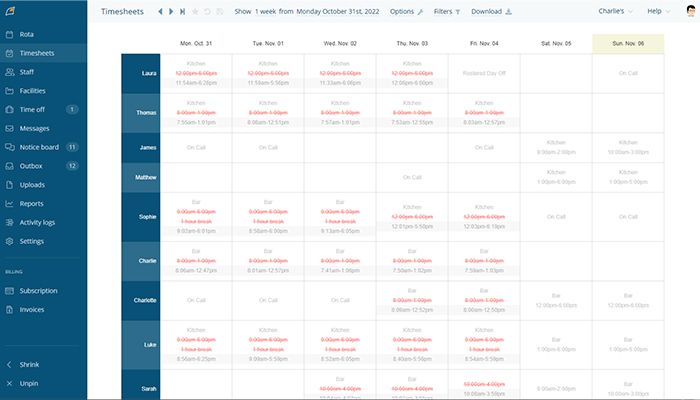
With Findmyshift, employers can keep a record of the hours employees work, in line with their scheduled shifts. You can implement a digital time clock for employees to clock in and out; managers can create timesheets which include actual hours worked and the schedule.
The program simplifies time-off requests. Vacation requests can be made by employees via the system based on days and duration. Managers can approve or deny requests centrally, check leave balances and adjust approved time off on the schedule.
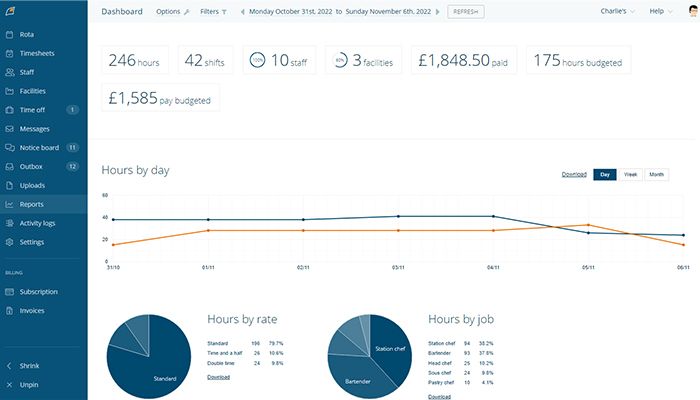
Managers can create payroll reports quickly and easily from the actual hours worked (and recorded with timesheets) using Findmyshift. When timesheet entries integrate with schedule data, this feature allows hours to be automatically added up and wages / payroll taxes due to be calculated.
This also enables manual-free management of schedules using voice commands. Managers can ask an Alexa-enabled device to check the availability of employees, view schedules and make updates.






Pros And Cons of Findmyshift
Findmyshift Reviews
Frequently Asked Questions
It has a knowledge base, email, FAQs, chat and phone support.
Findmyshift offers flexible pricing packages based on the size and requirements of your team. Starter pack at $25/month, Business plan at $40/month and Enterprise plan at $80/month. Request a customized Findmyshift cost.
Yes, it has an API.
The software syncs with many third-party apps, such as Xero, Slack, Bamboo HR, Lightspeed and Monday.
It supports several languages English, Arabic, Spanish, Chinese, Dutch, French, Hindi and Portuguese.
