ClickUp Vs Trello: Best Project Management Software Comparison
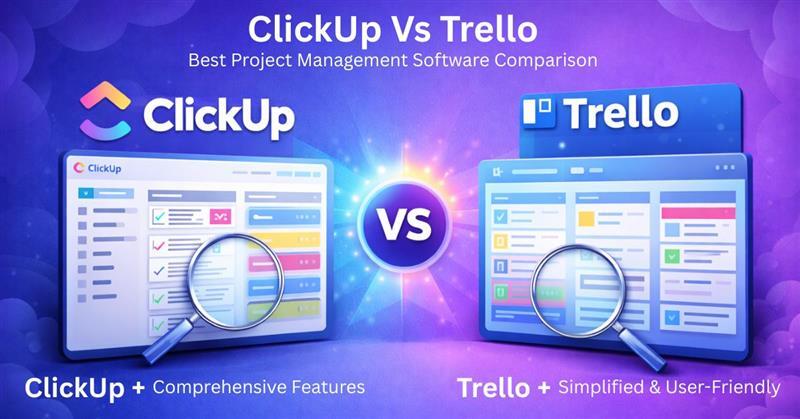
Why Trello Vs ClickUp?
What should be the go-to project management software chosen to empower your business and managerial capabilities?
Dive into this guide to learn more about these PMO software so you can choose what suits your business requirements the best. We have curated this informational blog for a better understanding of the functionalities, aspects, integrations, benefits, and drawbacks of both platforms. So, without taking any more of your time, let’s take a look.
What is Project Management Software?
Project management is a core task of any business and cannot be fulfilled efficiently through manual efforts, raising the requirement for convenient project management software. This platform manages the repetitive but crucial tasks, allowing project managers to focus on curating outcome-oriented strategies. This platform enables enhanced coordination, resource allocation, and workflow automation. For a modernized and unique PMO, these systems should be the first digital professional to be opted for.
This is the comparison between two powerful and famous products. Hence, ClickUp vs Trello, which can provide a better outlook about what would be the best choice for businesses dealing with complex project management issues.
ClickUp Vs Trello: Definitions
The definitions are provided below:
What is Trello?
Trello project management software is an Atlassian tool that is utilized due to its powerful automated capabilities, which are a major requirement for modern businesses. The offered automation can completely revolutionize the task management aspect with easy-to-use dashboards. The intuitive coordination tools enable team members to always be on the same page about the project tasks. Managers can assign tasks to team members with set deadlines, and the completion timings can be tracked for the implementation of improvement strategies.
This platform can cater to the needs of all scales of operations and can be personalized to match the workflow of the project.
Trello task management software provides lists, cards, and boards for the ease of management of multiple projects. These managerial factors are appreciated by project managers when all of their duties are handled through automation, allowing them to focus on priority tasks. Businesses require cloud-based platforms that can simplify the intricacies of their workflows, administration, and team organization.
What is ClickUp?
ClickUp project management software is a popular system that has been leveraged by project managers, website developers, and engineers for managerial capabilities. This software product is a primary choice for businesses that require all the core features of PMO but do not have a big budget. This is a free tool that streamlines project execution, task assignment, team coordination, and timeline monitoring. Managers can observe that all the intricacies related to their workflow are solved in no time.
ClickUp for startups can provide the initial assistance that is required for proper strategy building and project planning. Robust personalizations and modifications can be applied to the templates to suit the manager’s workstyle. Moreover, managers can also utilize the built-in templates to accelerate their workflow. These automations also enable project leaders to synchronize their team on a simple project and manage multiple projects simultaneously. This PMO can confirm prompt business productivity without them having to commit financially with huge sums of money.
ClickUp Vs Trello: Initial Comparison
This section provides a brief overview of the benefits and drawbacks of each of these platforms:
- Selling point: With an authorized ClickUp login, users can leverage the centralized hub that eradicates the need to purchase other software for multiple aspects of a single project. When all productivity-enhancing features can be utilized from a unified dashboard, it saves time, improves user experience, and allows better workflow coordination. Opposition to a Trello login, which will enable the user, with its robust personalization capabilities, to modify the automated workflows according to their project and team needs. All the repetitive and routine duties can be conveniently managed by this project management software. Automating these daily tasks and managing the administrative load with simple navigation dashboards is the core purpose of this software.
- PMO: With Trello software, projects can segregate the complex workflows into simplified, miniature tasks. Team members get less overwhelmed when there are mini tasks with a set timeline, which also enables better progress monitoring. ClickUp software is a timesaver that enables the management of project operations with acceleration. When there is a centralized dashboard for team leaders to observe the timeline, progress, and tasks, fast operational optimization can be ensured.
- Interface: There are many functionalities offered by both of these software platforms that can be very beneficial for your project management aspects. ClickUp digital product workflow provides better components with its complimentary plan, whereas Trillo software is more user-friendly, and there is a short training curve, allowing fast usage. Project managers can still learn the ClickUp AI functionalities to use more capabilities with no cost, but both software can assist in file sharing, data exchange, efficient coordination, and task allocation.
ClickUp Vs Trello: Integrations
ClickUp Integrations
ClickUp API is available to assist in seamless integration with the following third-party apps:
Trello Integration
Trello API is available to assist in seamless integration with the following third-party apps:
ClickUp Vs Trello: Feature Comparison
Here are some details about the powerful functionalities of both Trello project management and ClickUp project management. You can read these to figure out what would be more suitable for your current business needs:
Team Coordination
ClickUp chat and other features allow better collaboration among team members. There are safe spaces, including whiteboards, that assist project managers, collaborators, and team members in sharing their project-related ideas. This brainstorming platform can help leaders implement improvements from the feedback of the team members and curate project planning with their ideas in that unified space. The clean and engaging layout with multiple options, including diagrams, shapes, texts, colours, etc, assists in communicating creative ideas that can be pinned by the project leaders.
These Trello features empower team coordination through lists, calendars, boards, and other features for comprehensive coordination. This platform can be used to actively coordinate with team members and also allow internal communication. Trello integration with Slack can also significantly aid in team coordination.
Workflow Automation
The ClickUp AI can completely change the game of your project management capabilities. Project managers can delegate tasks on the basis of priorities with set deadlines. Through deadlines, it becomes easier to track progress and implement better task allocation strategies. With these automations, teams can stay synchronized and stay aware of the allocated tasks. The priority duties can be identified through tags, pins, and highlights. ClickUp API can also be utilized for app integration, assisting in workflow and task automation.
Trello task management software utilizes the tool known as Butler automation. Through these, users can eliminate the need for manual efforts just to manage the routine administrative tasks. Team members can easily learn about the priority task through cards and boards that save them time. With Butler automation, deadlines can be conveniently met, and repetitive tasks are managed, optimizing the workflow. Trello integration can also come in handy for optimal task management with robust automation.
Monitoring and Reporting
ClickUp – manage teams and tasks, to provide detailed reports about the timelines. This software allows the project managers to connect project objectives with the tasks. Through this linking, it becomes easier to track progress through task completion timelines. By calculating the time spent on a single task, the whole project duration can also be reported. This software can be utilized to gain detailed reports about all project-related operations. These reports assist in designing quick improvement strategies for future projects.
Trello as a project management tool, can be integrated with other apps to enhance its monitoring and reporting features. This platform provides project managers with the means to visualize the timelines, task completion, and project progress through a smart activity calendar. Leaders can also have a detailed look at the time zones of tasks that have been done and the assigned tasks. The completed tasks can be marked as done through the facilitation of a checklist, and the pending ones can be marked comprehensively as well.
Personalization and Scalability
ClickUp kanban is the dashboard that can be modified according to the unique business needs. These dashboards are flexible and can be adapted to meet the requirements of the users and their work style. Project leaders can arrange this dashboard in such a way that is most feasible to them. Modifications and adaptability also ensure that the system is scalable, and there is no need to purchase expensive software to match your business productivity. This platform provides the stability to the businesses and the project managers to design their workspace according to their preference, which can streamline the project operation at an immense rate. All aspects of this software can match the growth of your business, like analytical reporting. It can adapt to your growth and provide insights for improvements.
The Trello project management tool empowers users with a totally personalized dashboard. This platform is easier to use, which helps project leaders to use cards, lists, and boards for team synchronization. This PMO software can be leveraged to manage large teams, big projects, and multiple departments in the same organization. Even project-related intricacies can be solved by third-party app integrations that can revolutionize the managerial components of this software.
Mobile Compatibility
For remote task management, this is a major requirement. The ClickUp app and the Trello app can be utilized on mobile devices with the operating systems iOS and Android. These software are compatible with handheld devices and can be operated on Cloud, Saas, and Web. There is no notable difference in the remote project managerial aspects of these systems.
ClickUp Vs Trello: Usage Comparison
After installation, add your credentials for an authorized ClickUp login and navigate to the intuitive dashboard. You will learn to use its interface quickly. You can assign roles to the team members and other managers for workspace management. Team members can coordinate with each other for task synchronization, making progress tracking convenient. This intuitive and easy-to-use platform enables leaders to automate tasks, allocate duties, set task priorities, highlight implementable ideas on whiteboards, set deadlines, write descriptions for priority tasks, and create folders for multiple projects.
After installation, add your credentials for an authorized Trello login and navigate to the smart kanban-style dashboard. You can create different boards and use them for different purposes. You can divide or segregate the stages of the projects to simplify the work-related intricacies and accelerate the completion process. Cards can be utilized to delegate tasks to team members, streamlining the workflow. Members can easily comprehend the task that has been assigned to them by reading their name and task description. After completing their respective task, members can easily update the status of the task through the drag-and-drop feature into the done section. Through this, managers can feasibly monitor the project progress.
If you want to know more about the usability, use-centricity, comprehension, and functionalities of these PMO software, then request a free Trello and ClickUp demo. With a visual tutorial, the feature understanding aspect gets easier through a visual representation of its managerial aspects.
ClickUp Vs Trello: Pricing
ClickUp Pricing
The final ClickUp pricing is dependent on the business size, user volume, and unique requirements. But there is a list of ClickUp cost plans that are not rigid and can be changed:
- Enterprise: Personalized ClickUp pricing
- Unlimited: $10/month/user
- Free: $0/month/user
- Business: $19/month/user
You can get tailored ClickUp pricing by contacting the sales team according to your business requirements, budget capacity, and needed features.
Trello Pricing
The provided Trello pricing information can be changed, but the final expense depends on the chosen plan chosen by the user. There are a total of three plans provided by the vendors, which depend on the user volume and can be billed monthly or annually.
- Trello Premium Costs: $12.50/month/user
- Trello Standard Plan: $06/month/user
- Trello Enterprise plan: $17.50/month/user
You can get tailored Trello pricing by contacting the sales team according to your business requirements, budget capacity, and needed features. You can also learn about the Trello free plan features by contacting our customer support team.
ClickUp Vs Trello: Pros and Cons
ClickUp Pros and Cons
PROS: The ClickUp product launch template allows managers to personalize it according to their workflow needs. The tasks can be managed by giving each task a priority status that optimizes the flow. Monitoring project progress gets simplified with this project management software. Repetitive and administrative tasks can be handled by robust workflow automation. Moreover, with automation, there is also an analytical reporting feature that can assist in tracking the progress of the projects and the performance of the team members.
CONS: According to some ClickUp reviews, the database can occasionally be overloaded with increasing data. Software beginners might find this software a bit difficult to use, so there is a slight requirement for training.
Trello Pros and Cons
PROS: Trello task management provides a layout that keeps users engaged. With a stunning interface, users can totally appreciate the accessibility for the team members. The analytical reporting feature provides all the necessary details about the project progress and identifies gaps in the strategies. With these features, managers can accelerate the implementation of improvements. Team members can share their unique and creative ideas about the project operations.
CONS: According to the Trello reviews, some software beginners find the interface difficult at first. The advanced functionalities could be more, to cover more aspects of the project management.
ClickUp Vs Trello: Alternatives
There are some software similar to Trello and ClickUp that are provided in this guide. It can make it easier for our clients to find out their best software match. So, take a look at these:
ClickUp Alternative
Some of the ClickUp alternatives are mentioned below:
Trello Alternative
Some of the Trello alternatives are mentioned below:
- Notion
- Smartsheet
- Basecamp PM software
- Linear
ClickUp Vs Trello: Support Level
Spare a glimpse at the level of support provided by both of these project management software:
ClickUp Support
ClickUp home can be navigated for the benefits of their customer assistance services. Users can always leverage the ClickUp chat to get in contact with the support team and will not have to wait long periods to receive a response. There is always a technical assistance team ready to hear your software-related issues and provide the necessary help for quick resolution. You can watch the free ClickUp demo to learn in detail about its performance in a business database. You can also access knowledge base support through product articles, along with unbiased ClickUp reviews given at the bottom of their respective pages. ClickUp as a CRM, is also a very popular system that can enhance client coordination with the customer relations team.
Trello Support
Project management software Trello can provide consumer assistance, technical support, and knowledgeable guides. Customers highly appreciate the quick and responsive assistance services. Trello support is not functional 24/7 for chat, but the user-friendly technical services make up for it. Users can contact them via email and can leverage the Trello reviews to find common solutions. There are guides about the features, issues, and performance of this software, which can be very helpful for users. A free Trello demo is available, which gives an enhanced level of detail about the managerial aspects. Trello reviews directly from the reviewers are also mentioned on our website, for you to receive an unbiased point of view.
ClickUp Vs Trello: Final Thoughts
With this guide, you now have all the required knowledge about Trello and ClickUp as robust PMO platforms. You have read about features, alternatives, integrations, selling points, and disadvantages of these two software systems. The final verdict of which one of these software should be chosen always depends on your project operations and unique business requirements.
We have provided you with all the required information to help you choose the appropriate software. If you are still facing some issues, feel free to contact our customer service at (347) 696-2641. They are always eager to hear from you and will provide you with more details after hearing about your preferences and needs. You can also give your valuable feedback and suggestions so we can create even better blogs for your knowledge. See you next time, but we are eagerly waiting for your valuable comments.
Frequently Asked Questions (FAQs)
Q: How much does ClickUp cost?
A: The ClickUp pricing depends on the required features, user volume, budget capacity, and other business requirements. You can request a flexible pricing quote by clicking on the ‘Get Pricing’ option mentioned above.
Q: Are there any ClickUp alternatives?
A: Some ClickUp alternatives perform similar functions to this software solution, like Jira, Asana, Monday.com, Todoist, etc.
Q: How much does Trello cost?
The Trello pricing depends on the required features, user volume, budget capacity, and other business requirements. You can request a flexible pricing quote and learn more about the offered Trello costing by contacting the sales team.
Q: Is Trello free?
Indeed, there is a complimentary Trello support management app. You can also watch a free Trello demo to learn about the advanced features.
Q: How to use the calculation feature in ClickUp dashboard?
A: You can have access to the calculation feature by navigating to the dashboard after providing credentials for the ClickUp login. You can use the cards for which there is a calculation card option available.
Q: Is ClickUp HIPAA compliant?
A: Yes, ClickUp HIPAA compliance is its major USP for the Enterprise ClickUp pricing plan.
Q: Is there a Trello alternative?
A: Yes, some Trello alternatives perform similar functions like Smartsheet, Basecamp, Notion, Linear, etc.
Q: Is the ClickUp API available?
A: Yes, the ClickUp API is available for smooth third-party app integration.
Q: Do mobile devices get supported by Trello?
A: Certainly, iOS and Android handheld devices are supported by the Trello project management, with a requirement for a Trello log in to access the dashboard, according to Trello reviews.