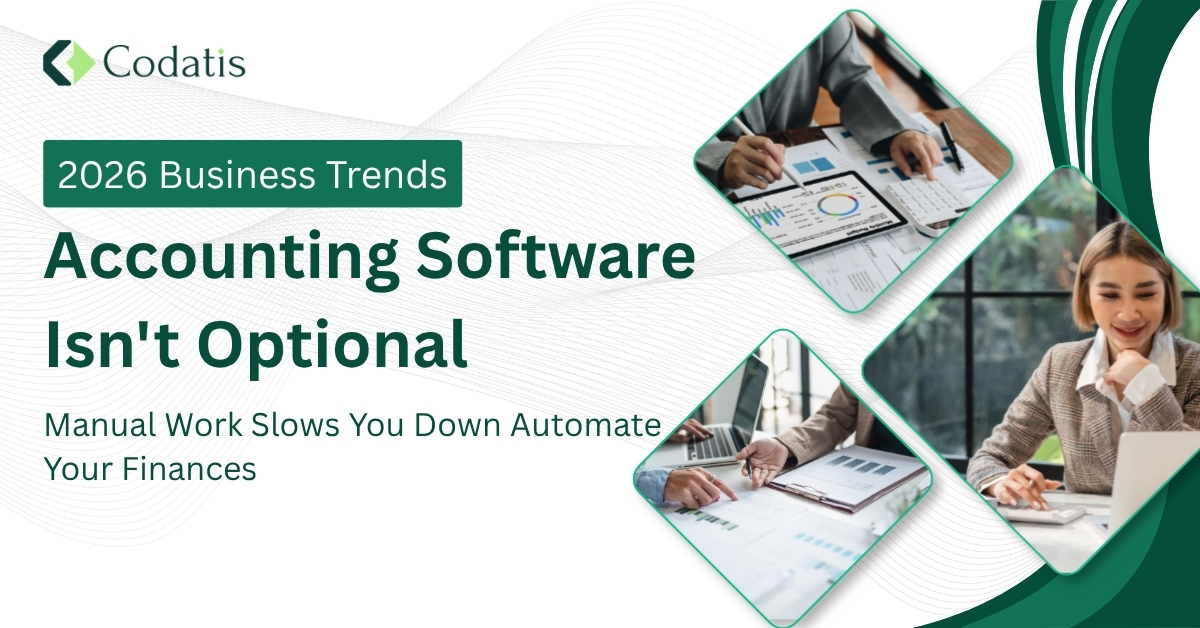
The main reason most businesses fail isn’t that they don’t have customers; they fail because they lack control of their finances. When numbers are scattered across spreadsheets and reports take weeks to finalize, decision-making slows down. Accounting software solves this problem by turning raw financial data into real-time, actionable insights.
What is accounting software?
Accounting software is a digital solution that allows businesses to track income, expenses, invoicing, and financial reporting. It serves as a substitute for manual processes and spreadsheets, leading to greater accuracy, saving time, and improved financial decision-making.
Why is accounting software necessary?
Spreadsheets are not designed for modern financial management. Spreadsheets depend largely on manual input, which increases the risk of costly errors.
- When data is entered manually there is high probability of human error
- Most errors are hard to spot and trace
- Data stays scattered across various files
- Executives lack visibility to numbers
Benefits of Accounting Software
Secure financial data
Using online accounting software protects sensitive data, while cash management does not. Your business finances benefit from cloud-based technology. Also, online software has its backups, so your data is never lost.
Boost profitability
If you want your business to operate optimally and be more profitable, improve the management of money. Cloud accounting software provides accurate and real-time financial insights. This gives your business the ability to respond quickly; you can control costs more easily and get rid of expenses.
Save valuable time
The best automated accounting software supports you to seamlessly maintain financial processes on any device. It further reduces errors and avoids redundant checks, eliminating manual operations by streamlining your process.
The operational and strategic advantages of accounting software also translate into measurable business performance.
- Saves time through automation
- Reduces human errors
- Simplifies tax compliance
- Improves collaboration with accountants
Challenges Without Proper Systems
Without a central system, financial processes are slow and fragmented, impeding timely action.
- Automated calculations reduce mistakes
- Real-time updates improve accuracy
- Automated bank feeds simplify reconciliation
What to Look for in Accounting Software?
Choosing the appropriate software begins with considering your own operations, goals, and limitations.
Usability
Your team can quickly use the software with zero loss of productivity due to an easy and intuitive interface.
Scalability
The software must scale with your business without any expensive migrations later on.
Data Integrity
Accurate financial data is critical. Audit trails and strong validation controls make the process reliable.
Management Capabilities
Advanced tools enable companies to evaluate performance and chart progress in the future.
Accessibility
It is available in the cloud, so teams can work from anywhere while maintaining control over who is allowed to do what.
Credibility
User reviews and proven performance validate how effective the software is.
Vendor Credibility
A trustworthy provider helps ensure reliability.
Pre-Sales Support
Demos and consultations help businesses determine how well the software meets their needs.
Total Cost of Ownership
Examining the total cost, beyond the upfront pricing, helps to avoid any surprises in the long run.
To sum up , consider following factors
- Business Size, Industry and Growth Plans
- Budget and business law compliance
- Current workflows and readiness for change
- IT infrastructure and deployment preferences
- Team readiness and adoption capability
Different Kinds of Accounting Solutions
- Hosted applications (software hosted on remote servers)
- SaaS model for online access
Cloud Accounting
Cloud solutions are software systems whose data is stored in the cloud and are accessible over the internet, which helps businesses keep track of financial information in any place at any time.
Traditional
These systems require physical infrastructure, more upfront investment, and ongoing maintenance. Cloud accounting provides flexibility and scalability, but traditional systems lend higher control at a greater resource cost.
Uses of Cloud Accounting
Cloud accounting is also flexible and useful for modern business requirements.
- Real-time financial updates
- Lower IT and maintenance costs
- Secure data storage
- Easy scalability
Best Accounting Software to Consider
- QuickBooks Online
- Xero
- FreeAgent
- ClearBooks
Quickbooks
QuickBooks is a cloud-based accounting software that allows you to manage your company finances all in one place. It monitors your income and expenses, produces invoices, balances your bank accounts, and generates financial reports. The interface may seem a bit outdated, but the software reduces daily manual effort.
With QuickBooks Online, you’re able to receive secure access from any computer and collaborate with your accountant or team. According to our research and QuickBooks reviews, it is still one of the most popular accounting software programs for small companies.
Xero
Xero accounting software helps manage your finances, invoicing, and payroll. While mastering its extensive features may take time, its ability to automate tasks and integrate with over 700 third-party apps makes it essential for small business accounting software users and accountants.
The shift to cloud-based accounting software has transformed how businesses manage finances. Manual, spreadsheet-heavy workflows are giving way to real-time, data-driven solutions. Xero cloud-based software offers instant insights, seamless collaboration, and scalable tools that grow with your business.
With Xero, organizations move from reactive bookkeeping to proactive financial management. With the ability to work with businesses large and small, new and established, the system helps you to make smarter financial decisions easily while streamlining complex accounting processes, which is why it’s one of the best business accounting software platforms available today.
How to choose the right accounting software?
Selecting the appropriate solution involves weighing features, pricing points, and long-term value.
- Identify business needs
- Compare features and pricing
- Test free trials
- Evaluate vendor support
Features of Accounting Software
Accounts Payable and Receivable Efficiency
Automation creates much more authority and reliability in cash management of incoming and outgoing payments. It automates invoicing and payment reminders. It offers better tracking of outstanding balances and improved cash flow management.
Operational Efficiency
By automating time-consuming tasks, businesses can also transition manual labor to intelligent business initialization. It lessens administrative burden and provides Integration with CRM and ERP integrations
Data Security and Compliance
The best accounting software includes robust security measures to ensure the safety of sensitive financial information and compliance with industry regulations. Accounting software, for example, offers encryption and role-based access control. The software enables an audit trail and compliance with tax laws automatically
Real-Time Reporting and Insights
It offers financial data for companies and forecast budgets using historical data. Custom dashboards offers quick decision-making
Conclusion
Accounting software is no longer optional for businesses aiming to stay competitive. It makes them more accurate, saves time, and gives the insight required for smarter decisions and long-term growth.
FAQs
What are the uses of accounting software?
Accounting software simplifies the financial functions of an entity, reduces human error processes, and makes it easier to collect real-time data.
Why are spreadsheets not reliable?
They require lots of manual inputs, are very error-prone, and do not have real-time reporting.
What is cloud accounting software?
It is an online system that enables businesses to manage finances via the internet.
How long does financial consolidation without software take?
Average processing time using spreadsheet-driven systems is 30 days or longer.
What factors do you need to consider before choosing the software?
Business requirements, functionality, horizontal and vertical scalability, vendor support, and total cost.