

Overview
Timesheets com let you easily track employee hours, monitor attendance, and maintain HR records. The platform helps you manage payroll prep, billing and project tracking without impeding daily work. It’s most popular among administrative teams, as the tools are easy to use for time tracking and reporting. Some of the features could be presented more clearly, but its service quality and commitment to reliable reporting render it helpful for small business.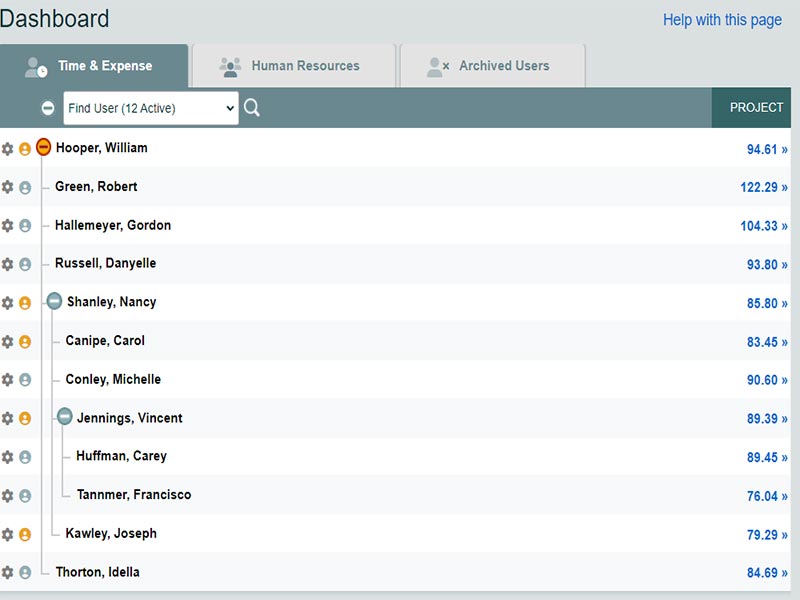
Specifications of Timesheet
Employee information management
Applicant Tracking
Performance Records
Attendance Tracking
What is a Timesheet?
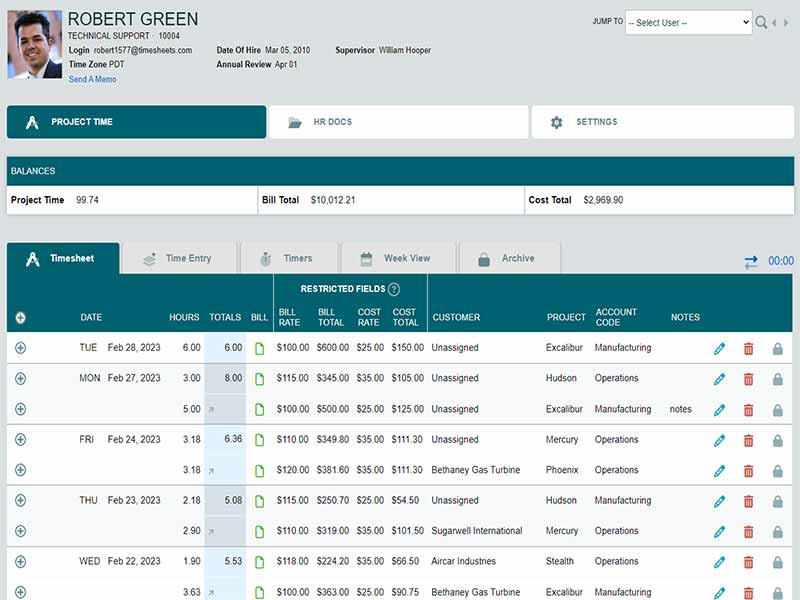
It is a cloud based time tracking platform that helps you record employee hours, monitor attendance, and organize project time.You can track hours for payroll, record project time for billing, administer paid time off, run custom calendars, track mileage and archive expense info, and save HR documents all in one platform. It is helpful for small teams looking for accurate timing without any setup complexity.
Timesheet Pricing
The platform offers three plans.
Freelancer plans are free.
The standard plan costs 5.50 per user, per month.
Nonprofit costs 4.40 per user per month
For customized timesheet com pricing, get in touch with the support team for a quote. Pricing may change.
Users of Timesheet Software
Timesheets com is for small to mid sized companies that need to track time accurately . It serves in industries such as retail, education, marketing, hospitality and manufacturing. It’s perfect for every day work, if your employees need to time track, file timesheets or log billable work. Many users searching timesheet software reviews mention the platform for its simple tools and accurate reporting.
Integrations of Timesheet
The platform integrates with accounting and payroll software. It works well with QuickBooks. It allows you to sync billable hours, payroll information and project records without manual input.
How does Timesheets software work?
- Sign in to your account using your registered email and password
- Manually enter the time or use a timer for time tracking
- Assign clients and other items in a list to specific people if necessary
- Adjust bill and cost rates for each user or job.
- Easy to Request and Approve PTO requests.
- Drag and drop events or copy and paste days or weeks for scheduling
- Track mileage and expenses by logging items and attaching receipt photos.
Choose Timesheets.com for Accurate Time Tracking, Payroll, and PTO Management
Choose it If you require, time tracking, project management and billing all in one program. It’s a good fit for teams using QuickBooks and seeking tidy payroll prep. Data is secured with security tools, such as a photo timestamp and IP controls.Timesheet software reviewers mentioned that they pick us for being accurate and less setup time.This platform is great for SMB teams who need daily time tracking including clear auditing and control over billable work.
Features of Timesheet Software
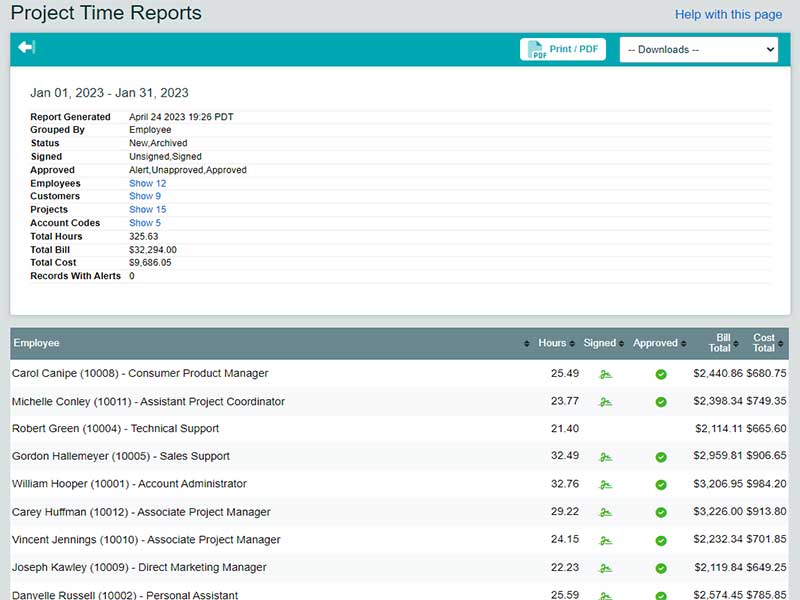
Employee time is recorded for payroll and attendance. Some of the features provided by the platform include audit trails, photo timestamp tools, custom permissions and QuickBooks sync. Staff can clock hours from desktop or mobile.
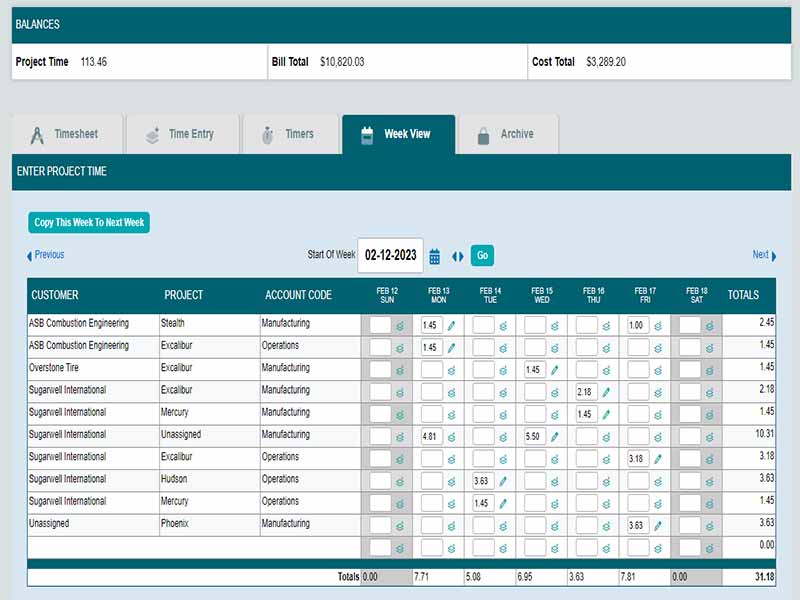
You manually track hours by project, client or job. This is useful for Billing & Job Costing. They can track time by event, or timer or weekly view. You can export time into QuickBooks and create invoices for users.
Admins create shifts, and staff check their hours. You can add events, move them between days, and share custom calendars with teams.
You keep track of miles, meals, tolls and other costs. Automatic mileage rates reduce the risks of errors. You can snap photos and connect receipts, or match expenses with clients or jobs.
You keep an archive of performance reviews, notes,disciplinary records and uploaded files. Files remain linked to individual employee profiles according to role-specific visibility.
See The Software In Action Watch Free Demo!
Top Recommended Software






Timesheets.com Reviews
Frequently Asked Questions (FAQs)
Yes, It includes API access.
It supports English and Spanish for daily use.
It connects with QuickBooks.
Yes, It works on mobile devices.
Retail, education, marketing, hospitality and manufacturing small and mid size teams.
Support: is provided through chat, phone, email, FAQs and knowledge base.
