

Overview
TimeDoctor is an HR analytics solution that helps companies manage projects more efficiently and maximise productivity. It provides functions including time tracking, and activity monitoring. The majority of recent reviewers work for small companies in the marketing, software, and healthcare industries.Users mention mobile access restrictions and sync problems, but they emphasise real-time visibility and thorough activity monitoring as the main advantages. An AI report and the release of a Chrome addon are recent updates.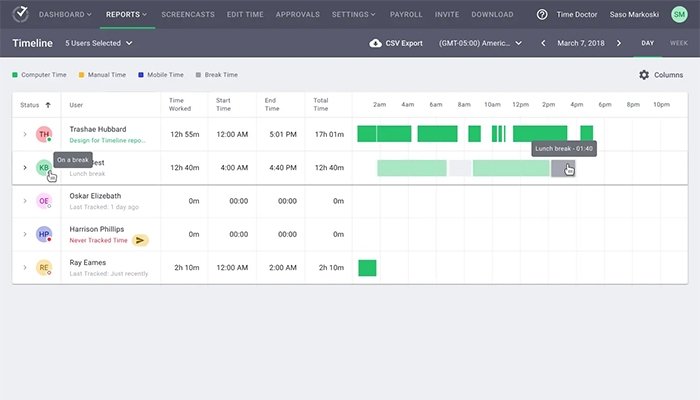
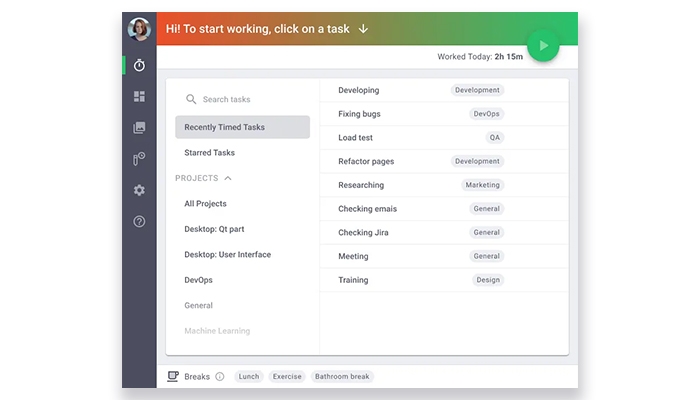
Specifications of Time Doctor
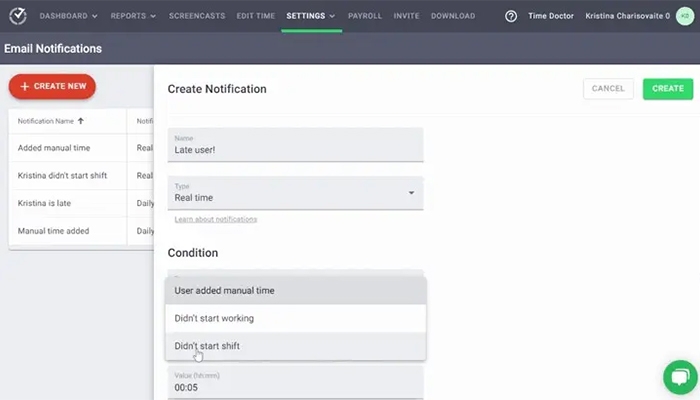
Time Tracking and Monitoring
Human Capital Analytic
Employee Data management
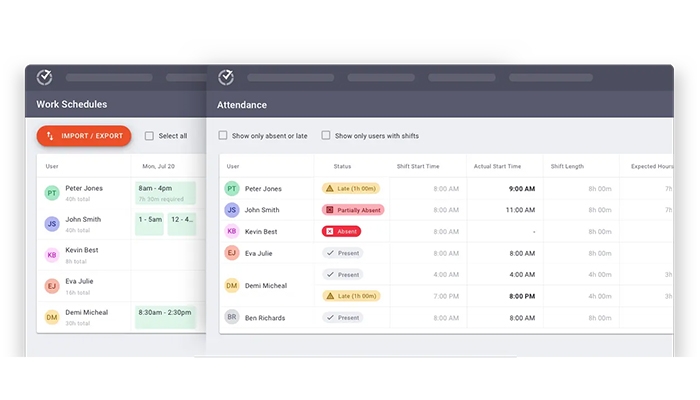
Workforce Management
What Is Time Doctor Software
TimeDoctor is a cloud-based workforce analytics and time tracking tool that gives companies comprehensive information about worker performance. The platform offers a set of tools to measure time, monitor activity, and guarantee efficiency, regardless of whether your teams are in-person, remote, or hybrid. The program protects employee privacy , precisely tracking productivity, and streamlining workflows.It serves companies of all sizes in a variety of industries, such as:
staff leasing and IT.
Time Doctor Pricing
For companies of all sizes, from small teams to major corporations, TimeDoctor pricing provides a variety of customisable pricing options. Before subscription, you can test the program out with a free 14-day trial that gives you complete access to all features. Among the plans are:
- Basic Plan is $8 per user per month
- Standard Plan is $14 per user per month
- Premium plan is $20 per user per month
Custom Time Doctor Pricing for the Enterprise Plan
Prices are subject to change.
Integrations
Apps like project management, payroll, CRM, and support desk systems are integrated to TimeDoctor. These integrations are provided through third-party interfaces, aid in streamlining processes and lowering the need for manual updates among teams Famous Integrations include Google Docs, Slack Basecamp, WordPress, Jira, and Trello.
Why Choose Time Doctor for Productivity and Time Tracking
TimeDoctor software works well for teams that require daily accountability and organised supervision, particularly in remote or hybrid environments. Customers should consider trade-offs including restricted mobile access and strict supervision, but its tracking depth and reporting capabilities provide precision. Its automation and anomaly detection tools help minimise human checks and enable scaling, even though it isn’t designed for flexible workflows.
How Does Time Doctor Software Work?
- Describe the projects or tasks that must be monitored.
- Start keeping track of the things your team is working on. Get productivity insights and keep an eye on how much time is spent on websites, apps, and projects.
- Periodically take screenshots to confirm work and guarantee transparency.
- Examine thorough time records to evaluate results and spot patterns.
- Connect the program to more than 60 third-party apps, including Asana, Jira, and Slack.
- Make data-driven decisions and enhance workflows using the insights.
Features of Time Doctor
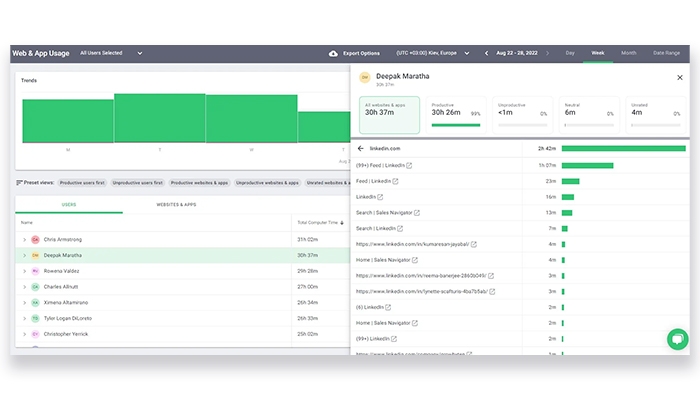
It makes it possible for companies to increase productivity and effectiveness. In order to find inefficiencies and improve operations, the platform offers comprehensive reports on time spent. The application provides insights into team performance and coaching needs while tracking app activity. TimeDoctor helps optimize procedures, get rid of redundant work, and boost overall productivity by providing visibility into time utilisation.
TimeDoctor gives companies real-time insight into how teams use their time while upholding a privacy-friendly policy with its employee monitoring tool. It provides comprehensive analytics and insights while tracking time across tasks, clients, employees, and projects. Through images and screen recordings, the application offers visual proof of work and assists in identifying time-wasting practices.
By offering a customisable solution that tracks time spent on projects, clients, and tasks across in-house, remote, or hybrid teams, Time Doctor software streamlines time tracking. Businesses can precisely check customers and pay staff while using important productivity insights with accurate time tracking. Even when offline, the platform counts work hours on PCs, tablets, and mobile devices and permits manual time changes.
See The Software In Action Watch Free Demo!
Top Recommended Software






Time Doctor Reviews
Frequently Asked Questions (FAQS)
Time Doctor applies prorated billing for users added during a billing cycle. Removed users can be replaced without extra charges, as long as the number of new users doesn’t exceed those removed
Yes, the platform offers a mobile app.
Yes. Time Doctor tracks time even when offline. Once the device reconnects to the internet, the data syncs automatically with the dashboard, ensuring no loss of tracked hours or activity.
Time Doctor calculates activity levels based on keyboard and mouse activity. These metrics help managers understand how actively a user is working during tracked time, though they don’t measure productivity quality.
