

Overview
This project management software is used to revolutionize the company and team synchronization capabilities of employees working on a project. StandupPro can streamline the routine standup meetings that are crucial to keep the workflow smooth and coordinated. This PMO tool provides more transparency about the project operations through robust communication, and ideas can be shared with better coordination platforms, like these meetings. Asynchronous video updates and modifiable questions can enhance team growth significantly.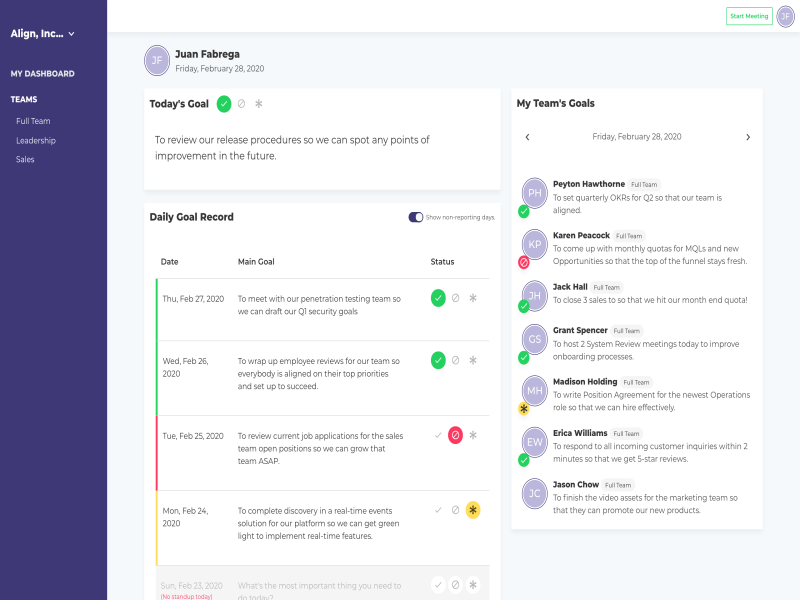
StandupPro Specifications
What is StandupPro?
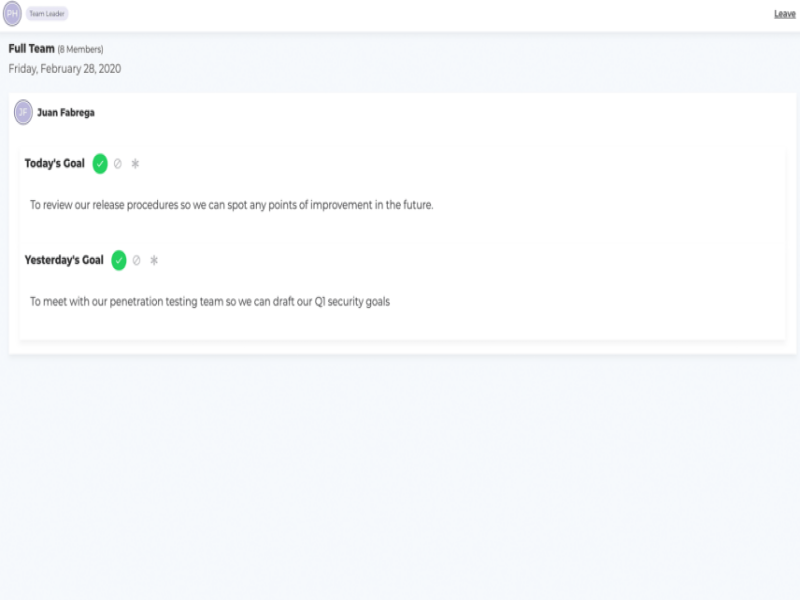
This is a smart web-based platform that enables better goal monitoring and can synchronize the team within a centralized system. StandupPro optimizes the routine standup meeting procedures for team leads and team members to exchange ideas, visualize progress, get details about daily targets, and update managers about any issues. Other core functionalities of this platform are employee activity tracking, task updates, Coordination tools, action item monitoring, attendee control, data editing, and routine tasks management.
What is Standup Pro Best For?
This platform can completely eradicate any barriers to streamlined communication within the teams from remote locations. Team leads can collaborate instantly with the team members to ask about the progress and issues in the tasks. These routine meetings need to be convenient for members to easily leave comments to update their project leads. All of these comments and completion statistics can be tracked by the leaders through an intuitive dashboard, providing them with insights into the team’s performance and any gaps in strategy improvements.
StandupPro integrations
Any information about the third-party app integrations has not yet been specified by the vendors on the official website.
StandUpPro Cost
The StandupPro pricing plans are:
- Paid: $5/user/month for more than 5 members
- Free: This software is free for up to 5 users
You can get in touch with the sales team by clicking on the ‘Get Pricing’ mentioned on our website for a personalized StandupPro pricing quote.
**Note: Prices may change over time.
Who are the users of StandupPro PM Software?
All scales of operations can leverage this software platform, from startups to enterprises. This platform can accelerate the business alignment with the ongoing operations and improve the coordination among project employees, including:
- Marketers
- Project managers
- Designers
- Team leads
- Software developers
If you are also a professional who needs a partner in streamlining task management, then watch a free StandupPro demo to learn more about its capabilities.
StandupPro Implementation
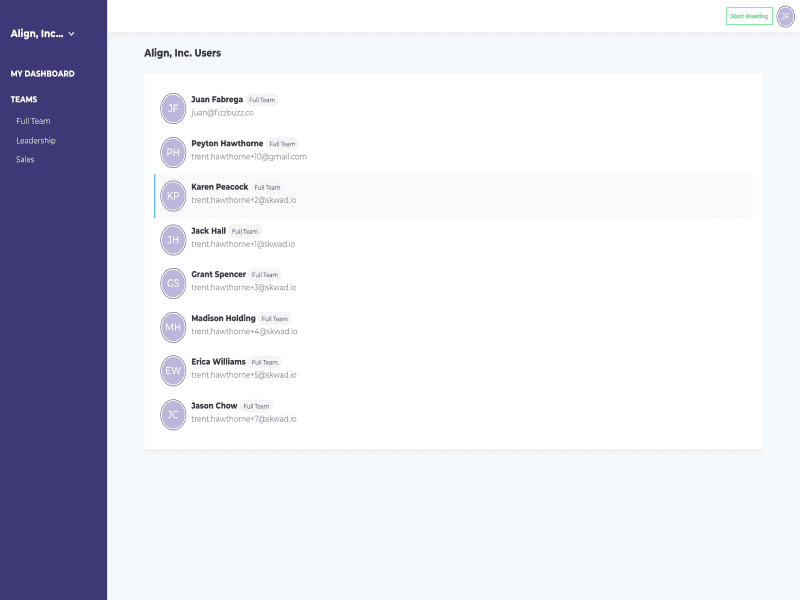
After installation, add your unique credentials for an authorized StandupPro login and navigate to the intuitive dashboard. Generate a StandUp after providing the crucial descriptions. Personalize the meeting agenda by modifying the questions and definitions. The administrative overhead can also be significantly reduced by automating the reminder settings. Team members can be invited to these standup meetings by adding their email addresses in the system. Team leads can conveniently recognize the gaps for improvement, provide feedback, and review the videos. Through these, the employee’s performance can be tracked effectively, and the outcome of the meeting can also be assessed. Moreover, the trends can be tracked, and patterns can also be identified for a better approach to business operations.
Is StandupPro Software The Right Choice?
If your business is interested in the betterment of its standup meetings, then this is the right platform to choose. This project management system provides a simplified framework that can enhance the coordination aspect among employees and assist managers in proceeding with a goal-oriented approach. If you are interested in purchasing this software, then get in contact with our customer support and ask them about the suitability of this platform for your business requirements. You can always watch a free StandupPro demo or read the unbiased reviews mentioned on our website for a diverse viewpoint.
StandupPro Features
To ensure that the goals of the project are prioritized by team members, this feature can be quite effective. The queries can be personalized for routine standup meetings, which are crucial for outcome-oriented discussions. These mobile features assist in creating and maintaining an approach that keeps the aims highlighted to enable better focus of the team on them.
This tool empowers administrators, managers, and team leads with performance insights of team members. This tool analyzes trends, patterns, and progress metrics to give invaluable feedback about improvements. Businesses can conveniently recognize operational issues through these and strategize prompt improvements that can be implemented for better project outcomes.
This functionality eradicates the need for sharing updates by following a strict schedule. All the data records and updates can be exchanged at the convenience of the project managers and members. This fosters better participation and coordination among the teams, which results in workflow efficiency and business growth.
Team members and project leads can feasibly coordinate, provide feedback, and ask queries to the managers about the project. These aspects enable better communication, resolutions to problems, and keep the team satisfied by being heard. This supportive work atmosphere is the core of optimized business processes.
For better workflow consistency and prompt outcomes, these reminders are important. Through this automation, team members are always aware of updated submissions on time, and all the progress and processes can be tracked in real-time.
See The Software In Action Watch Free Demo!
Top Recommended Software






Pros and Cons of StandupPro
StandupPro Reviews
Frequently Asked Questions (FAQs)
A: Certainly, this PMO does have a free plan available for less than 5 users.
A: No, the StandupPro meeting management solution is web-based.
A: English is the language that the StandupPro project management software supports.
A: StandupPro project management allows buyers to get answers through phone support, StandupPro reviews, FAQs, knowledge base, and email. You can also get details about the StandupPro pricing.
A: There is no StandupPro coordination management app that provides remote convenience for project management. Users can have access to the functionalities of this software platform through a single StandupPro login on a desktop.
A: No, the StandupPro API is unavailable.
A: Yes, there is a complimentary StandupPro free trial option, and you can also request a free StandupPro demo.
A: No information is available about its integrations.
