SpringAhead Features

Explore what SpringAhead Introduction, Cost, Users, Integration, Advantages, and Disadvantages offers — from day-to-day workflows to advanced capabilities.

5 features

Analytical Insights

My SpringAhead provides actionable indicators through AI-powered analysis of all your financial operations, timelines, work hours, and attendance. These tools are important to enforce accountability, business visibility, and informed decision-making. 

SpringAhead Timesheets

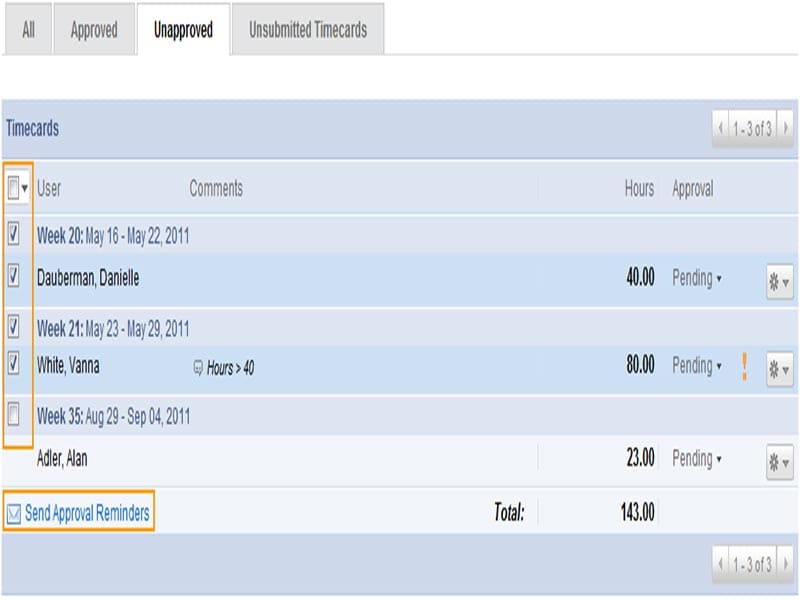
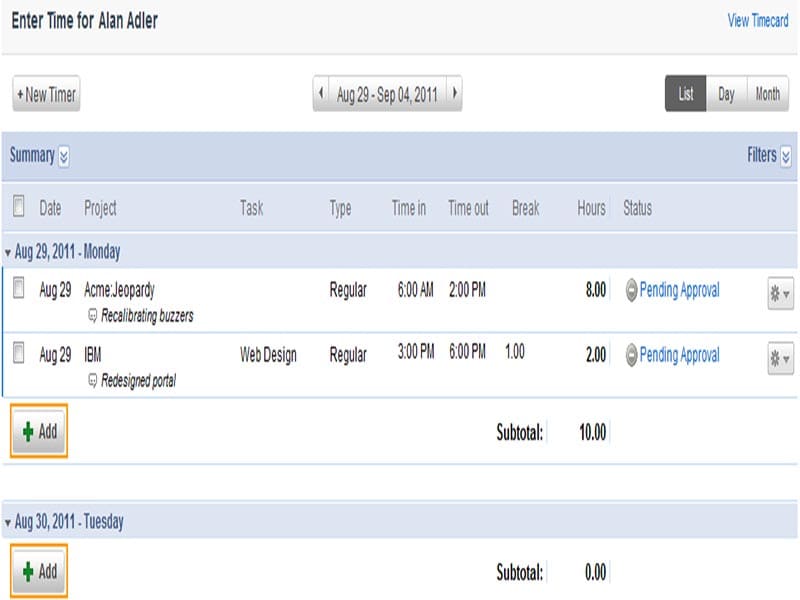
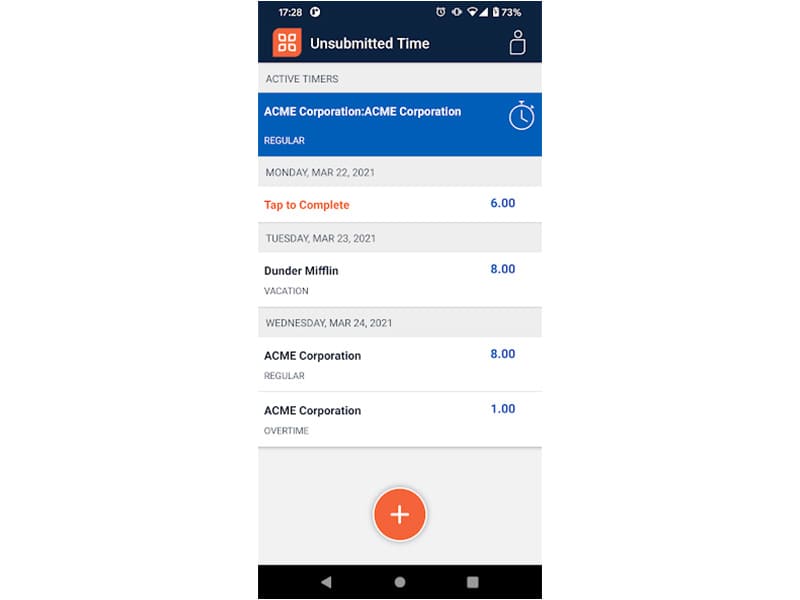
SpringAhead timesheets provide an intuitive way for managers to monitor time. They can track time allotted to particular tasks and projects and how much time was actually spent. Employee work hours can also be tracked for appropriate payments with respect to overtime and late arrivals. Managers can also add remarks regarding task prioritization and pending activities. 

Automated Alerts

Users can receive real-time alerts regarding needed approvals, delayed tasks, missing activities, and employee attendance. These smart notifications endorse project control, responsibility, streamlined operations, and accountability after a single Spring Ahead login. 

Expense Management

These tools provide adaptable expense management solutions that automate policy enforcement, reporting, and reimbursements through AI-powered tools. Managers can also be equipped with receipt capture, error mitigation, regulatory compliance, trend identification, spending categorization, real-time validation, transaction visibility, expense reconciliation, and other insights leading towards intelligent financial decision-making. 

Invoice and Payments

Automated transformation of lengthy invoice cycles through precise and intelligent operations. It allows managers to personalize the dashboard for recognizing cash flows, keeping data audit-ready, secure, compliant, and enterprise-grade. It also offers smooth integrations with ERP and other exciting systems after a My SpringAhead login. 

What Is SpringAhead?

This is an intuitive cloud-based platform simplifying the intricacies of time tracking, travel management, and expense management. Emburse SpringAhead makes it suitable for all scales of operations and can track various timeframes such as overtime, clock-ins, remote work, and vacations. Administrators can also perform expense reporting and job costing.

What is My SpringAhead Best For?

SpringAhead time management software streamlines expense and card management through automation. The billing automation enables administrators to manage billing operations for the project effectively. This software focuses on simplifying tasks, lessening risks, and reducing human involvement. This allows team members to focus on important project-related tasks when no manual efforts are required for data entry and record-keeping.

SpringAhead Integrations

Third-party apps and tools integrations are supported by this PMO software solution, which includes:

Schedule a free demo to learn more about its integration capabilities.

SpringAhead Users

All the scales of operations can leverage this software, and the business departments include:

  • Government contracting
  • Bookkeepers
  • Outsourcing
  • Accountants
  • Staffing Firms
  • Professional services

How Does SpringAhead Time Work?

After installation, add your unique credentials for an authorized SpringAhead login and navigate to the dashboard. Follow these short steps to use this system feasibly:

  • Track time spent on individual tasks and projects
  • Monitor employee performance and endorse accountability
  • Generate reports on resource expenditure and spending
  • Add approvals, reviews, check-ins/check-outs, deadlines, timelines, and costs onto a unified dashboard
  • Receive details regarding the ongoing industrial trends and financial metrics
  • Integrate this tool with your current accounting and analytics tools
  • Sync monitoring of all crucial business operations

Schedule a free SpringAhead demo for more details.

How Much Does SpringAhead Cost?

SpringAhead pricing is based on subscription modules, as mentioned below:

  • Basic: $125 per month
  • Time licenses (additional): $25 per month
  • Expense licenses (additional): $7.5 per month

The cost can be tailored according to different businesses, so connect with us for a tailored quote.

Note: The mentioned cost can change over time.

Why Choose Emburse SpringAhead?

You can choose the Emburse SpringAhead time monitoring system based on these offerings:

  • Reliability and scalability
  • Robust data security
  • Accommodation for all scales of operations
  • DCAA compliance and ISO 27001 certifications
  • Mobile application
  • AI-based tools
  • PCI compliance
  • SOC 1 and SOC 2 audits

If you are still facing doubts regarding the usage of this system, then connect with our software experts. They will address all your queries before you make a purchase decision and provide you with enough information about how to choose the right system according to your workflow. You can also watch a free demo and read unbiased reviews for a broader perspective.


Employee Management Included
Mobile App Included
Task Management Included
Intuitive Dashboard Included
Time Monitoring Included
Analytical Reporting Included
Project Scheduling Not included
Budget Handling Included
Project Templates Included
Resources Allocation Not included

Pros

6
  • Automated data capture
  • Instant invoice visibility
  • Unified mobile application
  • Audit-ready compliance
  • Trend and opportunity spotting
  • Automated Budget checks

Cons

3
  • Some users have reported occasional glitches and bugs
  • Training requirement for software beginners
  • Updates are required

SpringAhead Introduction, Cost, Users, Integration, Advantages, and Disadvantages Reviews

Overall Rating

4

2 Review(s)

Rating Distribution

5

(0)

4

(2)

3

(0)

2

(0)

1

(0)

Share your experience
John S.

Consulting

Ease of use
8
Value for money
8
Customer Support
7
Functionality
8

My software review

Pros

The platform has been a dependable part of our daily operations. It handles core tasks smoothly and keeps everything organized without adding complexity.

Cons

Limited advanced customization options.

Damian K.

Technology

Ease of use
8
Value for money
9
Customer Support
7
Functionality
8

An excellent System

Pros

The software offers a good mix of features that support our workflow and improve efficiency. It covers most of our needs, though there are occasional areas where improvements could enhance usability. Still, it delivers solid value for the price.

Cons

Occasional lag in updates or syncing.

Frequently Asked Questions

Certainly not, the Emburse SpringAhead software does not have a free plan available.

Yes, my SpringAhead is cloud-based. 

English is the language that Spring Ahead supports.

SpringAhead allows buyers to get answers through the online form, FAQs, forums, knowledge base, live chat, and email. You can also get details about the SpringAhead pricing. 

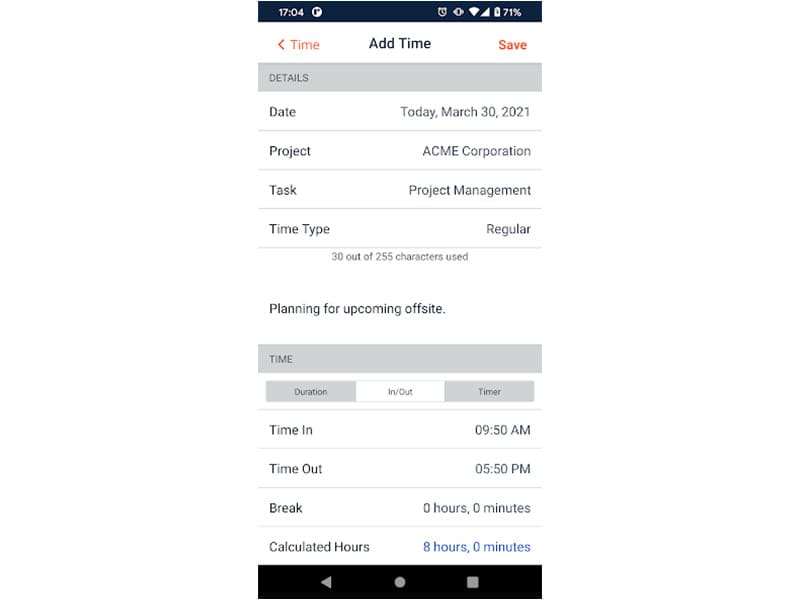
There is a SpringAhead mobile application that provides remote convenience for time, expense, and performance tracking. Users can access the functionalities of this software platform through a single SpringAhead login. 

Yes, the Spring Ahead API is available.

Certainly, iOS and Android handheld devices are supported by the SpringAhead Time application, with a requirement for a Spring Ahead login to access the dashboard, according to SpringAhead reviews.

No, there is no SpringAhead free trial option as of now, but you can also request a free demo.

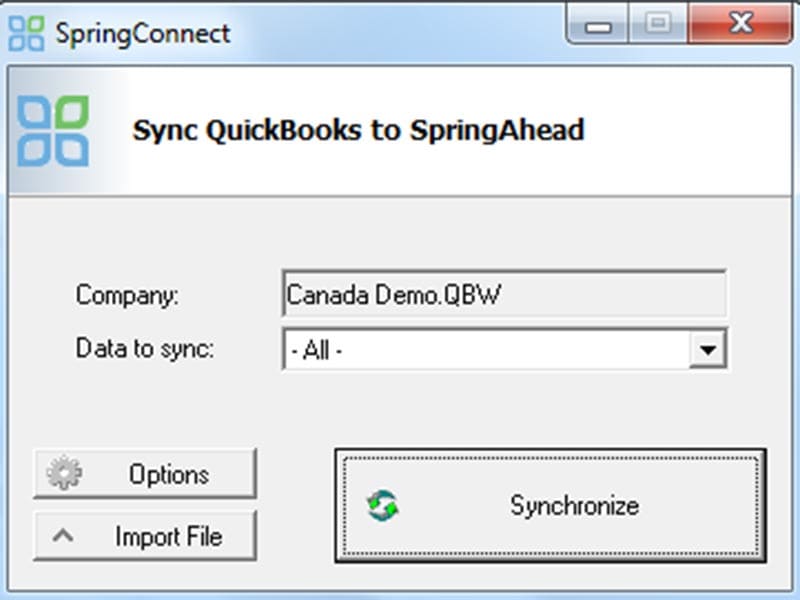
Indeed, the apps this tool integrates with are QuickBooks, ADP, Maxhire, SurePayroll, Bullhorn, SmartVault, Paychex, Sendouts, and some others.