SmartCare Features

Explore what SmartCare EHR offers — from day-to-day workflows to advanced capabilities.

5 features

My SmartCare Patient Portal

A SmartCare log in allows patients to actively engage with their healthcare journey through unhindered coordination, data exchange, and informational access. Parent login details can also be provided for family monitoring and communication. 

Telehealth

After a SmartCare service login, patients can receive care services remotely through virtual consultation sessions. 

SmartCare Rx ePrescribing

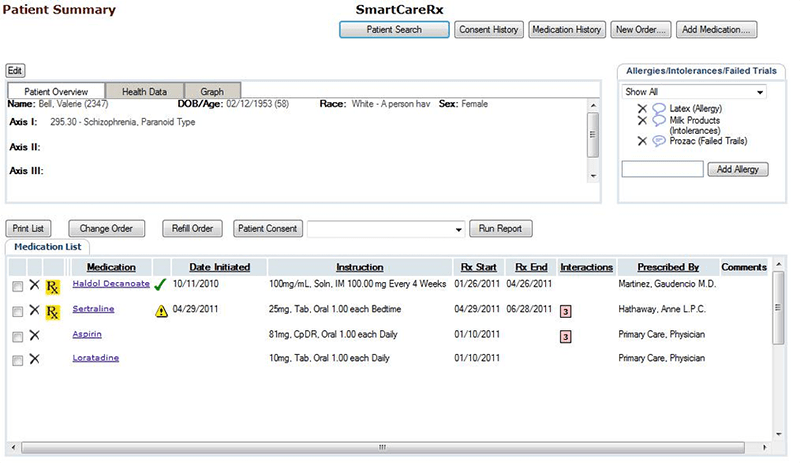
Practitioners can prescribe medications with ease and without any manual errors after a single SmartCare abc login. 

Business Intelligence

These intelligence modules can equip businesses with detailed reports regarding industrial trends, financial health, retention rates, and overall productivity with a Smart Care EHR login.

Revenue Cycle Management

SmartCare billing allows smart revenue management that leads to quick reimbursement, less denial volume, smooth cash flow, and cleaner claims. 

What Is SmartCare?

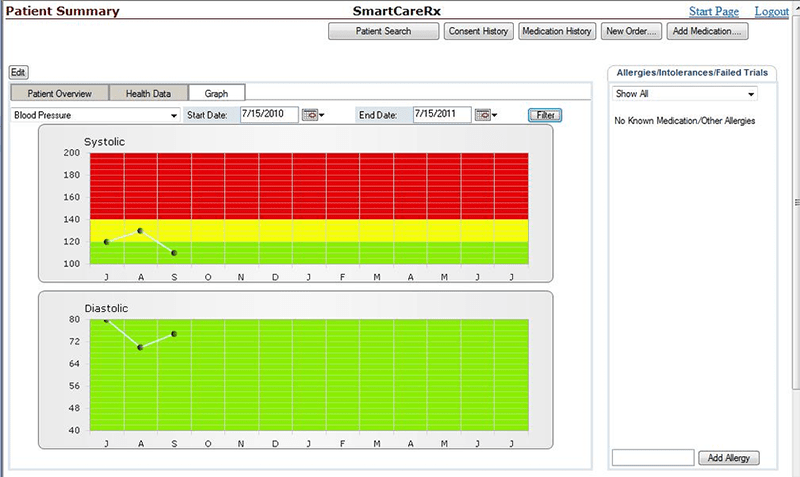
SmartCare EHR is a powerful cloud-based Behavioral health practice management platform that provides robust managerial aspects such as telehealth capabilities, clinical documentation, clinic care management, revenue care management, patient portal, e-prescribing modules, business intelligence, and many more. This platform utilizes AI-based technology to eradicate unneeded human intervention and errors from patient data, which can be achieved securely after an employee login.

SmartCare Integrations

There is no information available about the integrations on the official website smartcare.com or streamlinehealthcare.com, but this system does integrate with third-party applications like other EHR products.

What Is the Smart Care System Best For?

SmartCare EMR is best for:

  • Video conferencing capabilities
  • Automated progress note generation
  • Precise patient record creation
  • Mobile functionalities
  • Simplified care management

Visit Streamline SmartCare EHR com to know more.

Who Can Use Smart Care Services?

SmartCare services can be leveraged by:

  • Primary care
  • Human services
  • Residential and Inpatient
  • Behavioral health
  • Intensive outpatient

How Much Does SmartCare Cost?

SmartCare pricing depends on user preferences, budget, and unique practice requirements. Connect with us for a personalized plan that suits your needs.

How To Use SmartCare Health?

Add credentials for a SmartCare login and navigate to the dashboard for exploration. Follow these instructions afterwards:

  • Add patient data
  • Update information
  • Monitor treatment
  • Order and prescribe meds
  • Conduct video consultation sessions
  • Decide better with business intelligence
  • Coordinate with the care team
  • Digitally manage claims and payments

Book a free SmartCare demo for more details.

Why Choose SmartCareEHR?

Choose Smart Care software based on these offerings:

  • Outcome monitoring
  • Interoperability
  • Meaningful-use certification
  • Built-in documentation templates
  • Better patient care services

If you are uncertain regarding the suitability of this platform, then connect with our software support team. You can watch a free demo and read unbiased SmartCare reviews.

Patient Portal Included
Mobile App Included
User Login Included
Activity Calendar Included
Claims Management Included
Patient Demographics Included
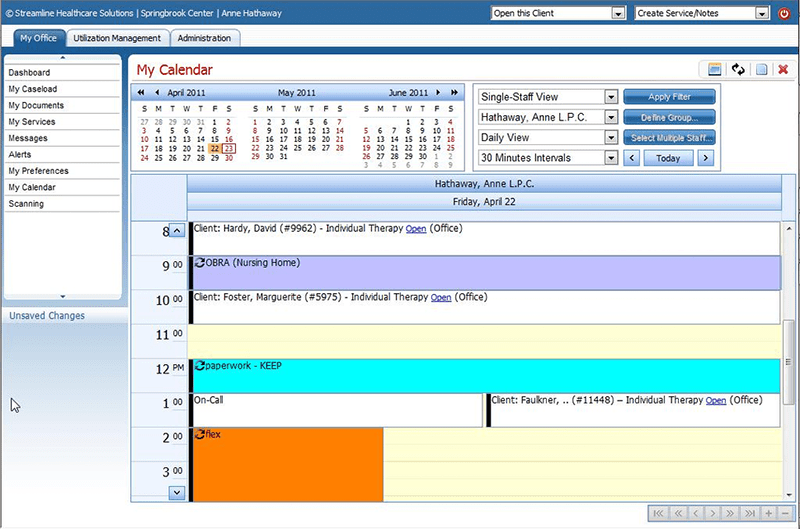
HIPAA Compliance Included
e-Prescriptions Included
Telehealth Included
Payment/Billing Included
Administrative Management Included
Invoicing Included
Laboratory Integrations Included
Personalized Forms Included
Appointment Scheduling Not included

Pros

6
  • Sophisticated care management SmartCare solutions
  • Unified bed and medication management
  • Remotely accessible treatment services
  • Safe and secure patient-to-provider coordination
  • Smooth cash flow
  • Unhindered profitability and enhanced experiences

Cons

3
  • Some Smart Care EHR reviews reported time-ineffective personalizations and setup
  • Inconsistent SmartCare customer service responses
  • A learning curve is present for beginners

SmartCare EHR Reviews

Overall Rating

4

2 Review(s)

Rating Distribution

5

(0)

4

(2)

3

(0)

2

(0)

1

(0)

Share your experience
John S.

Consulting

Ease of use
8
Value for money
8
Customer Support
7
Functionality
8

My software review

Pros

The platform has been a dependable part of our daily operations. It handles core tasks smoothly and keeps everything organized without adding complexity.

Cons

Limited advanced customization options.

Damian K.

Technology

Ease of use
8
Value for money
9
Customer Support
7
Functionality
8

An excellent System

Pros

The software offers a good mix of features that support our workflow and improve efficiency. It covers most of our needs, though there are occasional areas where improvements could enhance usability. Still, it delivers solid value for the price.

Cons

Occasional lag in updates or syncing.

Frequently Asked Questions

Certainly not, the SmartCare EHR software does not have a free plan available.

Yes, SmartCare healthcare is cloud-based. 

English is the language supported by SmartCare services.

Smart Care software allows buyers to get answers through the online form, fax, phone assistance, SmartCare customer service, and email. You can also get details about the SmartCare pricing. 

There is a SmartCare mobile app that provides remote access for clinical management called SmartCare Anywhere. Users can access the functionalities of this software platform through a single SmartCare login. 

Yes, the SmartCare API is available.

According to SmartCare reviews, this EHR software supports iOS and Android handheld devices, requiring a SmartCare login to access the dashboard.

There is no streamline SmartCare free trial, but you can request a free demo.