

Overview
Slack software is a cloud based collaboration platform that helps teams communicate, share files, and work together in real time. It replaces long email threads and messages with organized discussions. Companies use Slack to facilitate remote work, accelerate decision making and consolidate information sharing within teams and between teammates in different departments.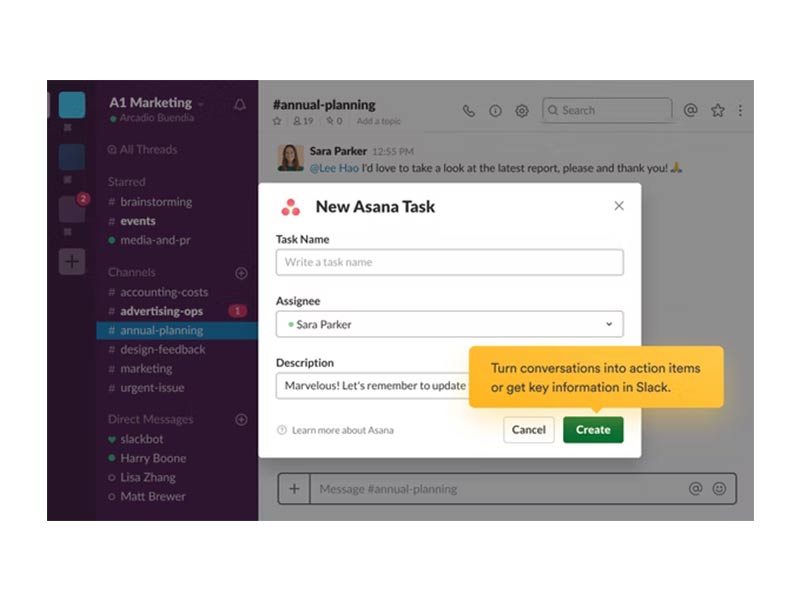
Slack Software Specifications
Desktop Software
Mobile app
Conversation Management
Files Management
What Is Slack Software?
Slack is a workplace communication and collaboration tool aimed to make team communication easier. You can message, share files, create channels for projects and chat.
There are two primary types of communication in Slack:
- Private messages for one on one or small group chats
- Rooms for group chats about topics, projects or teams
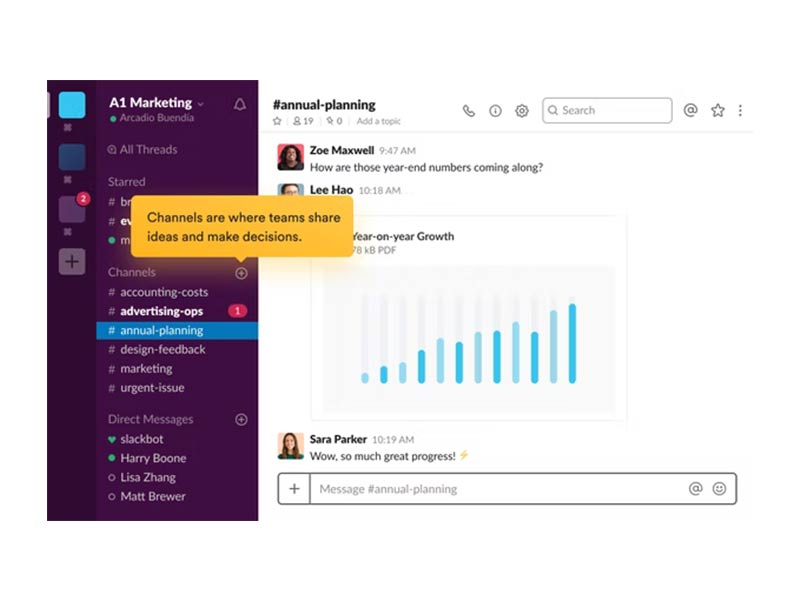
Every company gets their own Slack workspace that has its own unique URL. Channels can be public for open collaboration, or private for limited access. All discussions are searchable, which lets teams keep track of decisions and other shared information over time.
Benefits of Slack Software
Slack brings the team together and minimizes wasted time by centralizing communication and routine tasks. The platform offers quantifiable time-to-value for small teams or large multi-national companies.
Improves Team Productivity
Teams using slack collaboration software report to 47 percent increase in productivity. Concentrated channels minimize the back-and-forth communication that holds teams up and allow decision-making without relying on emails thread.
Saves Time Through Automation
Slack users experience a 35% increase in time saved with built-in automation features. Manual follow-ups, approval delays and monotonous processes are eliminated with the help of workflow automation for daily operations.
Prolongs Search Time For Information
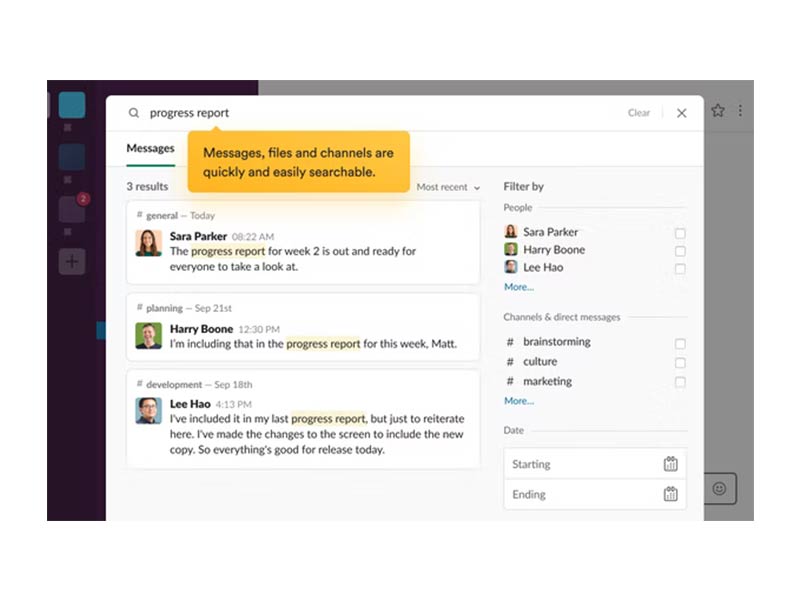
AI-enabled search and message history saves users 97 minutes a week on average. Slack computer software keep conversations, files and decisions searchable in one place so no time is wasted tracking the information down.
Supports Real Time Collaboration
The Slack chat software offers instant messaging, voice calls and document sharing to help teams collaborate in real time whether at the office or working remotely.
Enterprise Teams scales
Slack project management software enables your team to grow with shared channels, project integrations and workspace organization. It also provides enterprise-level security and admin controls for large organizations.
Slack Pricing
Slack pricing offers a free plan as well as multiple paid plans from teams wanting additional features and capabilities.
- Free plan offers limited messaging and storage allowance
- Pro plan at $8.75 per user per month adds advanced search and more storage
- Business Plus at $15 per user per month with extra security features, and better uptime guarantees.
Enterprise Grid, offers a custom pricing plan for organizations with higher compliance requirements
Slack app Users
The collaboration software, Slack is being used by businesses wide-ranging from small to large, and across the board of industries. Typical users are engineering, finance, education, retail and IT teams as well as marketing, HR staffs, customer support and project management members.
Remote teams and hybrid workplaces are getting the most out of Slack because it integrates communication with other options.
Integrations
Slack has a subscription-based service that lets businesses integrate more than 2,600 third party apps allowing teams to connect existing workflows into one platform. Popular integrations include
These integrations minimize context-switching and enable teams to do work while remaining in Slack.
How Does Slack Software Work ?
Teams use slack software in their daily operations:
- Sign in with your workspace email and password
- Browse the channel directory to see team chats
- Join or DM channels
- Share files, react to messages, mention your teammates
- Pin out key messages and organise conversations
- Search your past messages and files with search.
- Customize notifications and install apps
This arrangement allows teams to stay organized and informed.
Choose Slack Software For Team Communication And Collaboration
Opt for slack project management software if you are looking for a faster communication, clearer collaboration, and improved visibility across teams. Slack operates well for companies that make fast decisions, share files and carry on ongoing communications among departments or offices.It is ideal for remote teams, project-centric workflows and organizations that use several software tools.
Slack Software Features
Teams can establish public or private channels of group discussions by project, topic or department. This minimizes the unnecessary input and helps to keep the discussions on track.
Slack has a workflow builder that assists in automating routine tasks such as onboarding, approvals and reminders.
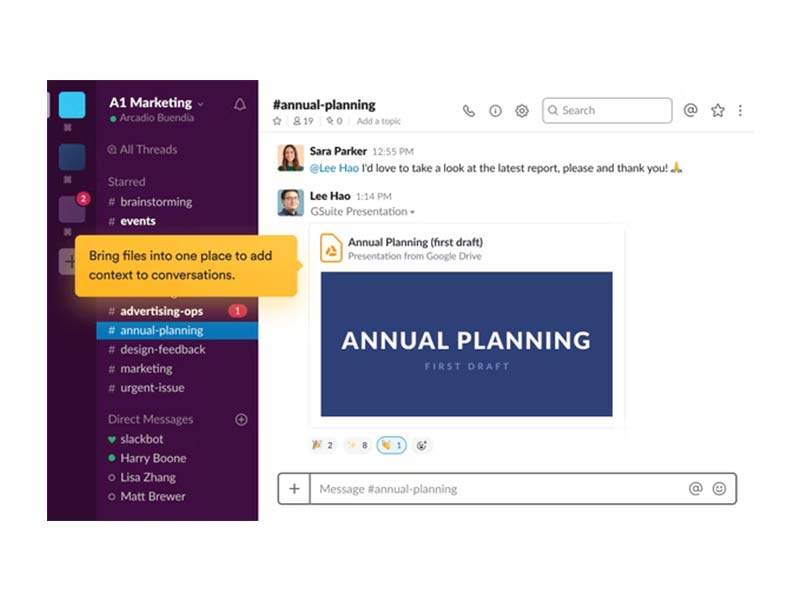
Files are uploaded and shared through the conversations. Slack holds onto messages and files so that teams can search for and reference the information.
Slack collaboration software integrates with external partners, third-party vendors, and clients within shared channels while applying security policies.
See The Software In Action Watch Free Demo!
Top Recommended Software






Slack Software Reviews
Frequently Asked Questions
Slack offers support through email, help articles, FAQs and a knowledge base.
You can use Slack in English, German, French, Spanish or Japanese.
Slack works with apps including Zoom, GitHub, Salesforce, Google Drive, Jira and Trello.
Yes. Slack is available for Android and iOS devices.
Slack offers a free tier and paid plans that start at $8.75 per user per month, and more expensive slack for enterprise pricing options.
