Project Insight Functionalities

Explore what Project Insight Software offers — from day-to-day workflows to advanced capabilities.

4 features

Resource and Capacity Management

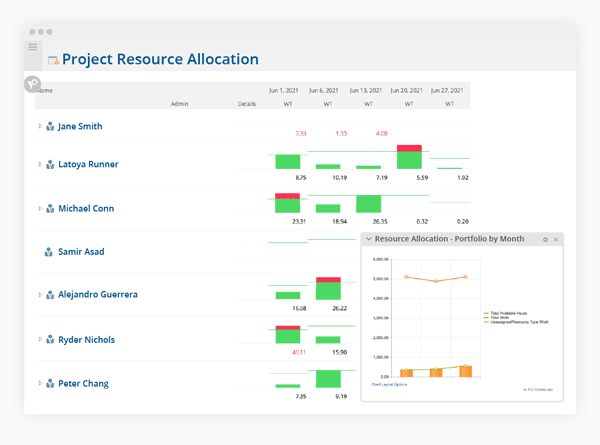
The software product features informed resource allocation to balance the workload in half. With its PTO integrations and what-if scenario planning, teams can proactively plan instead of reacting to the fact. Capacity across the organization identifies the overloads and aligns resources to top-priority tasks. The AI-backed feature helps in finding the right people for the right tasks. 

Portfolio Reporting

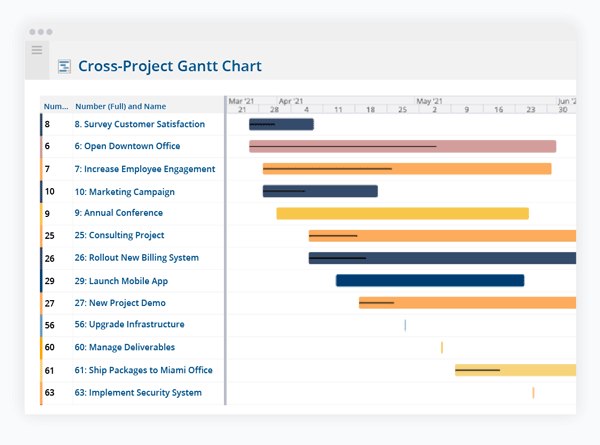
The software service features dynamic reporting for every project. Roll-up data drills down in detail so required action can be taken directly from reports to boost productivity. Teams can align projects based on priorities with strategic objectives in one place.

Agile and Sprint Features

This function demonstrates that you can work on any other project while managing the sprints. Users gain leadership visibility to monitor their progress. It allows managers to track development and resource demand across agile, hybrid, and waterfall projects. It connects all the core features of completing a project in a single place, like budgeting, work progress, time required, resource demand, etc.     

Custom Fields

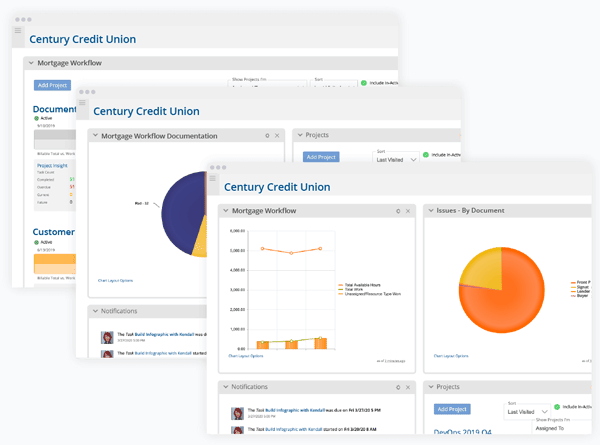
This function of project management software allows you to extend your project data structure for your organization to track it easily. Teams also use these personalized fields in reports, dashboards, portfolio view, and search filters, etc. It supports protecting sensitive financial records.  

What Is Meant By Project Insight Tool?

When project data is stored in different systems, reporting becomes difficult and unreliable. Project Insight Software acts as the backbone for the organization in tracking projects. Its core features also include AI analysis, data-driven decision-making, forecasting, and customized reporting, etc. You can track the project you are funding and its actual delivery of the results that your business intended. So, deploying this solution is a win-win situation in all respects, whether it’s task automation, reporting, or project tracking.

Who Can Use Project Insight? 

This cloud-based Saas is designed specifically for mid-market companies, but it can also serve well in large enterprises. Due to its unique features, this model scales to fit into several roles. They include:

  • Pharma and Life Sciences
  • Field services
  • IT teams
  • Marketing and Creative Teams
  • Project Management offices
  • Financial services

How Much Does Project Insight Cost?

Project Insight pricing is based on three plans depending on your organization’s size and needs. These packages can be shifted or canceled at any time. It also offers a free plan for small teams to track progress and maintain records for streamlined operations. Other plans include the following:

Plan  Base Subscription Fee  Best For 
Pro $9 per user/month This plan is designed for small to mid-size companies
Business  $19 per user/month This plan is best suited for cross-functional teams.
Enterprise  Customized pricing based on company size It supports larger teams operating in different locations

Disclaimer: Prices may vary 

What Sets Project Insight Apart From Other Project Management Tools? 

If your team is juggling disconnected tools and limited visibility across the team. This software is a good fit. It helps you keep track of ongoing projects but also makes you visible at every level. Managers can make data-driven decisions about work. It is trusted by many companies across the globe. Project insights give clarity and confidence to execute tasks efficiently. If you are still not sure, contact our team for expert advice.


Task management Included
Collaboration tools Included
Access / Controls Included
Assignment management Included
Billing / Invoicing Included
Customer database Included
Personalized forms Included
Employee management Included
Expense tracking Included
Predictive Analysis Included
Prioritozation Included
Budget Handling Included
Project scheduling Included

Pros

6
  • This project management software solution is customizable to meet the unique needs of businesses.
  • It has a user-friendly interface that promotes quick adoption.
  • Its AI-powered matching allocates the right people to relevant work based on their role and skill set.
  • The software product can document real-time meetings to take measured actions and follow-ups
  • Project Insight has unbeatable customer care that is always there to troubleshoot your problem and answer your queries.
  • It keeps the team aligned based on portfolio priorities.

Cons

4
  • Data export is a bit complex, and for larger sets, technical support is needed.
  • Project Insights reviews pointed to occasional lags in customer service.
  • Onboarding is quite challenging and requires external assistance
  • There is a deep learning curve for initial setup and advanced features.

Project Insight Software Reviews

Overall Rating

4.6

10 Review(s)

Rating Distribution

5

(7)

4

(2)

3

(1)

2

(0)

1

(0)

Share your experience

Ganesh S.

Technology

Ease of use
10
Value for money
8
Customer Support
8
Functionality
10

Significant manual workload reduction

Pros

Project Insight removes the tedious task of manually cross-checking data.

Cons

The pricing is on the higher side, and responses from the support team can take too long.

Sarah P.

Other

Ease of use
10
Value for money
10
Customer Support
10
Functionality
10

I had an excellent experience

Pros

Project Insight made multitasking simpler and boosted overall efficiency.

Cons

I haven’t found anything to dislike about Project Insight.

Julie M.

Consulting

Ease of use
10
Value for money
10
Customer Support
10
Functionality
10

Save a lot of time with Project Insight

Pros

It saves our team a lot of time and helps us work more efficiently. It’s been great for managing projects, keeping everything on budget, and meeting deadlines.

Cons

The initial setup was a bit challenging, but once it was complete, everything has run smoothly.

Frequently Asked Questions (FAQs)

No. The project management tool is entirely cloud-based. There are no local server installation options available. It keeps on updating over time without spending a fortune. 

PI project management tool features a Task Bulk Editor. This enables project managers and admins to select multiple tasks at the same time and change their attributes. It includes due dates, task owners, progress status, and more.  

The platform offers a “get started in 30 minutes” video series that covers workspace navigation, inviting new users, installing add-ons, and building an initial project layout. Teams find it easy and reliable to utilize it. 

Yes, when you upload a document to an existing file, PI automatically archives the previous versions. Users can also check the file histories at the bottom of the document page. It also uses check-in and check-out features to lock the files and prevent overwriting.  

These products are hidden from the activity dashboard. To find them, users have to run a project report and adjust filtering options to include “Archived” statuses. Then an administrator can toggle them to active again.