

Overview
Proper time management is a struggle for many businesses, which is why Clockify, as a time tracker, was established. This intuitive system can eradicate the intricacies with time and progress monitoring. This system is a choice of many businesses, enabling them to track outcomes and implement strategies with a comprehensive view of timelines across all project operations. According to a Clockify review, it has a very user-friendly interface at a low price.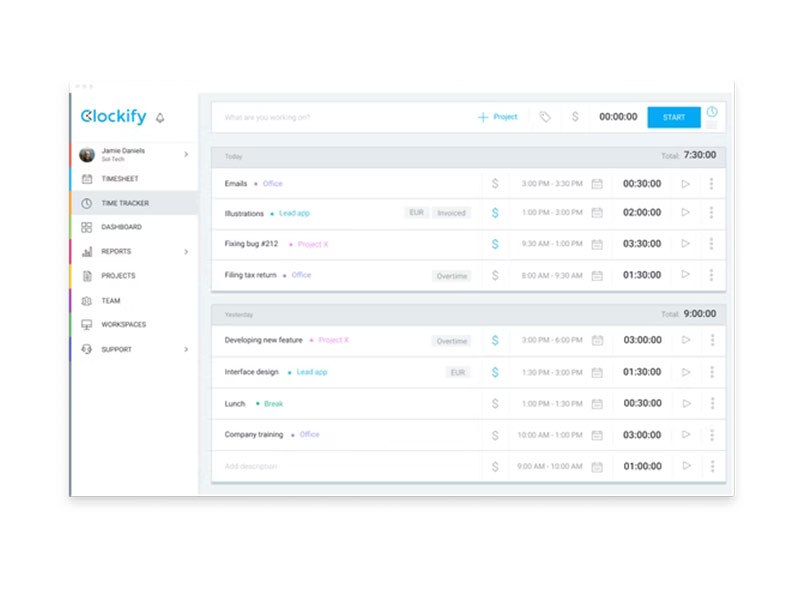
Clockify Specifications
What is Clockify?
Clockify software is a cloud-based platform that is utilized for its time tracking capabilities, crucial for businesses dealing with multiple projects. This enables better monitoring and reports of the billable hours, employee clock-ins, and time spent on tasks. All of these metrics provide managers with predictable project success statistics. Businesses can conveniently implement strategies for outcome-oriented project execution.
Why is the Clockify Time Tracker So Popular?
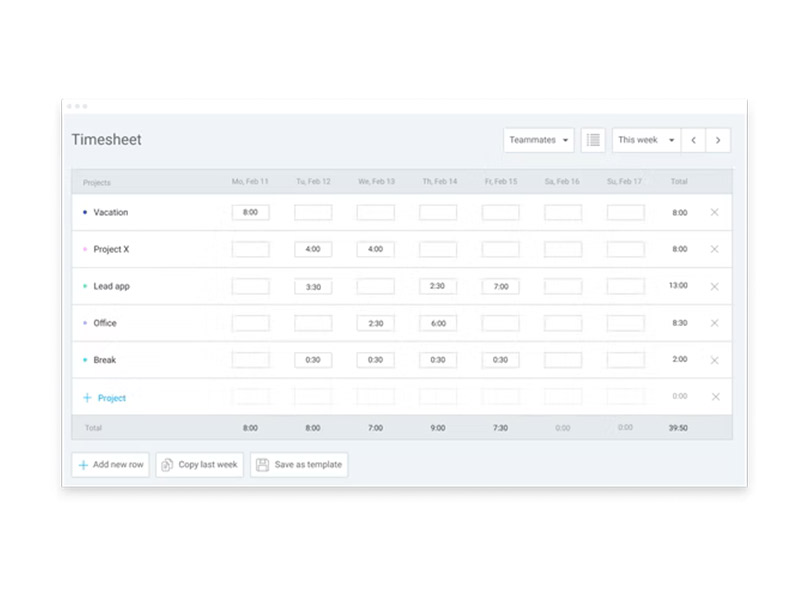
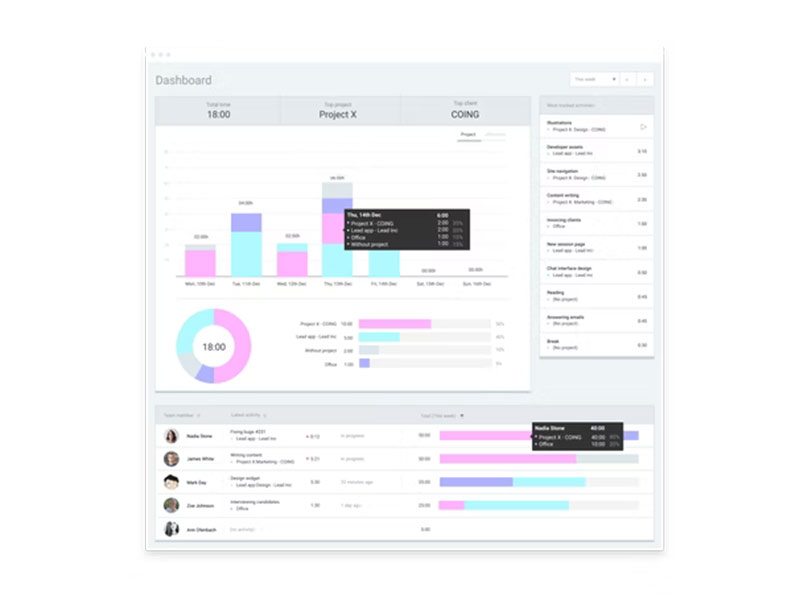
Clockify time tracking app empowers project managers with an activity calendar that can be used to monitor the time spent on task completion. Users can visualize weekly timeline reports on timesheets, which can also be stored in the database for keeping records. Graphs can also represent project activity data for comprehensive progress metrics observation, which can aid leaders in quickly going through the outcome status. Time estimations can also be observed by a walkthrough of its user-friendly interface, aiding in better deadline setups.
Clockify Pricing
The Clockigy cost plans offered by the vendors are the following:
- Pro: $7.99/month/user
- Basic: $3.99/month/user
- Enterprise: $11.99/month/user
- Standard: $5.49/month/user
- Cake.com Bundle: $12.99/month/user
There is also a complimentary Clockify cost plan that can be beneficial for startup businesses, but it has only the basic features. You can get a tailored pricing quote according to your unique business requirements.
**Note: Prices can be changed over time.
Clockify Integrations
Third-party app integrations are supported by this PM software solution, which includes:
There is a Clockify review reporting its seamless integrations, but you can also watch a free Clockify demo.
How to Use Clockify?
After installation, add your credentials for an authorized Clockify login and navigate to the smart dashboard. To create a project in Clockify, explore the workspace and start creating files for multiple projects. You can modify the interface according to your preference and use it to track project progress comprehensively. Time monitoring is the core aspect of this system that can be conveniently put into effect by clicking start, and all the tracking data can be stored as a report. Managers can monitor project activities and automate task notification for streamlined operations. Team coordination is also optimized through this PMO tool.
If you are interested in learning more about the system, then book a complimentary Clockify demo.
Clockify Alternatives
The most prominent Clockify alternative is Toggl, and to understand more about its functionalities, we have provided a short comparison of Toggl vs Clockify right below:
Clockify vs Toggl: Both are efficient time-monitoring software, but Clocktify comes at more market-competitive prices, benefits large teams, and is feature-rich. Toggl is user-friendly, provides robust integration capabilities and workflow automation, but the complimentary plans have restricted user volume.
Clockify Users
All scales of operations and diverse industries can benefit from this software:
- Information technology
- Retail
- E-commerce
- Media
- Transportation
Is Clockify Software The Right Choice?
If you are interested in an adaptable, user-friendly, and cost-effective time monitoring software, then Clockafy is the best choice. This time tracker scales with your organization and provides data security, which is the most popular demand of businesses.
If you are interested in gaining more information about this software, contact our customer support team. You can understand whether it is Clockify’s functionalities that your company is lacking right now.
Clockify Features
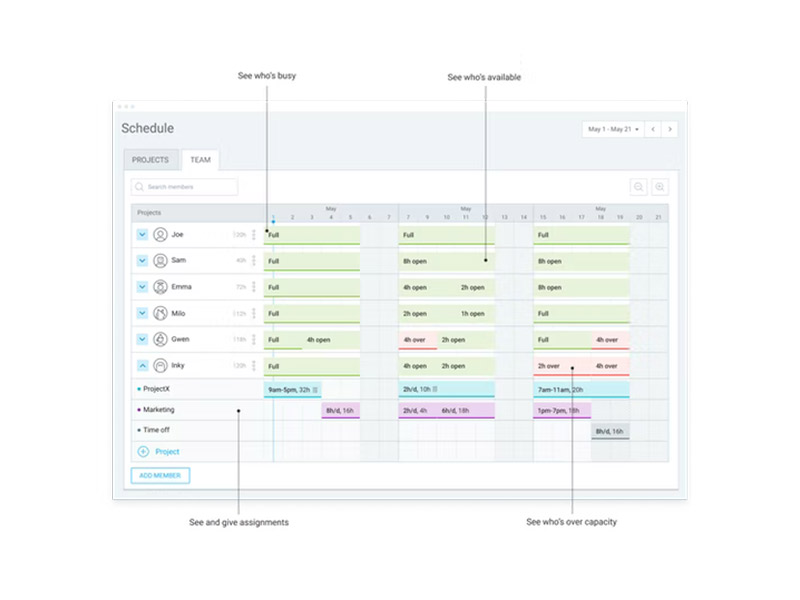
With a calendar-like display, task management becomes a breeze. Team members can easily visualize the assigned tasks with set deadlines, and it becomes impossible to miss a duty. Managers can also automate reminders through Clokcify so the members are always aware of their responsibilities.
These sheets provide the opportunity to oversee team skill level, project process, individual performance, and resource expenditure. From the legible Clockifu layout, managers can implement enhancements by identifying gaps in productivity patterns.
All the performance metrics that have been collected consistently are transformed into legible reports. These insights are then shared with owners, collaborators, clients, contractors, etc, so they can be aware of the project productivity. Managers can easily edit or update these reports with Clockify.
Attendance records can be precisely monitored through recording the clock-ins and clock-outs of employees. These kiosk tools assist in providing a comprehensive overview of team members’ shifts, working hours, and the time spent on project activities. This Clockift features reduced administrative overhead and the need for manual data entry.
With robust timelines, monitoring the productivity outcomes and execution date can be estimated. When time zones of tasks and resource allocation are designed by prioritizing the estimated execution date, client satisfaction is guaranteed.
See The Software In Action Watch Free Demo!
Top Recommended Software






Clockify Pros and Cons
Pros
Better project activity and timeline tracking Powerful Clockify time tracking app Smart and easy-to-navigate dashboard Intuitive and user-centric interface Cost-effective and budget-friendly Comprehensive analytical reporting feature Smooth third-party app and software integrations Authorized Clockify log inClockify Reviews
Frequently Asked Questions (FAQs)
A: Yes, Clockfy does have a free plan available with basic features.
A: Yes, the Cloackify time management solution is cloud-based.
A: English, German, Spanish, Russian, and Portuguese are the languages that Clockify software supports.
A: This time tracking tool allows buyers to get answers through web chat, phone support, forms, Clockify reviews, 24/7 assistance, and email. You can also get details about Clockify pricing and a tailored quote.
A: There is a Clockify app that provides remote convenience for time management and monitoring. Users can have access to the Clockify time tracker app functionalities of this software platform through a single Clockify login.
A: Yes, the Clockify API is unavailable, which is REST-based.
A: Certainly, iOS and Android handheld devices are supported by this time tracking and management software, with a requirement for a Clockify login to access the dashboard, according to a Clockify review.
A: Yes, there is a complimentary Clockify free trial option for 7 days for paid functionalities, and you can also request a free Clockify demo.
A: Indeed, the apps Clockify time management software integrates with are Jira, Google Calendar, Trello, Todoist, GitHub, Asana, etc.
