

Overview
Pixie software is designed to help small accounting and bookkeeping firms organize and perform daily work . Tasks, deadlines, client communication and documents is managed in single platform. While the initial setup takes time, the automation, email tracking, and document storage quickly reduce manual work. Pixie-recruitment-style workflow offers client and task management, enabling companies to remain organized as they scale. Clarity, predictable workflow and reliable support reduces spent time on admin, and focus on working for your clients. Pixie also serves as CRM software for accountants. And you won’t have to use a separate tool to store client information, track conversations or manage ongoing work.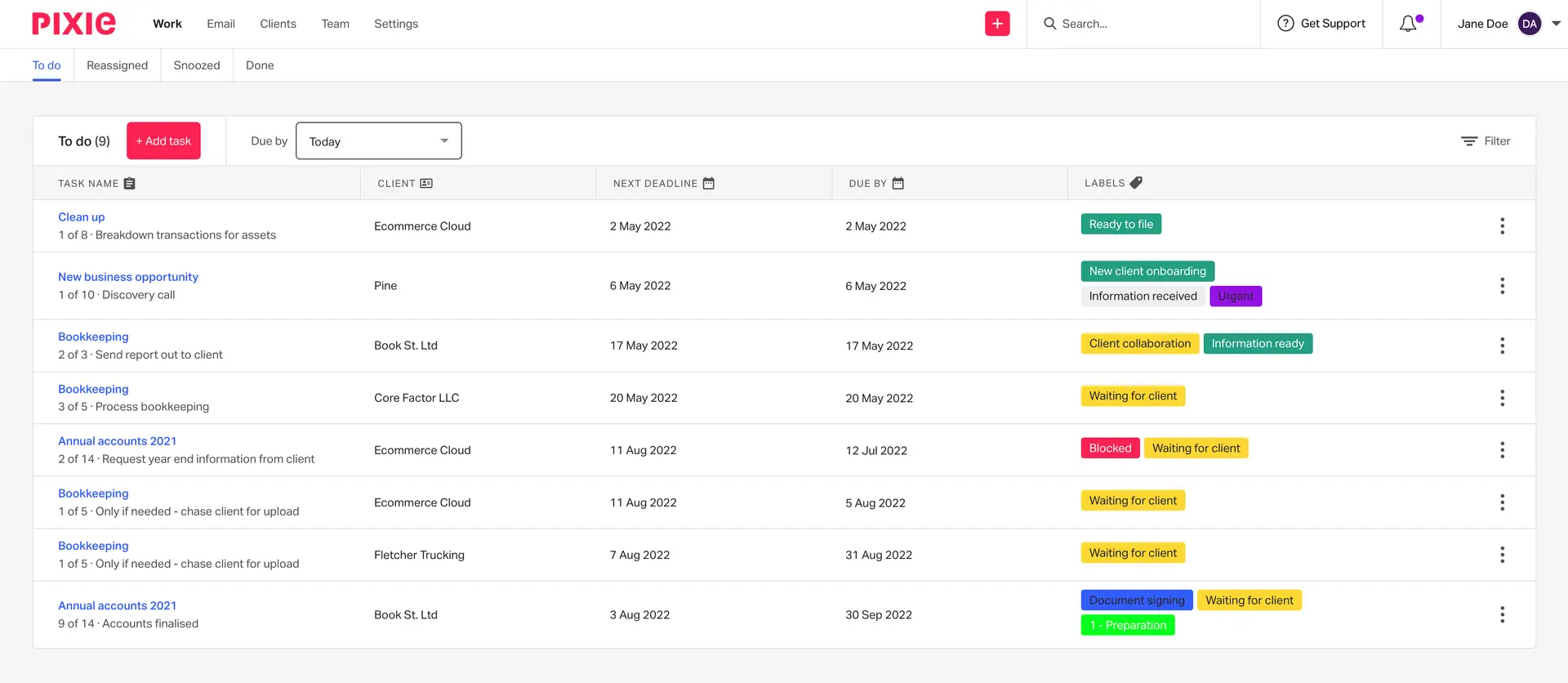
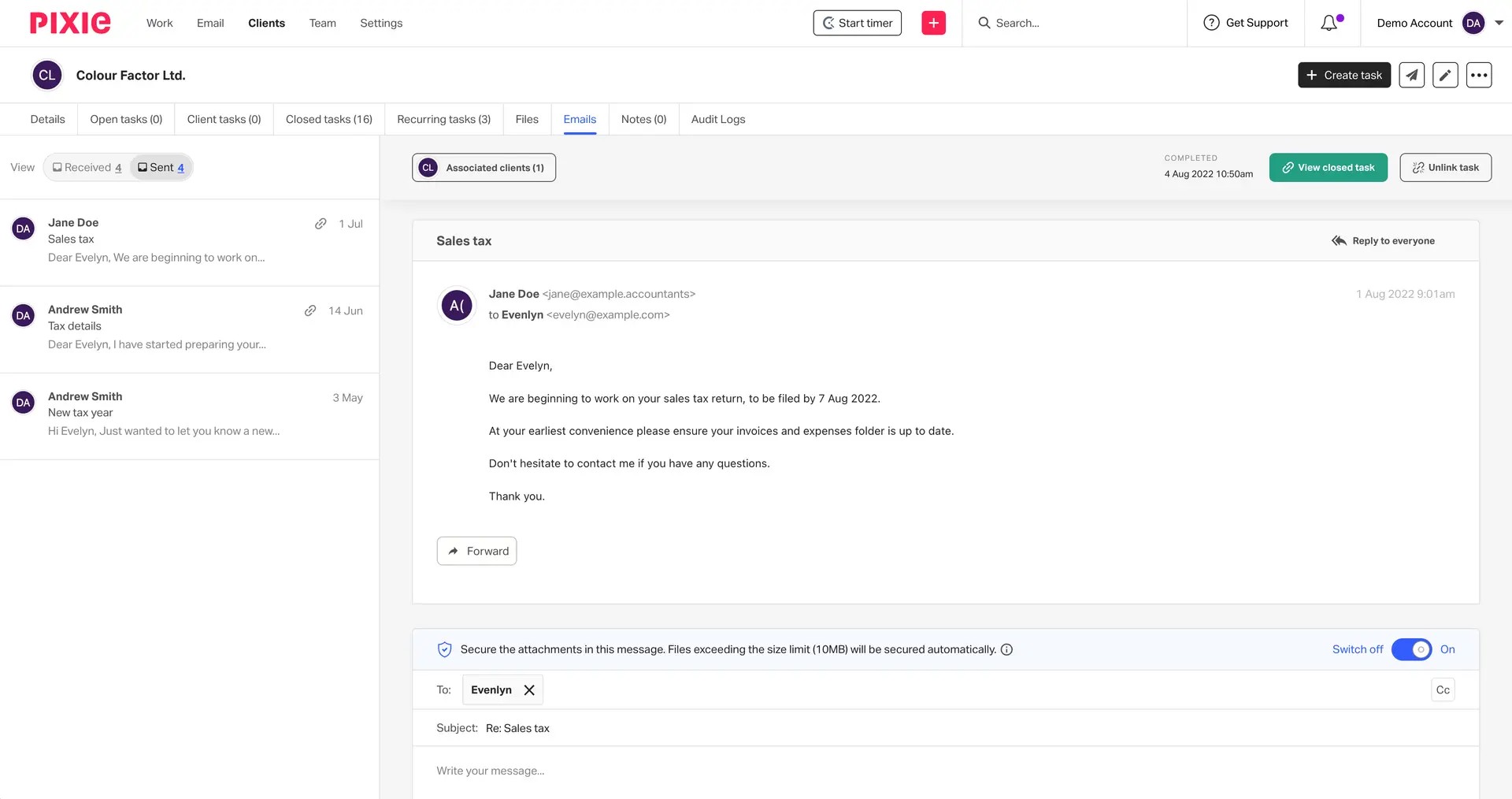
Pixie Software Specifications
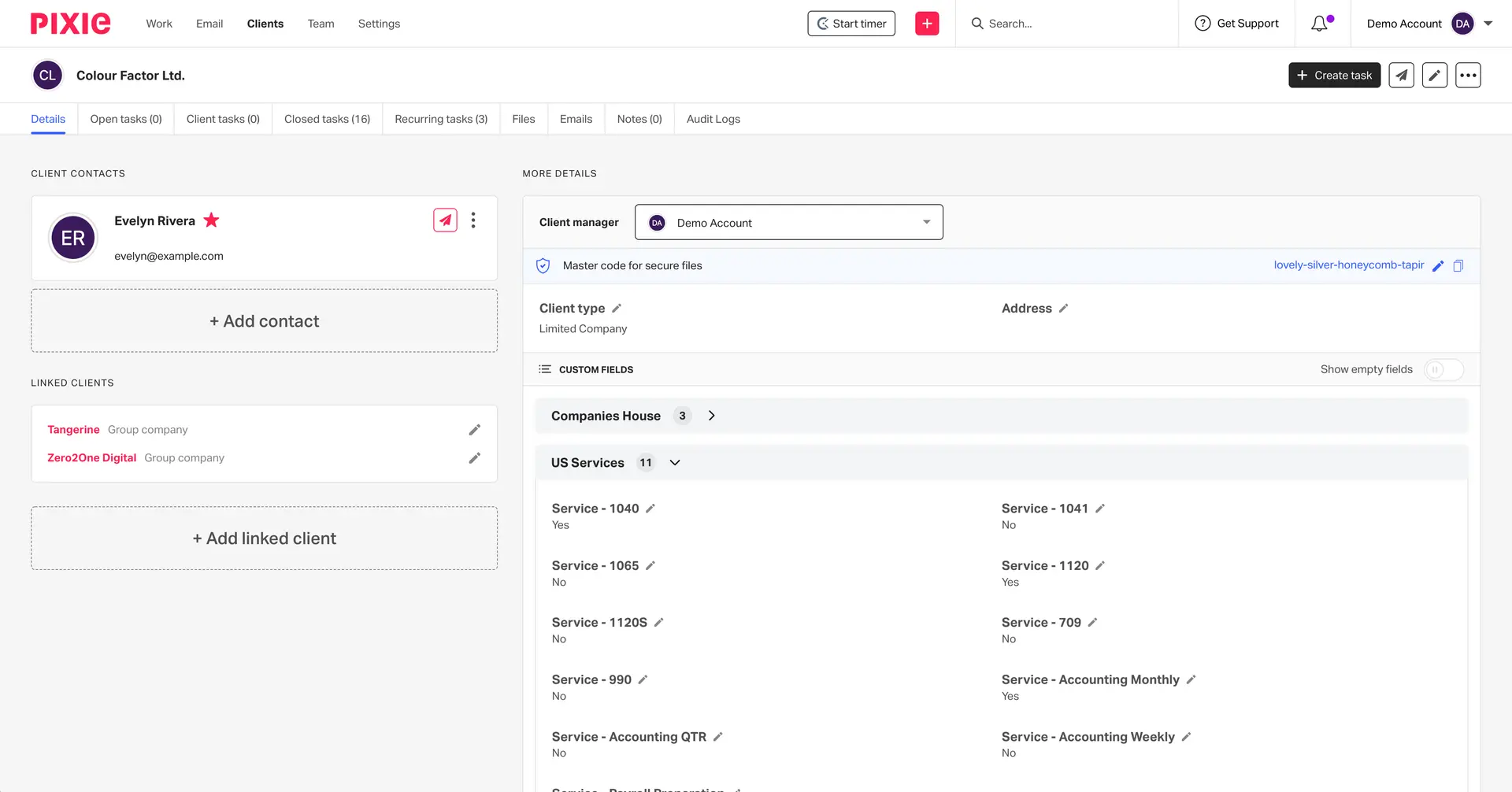
Contact and client management
Customer communication tracking
Email integration
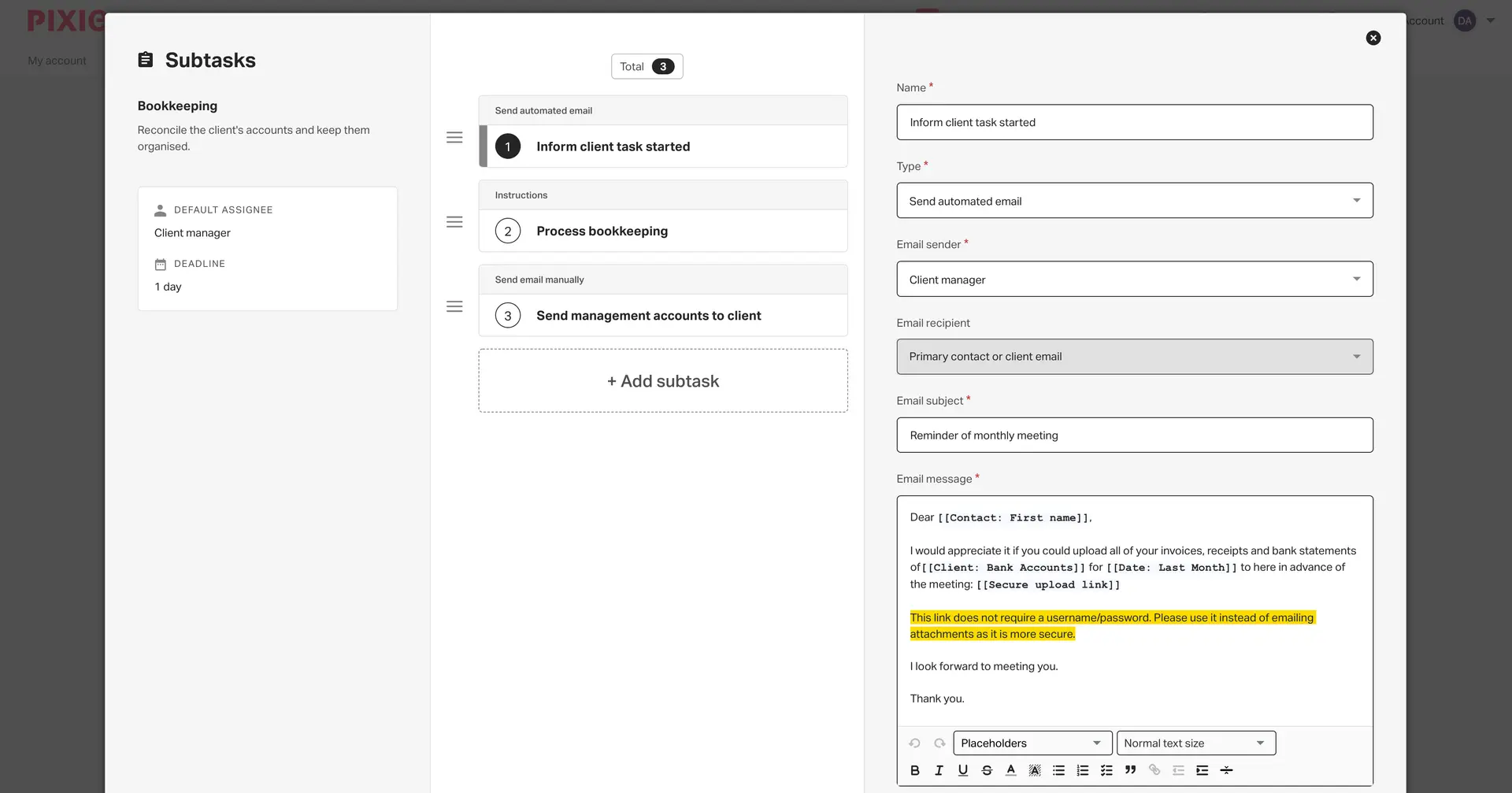
Workflow automation
What Is Pixie?
Pixie is cloud-based practice management system available with CRM software for accounting and bookkeeping firms, you can access your work from anywhere through it’s secure environment. It is the repository of client records, email threads, documents and task timelines.
Pixie Pricing
Pixie does not charge per user like most do, but follows a client based pricing. This model is suits firms that scale teams but want predictable costs.
Starting price
- Plans start at $69 per month.
Client-based pricing
- Fewer than 250 clients: $129/month
- 251-500 clients: $199 per month
- 501-1000 clients: $329 per month
- More than a 1000 customers: POA
Pixie’s pricing increases with your client list, not the amount of staff.
Users
It is tailored to accountants instead for general business teams.
Typical users include:
- Accounting firms
- Bookkeeping firms
- CPAs
- Solo practitioners
- Growing accounting practices
Integrations
Pixie integrates with leading business tools in addition to providing support for no more manual entry and automatically enforces workflow discipline.
Supported integrations include:
By integrating with other tools, like Salesforce and HubSpot, Pixie is able to operate as part of a larger CRM software collection but retain centralized client data.
How Does Pixie Work?
Pixie organizes work around clients and timelines. When you add a client, Pixie creates a central record that stores contact details, emails, documents, and tasks.
Automation handles repetitive actions like reminders, follow-ups and creating tasks. Email integration logs communication automatically, so your team has access to the whole history.
Choose Pixie for Accounting Practice Management
If you’re the owner of an accounting or bookkeeping firm and desire control without complexity, chose Pixie.
Pixie fits firms that:
- Prefer a price that doesn’t change as they scale
- Manage recurring compliance work
- Rely heavily on email communication
- Prefer automation over manual tracking
Pixie Software Features
Pixie archives email messages into each client’s record for you. That sets a clear deadline for your team to refer back to at any moment. You don’t have to worry about context getting lost or having people ask the question again.
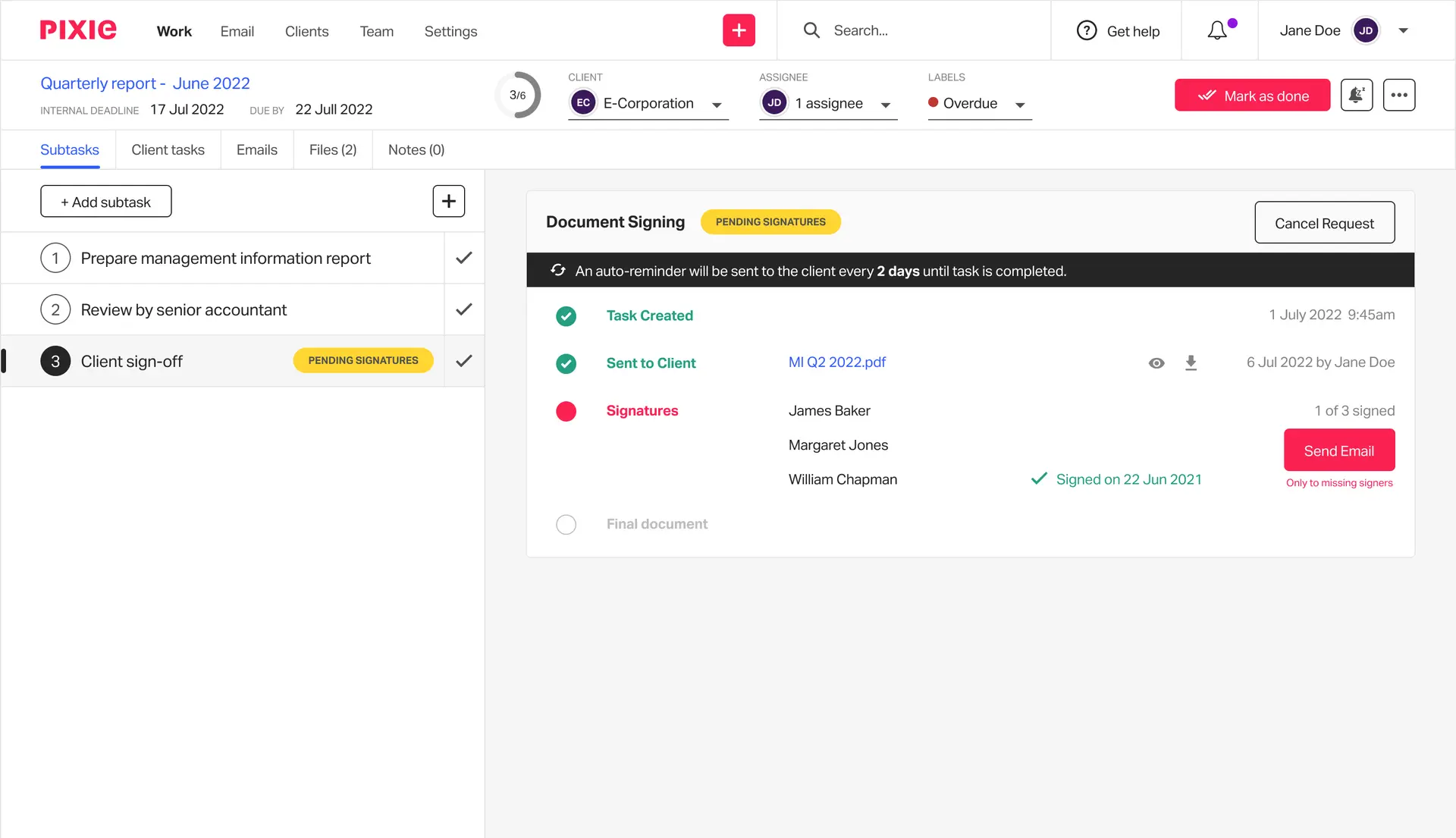
Pixie is a safe place for your clients to access and e-sign documents. The system facilitates compliance while reducing back-and-forth emails.
Pixie provides ready-made onboarding templates by accountants. These standards help ensure a consistent new client image and minimize mistakes.
You may set reminders for your overdue documents, approvals or deadlines. Automation reduces the need of following up and also enhance response time.
Pixie breaks work into tasks linked to each client. You assign responsibility, track progress, and ensure deadlines are met.






FAQs
Pixie supports English.
Pixie is for accountants, CPA firms and bookkeepers.
Pixie works with Zapier, Clockify, Office365, Gmail and Xama.
The API has not been made available by the vendor.
There is no Pixie mobile app.
Yes. Pixie works as CRM softeare for accounting and bookkeeping firms.
