Pipeline Features

Explore what Pipeline offers — from day-to-day workflows to advanced capabilities.

5 features

Reporting Tools

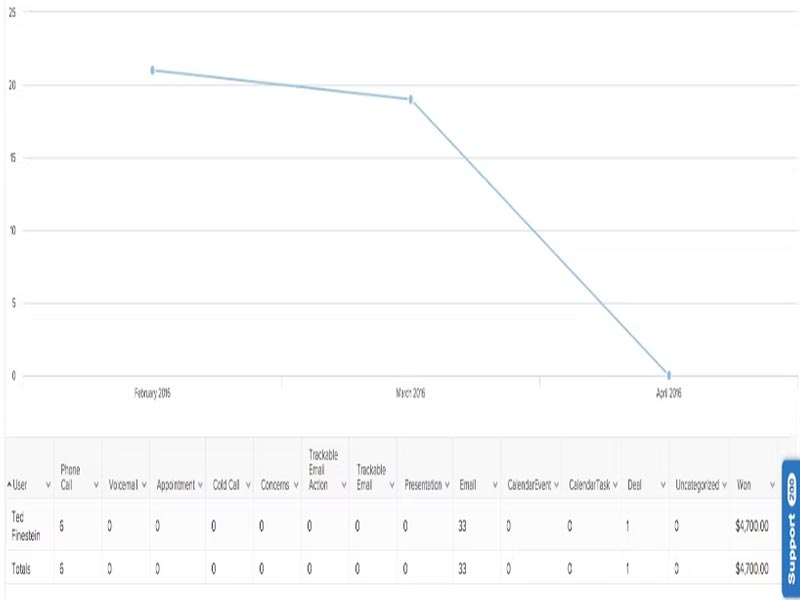
Pipeline software offers visual insights, allowing users to generate reports easily. With this feature, the sales team can identify trends, track progress, and measure success by analysing what is working and what isn’t. This keeps you updated in an organized manner. 

Quotation Management

It allows users to create and send estimates directly to their clients. With its help, users can add line items, taxes, and discounts in their quotes. This still makes the process simple and quick. 

Goals Management

The feature allows sales teams to create a custom to-do list and stay on track. With this feature, teams can ensure that they are working toward their target. 

Visual Deal Tracking

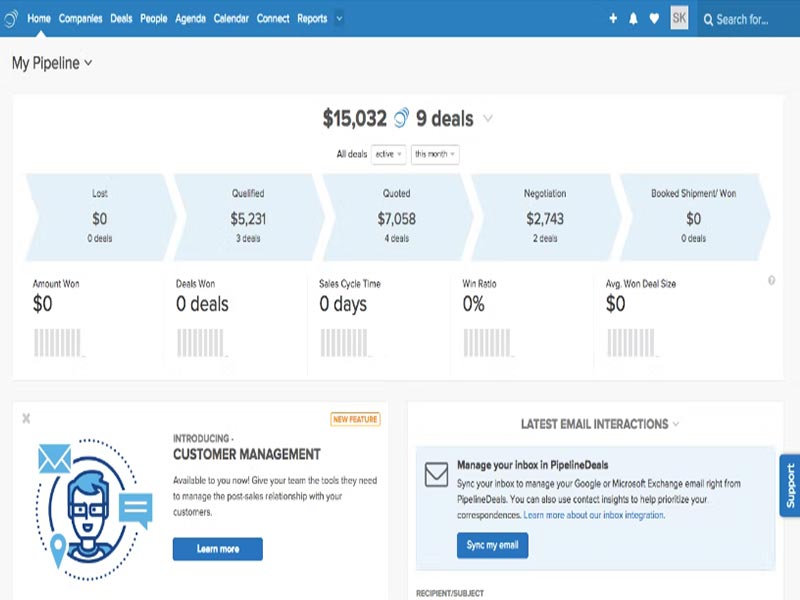
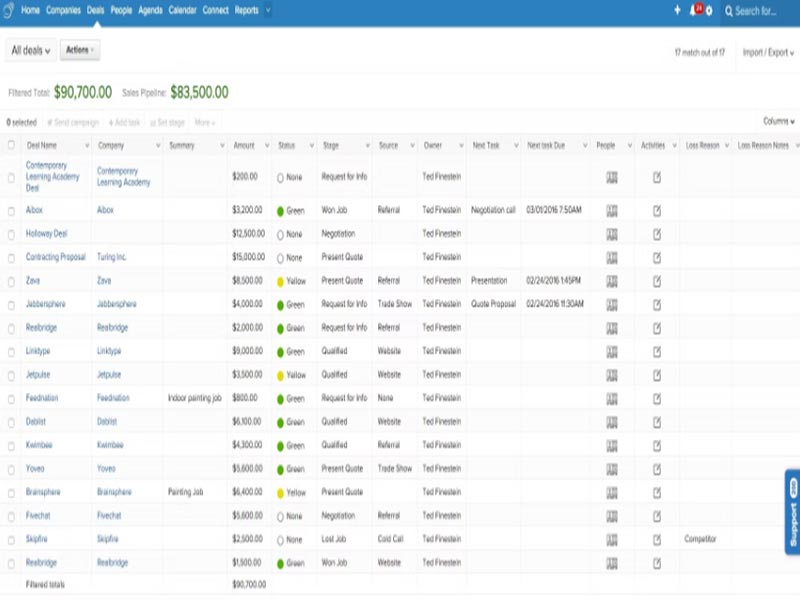
The platform offers a user-friendly interface along with drag-and-drop options to save time. The framework of this solution is like Kanban boards and offers visual sales tracking to show where a deal lies at a particular moment. The sales team can also customize the stages of a deal to monitor success and revenue prediction. 

Task Automation

It saves your time and energy by handling some manual and repetitive tasks. Backend actions are handled automatically when the stage of a deal changes, like sending an automated follow-up or creating an internal alert. 

What is Pipeline CRM Software?

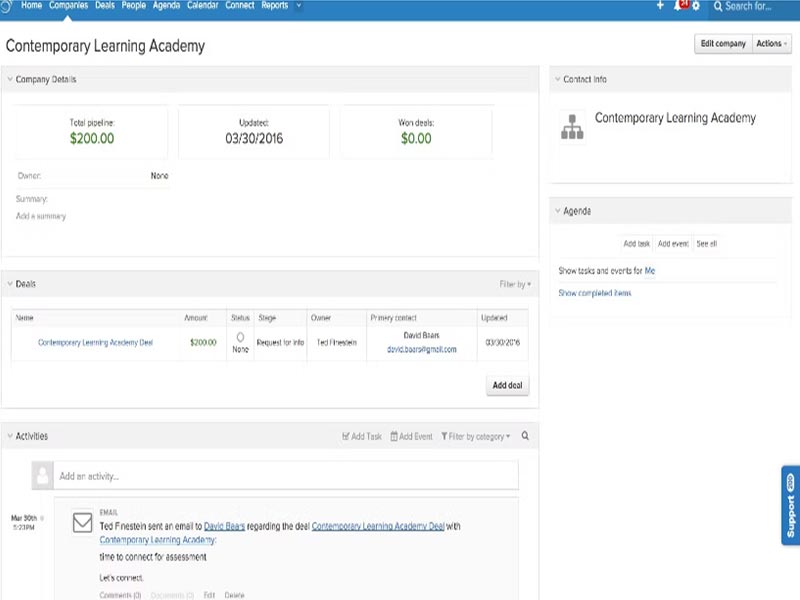
This solution provides support in all the ways that are required to increase sales. The Pipeline software also allows users to customize the deal stages to meet the unique targets in their own languages. It streamlines the workflow by providing visual tracking of done, pending, and in-process deals, boosting overall productivity.

The platform also supports mobile apps to keep you on top. It allows easy access from any available device to update information about your clients and leads. The software is structured to fit 13 unique industries and become their favorite with exceptional sales tracking support.

How much does Pipeline CRM cost?

The pricing structure of the software product is subscription-based. The solution also offers a free 14-day trial for users trying to understand the functions and purpose. It involves three packages:

  • Start Plan – $29/user/month
  • Growth Plan – $39/user/month
  • Develop Plan -$59/user/month

For a custom plan, you can contact our experts to get a quote that suits your needs.

Integrations for Pipeline

The platform can connect with various third-party apps to streamline the workflow. Most commonly integrated apps are listed below:

Is Pipeline The Right CRM For You?

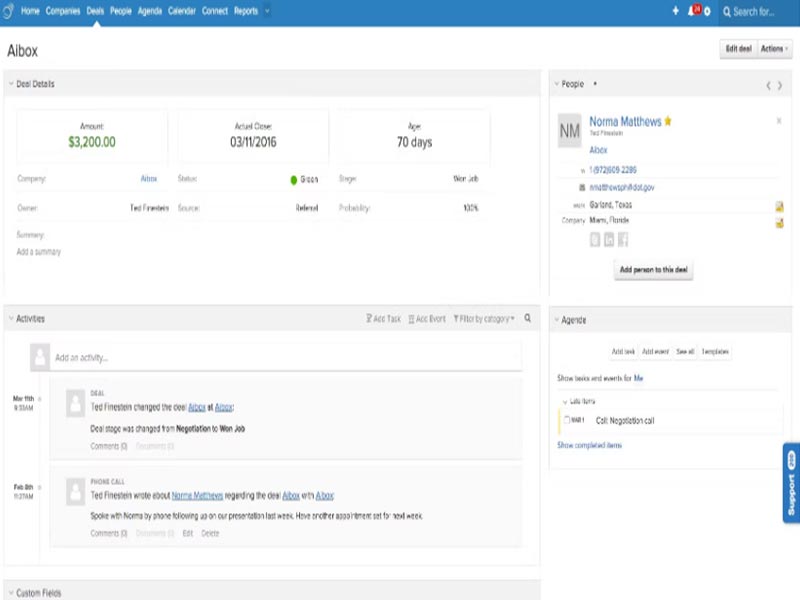
The solution is easy to use and comes with no extensive learning curve. Teams can easily log in and start working. Small to mid-sized businesses find it a strong choice, aiming to increase their sales number. Integrations make the software more feasible, along with its visual dashboard. There’s no complex setup for this platform. You can use this to keep a detailed record of deals and predict the company’s growth better.

If you are still unsure about the software, you can read pipeline crm reviews from our feedback section. This will help you understand its purpose and benefits to make an informed decision.


Contact Management Included
Opportunity Handling Included
Customer Categorization Included
Customer Communication Tracking Included
Social Media Integrations Not included
Email Integration Included
Customer Support Included
Visual Sales Board Included
Deal Tracking Included
Revenue Prediction Included

Pros

6
  • The solution can be personalized with features like custom fields and pipeline deals CRM.
  • The platform offers easy setup and gives a boost to your sales numbers.
  • You do not require extensive learning to utilize the software at its best.
  • The solution is good for staying organized, as it automatically filters out.
  • It deploys within a day without requiring a dedicated admin.
  • The software automates sales and improves productivity in the workflow.

Cons

2
  • Advanced-level integration and personalization require professional help for implementation.
  • It is not a good choice for enterprises with complex business procedures.

Pipeline Reviews

Overall Rating

4

2 Review(s)

Rating Distribution

5

(0)

4

(2)

3

(0)

2

(0)

1

(0)

Share your experience

John S.

Consulting

Ease of use
8
Value for money
8
Customer Support
7
Functionality
8

My software review

Pros

The platform has been a dependable part of our daily operations. It handles core tasks smoothly and keeps everything organized without adding complexity.

Cons

Limited advanced customization options.

Damian K.

Technology

Ease of use
8
Value for money
9
Customer Support
7
Functionality
8

An excellent System

Pros

The software offers a good mix of features that support our workflow and improve efficiency. It covers most of our needs, though there are occasional areas where improvements could enhance usability. Still, it delivers solid value for the price.

Cons

Occasional lag in updates or syncing.

FAQs

No, Pipeline does not have a free version. It comes with subscription-based pricing tiers to access all of its features and capabilities. The platform provides users with know-how of the software with a 14-day trial. 

Yes, it totally depends on your plan tier. The solution, anyhow, allows users to build 5 different pipelines. You can choose to move and copy an entire deal into a new pipeline. The original deal retains its credit in history. 

It directly links with Gmail and Outlook to monitor records and send automated alerts and updates for active campaigns. 

The software solution works well for salespeople. It is primarily created by salespeople for salespeople to manage clients, sales, and pipelines. The software is best utilized by sales and marketing departments of almost every sector. 

Yes, you can easily upload your previous client list directly from an Excel sheet or CSV file along with built-in CRM Support tools.