Overview

This software product incorporates AI and automation, revolutionizing the business sales processes and lead management capabilities. Pipedrive CRM empowers the sales team to focus on selling the products and services of their respective businesses, while all the other processes are being managed by this intuitive platform. There is no chance of missing deals when they are being monitored all the time. Not only that, this CRM product also streamlines the customer relationships for long-lasting engagements and handles all lead SOPs from recognition to conversion. There are some intricacies regarding the modification of some features, but the benefits outshine the disadvantages. Want to know how it can take your sales processes to new heights? Then take a look at this guide.

Pipedrive CRM Specifications

Social Media Integration
Reporting/Analytics
Customer Sectionalization
Contact Management

What is Pipedrive CRM Software?

This is an intuitive cloud-based CRM software that is mainly designed to be leveraged by businesses for sales pipeline optimization and lead management. Pipedrive has integrations of automation and AI-powered tools that can aid in marketing strategies, sales planning, and deal tracking that ultimately translate to better financial productivity. This CRM product empowers managers and team members to gain progress reports about sales and achieved sale targets. The analytical reporting features can be fully customized to get legible reports on teh purchase data, successful deals, etc. The sales team can utilize the provided Pipedrive CRM system tools necessary for optimizing processes needed for lead conversion.

CRM Software Pipedrive Purpose

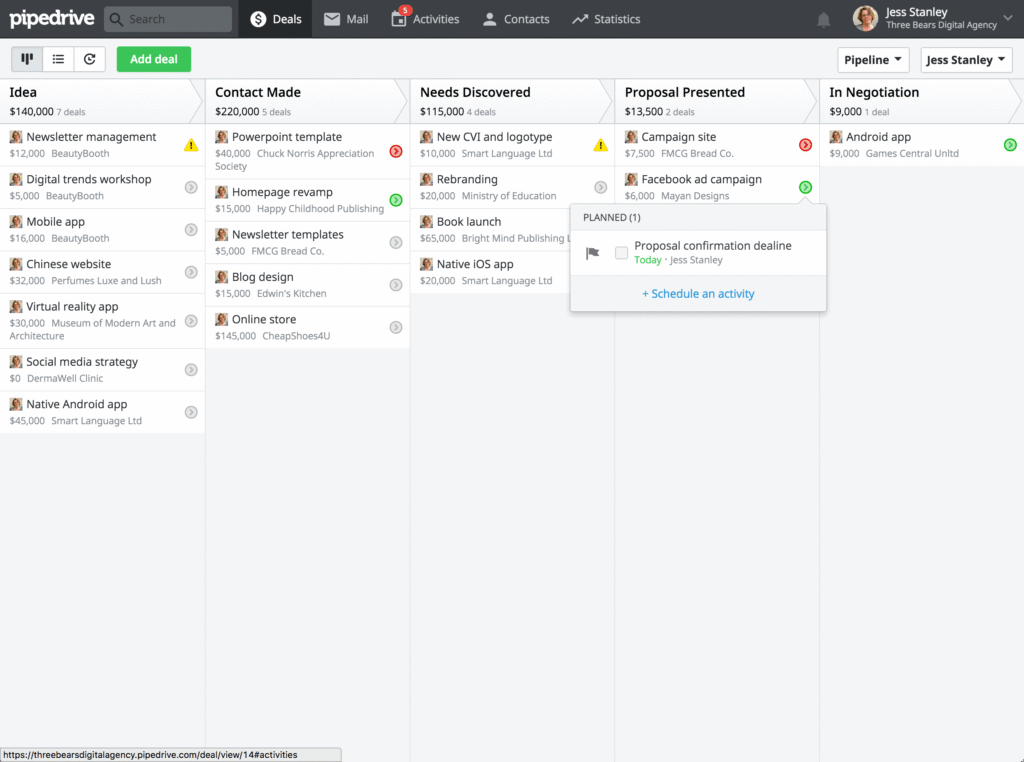
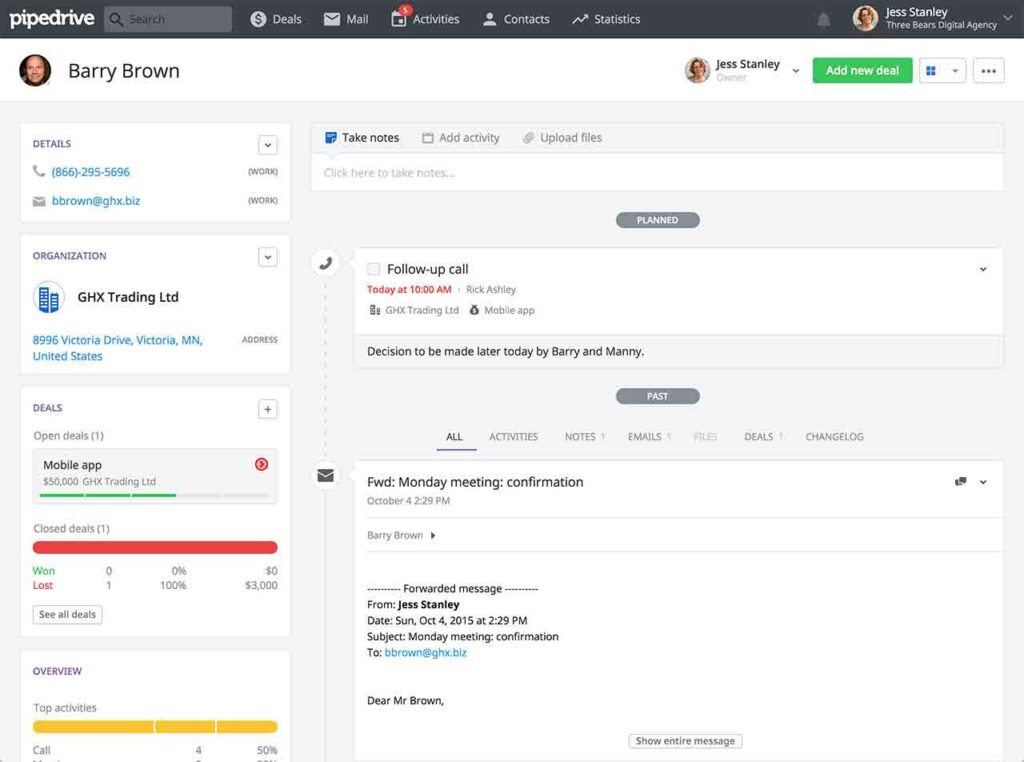
This software platform ensures that there is no missed opportunity when it comes to sales, through tailored pipelines. All the sales procedures can be comprehensively observed through Kanban-style and an easy-to-navigate Pipedrive dashboard. Pipeline control tools allow the sales team to view the status of the deals and automate alerts about follow-ups in teh purchase process.

Pipedrive InfusionSoft Integration

Third-party app integrations are supported by this CRM software solution, which includes:

  • QuickBooks
  • Google Meet
  • Intercom
  • Zoom
  • HubSpot CRM Software
  • Xero
  • Asana Software

You can also book a complimentary Pipedrive CRM demo to know about its functionalities and integrations in-depth. Through a visual teaser, you can guess whether this CRM software product will suit your business operations and sales processes to the fullest.

Pipedrive CRM Cost

Multiple Pipedrive subscription costs or plans can be opted for by businesses according to their unique workflow needs and budget capacity, which include:

  • Pipedrive small business (Essential plan): $24/month/seat
  • Enterprise plan: $129/month/seat
  • Advanced plans: $44/month/seat
  • Power plan: $79/month/seat
  • Professional plan: $64/month/seat

You can get in contact with our sales team to get a tailored Pipedrive CRM pricing quote according to your operational needs and financial capacity. These Pipedrive kosten are not rigid and can be changed according to the vendors.

CRM Software Pipedrive Users

This CRM platform can be utilized by all scales of businesses, from small startups to enterprise-level franchises. The industries that can leverage Pipedrive scheduling to streamline their customer relationship services are:

  • Hospitality
  • Banking
  • Government
  • Real Estate
  • Healthcare
  • Logistics
  • Event Management
  • Transport

Pipedrive Vs InfusionSoft: Which One is Better?

If you are currently in the Saas industry and want to streamline your sales operations, customer relations, marketing strategies, and other business operations, then Pipedrive is the one. Pipedrive uses a sales CRM model and is designed with user-centricity; meanwhile, InfusionSoft uses a robust automation for marketing, but it involves intricacies in usage. Considering Pipedrive CRM is intuitive and utilizes AI-powered functionalities, you can miss no lead opportunity. Considering the viewable dashboards makes it a multiple award-winning platform. The matter of Pipedrive vs InfusionSoft is not important when you are aware of your business requirements at the moment; if not, then don’t worry.

Get in contact with our sales team and inquire which platform will suit their workflow the best. You can read the unbiased Pipedrive reviews to get a rough idea or watch a complimentary demo to have a visual representation.

Pipedrive CRM Functionalities

The Pipedrive CRM customers list is extensive, considering the number of people opting for this platform due to this particular feature. It enables the sales team to stay up to date with high-quality leads and deals that have been pending for long periods, automatically alerting them to ensure no sales opportunity goes to waste due to unawareness.

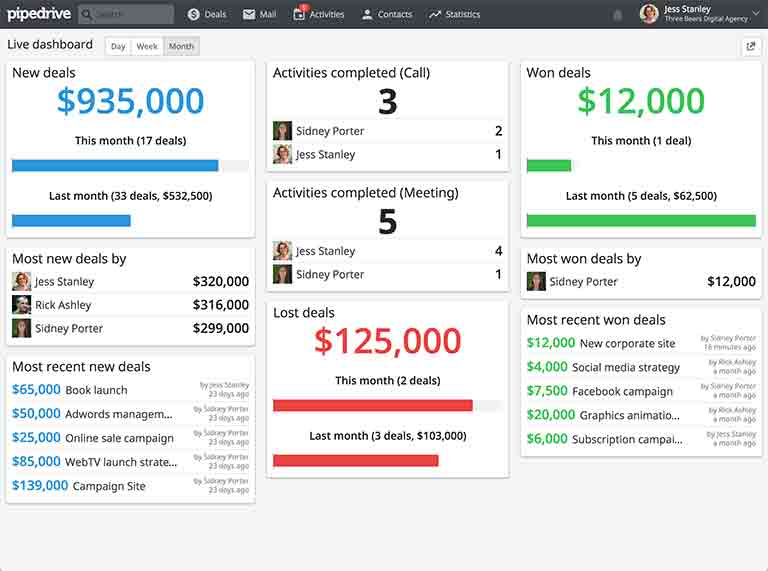
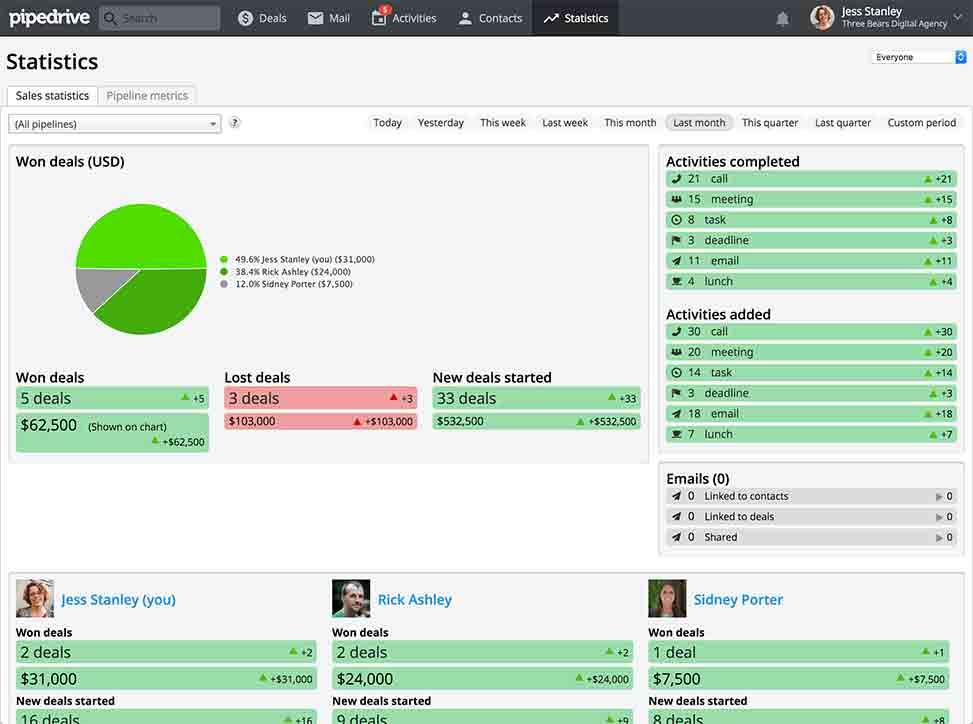
This software feature enables users to utilize a dashboard that gets the updates on the sales metrics, employee performance, business finance, etc. Analytical reporting on the whole statistics of successful deals, opportunity wastage, bottlenecks, and others is identified through these reports, which assist them in making informed sales decisions or strategies.

This feature is used to empower users to engage with potential customers with all the necessary knowledge. This feature can attain all the relevant data about the customers by using just their email address, which helps the sales and marketing about their interests. These help significantly in lead generation and nurturing, converting them into sales opportunities promptly and effortlessly.

This Pipedrive tool helps in lead sorting in a centralized location. This arrangement saves the time of the sales team when they are aware of what leads have been converted into sales, which ones can potentially undergo successful conversion, and what leads need further action. Marketers truly appreciate something that gives them free rein to edit and access data regarding their sales. This software can be integrated with Email, alerting the staff regarding lead data, empowering them with no missed opportunities.

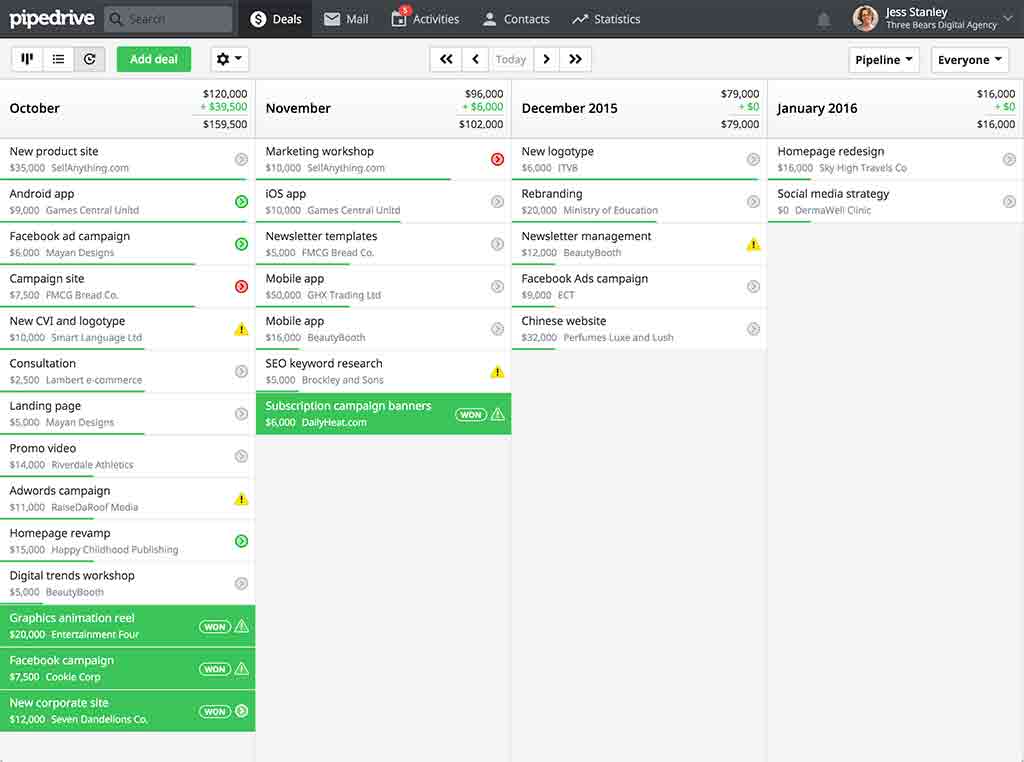
Considering no lead or sales data is overlooked, but adding it to the dashboard enables reporting tools to analyse it, giving predictions about the potential revenue opportunities. When marketers and the sales team know where to expect purchases, they can curate strategies based on that. These save a lot of effort and money when you know where the fruit is coming from; the users can also modify these predictive report capabilities.

See The Software In Action Watch Free Demo!

    Pipedrive CRM Reviews

    Overall Rating

    4.7

    10 Review(s)

    Rating Distribution

    5

    (7)

    4

    (3)

    3

    (0)

    2

    (0)

    1

    (0)

    Share your experience
    Nathan

    Manufacturing

    Ease of use
    10
    Value for money
    9
    Customer Support
    10
    Functionality
    10

    Keeps daily tasks perfectly organized

    Pros

    Task management is excellent and keeps everything on track. The Gmail integration works flawlessly and saves time.

    Cons

    The mobile app isn’t very intuitive, so I rarely use it compared to the desktop version.

    Mirjam

    Manufacturing

    Ease of use
    9
    Value for money
    10
    Customer Support
    9
    Functionality
    10

    Powerful search with flexible data linking

    Pros

    The global search feature is excellent and saves a lot of time. I also like how easily leads, deals, and contacts can be customized and linked together.

    Cons

    For marketing use, reporting is limited. I’d like better newsletter analytics and clearer website click tracking.

    spencer

    Finance

    Ease of use
    10
    Value for money
    9
    Customer Support
    10
    Functionality
    9

    Excellent insights for prioritizing leads

    Pros

    The contact insights are extremely valuable. It clearly shows which leads are engaging the most, helping us focus on the right prospects.

    Cons

    The interface could use some improvement, but overall the software has been a huge win for our business.

    Frequently Asked Questions (FAQs)

    A: Indeed, the Pipedrive CRM system is cloud-based.

    A: French, English, Japanese, German, Korean, Portuguese, etc, are the languages that Pipedrive CRM software supports.

    A: Pipedrive CRM assists buyers through informative guides, 24/7 live services, chat assistance, phone support, flexible pipedrive preise, FAQs, and email.

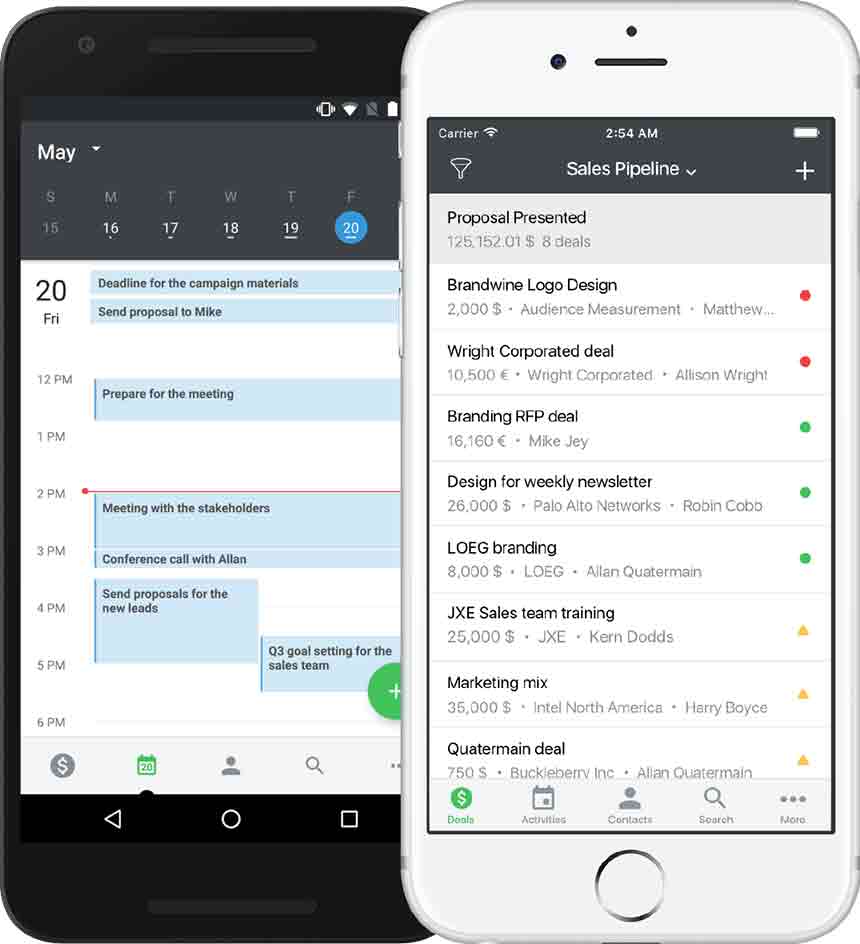
    A: Certainly, there is a CRM software Pipedrive app.

    A: Of course, the API is provided by Pipedrive scheduling.

    A: Indeed, there is a 14-day Pipedrive free trial option, and a free Pipedrive CRM demo.

    A: Certainly, iOS and Android handheld devices are supported by the Pipedrive dashboard.

    A: Indeed, the apps this Pipedrive CRM integrates with are Slack, Google Meet, Zapier, Asana, Mailchimp, QuickBooks, Teams, etc.