


Miro Software LogoMiro Software

Overview

This intuitive cloud-based platform is deployed by businesses to manage all aspects of project management with utmost efficiency. Mid-sized, small, and startup businesses can leverage this software to empower managers with all the details to project progress. Miro provides reports about employee performance, project progress, and improvement strategies that might need to be implemented. Moreover, project leaders can also get equipped with resolved issues through AI-powered features. With prompt and quick decision-making, there are better chances of project success and business productivity. All team members are always aware of the ongoing updates in the project plans and can also comment on any process that needs to be changed. Increased team coordination is always highly appreciated by businesses. What is Miro Used For? There are certain components of this PM software that are the core reason for its popularity. Those features include the Miro dashboard, which can resolve the intricacies of your workflow in less time and effort. Another feature, known as a digital whiteboard, is totally automated and can provide ease of use, data visualization, informational alignment, increased team coordination, and dedicated project planning. Collaborators and stakeholders can conveniently provide feedback and valuable ideas for better project outcomes. Furthermore, its integration with Google Docs, Calendar, Google Meet, Google Sheets, etc, makes data exchange and updates easier, where the names of the members are also shown. How Much Does Miro Cost? The Miro pricing or monthly plans are offered by the vendors on the official website, including: Free plan: $0 per month Business plan: $20 per month Enterprise plan: Personalized Miro price according to the additional features Starter plan: $10 per month The final Miro cost is usually dependent on the unique requirements of the businesses and user preferences. You can get in touch with the sales team and request a tailored Miro pricing quote that suits your budget capacity. Miro Tool Integrations More than 130 Third-party apps and tools integrations are supported by this PMO software solution, some of which include: Atlassian Microsoft Teams Webex Google Workspace Zoom Slack You can also schedule a free demo to learn more about the integration, performance, functionalities, and features of this project management software. Who Can Use Miro? All scales of operations can leverage this PM product to revolutionize their managerial capabilities. Some diverse settings and industries that can be leveraged include: Education Information technology Research Project management Consulting Marketing Design and creatives Advertising The purpose of the Miro collaboration platform is to be used by a wide array of industries without any hassle. If you are interested in knowing about Miro pricing, then click on the ‘Get Pricing’ option mentioned above. Miro Project Management Application After installation, add your credentials for an authorized Miro login, then navigate to the intuitive dashboard. The Miro dashboard has multiple board options that can be used for different purposes, i.e, coordination and data sharing. There is also an option of templates that can be utilized by project managers, which empowers them with no need to set up boards from scratch for strategic planning. Different boards can be identified by naming them, and data can be conveniently added to these boards. Core features such as coordination tools can be used to make the project operation streamlined, like email invites and assigning authorities. With powerful integrations, leaders can also hold virtual meetings with members and collaborators. Staff members can also visualize the comments of the leaders and cross-comment to curate better strategies. Users can also access educational material from the academy and get linked with other members through a community. You can book a visual Miro software demo to get a better understanding of the application of its features in a business database. Is Miro Project Management the Best Software? In today’s competitive market, businesses cannot afford to settle for software that is not suitable for their project operations. Miro software is scalable and secure, which receives high appreciation from businesses, considering there is no room for leaked data in expensive projects. This platform accelerates your project processes with precision and improved planning. With more than 130 integrations, your collaboration capabilities can touch new heights. All the services and products delivered by your organization are ensured by this product, and also that they perfectly match your consumer requirements. If you are interested in knowing more about the suitability of Miro mind mapping software for your business requirements, then contact our consumer assistance team. You can also read the unbiased Miro reviews and get tailored Miro software pricing.  

✓ Free, no-obligation quote✓ Response within 24h✓ Cloud-based
Software Logo
Miro SoftwareClick to flip or scroll
codatis.com/miro-software/
Live
Miro Software preview

What is Miro Software?

This intuitive cloud-based platform is deployed by businesses to manage all aspects of project management with utmost efficiency. Mid-sized, small, and startup businesses can leverage this software to empower managers with all the details to project progress. Miro provides reports about employee performance, project progress, and improvement strategies that might need to be implemented. Moreover, project leaders can also get equipped with resolved issues through AI-powered features. With prompt and quick decision-making, there are better chances of project success and business productivity. All team members are always aware of the ongoing updates in the project plans and can also comment on any process that needs to be changed. Increased team coordination is always highly appreciated by businesses.

What is Miro Used For?

There are certain components of this PM software that are the core reason for its popularity. Those features include the Miro dashboard, which can resolve the intricacies of your workflow in less time and effort. Another feature, known as a digital whiteboard, is totally automated and can provide ease of use, data visualization, informational alignment, increased team coordination, and dedicated project planning. Collaborators and stakeholders can conveniently provide feedback and valuable ideas for better project outcomes. Furthermore, its integration with Google Docs, Calendar, Google Meet, Google Sheets, etc, makes data exchange and updates easier, where the names of the members are also shown.

How Much Does Miro Cost?

The Miro pricing or monthly plans are offered by the vendors on the official website, including:
  • Free plan: $0 per month
  • Business plan: $20 per month
  • Enterprise plan: Personalized Miro price according to the additional features
  • Starter plan: $10 per month
The final Miro cost is usually dependent on the unique requirements of the businesses and user preferences. You can get in touch with the sales team and request a tailored Miro pricing quote that suits your budget capacity.

Miro Tool Integrations

More than 130 Third-party apps and tools integrations are supported by this PMO software solution, some of which include:
  • Atlassian
  • Microsoft Teams
  • Webex
  • Google Workspace
  • Zoom
  • Slack
You can also schedule a free demo to learn more about the integration, performance, functionalities, and features of this project management software.

Who Can Use Miro?

All scales of operations can leverage this PM product to revolutionize their managerial capabilities. Some diverse settings and industries that can be leveraged include:
  • Education
  • Information technology
  • Research
  • Project management
  • Consulting
  • Marketing
  • Design and creatives
  • Advertising
The purpose of the Miro collaboration platform is to be used by a wide array of industries without any hassle. If you are interested in knowing about Miro pricing, then click on the ‘Get Pricing’ option mentioned above.

Miro Project Management Application

After installation, add your credentials for an authorized Miro login, then navigate to the intuitive dashboard. The Miro dashboard has multiple board options that can be used for different purposes, i.e, coordination and data sharing. There is also an option of templates that can be utilized by project managers, which empowers them with no need to set up boards from scratch for strategic planning. Different boards can be identified by naming them, and data can be conveniently added to these boards. Core features such as coordination tools can be used to make the project operation streamlined, like email invites and assigning authorities. With powerful integrations, leaders can also hold virtual meetings with members and collaborators. Staff members can also visualize the comments of the leaders and cross-comment to curate better strategies. Users can also access educational material from the academy and get linked with other members through a community. You can book a visual Miro software demo to get a better understanding of the application of its features in a business database.

Is Miro Project Management the Best Software?

In today’s competitive market, businesses cannot afford to settle for software that is not suitable for their project operations. Miro software is scalable and secure, which receives high appreciation from businesses, considering there is no room for leaked data in expensive projects. This platform accelerates your project processes with precision and improved planning. With more than 130 integrations, your collaboration capabilities can touch new heights. All the services and products delivered by your organization are ensured by this product, and also that they perfectly match your consumer requirements. If you are interested in knowing more about the suitability of Miro mind mapping software for your business requirements, then contact our consumer assistance team. You can also read the unbiased Miro reviews and get tailored Miro software pricing.  

Key Highlights

  • Security
  • Miro Whiteboard Tool
  • Prompt Searches
  • Miro For Device
  • Custom Templates
Category:Project Management Software

Miro Software Functionalities

5 Features

Features

  • 1Security
  • 2Miro Whiteboard Tool
  • 3Prompt Searches
  • 4Miro For Device
  • 5Custom Templates

Specifications & System Details

Included

SecurityIncluded
Miro Whiteboard ToolIncluded
Prompt SearchesIncluded
Miro For DeviceIncluded
Custom TemplatesIncluded

Pros & Cons of Miro Software

Pros

6 points
  • 1Easy-to-use, modifiable, and intuitive interface
  • 2Convenient and easy to navigate the Miro dashboard
  • 3Enhance team coordination through the Miro whiteboard tool
  • 4Miro mind mapping software allows members to unleash their creativity
  • 5Built-in templates that can be tailored and reused
  • 6Managers and the team can communicate remotely through handheld devices

Cons

3 points
  • 1Occasional consumer assistance team inconsistencies
  • 2There is a training curve, according to some Miro reviews
  • 3Some intricacies come with software integrations

Miro Software User Reviews

No verified reviews yet

No verified user reviews yet for Miro Software. Be the first to share your experience.

FAQ's

Frequently Asked Questions about Miro Software

A: Certainly, Miro software does have a free plan available, but there are certain restrictions on features.
A: Indeed, Miro software is cloud-based, and it enables the staff members to coordinate virtually.
A: English, Portuguese, German, Spanish, Polish, Korean, Japanese, and French are the languages that the Miro project management supports.
A: Miro Project management allows buyers to get answers through informative guides, help desks, 24/7 customer services, Miro reviews, FAQs, chat assistance, forums, and email. You can also get details about the Miro pricing.
A: Certainly, there is a Miro phone app that provides a workspace for convenient collaboration. Users can have remote access to the functionalities of this software platform.
A: Of course, REST API access is provided by the Miro collaboration platform.
A: Indeed, there is a complimentary Miro whiteboard software trial option and a free Miro software demo.
A: Certainly, iOS and Android handheld devices are supported by the Miro project management software, with a requirement for a login to access the Miro dashboard, according to a Miro review.
A: Indeed, the apps this Miro system integrates with are Google Workspace, Slack, Zoom, Atlassian, Microsoft Teams, Webex, etc.

Popular Alternatives to Miro Software

9 comparable products in this list

All Project Management Software →
FeaturedCompare

Trello Software

Trello is a modern project management solution developed on a Kanban approach. It makes it agile and user-friendly Project Management software. It offers task management in various

FeaturedCompare

Asana Software

Asana is a popular work management tool, best suited for teams with a lot of moving projects. It helps with project planning, assigning roles, and monitoring progress. Compliance,
FeaturedCompare

Jira Software

Overview \n This software is leveraged by businesses to simplify the intricacies of project management and team collaboration. The simplification is done when the business processe

FeaturedCompare

monday.com Software

This project management software can change the operational optimization game of any business. Monday is a unified hub that can completely optimize all your business processes thro

FeaturedCompare

FreshBooks Software

Overview \n FreshBooks is the most opted-for software platform for small businesses. This smart platform can easily break down the complexities of project management into pieces th

FeaturedCompare

ClickUp Software

Overview \n Organizations that require software that can provide a unified platform for managerial purposes should consider ClickUp. This powerful project management software can s

FeaturedCompare

Confluence Software

Overview \n Businesses incorporate this software platform in their existing database for better synchronization among the team members across the project. Coordination is a massive
FeaturedCompare

Wrike Software

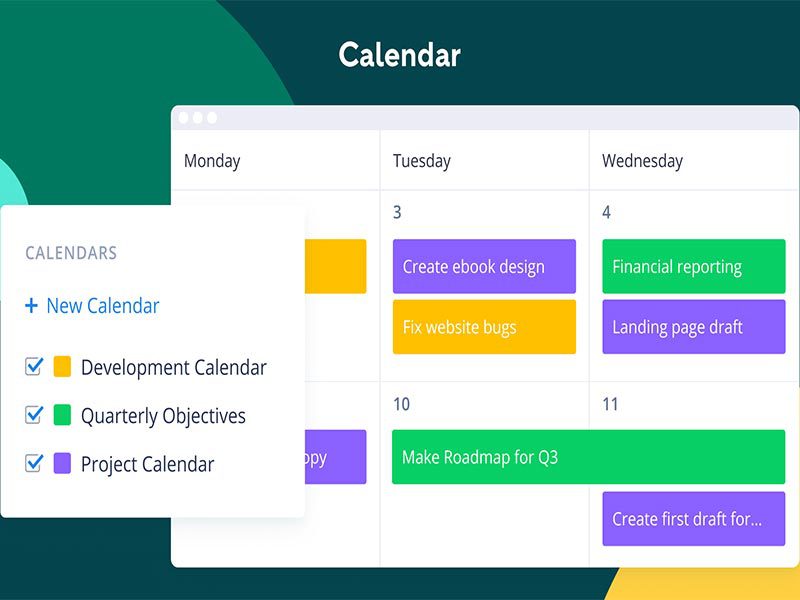
Overview \n This software product is opted for by organizations to revolutionize their workflow capabilities and to keep the team synchronized. This intuitive platform can help man

RecommendedCompare

BigTime Software

BigTime is time tracking, billing, and project management software built for professional services firms like accounting practices, engineering firms, consultancies, and law office

See real Miro Software pricing — matched to your team

Tell us a little about how your practice runs, and a specialist will come back with concrete numbers, a quick read on whether Miro Software genuinely fits, and a couple of closely-matched options worth weighing up. Straight answers, no sales pressure.

  • A tailored quote, usually within one business day
  • An honest fit-check from an independent advisor
  • Two or three close alternatives to compare

Request your free quote

Share a few details and we'll take it from here.

100% Free & ConfidentialNo Obligation