Patient Visit Notes
This tool helps providers record patient information during visits. It supports faster and more accurate charting, so your team can keep EHR records organized and easier to review.


Explore what MDVision offers — from day-to-day workflows to advanced capabilities.
This tool helps providers record patient information during visits. It supports faster and more accurate charting, so your team can keep EHR records organized and easier to review.
This feature helps providers review patient information and make care decisions during the visit. It supports clinical decision-making by keeping important patient details available inside the workflow.
MDVision supports chronic care management. This helps practices follow patients with long-term conditions, track care needs, and manage ongoing support in a more organised way.
The patient check-in tool helps collect patient details, demographics, insurance information, consent forms, and medical history. This reduces manual work at the front desk and helps your team start the visit with cleaner information.
The system supports appointment scheduling and patient reminders. MDVision describes reminders through phone calls, email, and SMS, which helps practices reduce missed visits and keep schedules more organized.
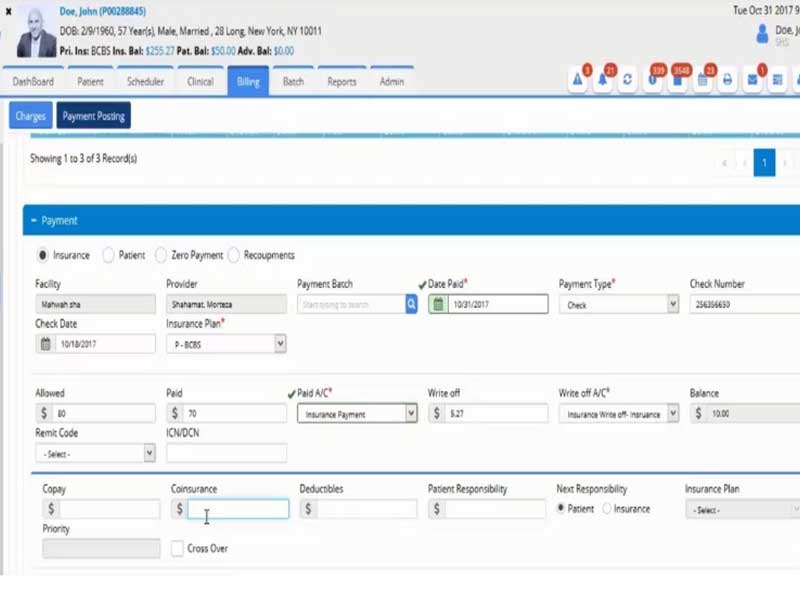
MDVision includes billing tools for eligibility checks, payment posting, claim status, claim scrubbing, ICD 10 readiness, statements, and audit trails. These tools support the financial side of the practice without separating billing from patient workflows.
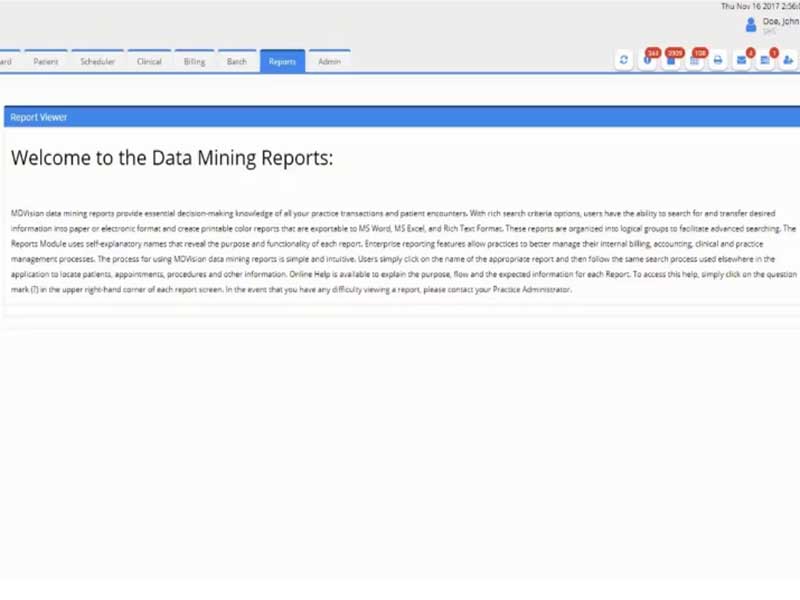
The software includes data mining reports. These reports help practices review performance, track activity, and make better operational decisions.
MDVision Software is a complete EMR/EHR software and practice management platform for ambulatory care providers. It combines clinical, administrative, and billing tools in one place, so your team can manage patient visits, documentation, payments, reminders, and reporting without moving between too many systems.
In simple words, MDVision Software helps you manage both patient care and practice operations. It supports electronic records, scheduling, e-prescribing, clinical decision support, chronic care management, billing, and patient check-in. These tools make it useful for practices that need software for EHR and practice management in one system.
MDVision Pricing is custom. The cost depends on your practice size, specialty, workflow needs, and selected tools. The available product information does not list a fixed public price, so you need to request a quote for exact pricing.
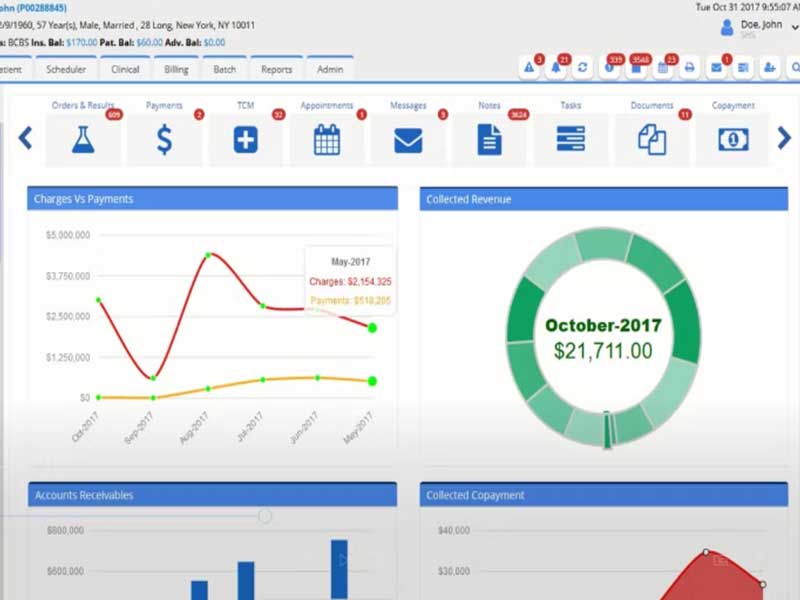
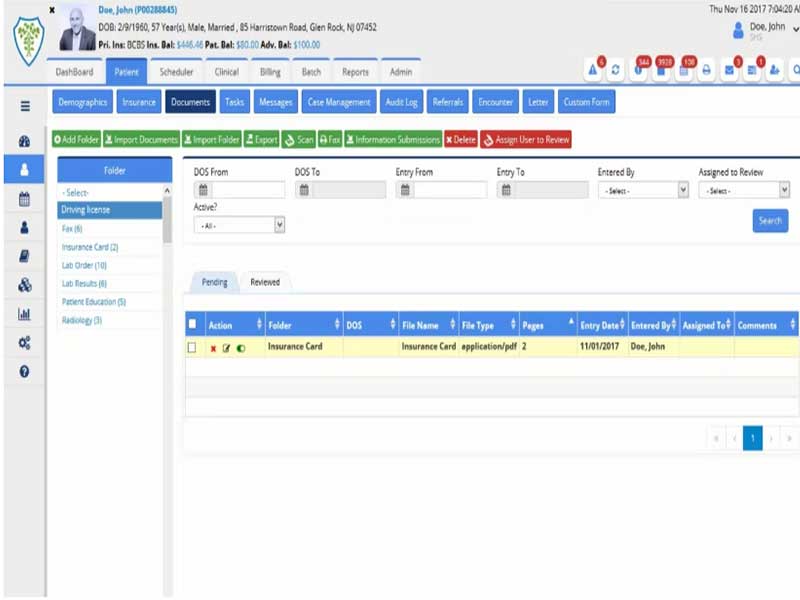
You can also request an MDVision demobefore making a decision. A demo helps you review the dashboard, patient documents, check-in process, billing tools, reporting features, and integrations before choosing the software.
MDVision Software lists integrations with third-party healthcare tools and services, including DrFirst, LabCorp, Exscribe, Zocdoc, and MedlinePlus Connect.
MedlinePlus Connect is useful because it links patient portals and electronic health record EHR software systems to trusted patient education content from MedlinePlus. It can respond to diagnosis, medication, lab, and procedure codes with relevant patient education links.
MDVision Software works by bringing clinical and administrative tasks into one connected workflow. Your team can schedule appointments, check patients in, record clinical notes, manage documents, send reminders, create claims, verify eligibility, post payments, and review reports.
The system also supports faster charting and voice dictation. The official MDVision page says the software helps physicians transcribe text into the right fields of the patient chart. It also supports patient reminders through calls, email, and SMS messages.
For billing, MDVision includes eligibility verification, charge capture, payment posting, claim status inquiry, claim scrubbing, ICD 10 readiness, statement generation, and audit trail maintenance.
Choose MDVision Software if your practice needs one system for patient records, scheduling, charting, billing, reminders, and reporting. It fits practices that want configurable EHR systems with practice management tools.
It is a good option to review if you want an EHR/EMR software platform that supports ambulatory care workflows, patient engagement, e-prescribing, lab integration, data reports, and cleaner claim handling.
The platform has been a dependable part of our daily operations. It handles core tasks smoothly and keeps everything organized without adding complexity.
Limited advanced customization options.
The software offers a good mix of features that support our workflow and improve efficiency. It covers most of our needs, though there are occasional areas where improvements could enhance usability. Still, it delivers solid value for the price.
Occasional lag in updates or syncing.
MDVision Software is a cloud-based EMR and practice management system for ambulatory care practices. It helps you manage patient records, scheduling, billing, charting, reminders, e-prescriptions, and reports.
MDVision Pricing is custom. The vendor does not show a fixed public price. You need to request a quote based on your practice size, specialty, and required features.
Yes. You can request or watch an MDVision demo to review the software before making a buying decision. The demo helps you check workflows, features, integrations, and usability.
Tell us a little about how your practice runs, and a specialist will come back with concrete numbers, a quick read on whether MDVision genuinely fits, and a couple of closely-matched options worth weighing up. Straight answers, no sales pressure.
Takes under a minute — we never share your details.
By providing your phone number to Codatis, you consent to receive SMS communications related to your inquiries, service updates, and direct communication with your assigned representative.
Message and data rates may apply in accordance with your mobile service provider.
Codatis does not send unsolicited promotional messages. For more information, please refer to our Privacy Policy below or visit the link provided.
Codatis respects your privacy. No mobile information will be shared with third parties or affiliates for marketing or promotional purposes.
Text messaging opt-in data, consent, and related information will not be shared with any third parties under any circumstances.