Automated Care Pathways
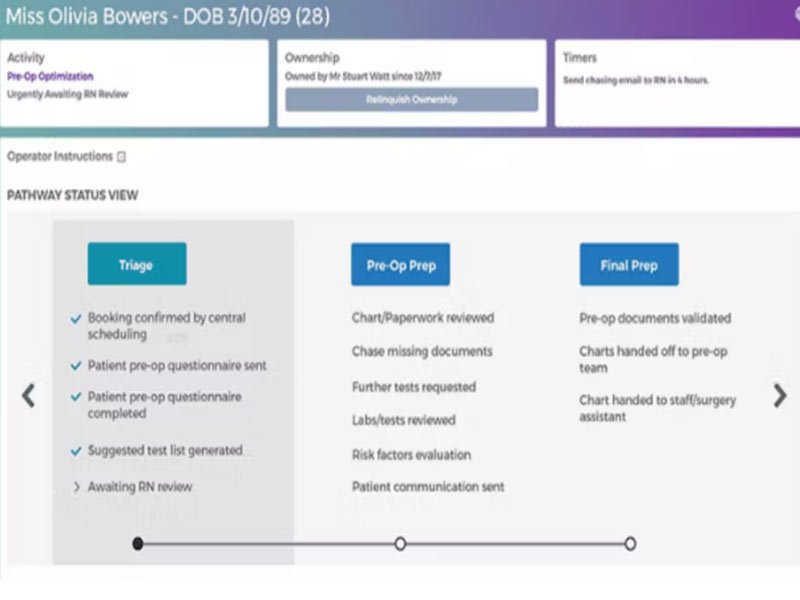
The system builds structured care journeys based on patient data. This improves consistency and reduces errors.


Explore what Lumeon offers — from day-to-day workflows to advanced capabilities.
The system builds structured care journeys based on patient data. This improves consistency and reduces errors.
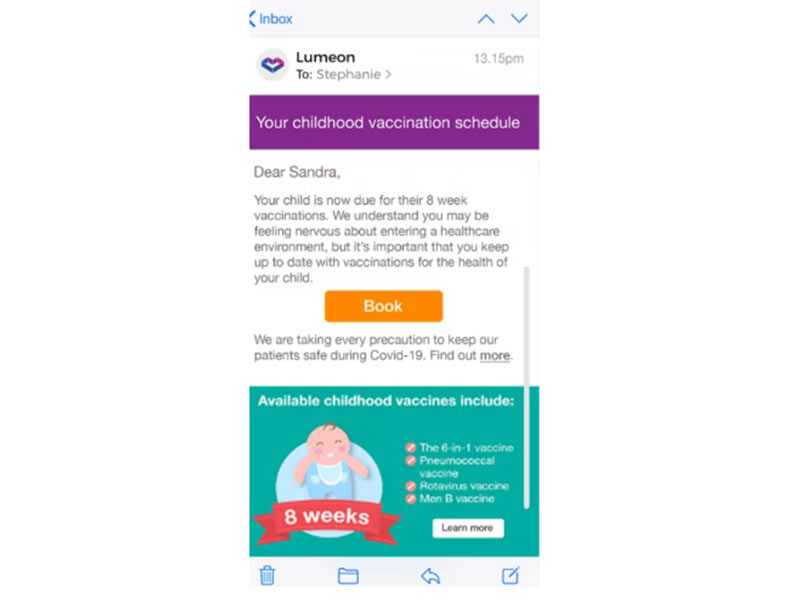
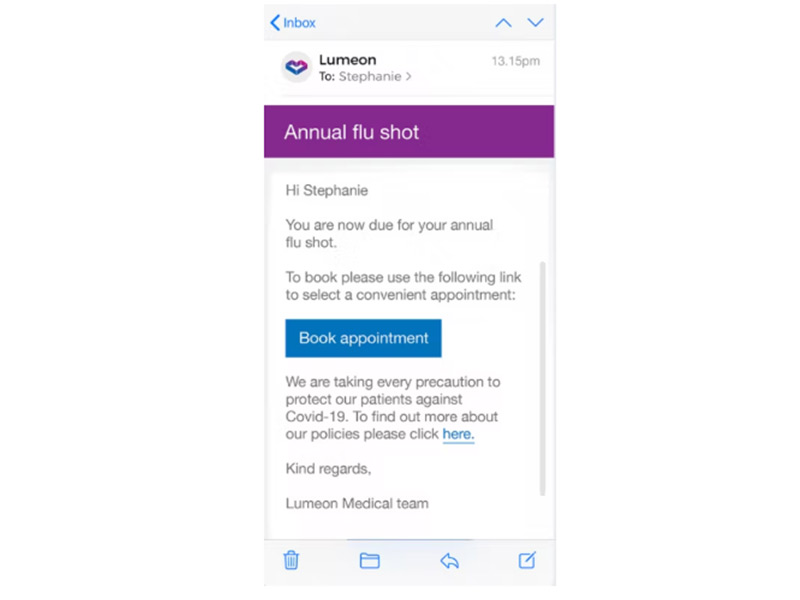
You can send reminders through SMS, email, or voice. Patients can also reschedule appointments easily.
Care teams stay aligned with shared dashboards and updates. This improves response time and care quality.
Analytics help you identify bottlenecks and improve workflows across your ehr electronic systems.
The platform adapts care plans based on patient needs, making treatment more targeted and effective.
Lumeon software is a clinical automation and care orchestration platform designed for hospitals, clinics, and health systems.
It works alongside electronic health record (EHR) software to improve how care teams manage patients from referral to recovery. Instead of replacing your existing EHR systems, it connects with them and improves workflow efficiency.
The platform uses real-time data and clinical logic to create personalized care pathways. This approach helps providers deliver consistent and timely care.
In simple terms, if you already use medical EHR software, Lumeon adds automation and coordination on top of it.
Lumeon pricing is not fixed. It depends on your organization’s size, workflow complexity, and integration needs.
You need to request a custom quote or book a Lumeon demo to get exact pricing.
Most healthcare platforms follow this model because implementation varies across organizations.
Lumeon software fits a wide range of healthcare environments:
Integration is one of the strongest areas highlighted in Lumeon reviews.
It connects with major systems like the following:
It also supports integration using:
This means you can extend your existing EHR (electronic health) infrastructure without replacing it.
This workflow reduces manual work and improves coordination across teams using software for EHR environments.
Choose Lumeon software if you want to:
It works best for organizations already using the best EHR software and looking to improve efficiency without switching systems.
The platform has been a dependable part of our daily operations. It handles core tasks smoothly and keeps everything organized without adding complexity.
Limited advanced customization options.
The software offers a good mix of features that support our workflow and improve efficiency. It covers most of our needs, though there are occasional areas where improvements could enhance usability. Still, it delivers solid value for the price.
Occasional lag in updates or syncing.
It helps healthcare providers automate care pathways and improve patient coordination across systems.
No. It works alongside electronic health record (EHR) software to enhance workflows and patient management.
Pricing is custom. You need to request a quote or book a Lumeon demo.
Hospitals, clinics, and health systems that already use EHR/EMR software and want better workflow automation.
Users highlight strong integration, automation, and reporting features, but mention a learning curve.
Yes. It integrates with major platforms like Cerner and Epic and supports FHIR and HL7 standards.
Tell us a little about how your practice runs, and a specialist will come back with concrete numbers, a quick read on whether Lumeon genuinely fits, and a couple of closely-matched options worth weighing up. Straight answers, no sales pressure.
Takes under a minute — we never share your details.
By providing your phone number to Codatis, you consent to receive SMS communications related to your inquiries, service updates, and direct communication with your assigned representative.
Message and data rates may apply in accordance with your mobile service provider.
Codatis does not send unsolicited promotional messages. For more information, please refer to our Privacy Policy below or visit the link provided.
Codatis respects your privacy. No mobile information will be shared with third parties or affiliates for marketing or promotional purposes.
Text messaging opt-in data, consent, and related information will not be shared with any third parties under any circumstances.