Overview
Klara is a communication platform that fosters internal and external coordination in healthcare practices regardless of size and multi-specialties. This collaboration tool connects the patients, providers, front desk staff, and specialties with telemedicine features and secure messaging. There are certain usability issues with the EMR integration and analytical reporting features, but the workflow automations, pricing models, and staff management outweigh these issues.
Klara Specifications
What Is Klara?
Klara Health fosters better coordination among different teams, medical personnel, and patients in a healthcare practice. This fosters active patient participation in their healthcare journey and keeps practices interconnected. When a core managerial aspect of coordination is automated, medical practitioners can focus on providing the best care services to their patients. Patient Klara is a cloud-based system with an intuitive interface, enabling medical personnel to easily access its features.
What Is Klara Software Best For?
Features such as appointment scheduling, safe texting, informational exchange, active responses, and automated alerts are provided by ModMed Klara. By incorporating the AI-powered functionalities, the routine administrative burden can be reduced with precision and efficiency. This unified communication hub links practices, laboratories, and pharmacies, enhancing patient care. With a Klara sign up, the patients can receive automated responses, improving patient satisfaction rates.
Klara Integration
Third-party apps and tools integrations are supported by Patient.Klara, includes:
Who Can Use the Klara Application?
Klara Health care information technology patient no-shows system can be leveraged by healthcare providers, administrators, CRM departments, front-desk staff, solo practitioners, nurses, and patients.
How Does
How Much Is Klara Pricing?
Klara cost is flexible and can be modified according to your business needs, scales of operations, and additional requirements. Through this price personalization, you can pay for the features you need. Connect with the sales team to get details about Klara pricing and a custom quote according to your practice requirements.
How Does Klara Communication Tool Work?
After installation, add your credentials for a unique Klara login and navigate to the smart dashboard. You can explore multiple options and begin by automating texts, regarding appointments, or any other workflow changes. Patients can conveniently participate in their healthcare journey through direct messaging, inquiries, treatment discussions, virtual visits, and safe data exchange. Moreover, practices can gather data about patients’ experiences with the healthcare practice and create documents about all patient inquiries.
You can book a complimentary Klara demo to receive more details about the performance of this tool.
Is Patient.Klara.com Right For You?
Klara com is an amazing, unified, and transformative tool that can alter the coordination management aspect of your practices. This impactful system is safe, scalable, and HIPAA-compliant.
You can learn more about the Klarna patient coordination system by contacting our software experts. They will guide you regarding the suitability of this system with your workflow requirements. You can also watch a doctor.klara.com demo and read Klara reviews for a better understanding.

Klara Features
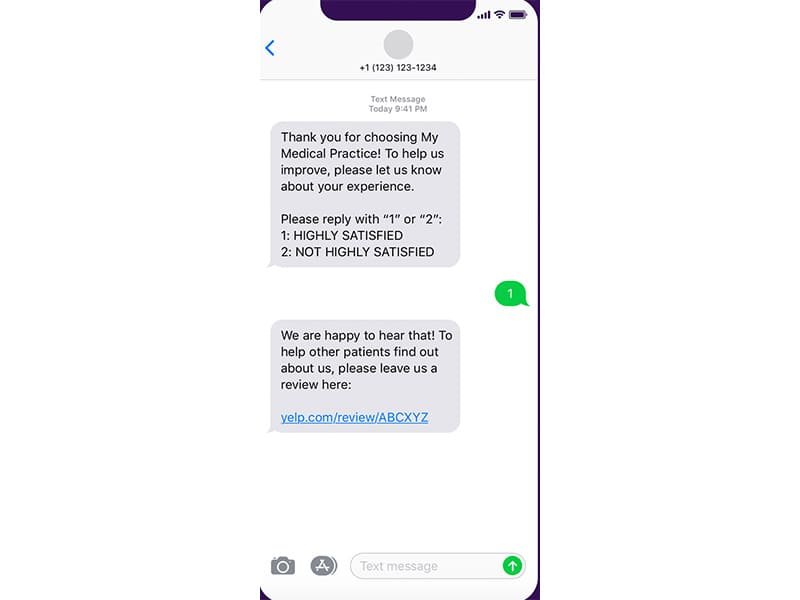
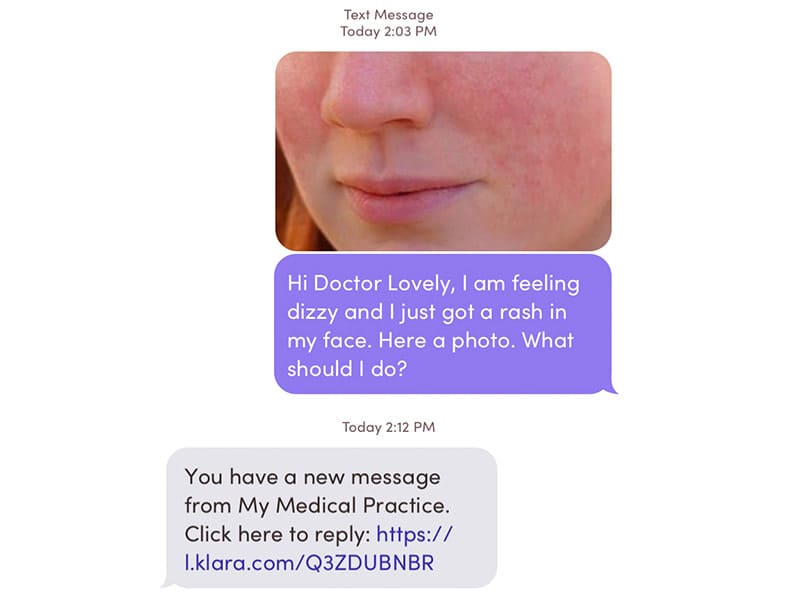
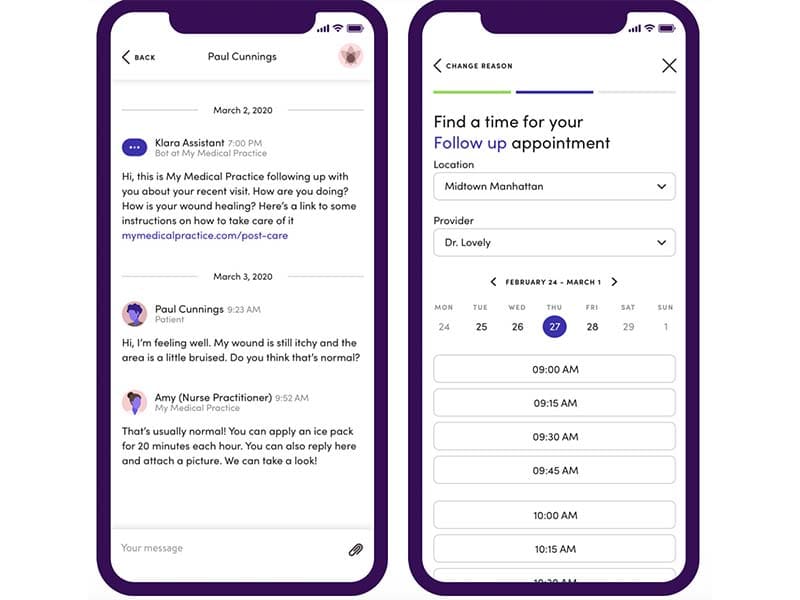
Let patients reach your practice the way they prefer by text or two-way messaging. Klara texting app centralizes all conversations in one place, so your team can read, reply, and follow up without juggling phones or portals. Real patient chats mean quicker care and fewer missed messages.
Reduce no-shows and phone traffic with automated appointment reminders. Send confirmations, cancellations, or reschedule options straight to patients’ phones. It keeps your schedule full and your front desk focused on care, not callbacks. Add live web chat to your website so visitors can start conversations or book appointments even when staff aren’t at the phone. Klara messaging captures new interest and connects patients instantly with your practice.
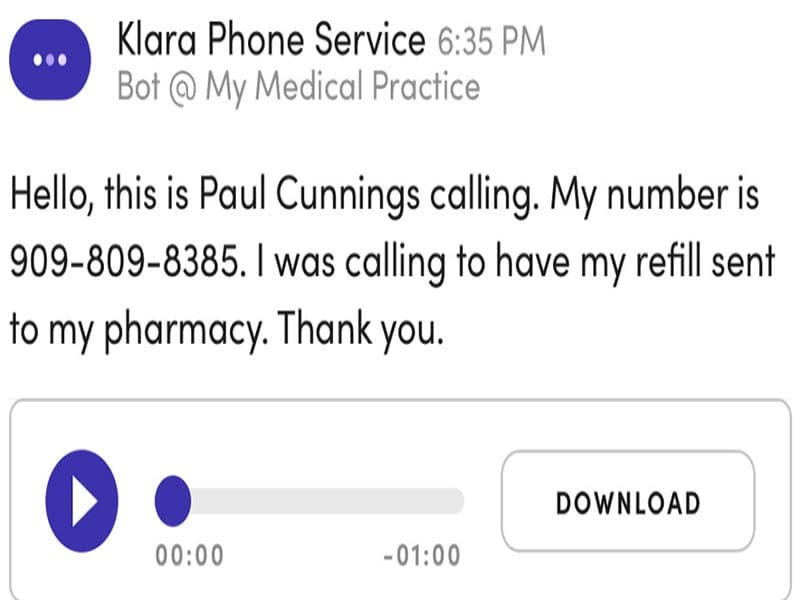
Turn incoming calls into texts and read voicemail transcripts instead of listening to them individually. These tools cut phone volume and let your team act on patient info faster and more efficiently.
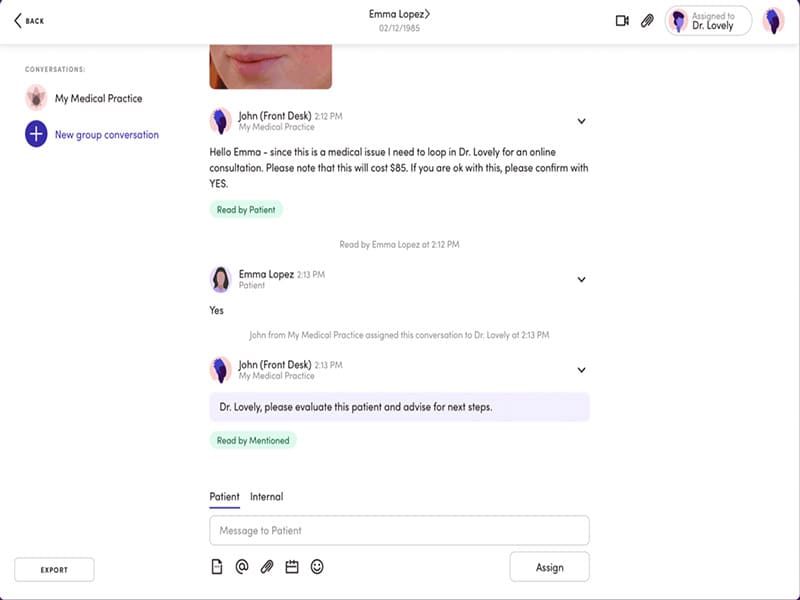
Help your staff stay in sync with shared inboxes, internal notes, and message assignments. Add custom templates and @mentions to speed replies and ensure nothing gets missed between teammates with Klara staff tools.
Work directly in your EHR without switching screens. Klara Chrome extension lets providers view patient charts while responding to messages or managing care, all in one browser window.
With a Klara doctor login, use AI to automatically identify, prioritize, and route patient messages to the right team members. This helps your front desk and care staff respond faster, reduce manual triaging, and keep urgent patient needs from slipping through the cracks.
Patients get a secure portal where they can view messages, submit forms, and manage care without passwords or app downloads. This reduces barriers for patients and keeps all communication visible in one place for your care team.
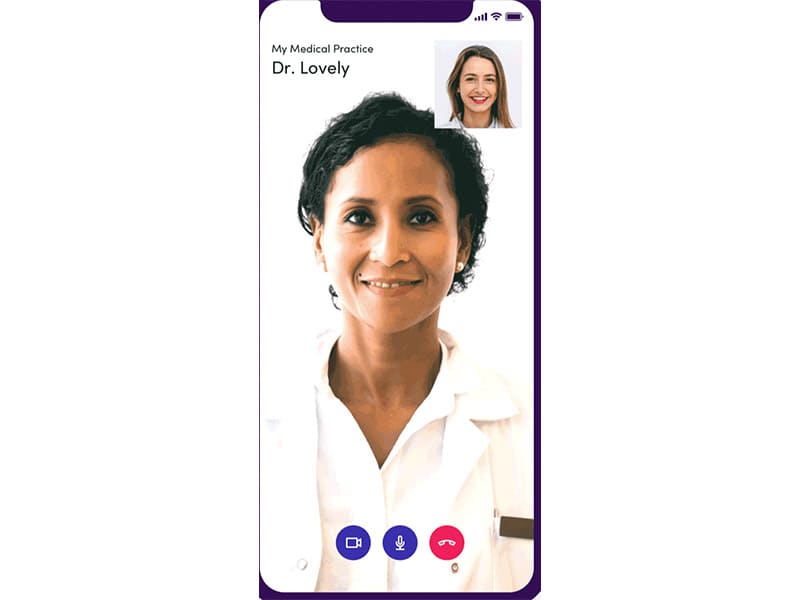
Connect with patients remotely using Klara’s telemedicine features. Video visits work on phones, tablets, or desktops with a virtual waiting room. You can share files, images, and messages during the session, all secure and accessible without extra tools.
The Klara app helps patients and care teams stay connected on the go. Staff can manage messages, tasks, and shared inboxes right from their phone. Patients can text the practice, view reminders, complete forms, and join video visits without logging into portals. It keeps communication simple, fast, and convenient while supporting a smoother care experience in everyday moments.
See The Software In Action Watch Free Demo!
Top Recommended Software
Klara Health Reviews
Frequently Asked Questions (FAQs)
A: Certainly not, the Klara staff system does not have a free plan available.
A: Yes, the Klarah is cloud-based.
A: English is the language that the patient Klara supports.
A: Klara texting app allows buyers to get answers through the help desk, phone support, contact form, Klara reviews, and email. You can also get details about the Klara cost.
A: There is a Klaraapp that provides remote convenience for patient communication. Users can access the functionalities of this software platform through a single Klara login.
A: Yes, the Klara API is available.
A: Certainly, iOS and Android handheld devices are supported by this collaboration software, with a requirement for a Klara staff login to access the dashboard, according to Klara reviews.
A: No, there is no ModMed Klara free trial option, but you can also request a free Klara demo.
A: Indeed, the apps this tool integrates with are NexTech EMR, AdvancedMD, athenaOne, eCW, ModMed EMR, and Greenway Health.