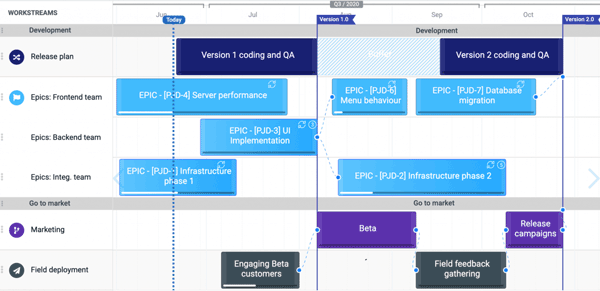
This intuitive cloud-based PM tool is made to provide the user with all the capabilities that are required for smooth project processes. Software Jira enables the project managers to keep the team working on the project synchronized and aware of the strategies. For a streamlined project with optimal outcomes, managers can plan out all the processes with set timelines that can be edited along the way. All team members are informed about any updates to the project plans of the projects promptly. There are many functionalities in this smart PM product, which include automated task allotment, reporting, and story crafting. Through these, managers can simply get the record of all the completed processes, which directly translates to employee performance metrics.
How Much Does Jira Cost?
Jira software pricing is hugely dependent on the unique requirements and team preferences. But there are diverse Atlassian Jira cost plans, so a large audience can leverage this automated PM tool:
- Enterprise: Jira software pricing is personalized
- Premium: $13.53/month/user
- Data Center: $44,000/year, where the minimum volume of users would be 500.
- Standard: $7.53/month/user
Moreover, you can also get a tailored Jira software price that matches your business requirements, budget capacity, and team preferences.
What Does Jira Software Do?
This scrum software Jira, is opted for its capabilities to completely revolutionize the strategizing capabilities of the project managers, which is a core aspect of any business. The simplification and segmentation aspects are popular, but there is another tool that gets high appreciation from businesses, such as Agile reporting. Managers will receive real-time reports on the project operations through assessing task completion, timelines, and efficient working capabilities. Not only that, but they’ll also be provided with insights important to curate better improvement strategies. The functionalities that are also demanded by the businesses are modifiable workflow, sprint planning, and velocity charts.
Jira Software Tool Integrations
Third-party app integrations are supported by this PM software solution, which includes:
- GitHub
- Figma
- Slack
- Amazon
- Microsoft Teams
You can also get detailed information about the integration, performance, and features of this product by booking a Jira software demo for no cost. With a visual tutorial, purchasers can leverage the video guide and understand the functionalities better. Video demos can assist businesses in making an informed financial commitment.
Jira Management Software Users
All sizes of businesses can leverage this software solution to the fullest. There are diverse industries that can improve their project management capabilities by adopting Jeera software:
- Architecture
- Government
- Manufacturing
- Information Technology
- E-commerce
- Retail
You can schedule a Jira software demo to know more.
Jira Project Software Application
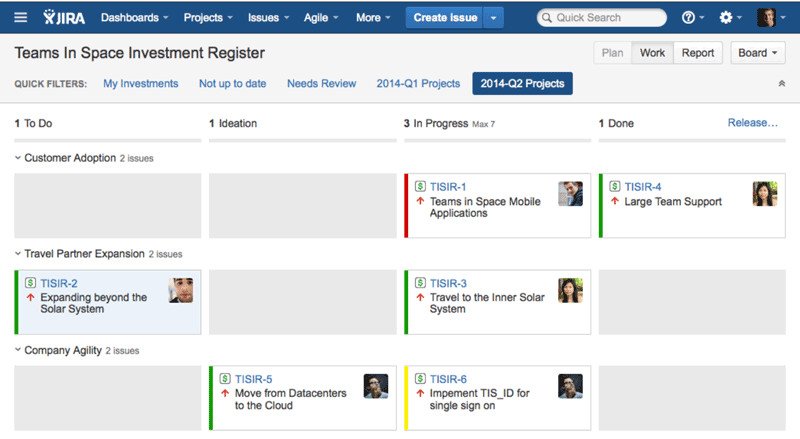
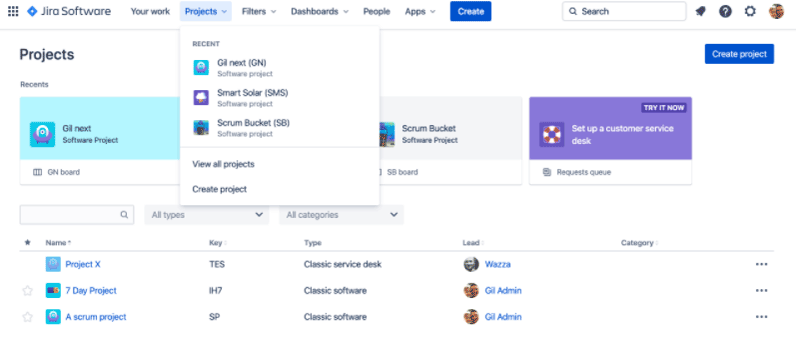
After installation, add your credentials for an authorized login Jira, then navigate to the smart dashboard. Users can easily utilize the Jira software Agile product, considering it is designed with the purpose of user-friendliness. Managers can conveniently allot tasks to the team members, which optimizes operations. These smart dashboards can be modified to match the workstyle of the managers and workflow requirements. Moreover, it’s as easy as drag and drop to manage the project through digitized boards that are used to assign duties with set timelines and for better progress tracking. With Jira project management features like sprint planning and collaboration tools, project launch and coordination are simplified.
If you are having trouble understanding the application of this PM product, then schedule a Jira software demo. You can also get in contact with our sales team to get Jira software pricing that is most suitable for you.
Is Jira Software Your Best Shot?
If you need a software platform that can streamline all your project operations without creating additional difficulties for managers, then JiraSoftware is your best choice. This intuitive and smart platform can simply provide the team with the reins of control. Managers can personalize the workflows through robust automation that is most suitable for the team and project operations. With better coordination strategies, managers can collaborate with stakeholders in real-time with any change in the project strategies. The staff members can always be in sync with the updates and alterations, and they can also leave comments about any suggested strategies. There is no room for privacy breaches when it comes to data sharing. This platform scales as your business grows, eradicating the need for getting new software products. With more software, there is another learning curve that takes up the time of the team that should be spent on important tasks.
If you are unsure about whether or not this product will suit your business requirements, then contact our consumer assistance team. You can also read the unbased Jira reviews mentioned on our website or schedule a demo. You can also get a suitable Jira software pricing suitable for your needs and budget by contacting us.