Jira Software Features

Explore what Jira Software offers — from day-to-day workflows to advanced capabilities.

4 features

Workflow Personalization

This feature is one of its greatest abilities that allows this management tool to adapt to the unique workflows of businesses. Organizations can also customize issue types, status transitions, dashboards, approval procedures, and custom fields, etc. This allows users to configure to different requirements of department rather than shifting to a new software. 

Automation

These built-in features reduce the hassle of tedious tasks by automating them to make things move faster. The team can set rules to update issue statuses and escalate requests. They can also create subtasks, synchronise workflows, and assign issues automatically. It reduces admin work to improve overall productivity for consistent results. 

Reporting and Dashboards

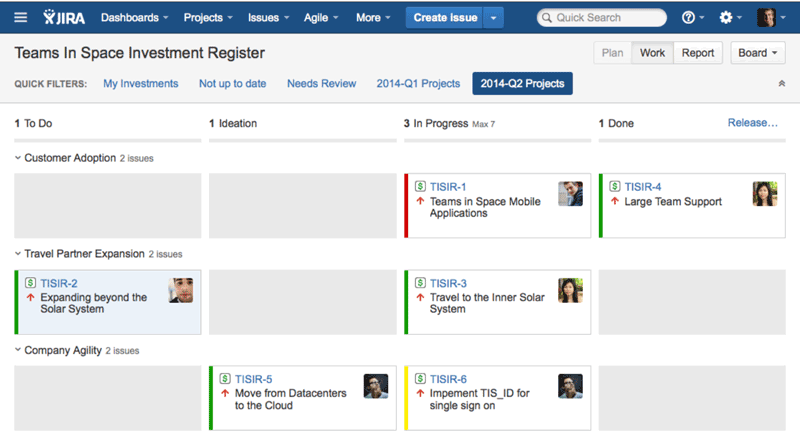
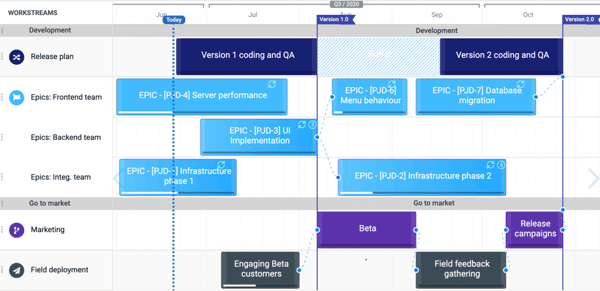
Jira management tool provides real-time insights into ongoing projects through visual dashboards and reports. Popular reports in Jira include sprint reports and burndown charts. This versatile software also reports on release tracking, cumulative flow diagrams, velocity reports, and control charts etc. These reports are meant to save managers time and help them identify bottlenecks and monitor team performance to make informed decisions in time. 

Integrations

To improve collaboration across teams, integrating Jira software with documentation and communication tools can enhance productivity to a significant level. The solution can collaborate with a wide ecosystem of third-party apps to create a connected workflow. Common integrations of the platform include Slack, Confluence, Azure, ServiceNow, Salesforce, GitHub, etc. 

What is Jira Project Management Solution?

It is a cloud-based software that has evolved from a bug-tracking tool into a project management solution. This powerful tool is developed by Atlassian. It supports a single dashboard to track the complete project lifecycle.

It offers a wide range of features and workflow personalization options to streamline project handling. Businesses of all sizes can adapt to this versatile tool.

Who uses Jira? 

Jira was built for software development teams to fix bugs and track issues. Its flexibility has made it popular across multiple industries, which are as follows:

  • Software development teams use it to track bugs and release faster versions. It also supports sprint planning.
  • IT service management departments adopt it to track SLAs and log incidents.
  • Product management teams deploy it to build and share roadmaps aligned with strategic goals.
  • Project managers use it to manage timelines and tasks in one place.
  • Operations teams choose Jira to streamline workflow and ensure transparency across departments.

As businesses expand their use of Jira beyond engineering, they often personalize workflows to support non-technical business procedures.

What is the pricing structure of Jira Software?

The software tool comes in three pricing tiers which includes:

  • Free Plan costs $0 for 10 users
  • Premium Package starts at $18.30/user/month
  • Enterprise Plan comes with custom pricing quotes.

The software solution also offers a 14-day trial period. Other than the base subscription cost. It also includes fees for additional things like implementation, training, onboarding, software setup, and data migration.

Why Choose Jira Software Management? 

Jira isn’t just another project management tool; it acts as a backbone for modern teams that are eager to deliver value in time. If you want structure and visibility to move efficiently, Jira is a good option. Its strength lies in flexibility. It easily adapts to every workflow and scales with the business.

Like any other powerful platform, it requires technical training to make the most of it. The solution is also trustworthy because of its proactive safety measures. So, if you are looking for an efficient project management software product. Look no further. Reach out to our experts for Jira Pricing based on your needs.

Reporting Included
Mobile Access Included
Task Management Included
Time & Expense Monitoring Included
Activity Dashboard Included
Project Templates Included
Budget Management Included
Email-marketing Included
Predictive Analytics Included
Visual Workflow Management Included

Pros

5
  • This Jira software tool has automated workflow setup. It eliminates tedious tasks from routine work to make things move faster.
  • It has a wide ecosystem of integrations to deliver efficient outcomes. This increases flexibility of overall features of the solution.
  • It supports granular reporting. The built-in dashboards provide deep visual insights into team capacity and release readiness.
  • The solution is very easy to use, and new people can also discover content easily without requiring external help.
  • It also manages a complete cycle of ticketing flawlessly.

Cons

3
  • According to Jira software reviews, it requires a steep learning curve.
  • It has limited native testing capabilities.
  • Excess customization makes workflows complex and hard to maintain over time.

Jira Software Reviews

Overall Rating

4.6

10 Review(s)

Rating Distribution

5

(7)

4

(2)

3

(1)

2

(0)

1

(0)

Share your experience

Anoop

Technology

Ease of use
10
Value for money
10
Customer Support
10
Functionality
10

For technical project management use Jira

Pros

Jira helps me manage every aspect of our engineering projects in one place.

Cons

I think Jira software could offer more customization options, especially for technical projects.

Akash

Manufacturing

Ease of use
10
Value for money
10
Customer Support
10
Functionality
10

Amazing software for Agile project management

Pros

Jira makes it easy to track issues thanks to its detailed reports and customizable workflows.

Cons

It can feel quite complex for new users, with a steep learning curve. However, once you get used to it, it becomes a very powerful tool.

Austin B.

Technology

Ease of use
9
Value for money
10
Customer Support
9
Functionality
10

Direct tool for streamlined workflows

Pros

I like everything about Jira PM software. It’s easy to create tickets, track progress step by step, assign tasks to others, and see the whole workflow in one place.

Cons

At first, the user interface felt clunky and unintuitive. It took me some time to find the settings and options I needed to manage things properly.

Frequently Asked Questions (FAQs)

Organizations rely on its versatile functionalities, which include task automation, collaboration, agile methodologies, and standardized workflows. It also provides real-time insights regarding project performance. 

This depends on your requirements. If you want software for simple task tracking, Trello is a good choice. For enterprise-scale project tracking and workflow customization, Jira is often recommended.

Jira Software tool can connect with more than 3000+ tools to provide more efficient service. Popular integrations include GitHub, Slack, Confluence, Jenkins, Azure, Salesforce, etc. 

Start with a simple template of any style (Scrum or Kanban), create issues for tasks, and track them on the board. Gradually move to exploring advanced features like automations and customization. 

Jira platform is mainly used for Agile project management. Teams use it to make sprints, assign tasks, and track completion through visual boards. Users can customize workflows based on their needs.