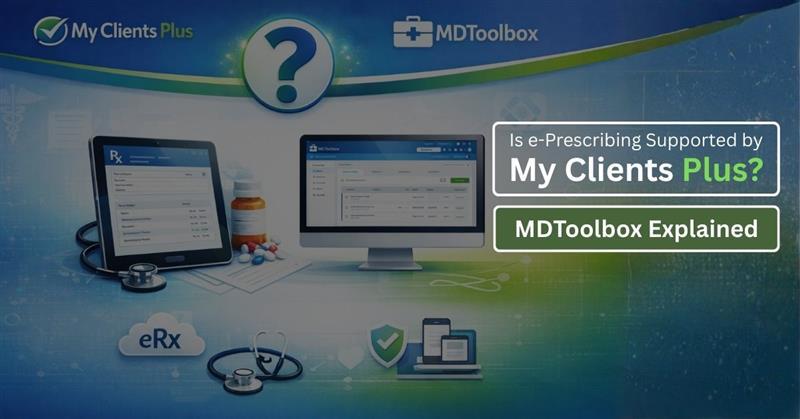
Is e-Prescribing Supported by My Clients Plus? MDToolbox Explained
Introduction
When managing a healthcare or counseling practice, understanding the tools you use is essential.Many clinicians assume that a practice management system like MyClientsPlus automatically handles e-prescribing, but that is not the case. You’ll need to know the difference between My ClientsPlus and an e-prescribing software such as MDToolbox in order to streamline your workflow, stay compliant with regulations, and reduce medication errors.
Quick Answer
- My ClientsPlus does not have e-prescribing tools.
- MDToolbox is a powerful e-prescribing platform that allows you to send prescriptions electronically to the pharmacy.
Why Does This Matter?
Many clinicians assume that a practice management system automatically includes e-prescribing, but this is not true. Using a dedicated tool like MDToolbox ensures you:
- Save time and improve workflow efficiency
- Stay compliant with prescriber regulations
- Minimize the risk of medication error
- Streamline pharmacy communication
What Is MyClientsPlus Software?
MyClientsPlus is your all in one business solution and practice management software. It simplifies administrative tasks allowing you to focus on offering care rather than managing paperwork.
Key Capabilities
- Scheduling: Schedule appointments for multiple providers, send reminders and decrease no-shows.
- Client files: Maintain notes and records in secured storage. It includes intake forms, therapy progress notes and session history.
- Billing and Telehealth: Create bills, manage payments and deliver telehealth services right from within the application. According to the American Medical Association (AMA) 2024 report, 71.4% of physicians reported that their practices used telehealth, which shows that telehealth remains widely adopted in clinical settings even after the pandemic.
Limitations
No e-prescribing , you’ll need an e-prescribing software like MDToolbox or other if you want to send prescriptions to the pharmacy.
What Is MDToolbox?
MDToolbox is an e-prescribing software solution for busy healthcare providers who need to quickly send prescriptions electronically to pharmacies. It guarantees compliance and reduces errors in the medication process.
Key Capabilities
- Electronic Prescriptions: Direct new script from the desktop to the pharmacy electronically. This reduces mistakes compared to handwritten prescriptions.
- Refill Management: Simplify patient and pharmacy refill requests.
- Pharmacy Communication: Free and secure communication guarantees all prescriptions are received, processed and tracked on time.
What MDToolbox Does Not Do
- Scheduling appointments
- Billing or invoicing
- Full practice management
Usage Trend
By 2025, an estimated 92% of all U.S. prescribers rely on e-prescription technology, usually integrated into their Electronic Health Record (EHR) systems.
Why Do People Think MyClientsPlus Has e-Prescribing When It Doesn’t?
A lot of users uses practice management software with e-prescribing tools, and believe that an EMR system covers prescriptions automatically.
MyClientsPlus vs MDToolbox
| Feature | MyClientsPlus | MDToolbox |
| Main Purpose | Practice management | e-Prescribing |
| Electronic Prescribing | No | Yes |
| Scheduling | Yes | No |
| Billing | Yes | No |
| Medication Workflow | No | Yes |
Using both tools together allows practices to manage operations and prescriptions efficiently.Many small practices use MyClientsPlus for day-to-day operations and MDToolbox exclusively for e-prescribing.
How Login Access work in Daily practice (MyClientsPlus vs MDToolbox)
With MyClientsPlus software, providers and staff access the system through the MyClientsPlus login, where they manage appointments, client records, billing, and telehealth sessions. This login is used for administrative and clinical tasks and does not support medication activities.
While MDToolbox works independently.Providers must use a dedicated MDToolbox login to access prescribing features. . That separation is necessary because e-prescribing systems offer security controls and compliance safeguards built in that practice management software does not support.
Why MDToolbox Requires a Separate Login
The purpose of the mdtoolbox login is as follows:
- Verify prescriber identity
- Audit logs and track prescription activity
- Support regulatory requirements for electronic prescribing
These conditions are the reason that MyClientsPlus software does not contain e-prescribing as an embedded function inside its MyClientsPlus login portal.
Common Workflow Using Both Logins
Many practices use both systems side by side.
- Staff Logs into MyClientsPlus Software to access the Myclientsplus login.
- Appointment is verified, and notes stored safely/follow-up letters issued.
- Provider switches to the MDToolbox login
- Prescription is electronically forwarded to the pharmacy
- Pharmacy acknowledges receipt via Md Toolbox
This workflow keeps operations and prescribing clearly separated while maintaining efficiency.
Security Advantages of Separate Platforms
Key security benefits include:
- Prescription history is not retained within the practice management system
- Clear accountability for medication actions
- Better protection against unauthorized access
Do You Need MDToolbox If you Have MyClientsPlus?
- Case 1: You are not ordering any medications.
MyClientsPlus manages scheduling, billing and writing notes.
- Case 2: You prescribe medication
You need a program like MDToolbox, or some type of eRx software otherwise you cannot offer patient safety.
- Decision Tip
Evaluate your prescription volume. Workflows with greater than 50 monthly prescriptions gain substantial value from dedicated ePrescribing tools.
Who Should Use Each Tool?
- Therapist / Counselor: MyClientsPlus for Client Management and Telehealth.
- Psychiatrist: Needs MDToolbox for prescriptions; may also use MyClients Plus.
- Medical Prescriber:Supports dual control to safely and effectively process workflow and medication.
Can MyClientsPlus Integrate With MDToolbox?
Both operate as separate systems.
Some unify the two to keep their practices going while handling prescriptions.
Integration is not required, However we recommend it for high-volume practices to save time and the challenges that come with manual entry.
- Decision Tip
Make sure your EMR and e-prescribing software can export/import data securely.
Advantages of Both Tools
- Workflow Efficiency: By automating billing and prescription tracking, staff have more time.
- Compliance: Complies with federal and state regulations for e-prescribing.
Future Trends in Practice Management and E-Prescribing
- Telehealth Integration: There is a growing trend of inclusion for telehealth within EMR and practice management.
- Better Patient Experience: Faster medication delivery and less interference.
- AI-Powered Prescription Recommendations: Medication dispensing tools such as MDToolbox integrates with AI to minimize the possibility of errors.
- Data Analytics: Track trends and enhance patient care through EMR software.
- Mobile Access: MyClientsPlus and MDToolbox both offers web-based access.
Final Verdict
MyClientsPlus doesn’t compete with MDToolbox-RX e-Prescribing
- MyClientsPlus manages your practice.
- MDToolbox login handles prescriptions.
Combining both enables efficiency, adherence to protocols and safer patient care.This structure aligns with how modern healthcare practices manage administrative and clinical responsibilities without overloading a single system.
Does MyClientsPlus support e-prescribing?
No, it does not. You must have MDToolbox, or another eRx tool.
Is MedToolbox an EMR?
No. It’s dedicated e-prescribing software, not a full EMR.
Can therapists use MDToolbox?
Yes, it can be integrated with MyClientsPlus if they need to prescribe.
Can MyClientsPlus be integrated with MedToolbox?
Yes. The two may work in integration, but they are still distinct platforms.
What are some of the other benefits for using MDToolbox in terms of compliance?
E-prescribing solutions are designed to be HIPAA compliant and adhere to federal guidelines for electronic prescriptions.