Overview
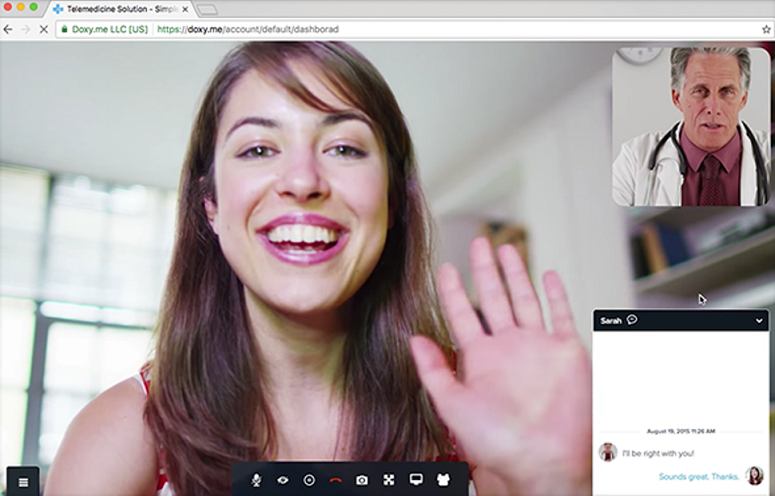
Doxy.me takes the usual chaos out of running an online practice. Providers get a permanent room link, patients check in from any device, and the session runs on a clean HD video connection that holds steady even on weaker networks. It handles payments, consent forms, session notes, and team coordination. One honest limitation is that the free plan is fairly limited compared to the paid tier, but the Premium plan covers so much ground that Doxy.me sign in remains the best real telehealth workflow decision.Doxy.me Software Specifications
What is Doxy.me?
Doxy me app is a secure and free telehealth software that helps healthcare providers deliver virtual care through a simple browser-based experience.
It allows patients to join appointments using a single room link without downloads, passwords, or complicated setup. The platform works across desktop, tablet, and mobile devices, making online visits smooth and accessible.
Doxy.me Integrations
Third-party apps and tools integrations are supported by this EMR software solution, which includes:
- Stripe
- Telehealth.org
- Calendly
- Okta
- AuthO
- Juvonno
- Azure SSO
Visit www Doxy me to know more about its integration capabilities.
What is Doxy me Best For?
Doxy me account dashboard is best for healthcare professionals who want flexible virtual care tools that improve patient interaction and workflow management. It supports therapy sessions, assessments, digital consent forms, secure file sharing, payment collection, note-taking, transcription, and interpreter access.
Providers can also use interactive features like whiteboards, games, and CBT activities to create more engaging appointments. Its quick setup and integrated telehealth apps make it ideal for clinics seeking a practical remote care solution.
How Much Does Doxy.me Cost?
The Doxy.me pricing is adaptable to the unique requirements and practice size. The offered plans are:
-Free Plan: $0/month (limited features, no credit card required)
-Premium Plan: paid per user/month, billed annually (exact rate displayed at checkout; no credit card required to start the free trial)
- $35/month/user, (billed annually)
- $29/month/user annual plan (billed annually)
Connect with the software support team for a personalized Doxy me pricing quote.
How To Use Doxy.me/Account/Dashboard?
Add your credentials for a Doxy.me login, then navigate to the dashboard. You can follow these steps for complete utilization:
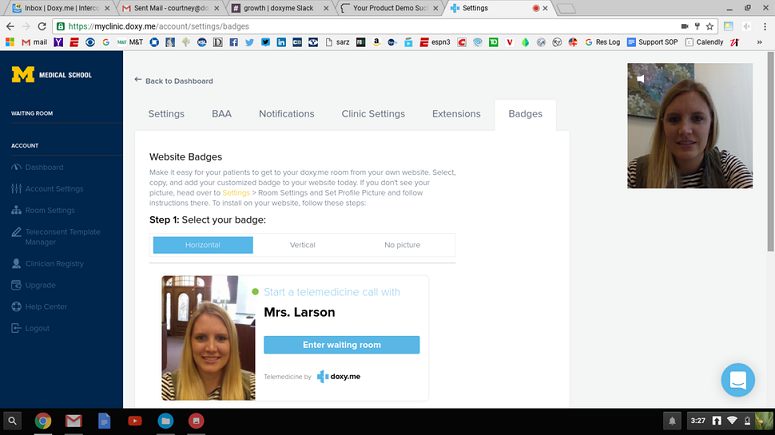
- Set up your personal virtual room
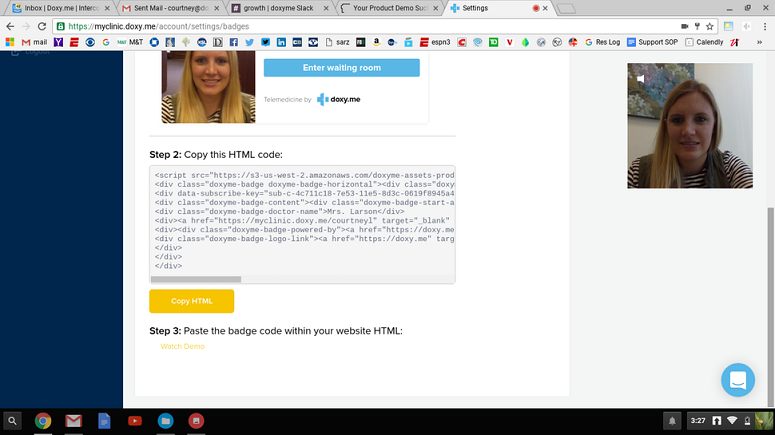
- Share your room link with patients
- Open the dashboard before appointments
- Allow patients to join from any browser
- Start the video session instantly
- Use chat, notes, or whiteboard tools
- Share files securely during visits
- Collect payments through Stripe integration
- Save records and session details afterward
Book a free Doxy.me demo for more details.
Who Is Doxy me Telehealth For?
Doxy me login can be leveraged by:
- Independent therapists and counselors
- Psychologists and psychiatrists
- Nurse practitioners
- Critical access hospitals
- Mental health professionals
- Physical therapists
- Speech-language pathologists
Doxy.me Alternatives
Doxy.me alternatives include:
- Zoom for Healthcare
- TheraNest
- Spruce Health
- Amwell
- Healthie
- Tebra
- Jane App
- Practice Better
- SimplePractice
Why Choose Telehealth Doxy me?
Opting for the Doxy.me app means picking an easy, download-free, best virtual waiting room software tool built specifically for healthcare. It replicates a traditional clinic through a digital waiting room, simple patient check-ins, and smooth provider transfers.
The tool protects patient privacy out of the box using a secure, privacy-first infrastructure that never stores sensitive health data.
It scales comfortably from solo practitioners to massive health systems, adapting instantly to your changing volume and custom workflow needs. You can practice with confidence knowing it includes a Business Associate Agreement (BAA) and holds official certifications to back your practice. The platform provides full HIPAA, HITECH, GDPR, and PHIPA/PIPEDA compliance alongside strict SOC 2 and SOC 3 data security standards.
Connect with our software assistance team to have all your doubts cleared. You can also watch a free demo and read unbiased Doxy.me reviews.
Doxy.me Features
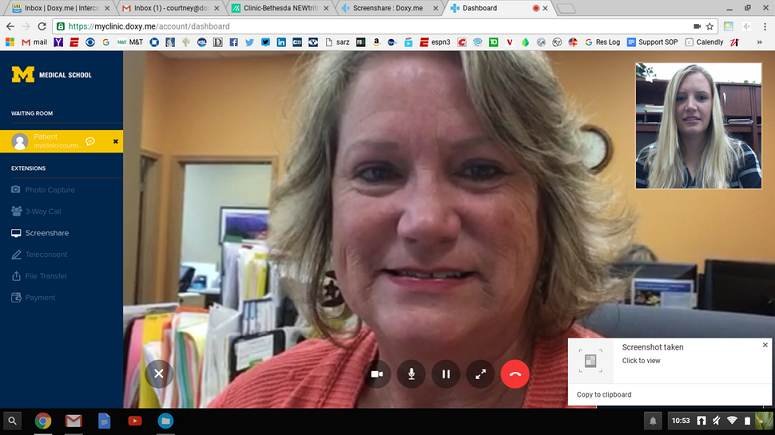
Doxy.me provider login provides an adaptive HD video that reads your connection and adjusts on the fly. When the bandwidth is strong, the picture is sharp. When it dips, the call stays stable rather than dropping. Group calls support up to 25 participants, screen sharing keeps conversations visual, and picture-in-picture keeps your patient in view while you work elsewhere on screen. Virtual backgrounds let providers keep things professional no matter where they are sitting.
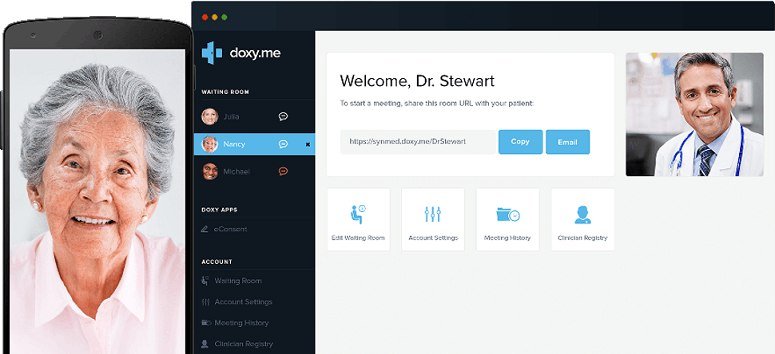
Providers send a single link by email or SMS, and that is all the patient needs. From there, patients check in on their own, confirming their arrival before the visit begins. It gives the provider full visibility into who is ready and when, so back-to-back appointments run the way they are supposed to without the usual back-and-forth after a www.doxy.me login.
Once patients check in, they appear in a live waiting room queue. Providers can see who is waiting, send a message before starting, and begin the session when ready with a doxy.me/account/dashboard.
Shared rooms let staff and providers coordinate care in the same virtual space. Whether it is triage, intake, or a multi-clinician session, the setup mirrors how an in-person clinic moves patients through different stages after a www Doxy me login.
My Doxy Scribe writes session notes automatically as the visit unfolds, so providers stay focused on the patient rather than the keyboard. For providers who prefer a manual option, the Notepad keeps notes organized within the session after a Doxy me sign in.
Providers can request and collect payments before or during the visit directly through the platform. No separate invoicing tool needed. It keeps billing attached to the session itself, which means less chasing after the fact and a cleaner workflow from start to finish.
Doxy me app supports clinical assessments that can be sent and completed during the session. Providers choose from available tools and share them with patients in real time. It keeps the clinical side of the visit organized without pulling anyone out of the call to fill something out elsewhere.
Doxy.me app reporting dashboard gives clinic owners and admins a clear picture of visit history, activity trends, and team usage. It is straightforward to read and useful for understanding how the practice is performing over time. Combined with role-based permissions and admin settings, it gives larger teams the structure they need.
See The Software In Action Watch Free Demo!
Top Recommended Software
Doxy.me Pros and Cons
Doxy.me Reviews
My software review
Pros
The platform has been a dependable part of our daily operations. It handles core tasks smoothly and keeps everything organized without adding complexity.
Cons
Limited advanced customization options.
An excellent System
Pros
The software offers a good mix of features that support our workflow and improve efficiency. It covers most of our needs, though there are occasional areas where improvements could enhance usability. Still, it delivers solid value for the price.
Cons
Occasional lag in updates or syncing.
Frequently Asked Questions
Not entirely. Doxy.me does offer a free telehealth plan for providers who are just getting started or who use telehealth occasionally, though it comes with limited features compared to the paid tier.
Yes, Doxy me is cloud-based.
English is the primary language that Doxy.me supports, with in-session interpreter access available for patients who need care in other languages.
Telehealth Doxy.me allows buyers to get answers through the online contact form, phone support, chat assistance, help desk, knowledge base, FAQs, resource library, and email. You can also get details about Doxy.me pricing.
There is a Doxy.me mobile-accessible platform that provides remote access for conducting telehealth visits. Users can access the functionalities of this software platform through a single Doxy.me login.
Yes, the Doxy.me API is available.
According to Doxy.me reviews, this telehealth platform supports iOS and Android handheld devices, with a requirement for a Doxy.me login to access the dashboard.
Yes, there is a Doxy.me free trial option for the Premium plan, and you can also request a demo.
Yes, it is HIPAA compliant.
No, Doxy.me and Doximity are different platforms. Doxy.me focuses on telehealth video appointments. It helps doctors, therapists, and clinics meet patients online through browser-based virtual visits. Doximity is a professional network for healthcare providers. It also offers tools like telemedicine, physician networking, digital faxing, and medical news updates.