

Overview
Daylite helps you manage clients, projects, and daily work from one place. It connects contacts, emails, tasks, calendars, and projects . Made for Mac and Apple users, Daylite CRM replaces all your add-ons and gives you a system designed for service-based businesses. Organizations check out the entire workload in one view, turn emails into action, and stay focused on clients data.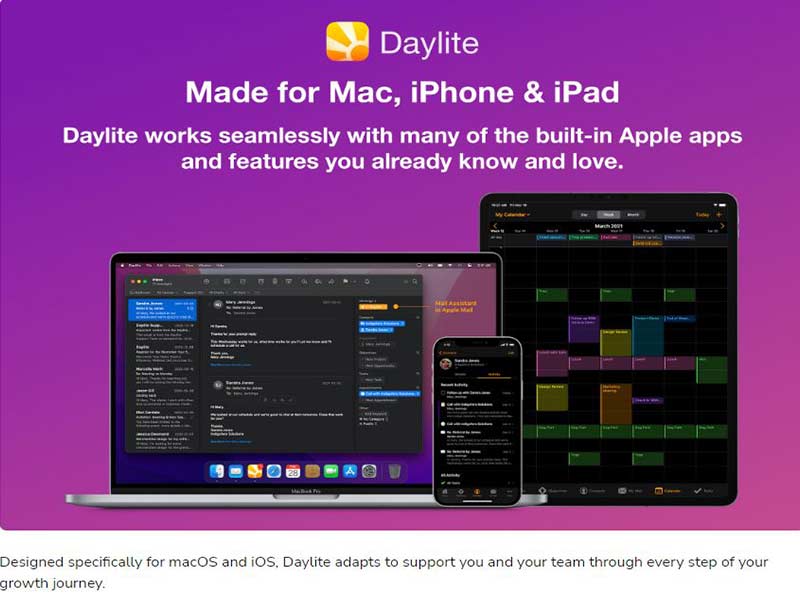
Daylite Specifications
Task and appointment tracking
Project planning and scheduling
Time tracking and reporting
Budget and resource management
What Is Daylite CRM?
Daylite is Mac-first CRM software designed for service-based businesses that manage ongoing client relationships. It offers CRM, project management, and sales work flow all in one connected platform.
Unlike ordinary system, Daylite review show that the solution can connect emails, contacts, tasks and project to an entity. This UI allows you to follow every client’s history, status and upcoming steps without having to switch between tools.
Daylite CRM Pricing
Daylite’s pricing is based on modules and size of the company
Available plans include:
- $25 per user per month starting CRM plan
- Sales and CRM plan for $40 per user per month
- Projects and CRM begin at $40 per user per month
- Start with a full featured business plan (Sales and Projects) at $55 per user/month
It offers a free trial if you want to test the site. Pricing may change over time.
Users
Common users include:
- Consultants and coaches
- Lawyers and legal teams
- Real estate professionals
- Financial advisors and planners
- Creative agencies and designers
Integrations
Daylite works best with the most popular tools for scheduling, communicating, and automating.
Supported integrations include:
How Does Daylite CRM Work?
- Use Daylite Login to access your account from your Mac, iPhone, or iPad.
- Manually add contacts or import them via CSV files
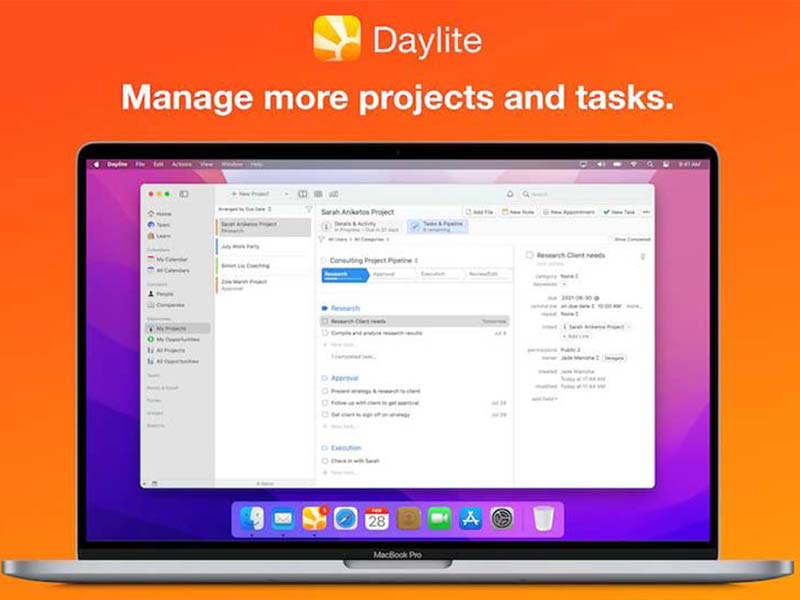
- Organize projects and make tasks and milestones.
- Manage assignments with priorities and deadlines
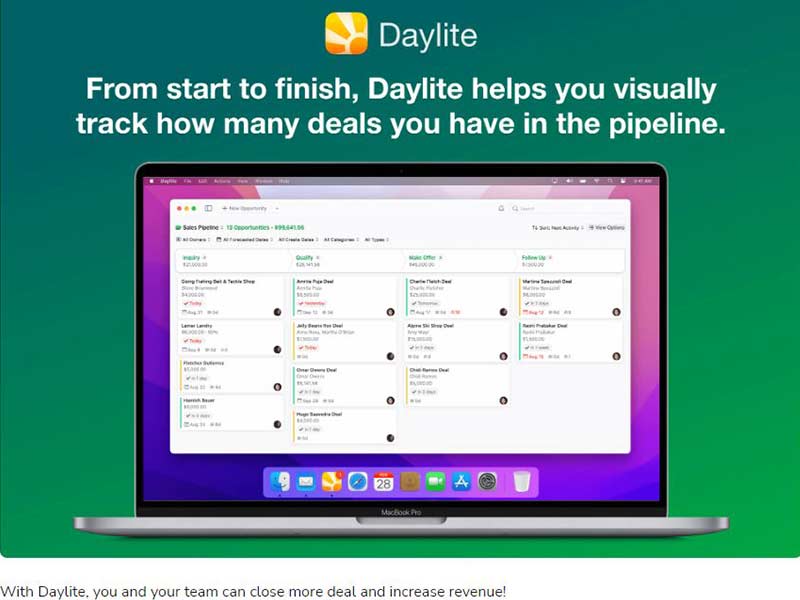
- Follow sales leads and keep track of lead progress
- Set up meetings directly in calendar system
- Review reports to track the progress and performance
Choose Daylite CRM For Project-Driven Client Work
Choose Daylite CRM if you want:
- One system for clients, projects and communication
- Complete client history
- A Mac-focused CRM management software
- Email integration with real work integrated
- Greater management of work, time and deadlines
It works well for firms that appreciate structure, accountability and long-term relationships.
Daylite CRM Features
Daylite stores all the information about a project in single. Users follow the progress, deadlines, and responsibilities without losing visibility.
Teams track project status and reports by sales activity, workload distribution using built-in reporting. These features help with better planning and more intelligent decisions.
Daylite CRM keeps contact information, communication history and work related to the contacts. Teams know where a relationship stands and what action comes next.
Managers assign work and track progress within teams. Clear ownership keeps work in motion and prevents missed deadlines.
You can monitor which referrals come from where and measure what relationships are most valuable. This enables smarter follow up and relationship management.
See The Software In Action Watch Free Demo!
Top Recommended Software






Pros and Cons
Daylite Reviews
FAQs
Yes, Daylite offers an API.
Daylite CRM is available in English, French, Dutch and Spanish.
Daylite connects to third-party apps like Mailchimp, HubSpot, Slack, Google Calendar and Apple Reminders.
Yes, Daylite is compatible with iOS mobiles.
Daylite pricing plans depends on whether you want a , sales, or projects solution.
