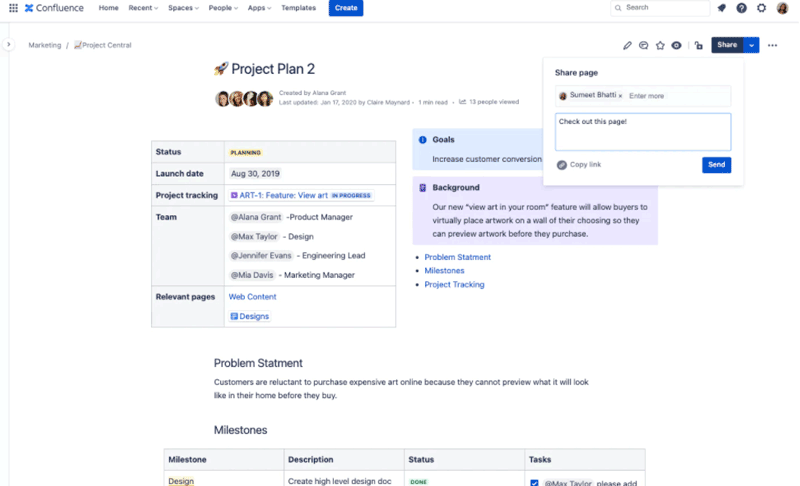
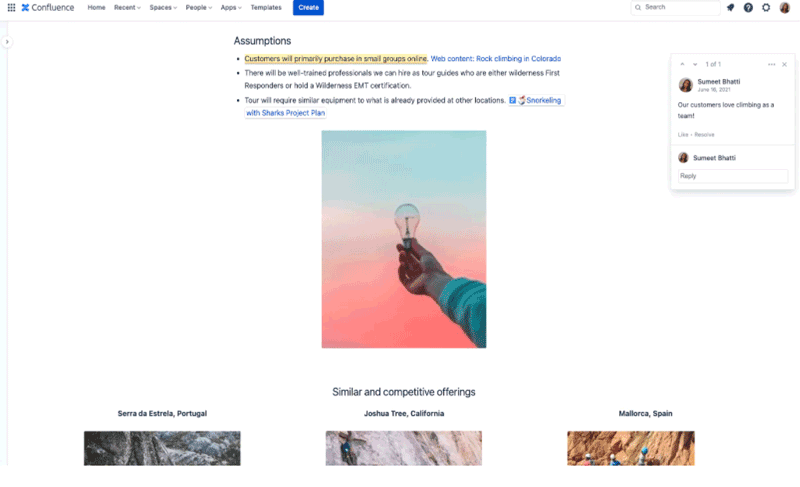
This software is designed by the company Atlassian for the specific purpose of optimizing the project management aspects. Agile Confluence functionalities enable the team members to stay coordinated with the functional processes of the relevant project. This platform empowers participation and active engagement from the workforce, leading to improved teamwork. With coordination like knowledgeable material exchange, communication, and content creation, the project’s operations can run smoothly. A unified hub that contains all the data securely allows better access to information for the team. Managers can also perform task allotment and monitor systematic progress in real-time.
Confluence Collaboration Software Purpose
This project management solution utilized all the Scrum software aspects that are in high demand when it comes to keeping the workforce aligned. The purpose of the development of this platform is to enhance collaboration among team members for the project operations to get streamlined promptly. There are premade templates present in the database of this system that can be modified according to the workforce and project process requirements. Managers can also design operations, along with allotting tasks to the staff members according to their expertise, and set a deadline for daily duties for better progress tracking.
Confluence Integrations
Third-party apps and tools integrations are supported by this PMO software solution, which includes:
- Presenter
- Giffy
- Render Markdown
- Comala Document Control
- Microsoft Teams
- Command Line Interface
- Scroll Word Exporter
- Slack
There is also a big debate about XWiki being compared to Confluence. The integration, functionalities, and performance, and for that reason, there is little information about which one is better in what aspect is mentioned in this guide. You can choose between XWiki and Confluence according to your workflow needs.
XWiki and Confluence Program Comparison
Confluence: The Confluence creative provides the ease of use that saves a lot of valuable time from the busy schedules of users. This provides an intuitive dashboard that can be comprehended. This platform can also integrate with other Atlassian software products without any hassle, which can completely revolutionize the coordination among the team members.
XWiki: This solution is adaptable to your workflow and open-source, which makes it a great choice for startups or small businesses. The modification capabilities of XWiki are the highlight of deploying this system, considering it provides the managers with complete control over the management of the projects.
Confluence Content Management Users
All scales of operations, diverse user volumes, and various sectors can leverage Confluence for document management. The industries that can benefit from this PMO software the most are:
- Finance
- Marketing
- Human Resources
- Information and Technology
- Sales
Atlassian Confluence Cost
All scales of operations can benefit from this software solution, which is why the vendors have offered different Confluence pricing plans that can be opted for according to your unique business needs.
- Standard: $5.75/month/user
- Premium: $11/month/user
- Free: $0/month/user
The final Confluence costs are usually dependent on many aspects of the business, like user volume, requirements, preferences, and size. You can also get a tailored Confluence pricing cloud quote that is suitable for your business needs.
Confluence Software Tool Application
After installation, add your credentials for a unique authorized login, then navigate to the intuitive dashboard. You can utilize Confluence content management features to create content that can be edited or retained as it is. You are provided with a unified location where all the required notes, progress reports, documentation, and discussions are found, which you can access conveniently. This software product contains robust coordination means that allow team members working on different aspects of the same project to collaborate for better synchronization. Team members can also securely share documents, considering the dashboard is connected. This solution also enables users to feed visual data into this system.
If you are interested in getting to know about this collaboration software better, then book a complimentary Confluence demo. Have a better understanding of the performance of this software in a business system through a visual tutorial.
Is Confluence The Best Software Choice?
This intuitive software is capable of revolutionizing your business operations and providing better access to the stored documents. The Confluence software tool can provide the managers with the means to keep the entire workforce in sync, which is important for streamlined operations. Moreover, all documents, images, and content in the database of this platform are stored securely through encryption, which means there is no chance of privacy breaches with data exchange. If you want more information about the functionalities of Confluence as document management system, then contact our customer support services. They will provide all the necessary knowledge about whether or not this software will be suitable for your particular project operations. You can also read the unbiased reviews mentioned on our website or book a free demo.