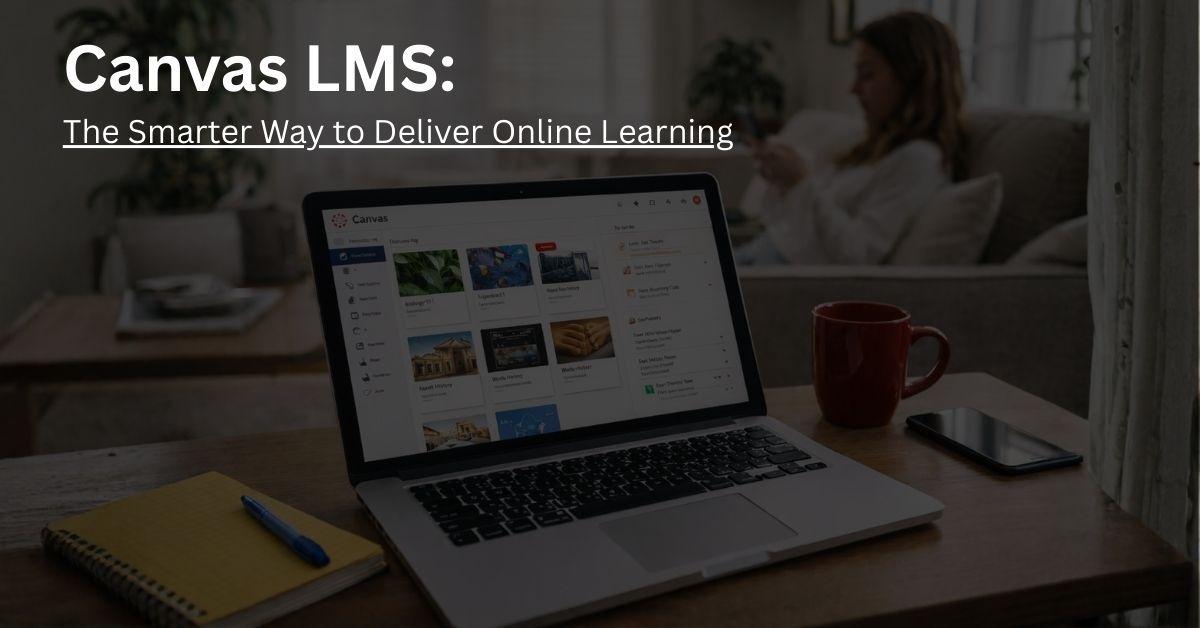
Canvas LMS: The Smarter Way to Deliver Online Learning
Introduction
In the fast-evolving digital education landscape, Learning Management Software ( LMS ) is now an essential tool for schools, universities and organizations. Among numerous supported platforms, Canvas LMS stands out as a reliable, flexible, and cloud-based solution.It is also believed to be both durable and safe. Whether in K-12 districts, higher education institutions, professional training programs or corporate learning environments, Canvas assists educators, students and administrators in the efficient delivery and management of online learning experience.
What is an LMS and Why It’s Important
LMS is software that is designed primarily to organize, track, and manage learning activities. A single central data center for all course materials as well as an assignment and assessment tool, allows for seamless communication between instructors and learners. LMS platforms help solve common educational challenges such as tool fragmentation, engagement and time-consuming course administration.
It helps with:
- Data storage for employees / students at a single central point.
- Access to learning materials on PCs and cell phones.
- Reporting and analytics to measure student progress.
- Communication tools supporting collaboration, feedback, or discussion.
What is Canvas LMS?
Canvas LMS is a cloud-based LMS system equipped with online hosting options developed by Instructure Technology. It is built to manage, design and give online or blended education to institutions.Canvas is widely accepted, in K-12 schools, higher education institutions, small professional development programs, and corporate training groups,
Canvas LMS gives educators, teachers and administrators the tools to
- Create and share course content using modules, Assignments, Discussions, Quizzes and Pages.
- Encourage learning communities in the form of groups,conferences and coaching collaborations.
- Use module endpoint data to find out how well students have mastered the learning goals explained in Modules.
- Give integrated feedback using SpeGrader and Gradebook.
One of Canvas’ finest features is its mobile access. It offers a dedicated app to students, teachers and parents so learning can proceed beyond the bounds of the classroom,keeping students and instructors connected on the go.
Canvas Mobile App
Canvas mobile apps ensure learning never stops:
- Canvas Student: Get into a class, turn in homework, view grades and even communicate with your classmates and teachers.
- Canvas Teacher: Managing courses, correcting assignments and communicating with students
- Canvas Parent: Monitor student progress, and stay in touch with the school administration.
The mobile app is available on both iOS and Android, offering flexibility and accessibility for all users.
How to Get Started with Canvas LMS
- Login to the Canvas dashboard
- Explore courses by clicking on the Courses tab
- Customers can change their notice settings at Account > Notifications.
- In each module, assignment, quiz and discussion forum you will have a part to play in the course
- With the Gradebook and SpeedGrader, evaluate students’ performance and give feedback to those who need it.
- You can communicate through the Canvas Inbox.
- The Canvas App Center allows for browsing and installing third-party apps.
Canvas Pricing
Canvas pricing depends on institutional requirements. Institutions typically request a custom quote, as costs vary based on features, number of users, and integrations.
Free version available for instructors and students
Canvas Integrations
Canvas LMS integrates with over 500 technology partners, including:
- PowerSchool for student information system integration
- Turnitin for plagiarism checking
- Copyleaks and Lincoln Learning for additional content and assessment resources
Who uses Canvas LMS?
Canvas LMS serves a wide spectrum of groups:
- K-12 Schools: Centralized lesson plans and assignments
- Colleges and Universities: Efficient handling of high volume courses and multi-section programs is made possible
- Professional Development and Lifelong Learning: Track completion, modular learning and certified programs
- Business Teams: Standardize onboarding, compliance, skills development across multiple locations.
- Accessibility-Focused Institutions: Supports screen readers, alternative text and mobile access
In the Canvas App Center, administrators and teachers can enable LTI apps for advanced functionality and create a highly interactive learning environment.
Benefits of Canvas LMS
Canvas offers a range of additional tools that will help you enhance the learning experience:
- Canvas Catalog: A digital market place for course registration, enrolment and payment
- Canvas Studio: A new multimedia management platform
- Canvas Commons: A repository for sharing course content and also a way to collaborate with other instructors
- Canvas Credentials: Advanced Credentials and Digital Badges
- Mastery Connect: Standards-based formative and summative tests
- Canvas Student ePortfolios: Academic portfolios for showing off talents and achievements
With these features, Canvas LMS can be adapted to K-12 education through higher education and corporate training, right up to professional development programs.
Why Choose Canvas LMS: Engage, Streamline, Succeed
Choose this platform if you want to:
- Promote accessibility and equal learning help.
- Offer hybrid, remote or blended learning opportunities
- Train employees and need help with talent management
Well reputed institutions like Penn State University, and Arizona State University rely on Canvas, reflecting its proven track record.
Key Features of Canvas
Intuitive Course Design
Canvas LMS provides course building and management tools within the system. Instructors and instructional designers can arrange course content using the drag-and-drop modules, generate tests with quizzes and assignments, as well as lay out the course via pages. The Course Import Tool lets users upload courses, saving instructors time to take care of many sections.
It also provides Mastery Paths to allow for personalized learning experiences.Instructors can set up conditional content paths to guide students based on performance, ensuring a tailored educational journey.
Learner Response and Activity
Using Canvas LMS, students can:
- Access course content.
- Submit assignments and take quizzes.
- Share thoughts via Groups and Discussions.
- Take a quick look at the revised assignments in SpeedGrader.
Showcase their performance through ePortfolios so they can be seen anywhere outside of Canvas.
With this Software, students take ownership of their learning while instructors can track student progress.
Collaborative Learning
Canvas LMS also comes with a variety of tools to keep users connected:
- Announcements, Calendar, and Syllabus for course update’
- Inbox messaging to talk to another person
- Conferences and chat for interaction in real time.
This is to ensure that everybody,students, instructors and even parents (via their Canvas app) stay informed and continue to engage.
Reporting Tools & Learning Insights
Canvas Analytics assists teachers and administrators in tracking the activity of their students, how they are progressing and what they have learnt. It offers
- Course-level analytics so you can see trends in engagement.
- The Learning Mastery Gradebook Learning Mastery is a standard-based approach to assessment.
- Raw Data Access via Canvas Data Services for in-depth analysis.
Canva LMS Strengths and weakness
Strengths
- Intuitive, user-friendly interface
- Advanced analytics and reporting
- Customizable course layouts for personalized learning experiences
Weaknesses
- Lack of customization for advanced features
- Integration setup can be complex for less common third-party apps
- A stable internet connection is required for course access
- Administrators find traditional reporting tools constraining
Conclusion
Unlike other LMS systems, Canvas LMS is a sophisticated learning environment that offers more than just the basics; and it’s so scalable that we can handle the needs of individual teachers and students as well as institutes, schools or businesses. Canvas facilitates online learning with mobile-friendly tools and a modern interface to work by your side whenever you need it.
Whether you want a free version for teachers or full-blown institution access with premium functionalities, Canvas has something to offer in terms of improved engagement, learning outcomes and educational success. Whether you’re the K-12 teacher, higher education faculty or part of the corporate training department, Canvas enables anyone to engage in robust online learning.
Want to explore more tools, insights, and expert reviews? Visit Codatis for everything you need to make smarter learning technology decisions.
Frequently Asked Questions (FAQS)
What is Canvas LMS cost?
Canvas LMS cost varies by subscription plan and features. Free trials are available.
Who can use LMS software?
Academia, corporate organizations, and training centers use LMS software.
What are the integrations of the Software?
It integrates with Microsoft Teams, and other third-party apps.
How does Canvas offer support?
The software offers support through phone and FAQs
Does Canvas LMS offer an API?
Yes, it offers a Rest API.