Overview

When project management is inefficient, it can negatively impact business growth. There is no need to manage your business operations by hiring a workforce because Asana can do it for you. This intuitive platform is designed with robust AI capabilities to monitor all the business processes and ensure quick execution of the assigned duties. Businesses can leverage their offerings that include marketing campaign management, employee recruitment, objective-driven management, resource control, product launches, insight collection, and automated workflows. This tool is usually opted for by large enterprises to streamline their team coordination capabilities for better task execution. Users can also monitor timelines and finances through its resource control aspects, which optimize workflows. You can get flexible Asana cost options by clicking on the ‘Get Pricing’ option.

Asana Software Specifications

Employee Management
Mobile App
Task Management
Intuitive Dashboard

What is Asana?

This AI-powered, intuitive, and cloud-based platform is a top choice for many businesses for its diverse capabilities. Asana project management software can simplify the project process by dividing them into stages that can be worked on gradually. This segmentation wipes out the intricacies of the workflows. Project managers can design operational strategies that are suitable for the deadlines and with the employees’ skills. Teams can be synchronized through robust coordination means with a unified location. Managers can have real-time data on performance metrics, enabling them to set appropriate deadlines for workflows. There are no Asana competitors when it comes to matching its personalization and flexibility. This PM tool is substantial for secure data exchange and unhindered communication.

What Are the Uses of Asana?

The Asana program has multiple uses, including unified marketing campaign management. These can consume a lot of time to curate, execute, and calculate success rates, but not with this PM tool. Users are empowered with automated and personalized workflows for streamlined operations. Project managers can assign tasks to the team members on a priority basis that allows better time management and optimized operations. Through automated task assignment, all tasks can be completed on the set deadlines, which keeps the project launch schedule. There is also an aspect of this solution that keeps the whole aligned on one objective, which links their duties and project operations to be done promptly. Lastly, the most crucial offering of this product is budget management through smart resource planning.

How Much Does Asana Cost?

Asana pricing plans that can be opted for according to budget capability and unique business requirements are:

Starter plan:

  • Asana cost begins at $10.99/month/user, which is billed annually
  • Asana cost for the monthly billing in this plan is $13.49/month/user
  • Personalized forms and templates
  • User limit: up to 500

Free Plan:

  • No Asana cost is applied to this plan
  • Only basic features will be provided
  • Restricted integrations but unrestricted projects
  • Core features like calendar, boards, and task lists
  • Community assistance and 100 mb/user storage

Enterprise and Enterprise plus:

  • Personalized Asana prices that are negotiable
  • All-time customer assistance is a priority
  • Limitless workflow bundles and portfolios
  • Modifiable branding and marketing
  • Advanced data security

Advanced Plan:

  • Asana premium cost begins at $24.99/month/user, which is billed annually
  • Asana pricing for the monthly billing in this plan is $30.49/month/user
  • Portfolio and aim handling
  • Time monitoring and 25000 automations per month
  • Robust reporting and workload management
  • User limit: Up to 500

You can get tailored Asana pricing according to your business requirements, budget capacity, user volume, and feature needs by contacting the sales team.

*Note: Pricing can be changed*

Asana Integrations

Third-party apps and tools integrations are supported by this PMO software solution, which includes:

If you are interested in learning about more than 100 integrations supported by this project management software, then watch a complimentary Asana demo. Through a video tutorial, you can gain detailed information about Asana client collaboration features and their performance in the system database.

Usage of Software like Asana

After installation, add your unique credentials for an authorized Asana login and then navigate to the smart dashboard. All the intricacies of the workflow and operations can be broken down and arranged into short tasks that seem less daunting with set deadlines. All the tasks can be monitored through activity calendars. These calendars are updated with timelines, boards, and lists. Asa na can also enable better coordination among team members, stakeholders, collaborators, the sales team, and clients. Through this safe coordination tool, team members can easily share data and receive allotted tasks with set deadlines. One of the most important features of this software solution is an automated workflow that can completely eradicate the administrative overhead and routine task stress. Furthermore, resources can also be tracked to be utilized efficiently.

You book a free Asana demo to know about how this software platform can completely revolutionize the workflow and operations of a company. After watching a demo, you can compare the functionalities offered by the Asana software competitors and then decide what would suit your business the best.

Is Asana Workflow Software the Best?

This project management software is a professional tool for smaller project teams that want accelerated project outcomes and improved coordination within their company. There are no Asana alternatives, especially to maximize the user experience through simple navigation, user-centricity, and reasonable Asana pricing. This PMO software can manage most aspects of the workflow, but the main focus is empowering team members and project leaders. All the members working in the sector can use this software to perform various functions according to their workflow needs.

If you want to know more about the suitability of this software platform, then contact our customer service team and get valuable details. You can also read the unbiased review of Asana by reading the consumer feedback mentioned on our website.


Asana Features

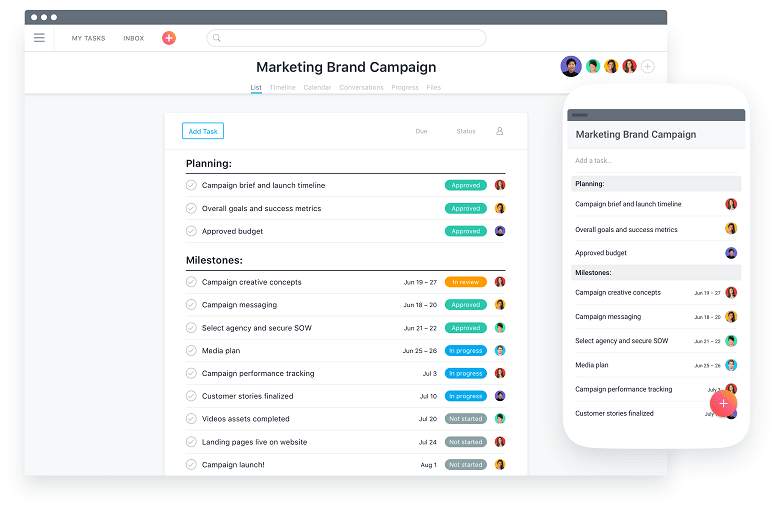
To utilize the app aspect of this PMO platform, the user requires a personal Asana login. With a mobile application, managing the project becomes more modernized and convenient.  Through this Asana task management tool, project managers can monitor processes, document data, track project progress, and collaborate with the team without being present on the site. This app can be used on iOS and Android mobile devices. 

Asana workflow software enables managers to upload documents and attachments to a unified place, which eases data access. Users can create notes, add priority status, set deadlines, and automate notifications before assigning tasks, so members can easily understand. Members can get task details from their emails. Some users appreciate this feature of the project management software so much that it makes the Asana pricing worthwhile.

Users can customize Asana through various integrations with third-party applications. Through this enhancement, the workflow can get even more optimized and automated. 

When setting up the Asana login, it is noteworthy that sensitive information stays with the authorized user. Managers can assign positions and permissions to use. This project management system only allows difficult password setups, which can be reset, assigned permissions can be deleted, and exported data can be retrieved. All collaboration tools are protected, which enables safe data exchange, access, and updates.

The Asana program management tool is utilized to manage intricate and large workflows. This software can assist in all aspects of complex project tasks at a multinational level. Managers can easily recruit team members who help in achieving the desired project outcomes within the set deadlines. These tools allow enhanced optimization when all users implement quick improvement strategies when the notification process is accelerated and unified.

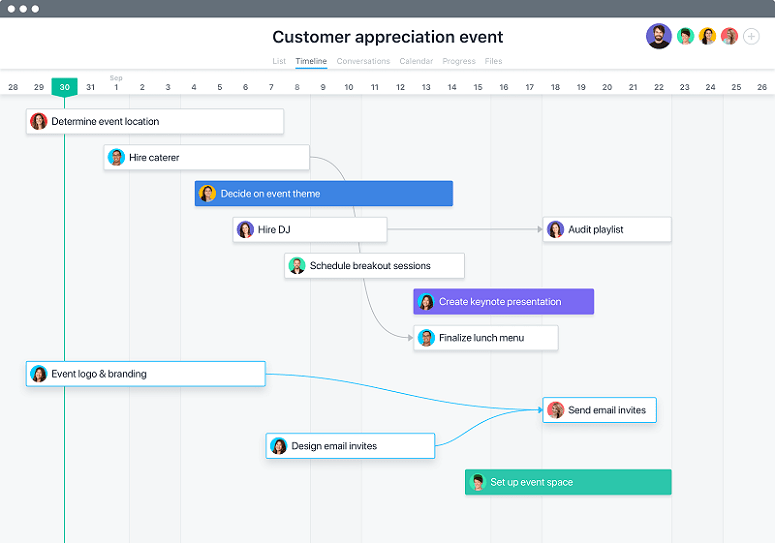
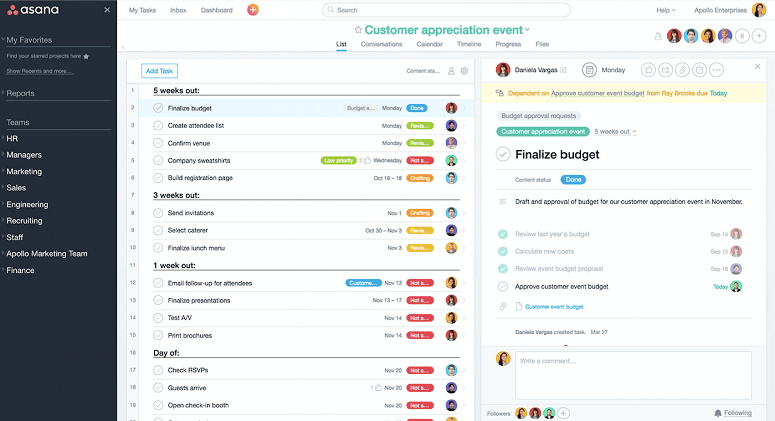
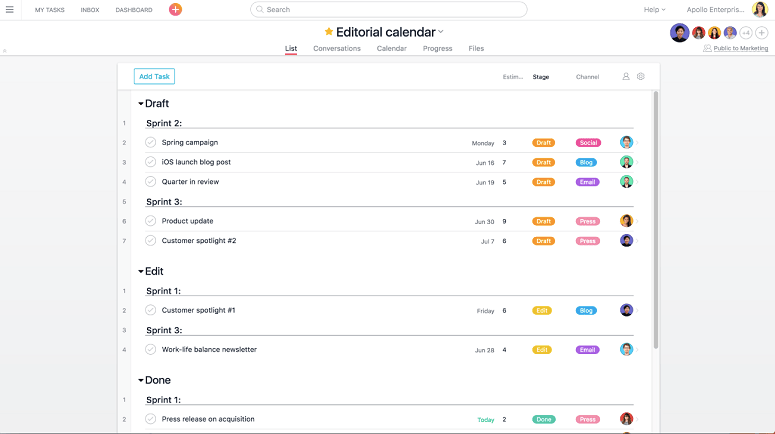
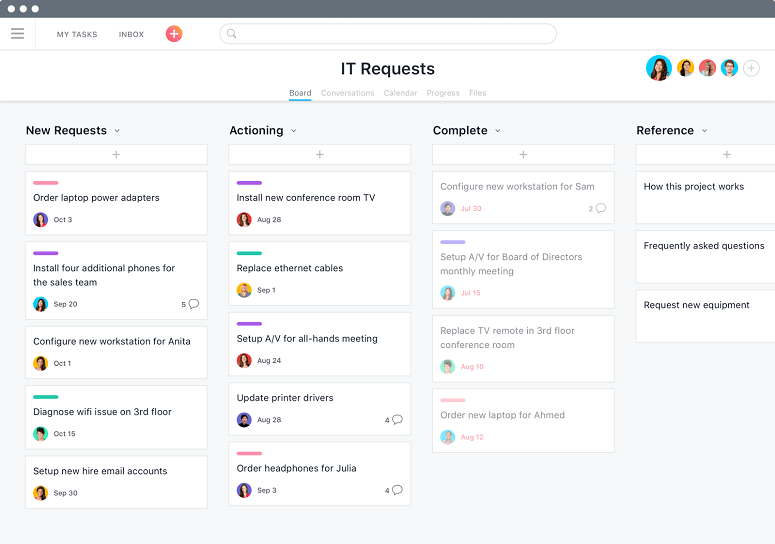
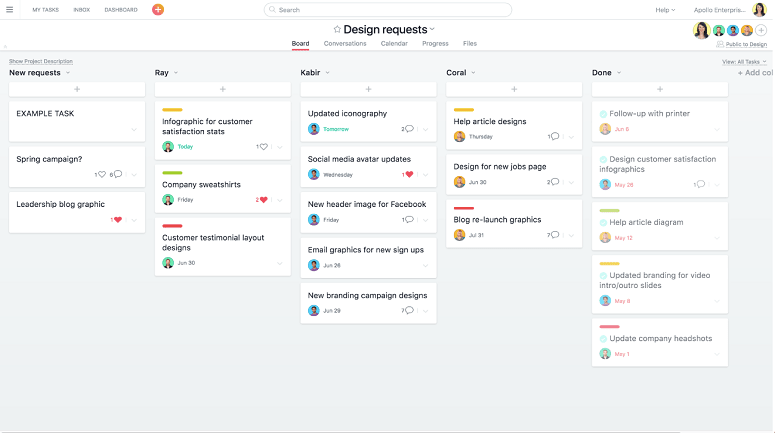
Asana task management software is famous for its organization capabilities. Global corporations have been leveraging this PMO platform to streamline their workflows, which include collaboration, progress monitoring, constant updates, and task allotment. This platform completely eradicates the need to curate lengthy and incomprehensible emails. Whereas, project managers can assign tasks with a smart activity calendar, which can also be visualized by the team members with set timelines and task descriptions. Moreover, task completion statuses with timelines can be monitored by leaders through a centralized hub that includes boards and lists.

Asana Reviews

Overall Rating

4.6

10 Review(s)

Rating Distribution

5

(7)

4

(2)

3

(1)

2

(0)

1

(0)

Share your experience
Charles L.

Manufacturing

Ease of use
10
Value for money
10
Customer Support
10
Functionality
10

Understand more about Asana project management

Pros

Asana is a collaborative work management tool that I use every day to create and assign tasks to my team, even when I’m away from the office.

Cons

The mobile app on my iOS device doesn’t offer all the same features as the web version.

Jenny P.

Other

Ease of use
10
Value for money
10
Customer Support
10
Functionality
10

My office partner Asana

Pros

We used Asana in the office for scheduling, and I really liked how easy it was to use. The customer support was excellent, and it was simple to train new employees on the program.

Cons

It’s a great tool and the price reflects its quality, but the cost was the only downside for me.

Fujimory C.

Technology

Ease of use
10
Value for money
10
Customer Support
10
Functionality
10

A good client management system

Pros

I’ve never used a platform as impressive and well-organized as Asana. It has truly transformed my workflow by making project and task tracking simple and efficient. Asana has also helped me build strong, professional relationships with my clients.

Cons

Honestly, I haven’t found anything negative about Asana. I love everything it offers.

Frequently Asked Questions (FAQs)

A: Certainly, Asana project software does have a free plan available, but there are certain restrictions on features; however, startups can utilize this effectively with relatively small teams.

A: Indeed, Asana project management is cloud-based, and it enables the staff members to coordinate virtually. 

A: English, Japanese, Swedish, German, Spanish, Polish, Chinese, Russian, Korean, Portuguese, Dutch, and French are the languages that this project management software supports.

A: Asana collaboration software allows buyers to get answers through informative guides, help desks, 24/7 customer services, Asana reviews, FAQs, chat assistance, forums, and email. You can also get details about the Asana pricing.

A: Certainly, there is an Asana app that provides a safe space to work remotely. Users can have access to the functionalities of this software platform through an Asana login.

A: Of course, Asana API access for smooth integrations.

A: Indeed, there is a complimentary Asana trial option and a free Asana demo.

A: Certainly, iOS and Android handheld devices are supported by the Asana project management, with a requirement for an Asana login to access the dashboard, according to Asana reviews.

A: Indeed, the apps and programs similar to Asana that integrate with this PMO are Google Drive, Slack, Dropbox, Adobe Creative Cloud, GitHub, etc.