ZoomMD Features

Explore what ZoomMD offers — from day-to-day workflows to advanced capabilities.

6 features

Smart Clinical Notes

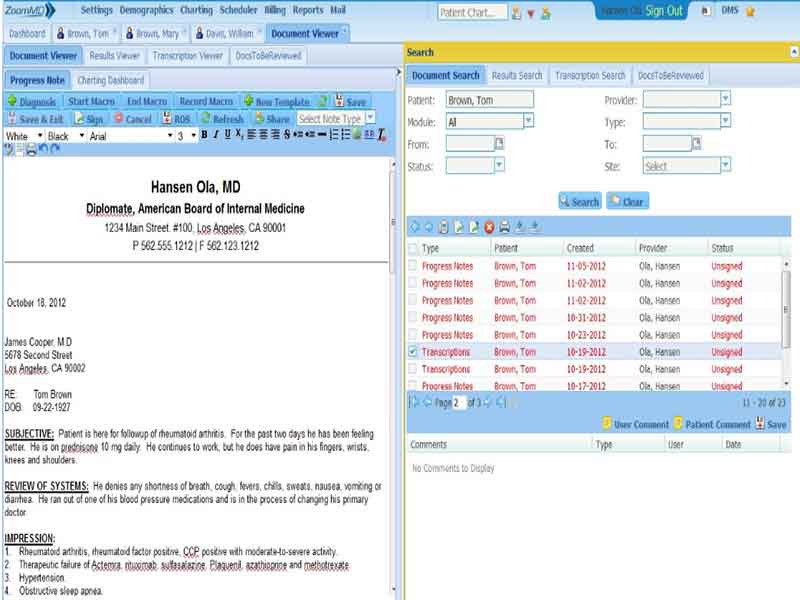
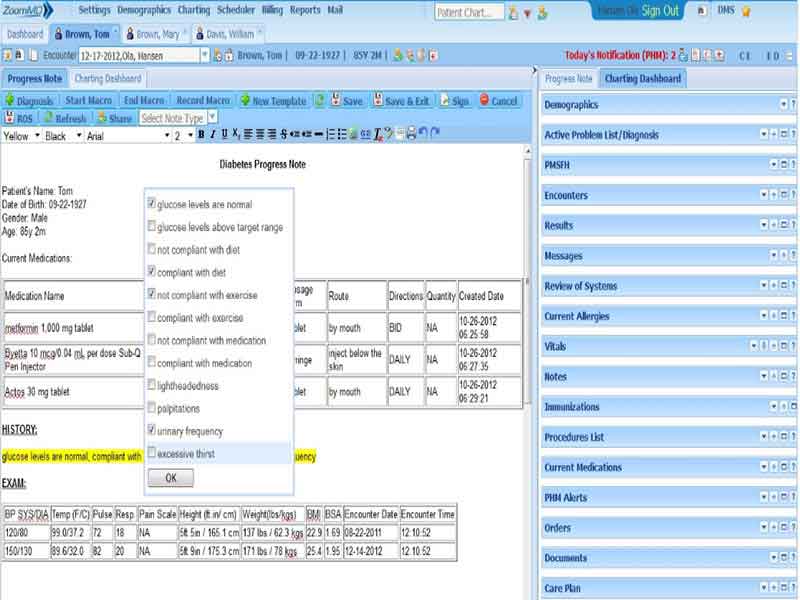
ZoomMD supports multiple charting methods for patient documentation. You can use dictation, custom templates, macros, auto-pulled chart data, and copied previous notes to complete documentation faster. This helps providers spend less time rewriting the same information.

Digital Prescribing

ZoomMD eRx lets providers send prescriptions and refills to pharmacies electronically. It offers EPCS, allergy checks, drug interaction checks, and formulary checks. These tools help make prescribing more organized and safer for daily clinical use.

Lab Orders And Results

ZoomMD includes lab-related tools that help providers access lab orders and results inside the patient chart. It offers a lab module that supports secure connectivity with national labs for lab orders and results management.

Patient File Management

ZoomMD document management helps practices store and manage paper, fax, notes, and other patient documents in the EHR. The Zoom Viewer lets users view notes and documents in one place, which makes record review easier.

Billing and Collections Support

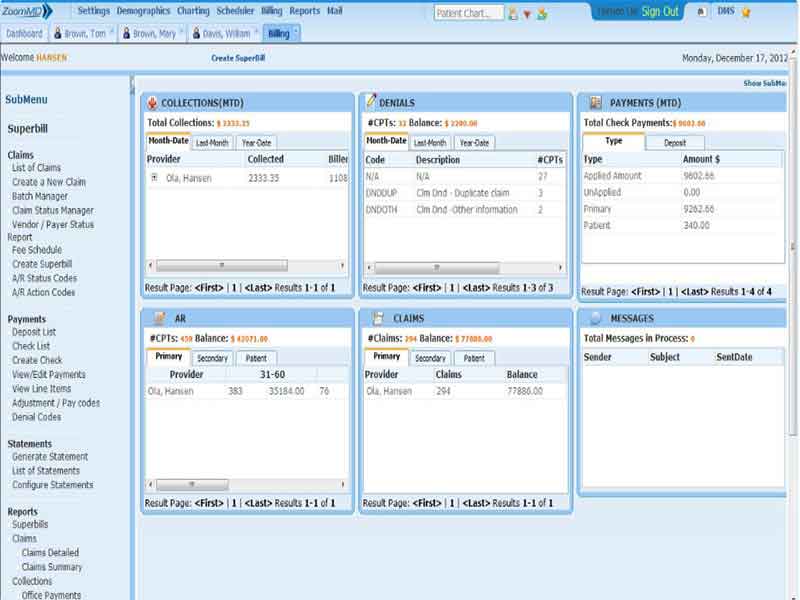
ZoomMD offers medical billing, collection services, claims tracking, electronic claims submission, real-time eligibility, and reporting. The system also shows patient balances during check-in, which helps staff collect payments more clearly.

Reporting And Practice Insights

ZoomMD includes a reporting and analytics engine. Practices can generate custom reports, spot trends, review collection performance, and make better business decisions. This helps teams understand where delays, billing issues, or workflow gaps exist.

What Is ZoomMD Software?

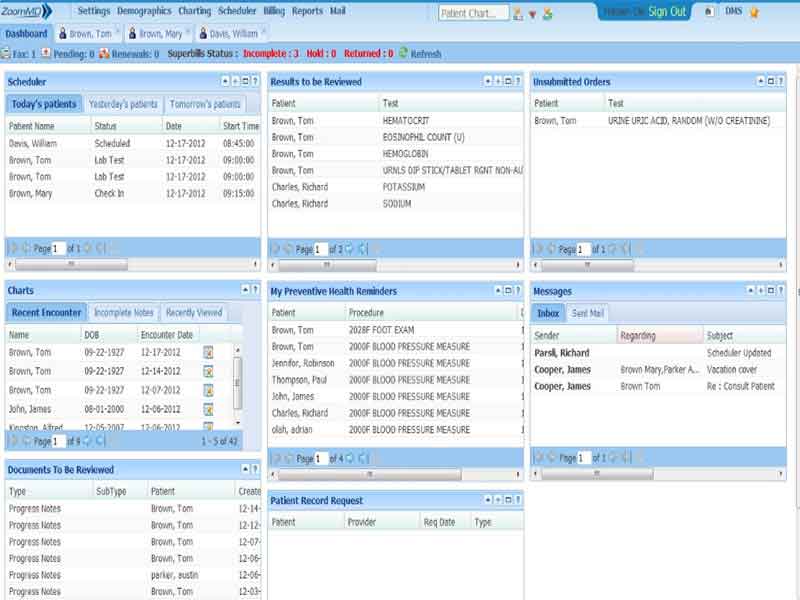
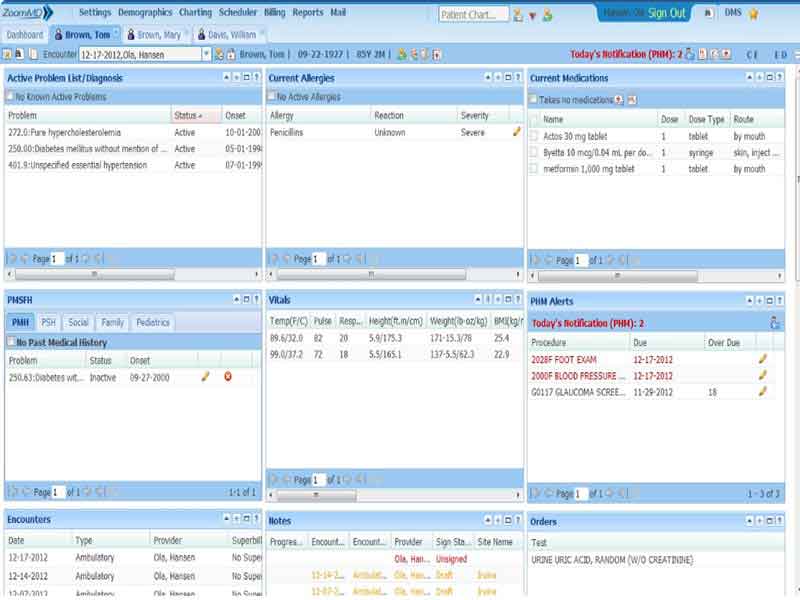
ZoomMD Software is a cloud-based electronic health record EHR software and practice management system. It helps healthcare providers manage patient records, clinical notes, prescriptions, appointments, billing, and reporting from one place.

In simple words, ZoomMD Software combines clinical and administrative tools. Providers can document visits, use templates, copy previous notes, send prescriptions electronically, check insurance eligibility, and submit billing data. The system also includes reporting tools that help practices review trends and make better business decisions.

It is not only software for EHR documentation. It also supports practice management tasks such as scheduling, patient balance review, claims tracking, electronic claims submission, and collection services. This makes it a practical option for practices comparing EMR/EHR software with built-in billing support.

ZoomMD Pricing

The final cost depends on your practice size, required features, billing needs, setup requirements, and support level.

For the most accurate ZoomMD pricing, request a custom quote. This helps you check whether your package includes EHR, practice management, billing, support, setup, and any extra services.

Who Uses ZoomMD Software?

ZoomMD software is used by healthcare providers who need cloud-based EHR records, appointment scheduling, billing tools, and patient documentation support.

It is suitable for:

  • Medical professionals and physicians
  • Small to mid-sized medical offices
  • Mid-level providers
  • Dentists
  • Allied health professionals

It is used by radiologists, diagnostic centers, hospitals, doctors, surgeons, chiropractors, osteopaths, sports injury specialists, pain management providers, orthopedists, and neurosurgeons.

ZoomMD Software Integrations

ZoomMD Software works with ZoomMD Cloud Medical Billing. This connection helps practices manage billing, collections, and payment-related workflows from the same system.

How Does ZoomMD Software Work?

ZoomMD Software works by connecting patient records, clinical documentation, scheduling, billing, and reporting in one cloud-based system.

A typical workflow looks like this:

  • You log in to your account.
  • Open the patient record.
  • Create or update medical notes.
  • Use custom templates, macros, dictation, or previous notes for faster documentation.
  • Send prescriptions through ZoomMD eRx.
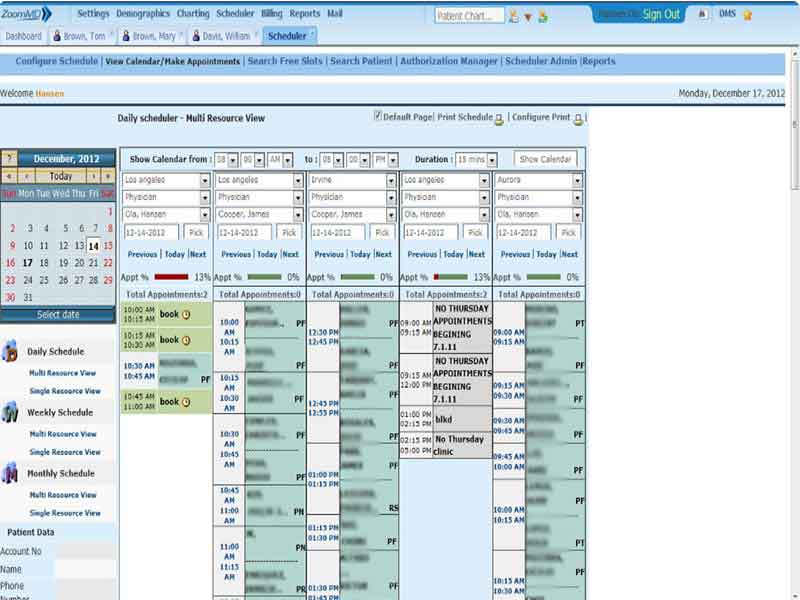
  • Manage appointments through the scheduler.
  • Check insurance eligibility during check-in.
  • Submit charges or billing data.
  • Track claims, payments, and collections.
  • Review reports to understand practice performance.

This workflow helps providers reduce repeated data entry and keep patient, billing, and scheduling information in one place.

Choose ZoomMD Software for Connected EHR and Billing

Choose ZoomMD software if your practice needs cloud-based medical EHR software with practice management and billing support. It works best for teams that want clinical notes, e-prescribing, labs, scheduling, eligibility checks, document handling, and reports in one system.

Charting Included
e-Prescribing Included
Scheduling Included
Billing Included
Document management Included
Insurance eligibility Included
Reporting Included
Telemedicine Not included
Mobile App Not included

Pros

9
  • Fully integrated EHR software and practice management system
  • Cloud-based access for clinical and administrative teams
  • Custom charting with templates, macros, dictation, and copied notes
  • ePrescribing with refill support
  • Lab tools for orders and results
  • Insurance eligibility checks during check-in
  • Medical billing, claims tracking, and collection services
  • Document management with Zoom Viewer
  • Reporting tools for practice performance

Cons

1
  • Some users may need time to learn the full system due to its advanced features

ZoomMD Reviews

Overall Rating

4

2 Review(s)

Rating Distribution

5

(0)

4

(2)

3

(0)

2

(0)

1

(0)

Share your experience
John S.

Consulting

Ease of use
8
Value for money
8
Customer Support
7
Functionality
8

My software review

Pros

The platform has been a dependable part of our daily operations. It handles core tasks smoothly and keeps everything organized without adding complexity.

Cons

Limited advanced customization options.

Damian K.

Technology

Ease of use
8
Value for money
9
Customer Support
7
Functionality
8

An excellent System

Pros

The software offers a good mix of features that support our workflow and improve efficiency. It covers most of our needs, though there are occasional areas where improvements could enhance usability. Still, it delivers solid value for the price.

Cons

Occasional lag in updates or syncing.

Frequently Asked Questions

ZoomMD Software is a cloud-based EHR software and practice management solution. It helps practices manage patient records, charting, prescriptions, labs, scheduling, billing, insurance eligibility, document management, and reporting.

Yes. ZoomMD is listed as a cloud-based electronic health record software and practice management system.

It does not offer a free trial. You should request a ZoomMD demo to review the platform before choosing a plan.

The main features include custom charting, ePrescribing, lab tools, appointment scheduling, document management, Zoom Viewer, insurance eligibility, patient balance checks, medical billing, claims tracking, and reporting.

ZoomMD is best for small to mid-sized practices that need medical EHR software with practice management and billing tools. It suits providers who want one system for clinical records, appointments, claims, and reporting.