Analytical Reporting
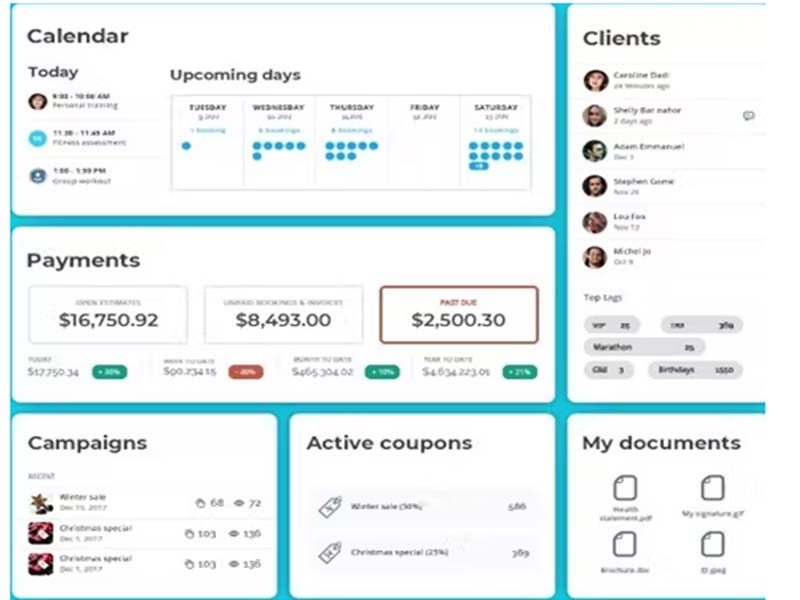
These features provide all the practice-related insights and recommendations that lead to better clinical decisions and operational improvements.



Explore what vcita offers — from day-to-day workflows to advanced capabilities.
These features provide all the practice-related insights and recommendations that lead to better clinical decisions and operational improvements.
Digitized payment collections for precision and user ease.
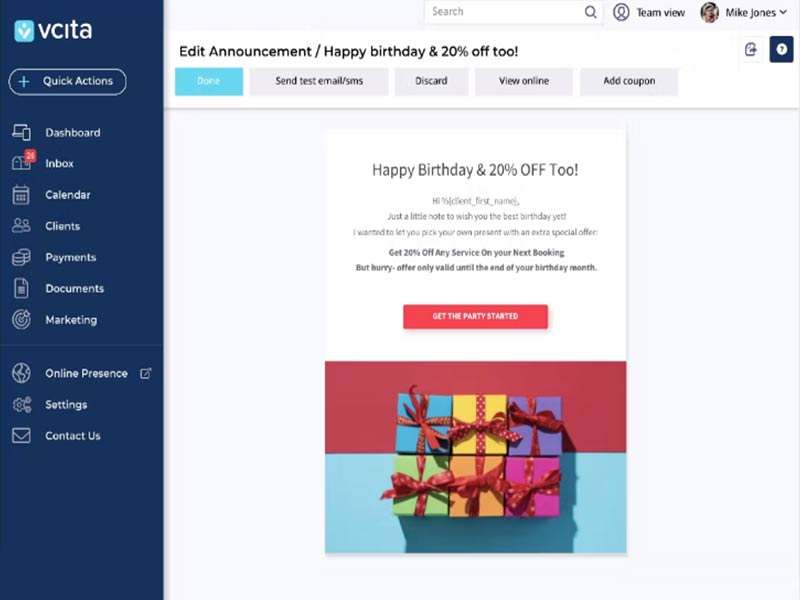
Patients can be reminded of your presence through texts and emails, for marketing and lead nurturing.
Clients can self-schedule appointments, pay online, access their information, and collaborate with their physician.
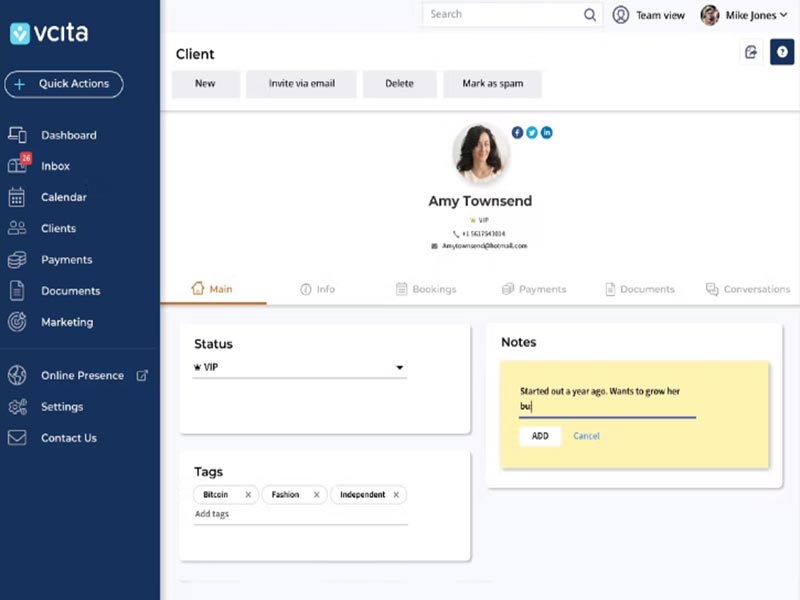
With AI-based CRM, staff schedules can be managed without any hassle, and real-time collaboration can be achieved. CRM features also foster a loyal customer base that ensures productivity.
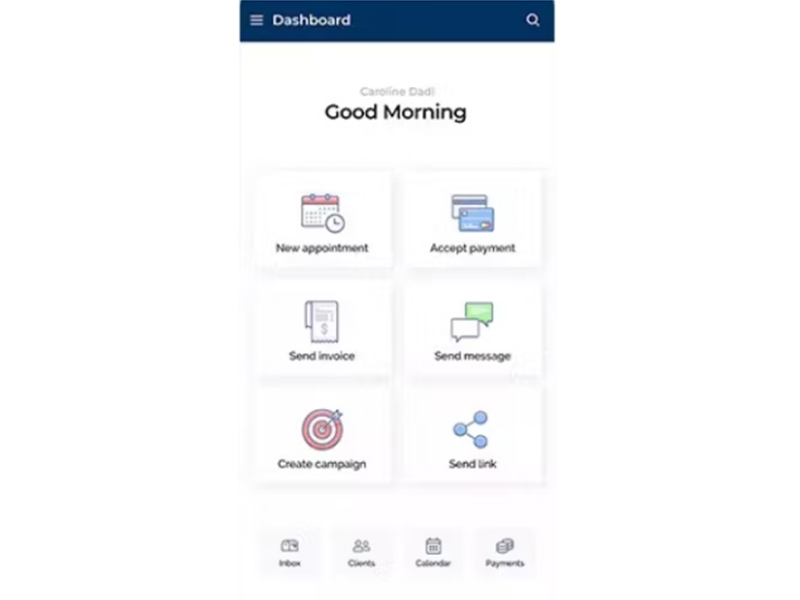
After a Vcita login, practitioners can carry all their business managerial access and patient information in their hands. This remote access enables quick and revolutionary healthcare actions.
Vcita software is an intuitive cloud-based practice management system that fosters quick productivity through the involvement of artificial intelligence. Practitioners can have a comprehensive view of the scheduled appointments through robust calendars, which can also be modified with ease. This platform enables impactful decision-making through real-time recommendations, high patient satisfaction rates through an AI-based CRM module, and mobile functionalities for remote marketing and data access.
Third-party apps and tools integrations are supported by this EMR software solution, which includes:
There is no Vcita alternative for fast payments, simplified collections, and precise invoicing, resulting in smooth revenue streams. The marketing features ensure an effective and ever-expanding presence, fostering good customer retention and acquisition rates. Not only that, but patients can also access remote care services through its telehealth features, eliminating the need for on-premise presence.
Add your credentials for a unique Vcita login, then follow these instructions:
Schedule a free Vcita demo for more details.
This tool can be leveraged in the following industrial sectors:
In the healthcare industry, the following specialties can utilize this system:
Vcita pricing plans are:
Instead of these subscriptions, you can also request a tailored quote that suits your business demands.
Note: The pricing can change over time.
You can choose based on its following offerings:
To clear any doubts, feel free to connect with our customer support team, they will guide you regarding the usage of this system and its suitability with your user preferences. You can also book a free demo and read unbiased Vcita reviews.
The platform has been a dependable part of our daily operations. It handles core tasks smoothly and keeps everything organized without adding complexity.
Limited advanced customization options.
The software offers a good mix of features that support our workflow and improve efficiency. It covers most of our needs, though there are occasional areas where improvements could enhance usability. Still, it delivers solid value for the price.
Occasional lag in updates or syncing.
Vcita software does not offer a completely free plan, though users can start with a free trial before committing to a paid subscription.
Yes, the Vcita system is cloud-based.
Vcita UI supports a wide range of languages, including English, Spanish, French, German, Italian, Dutch, Portuguese, Arabic, Chinese, Hindi, Japanese, Russian, Polish, Turkish, and Swedish.
The Vcita system allows users to get answers through phone support, live chat assistance, a help desk, a knowledge base, and email. You can also get full details about Vcita pricing directly on their website.
Yes, the Vcita marketing system has a mobile app that allows on-the-go management of client interactions, scheduling, payments, and business operations. Users can access the full platform through a single Vcita login from any device.
Yes, the Vcita API is available, with native REST API support for custom integrations.
According to Vcita reviews, the platform supports both iOS and Android devices, with a Vcita login required to access the dashboard and manage business operations remotely.
Yes, Vcita offers a free trial, and you can also request a demo to explore the platform before purchasing.
Yes, Vcita software integrates with a wide range of popular tools. Native integrations include Zoom, QuickBooks, PayPal, Stripe, Square, Gmail, Google Calendar, Mailchimp, and Zapier, with Zapier further extending connectivity to apps like Slack, HubSpot, Salesforce, and thousands more.
Tell us a little about how your practice runs, and a specialist will come back with concrete numbers, a quick read on whether vcita genuinely fits, and a couple of closely-matched options worth weighing up. Straight answers, no sales pressure.
Takes under a minute — we never share your details.
By providing your phone number to Codatis, you consent to receive SMS communications related to your inquiries, service updates, and direct communication with your assigned representative.
Message and data rates may apply in accordance with your mobile service provider.
Codatis does not send unsolicited promotional messages. For more information, please refer to our Privacy Policy below or visit the link provided.
Codatis respects your privacy. No mobile information will be shared with third parties or affiliates for marketing or promotional purposes.
Text messaging opt-in data, consent, and related information will not be shared with any third parties under any circumstances.