Remote Healthcare Services
The telehealth module assists providers in remote consultations with virtual appointments, secure communication, and patient monitoring tools.

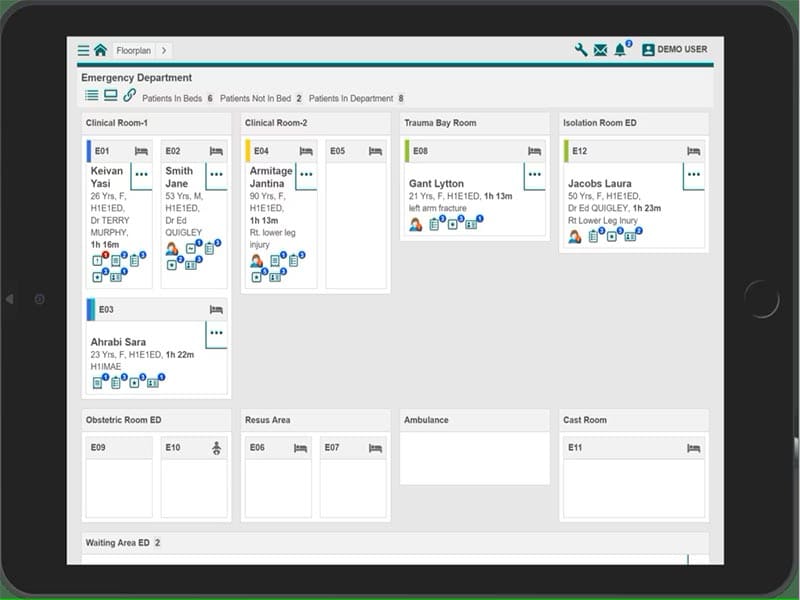
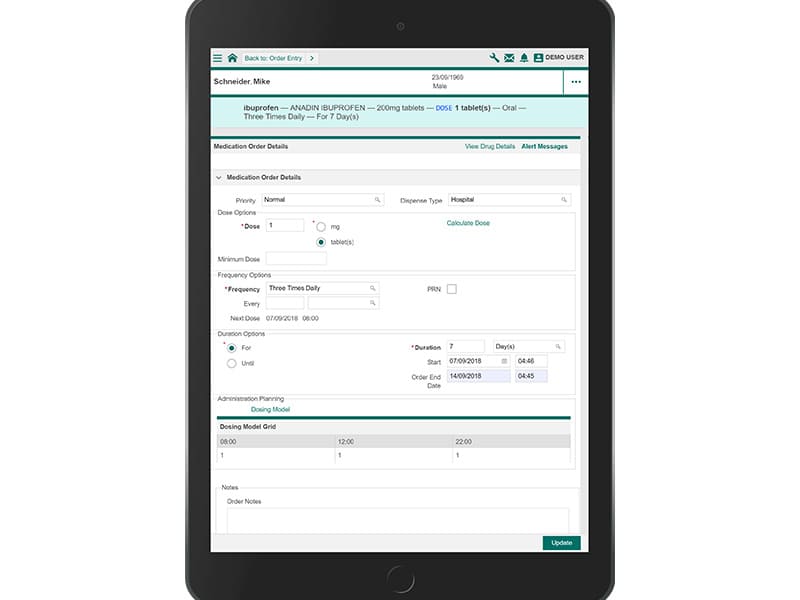
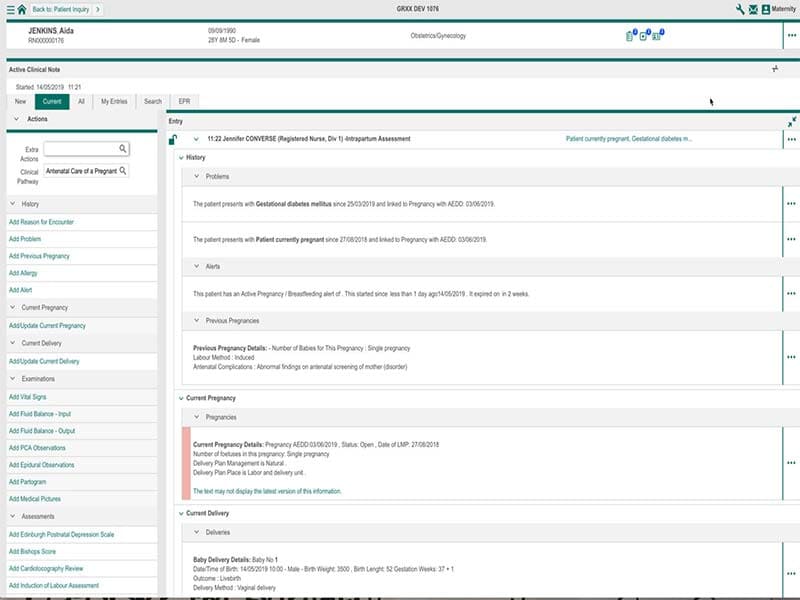
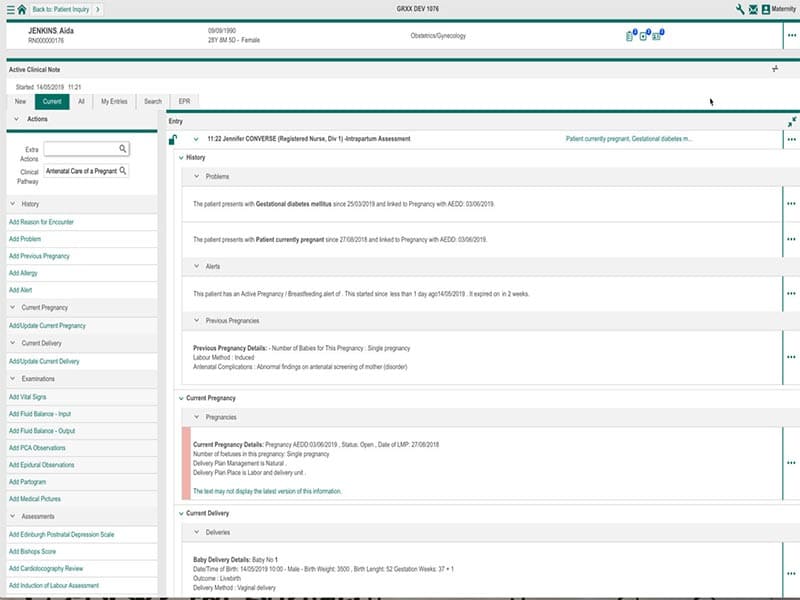
Explore what TrakCare EHR Software offers — from day-to-day workflows to advanced capabilities.
The telehealth module assists providers in remote consultations with virtual appointments, secure communication, and patient monitoring tools.
The medication management module includes:
Providers can easily find medication records directly within the patient profile to inform safe prescribing workflows.
The revenue cycle management tools assist organizations in improving their efficiencies surrounding billing workflows, charge capture, and claims submissions. Reimbursement tracking allows administrative teams to track reimbursement processes and help minimize manual billing errors.
Health systems can design documentation templates according to specialty and operational workflows.
With this setup, the providers can manage their patient records more efficiently in different departments.
TrakCare is one platform for pulling patient records, billing, scheduling, medication management, and reporting tools into a single healthcare management system. It assists healthcare organizations in managing their normal activities and provides a single system for accessing patient information.
TrakCare is an integrated healthcare information management platform that brings together electronic health records (EHR), financial workflows, patient administration, scheduling, medication management, and reporting into one centralized system.
Many healthcare organizations consider TrakCare an advanced EHR software system because it also supports interoperability standards and centralized patient access.
TrakCare pricing is based on the size and type of your organization and other parameters, including deployment mode, number of users, modules needed, and scope of implementation.
Subscription pricing is not fixed, and a vendor has not publicly disclosed prices. Healthcare organizations usually request a custom quote based on operational need.
Pricing factors often include:
The TrakCare software supports a variety of specialties and care environments. Some examples include:
TrakCare is connected to many third-party apps and healthcare technologies to best flow workflow along with patient communication.
Supported integrations include:
These integrations enable healthcare organizations to provide better communication, identity verification, remote care delivery and engagement, patient monitoring, etc.
TrakCare software is a web-based solution for healthcare organizations that offers centrally managed dashboards to get patient records, scheduling, billing, clinical documentation, and reporting workflows.
You should use TrakCare software if your healthcare organization needs:
The platform has been a dependable part of our daily operations. It handles core tasks smoothly and keeps everything organized without adding complexity.
Limited advanced customization options.
The software offers a good mix of features that support our workflow and improve efficiency. It covers most of our needs, though there are occasional areas where improvements could enhance usability. Still, it delivers solid value for the price.
Occasional lag in updates or syncing.
TrakCare software is a cloud-based EHR software solution that can help healthcare organizations manage patient records, billing, scheduling, documentation, medication management, and administrative workflows from one system.
Yes. The platform can be accessed by mobile and web via healthcare-based access, allowing healthcare professionals to check and update records remotely.
It incorporates telehealth for virtual consulting, secure communication, and remote patient care workflows.
It is HIPAA compliant; therefore, the software was built to aid in the secure management of sensitive healthcare data.
TrakCare integrates seamlessly with other existing third-party systems, leveraging the capabilities already in place within healthcare organizations. It integrates with Microsoft Teams, Google Meet, and Capsule patient and monitoring solutions
Tell us a little about how your practice runs, and a specialist will come back with concrete numbers, a quick read on whether TrakCare EHR Software genuinely fits, and a couple of closely-matched options worth weighing up. Straight answers, no sales pressure.
Takes under a minute — we never share your details.