Overview
Qmed EMR Software is a practical EHR software solution built for clinics that need simple, reliable tools to manage daily operations. It supports scheduling, billing, and remote consultations in one place. The system focuses on usability, so your staff can quickly learn and manage workflows without technical complexity. Many clinics use QMed EMR to reduce manual work, improve patient communication, and keep records organized. While some users note limited customization, the platform still delivers consistent performance for small to mid-sized practices. If you need medical EHR software that keeps operations clear and efficient, Qmed provides a solid starting point.QMed Software Specifications
Appointment scheduling and management
Telemedicine with video consultations
Billing and invoicing tools
Patient demographics tracking
What is QMed?
QMed EMR is a cloud-based electronic health record (EHR) software designed to help clinics manage patient data and daily workflows. It combines administrative and clinical tools into a single dashboard, so you don’t need multiple systems.
You can store patient records, track visits, and manage billing without switching platforms. The system also includes automated reminders to reduce missed appointments.
QMed Pricing
Qmed pricing is flexible and depends on your clinic’s size, number of users, and workflow needs. There is no fixed public pricing, so you need to request a custom quote.
Most providers prefer this model because it allows them to pay only for what they use. However, it also means you need to contact the vendor for exact costs.
To get accurate details, request a QMed demo and pricing breakdown. This gives you a clear view of features and total cost before making a decision.
Who uses QMed Software?
QMed EMR software is designed for
- Solo healthcare providers
- Small clinics
- Multi-specialty practices
- Growing healthcare organizations
It works best for teams that want straightforward EHR/EMR software without complex setup or heavy customization. If your clinic handles moderate patient volume and needs better organization, Qmed is a good fit.
QMed Integrations
Currently, there is limited public information about third-party integrations in QMed EMR.
This means you may need to rely on built-in features instead of connecting external tools. For clinics that depend on advanced integrations, this approach can be a limitation.
Still, many smaller practices prefer all-in-one EHR software that doesn’t require multiple systems.
How does QMed work?
Getting started with QMed EMR software is simple.
- Log in to access your central dashboard
- View patient records using the patient list
- Schedule appointments with automated reminders
- Manage billing and generate receipts instantly
- Run reports to track clinic performance
- Use video consultations for remote care
The system keeps everything connected, so you can manage daily operations without switching tools.
If you want a closer look, booking a QMed demo helps you understand real workflows before committing.
Choose QMed EMR Software for Simple Clinic Workflow Management
Choose QMed EMR if you want:
- Simple and easy-to-use EHR software
- A system that reduces manual paperwork
- Built-in telemedicine for remote care
- Clear patient records and scheduling tools
- Affordable and flexible QMed pricing
Avoid it if you need advanced integrations or highly customizable workflows.

QMed Software Features
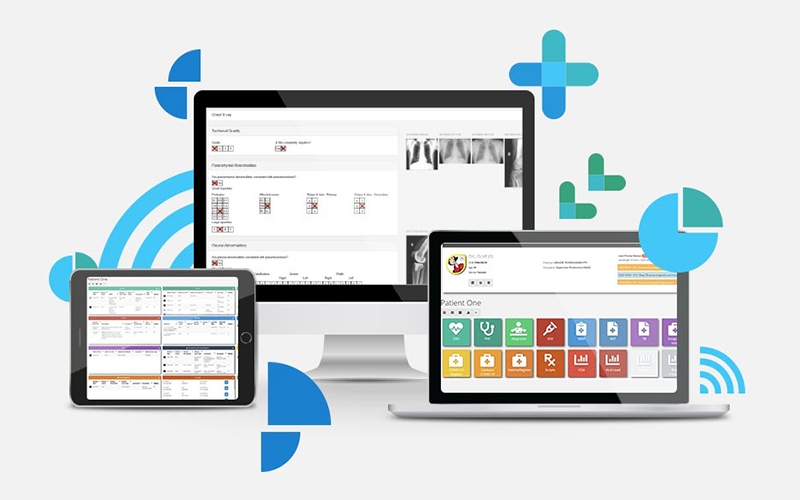
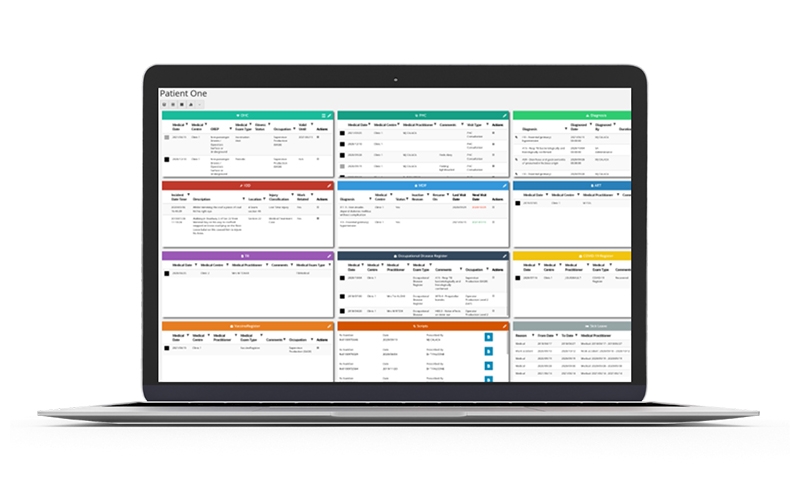
QMed EMR provides a centralized system to store and manage patient data, including medical history, diagnoses, prescriptions, and clinical notes. Everything is accessible from a single dashboard, making it easy for providers to review and update records quickly.
The software includes an efficient scheduling system that allows clinics to book, reschedule, and cancel appointments. Automated reminders help reduce no-shows and keep the daily workflow organized.
QMed offers a real-time patient management dashboard where staff can view, search, and manage patient information easily. This improves coordination between administrative and clinical teams.
Doctors can create and send prescriptions electronically, reducing paperwork and minimizing the risk of errors while speeding up the treatment process.
The platform includes built-in billing tools to handle payments, generate invoices, and track financial data. This helps clinics maintain accurate records and improve revenue flow.
QMed EMR supports secure video consultations, allowing healthcare providers to offer remote care and follow-up visits without requiring patients to visit in person.
Patients can access a dedicated portal to book appointments, view lab results, and communicate with healthcare providers, improving engagement and convenience.
See The Software In Action Watch Free Demo!
Top Recommended Software
Pros and Cons of QMed Software
QMed Reviews
Good for Compliance-Focused Clinics
Pros
HIPAA-focused structure
Cons
Integration options are limited
Efficient but Needs UI Improvement
Pros
Handles electronic health record ehr software tasks well
Cons
Occasional lag in large datasets
Good Features but Not Very Intuitive
Pros
Covers most ehr systems workflows
Cons
Requires training for full usage
Frequently Asked Questions
QMed EMR Software is a cloud-based electronic health record (EHR) software that helps clinics manage scheduling, billing, and patient records in one platform.
QMed pricing depends on your clinic’s size and requirements. You need to request a custom quote for accurate costs.
Yes, you can request a QMed demo to see how the system works before purchasing.
QMed EMR is used by small clinics, solo providers, and mid-sized healthcare organizations that need simple EHR systems.
No, QMed EMR Software does not currently offer a mobile app.