Configurable Clinical Charting
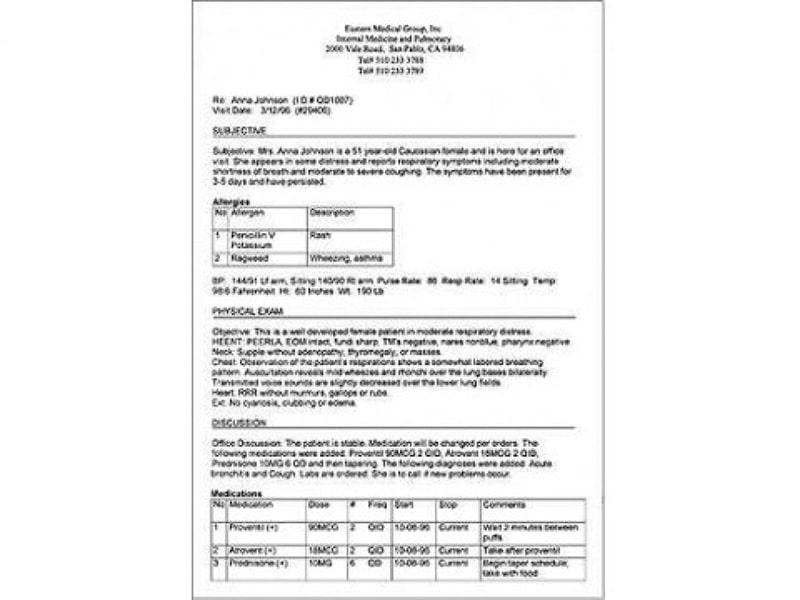
Create progress notes, histories and physicals, procedure notes, medication lists, care instructions, and specialty reports.


Explore what Q.D. Clinical EMR Software offers — from day-to-day workflows to advanced capabilities.
Create progress notes, histories and physicals, procedure notes, medication lists, care instructions, and specialty reports.
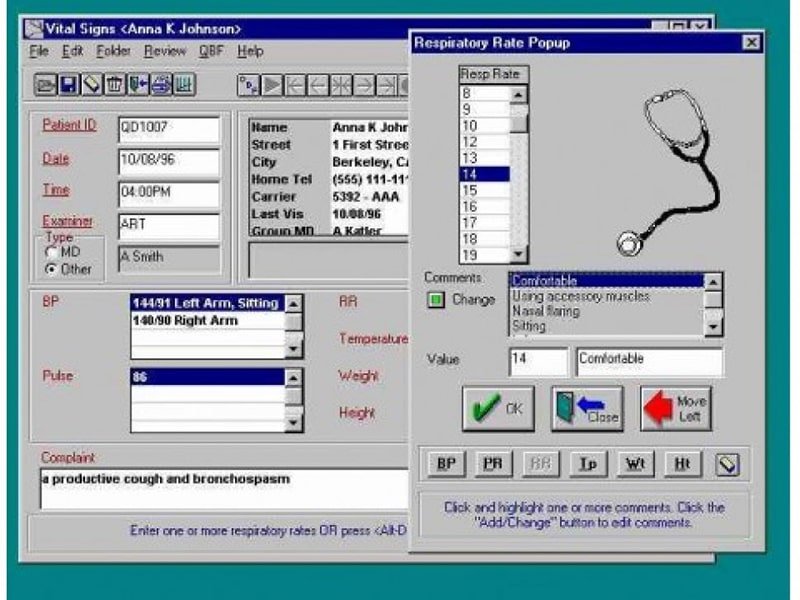
Track lab requests and results, print or transmit prescriptions, and use optional allergy and drug interaction checking tools.
Attach messages to patient records, generate recall letters, monitor no-shows, and store or annotate clinical images.
Q.D. Clinical is EMR software that turns patient charts into searchable digital records. Its clinical documentation software covers visit notes, histories, medication lists, patient instructions, lab orders, and customized reports. Practices comparing electronic medical record software can use it to centralize charting and routine clinical tasks.
The vendor does not publish the current Q.D. Clinical pricing and asks buyers to call for pricing. Request a quote covering licenses, modules, implementation, support, hardware, and interfaces.
Benefits include configurable documentation, structured records, clinical reminders, image storage, lab tracking, and support for multiple specialties.
Want to organize your clinic operations? Get your demo with the Codatis team today!
It is a server-based EMR software that works best for private practices, specialty clinics, and organizations that prefer locally managed systems. Vendor lists configurations for family medicine, internal medicine, cardiology, pediatrics, orthopedics, OB/Gyn, and neuro/onco.
The vendor lists interfaces with Lytec, Medical Manager, Medic, Medisoft, ACS, miSys, VerSyss, and Practice Manager for Windows. It also documents Dragon NaturallySpeaking and reference-laboratory interfaces. Confirm that each integration still receives support before buying.
Staff create or import records, schedule appointments, document encounters, track tests, record prescriptions, and attach messages or images to charts. Its workflow aligns with patient scheduling EHR software for providers, patients, and practice resources.
Choose Q.D. Clinical when workflow control and configurable charting matter more than cloud access. Templates, macros, user-defined fields, specialty lexicons, and flowsheets let teams shape documentation around their processes. Request a Q.D. Clinical demo to verify usability, infrastructure, interfaces, and current support.
The platform has been a dependable part of our daily operations. It handles core tasks smoothly and keeps everything organized without adding complexity.
Limited advanced customization options.
The software offers a good mix of features that support our workflow and improve efficiency. It covers most of our needs, though there are occasional areas where improvements could enhance usability. Still, it delivers solid value for the price.
Occasional lag in updates or syncing.
Yes. The vendor lists printed and electronic prescriptions.
The vendor lists laboratory interfaces and electronic lab downloads as options.
Yes, users can configure templates, macros, fields, lexicons, reports, and flowsheets.
Yes, the vendor lists specialty configurations and shared records for multi-specialty practices.
Tell us a little about how your practice runs, and a specialist will come back with concrete numbers, a quick read on whether Q.D. Clinical EMR Software genuinely fits, and a couple of closely-matched options worth weighing up. Straight answers, no sales pressure.
Takes under a minute — we never share your details.
By providing your phone number to Codatis, you consent to receive SMS communications related to your inquiries, service updates, and direct communication with your assigned representative.
Message and data rates may apply in accordance with your mobile service provider.
Codatis does not send unsolicited promotional messages. For more information, please refer to our Privacy Policy below or visit the link provided.
Codatis respects your privacy. No mobile information will be shared with third parties or affiliates for marketing or promotional purposes.
Text messaging opt-in data, consent, and related information will not be shared with any third parties under any circumstances.