Stock and Order Control
This allows you to track inventory across sites, product shipment, barcode scanning, and missed orders.


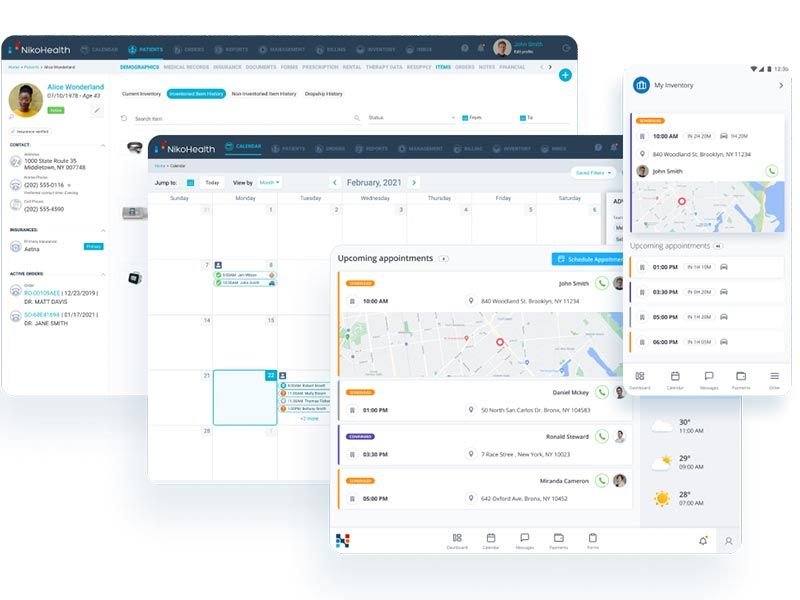
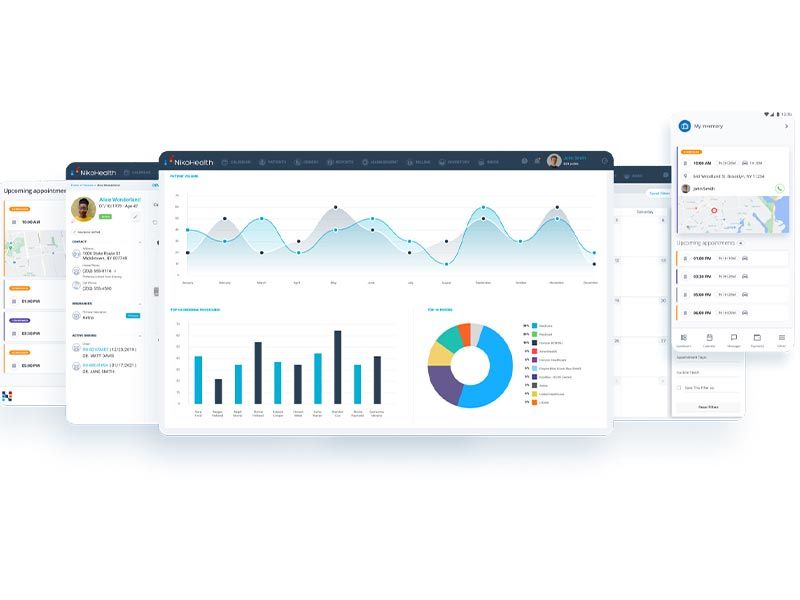
Explore what NikoHealth offers — from day-to-day workflows to advanced capabilities.
This allows you to track inventory across sites, product shipment, barcode scanning, and missed orders.
Patient profile includes demographics, insurance, order history, documents, finances, and care information
You use the billing tools to create and handle claims, denials, authorizations, payer payments, patient responsibility, and recurring rental invoices.
Niko Health improves connected order intake, scheduling, route activity, and delivery proof and minimizes billing delays.
NikoHealth Software is EMR software with HME and DME patient-related features. It is used by clinics and hospitals.
Custom solutions are tailored to fit all sizes of organizations. No standard public price is available. This allows NikoHealth pricing to stay flexible for providers.
Typical users are billing teams, operations managers, intake staff, delivery team members, and clinicians, as well as HME providers, DME companies, and medical supply businesses. It works well for teams switching from spreadsheets, paper files, and other manual or disparate systems.
NikoHealth has better APIs and third-party integrations.
Integrations include
Once logged in, you handle patient profiles, order placement, document verification, delivery scheduling, inventory tracking, claim submission, and posting payments for received claims, along with denial management and report checking. Field teams leverage mobile tools for delivery updates, proof of delivery, signatures, and in-field activity.
Choose NikoHealth Software to handle HME or DME grind deals with claim amounts in stacks and schedule deliveries. It is used by teams that need a connection between billing and operations. Request a NikoHealth demo before buying it.
The platform has been a dependable part of our daily operations. It handles core tasks smoothly and keeps everything organized without adding complexity.
Limited advanced customization options.
The software offers a good mix of features that support our workflow and improve efficiency. It covers most of our needs, though there are occasional areas where improvements could enhance usability. Still, it delivers solid value for the price.
Occasional lag in updates or syncing.
Yes, you can request a NikoHealth demo through the vendor or listing pages.
NikoHealth pricing is quote-based.
Tell us a little about how your practice runs, and a specialist will come back with concrete numbers, a quick read on whether NikoHealth genuinely fits, and a couple of closely-matched options worth weighing up. Straight answers, no sales pressure.
Takes under a minute — we never share your details.
By providing your phone number to Codatis, you consent to receive SMS communications related to your inquiries, service updates, and direct communication with your assigned representative.
Message and data rates may apply in accordance with your mobile service provider.
Codatis does not send unsolicited promotional messages. For more information, please refer to our Privacy Policy below or visit the link provided.
Codatis respects your privacy. No mobile information will be shared with third parties or affiliates for marketing or promotional purposes.
Text messaging opt-in data, consent, and related information will not be shared with any third parties under any circumstances.