Medilinks Features

Explore what MediLinks offers — from day-to-day workflows to advanced capabilities.

4 features

Real-Time Reporting & Analytics

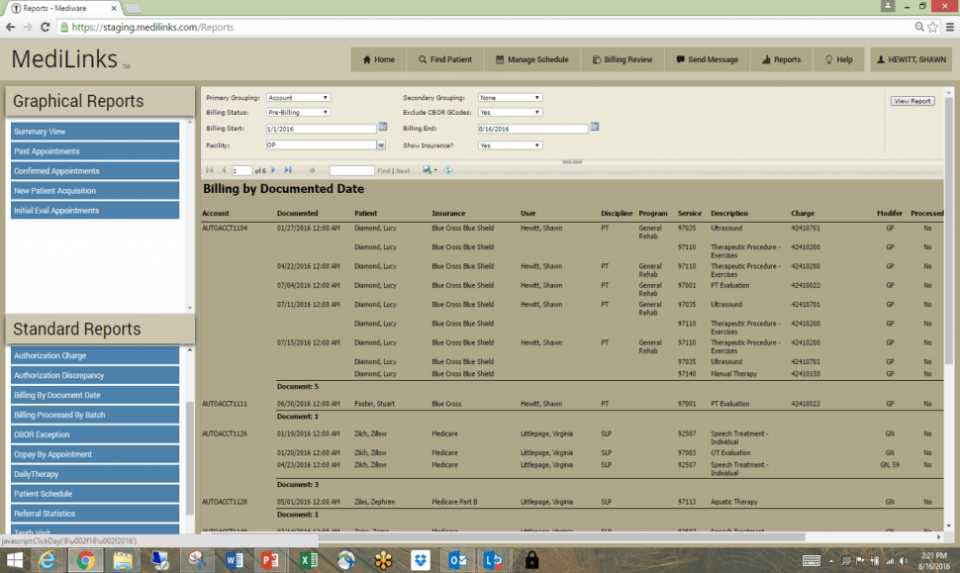
Medilinks login comes with built-in reporting tools that surface live data so management can act on numbers as they come in, not days later. Users can pull organizational reports and export them directly to spreadsheets or PDFs. It gives practice managers a clear, real-time view of revenue cycles, staff performance, and patient outcomes.

Appointment Scheduling

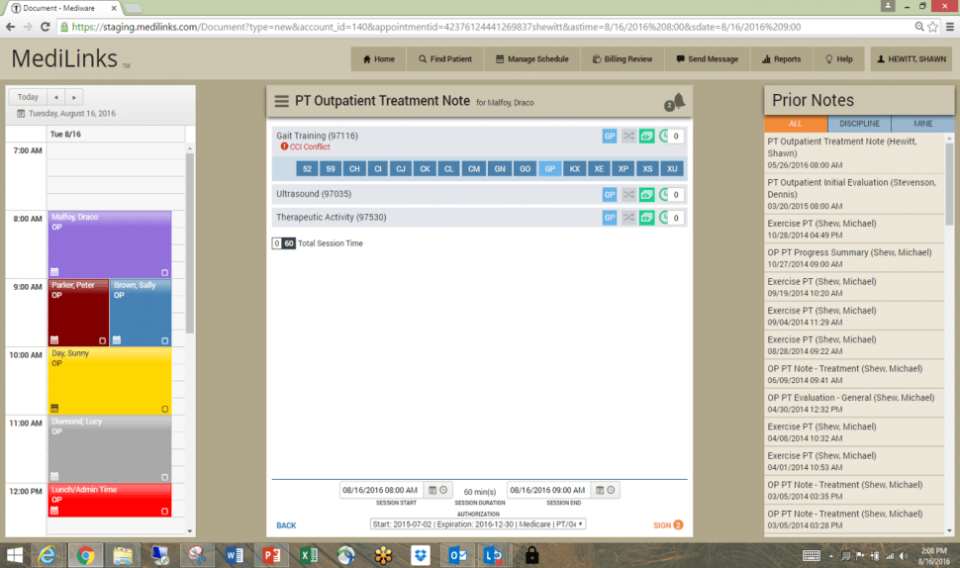
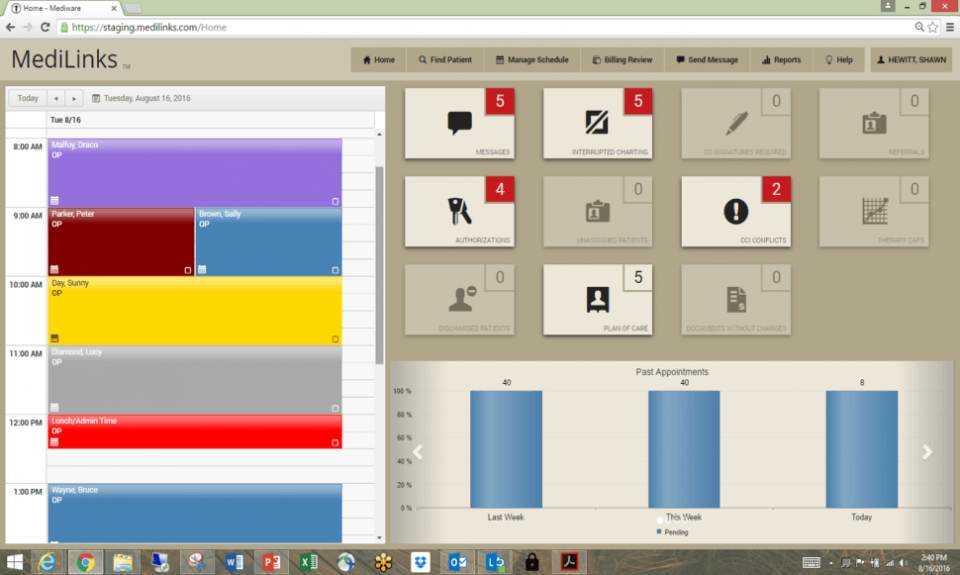
Scheduling with this tool is visual and intuitive. The drag-and-drop interface makes it easy to shift appointments, reducing booking errors and saving front-desk staff a considerable amount of time. Patients can also manage their own scheduling independently.

Billing & Revenue Management

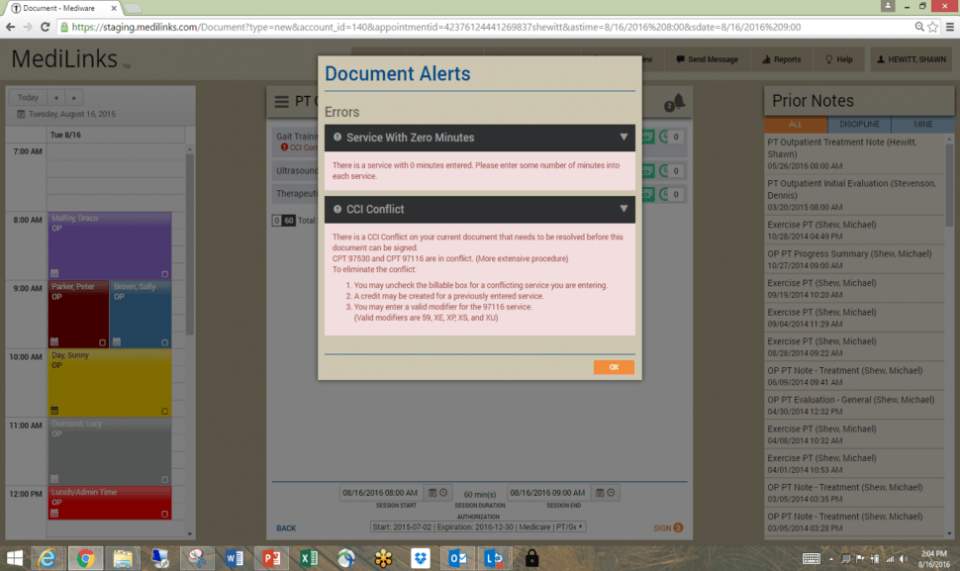
It offers a full revenue management module built directly. Billing workflows are structured to reduce errors and speed up claim processing, helping practices bring in revenue without delays. It also supports flexible pricing configurations, making it a practical fit for practices that deal with insurance claims, co-pays, and varied billing structures daily.

Patient Records and Secure Data Backup (iSAFE)

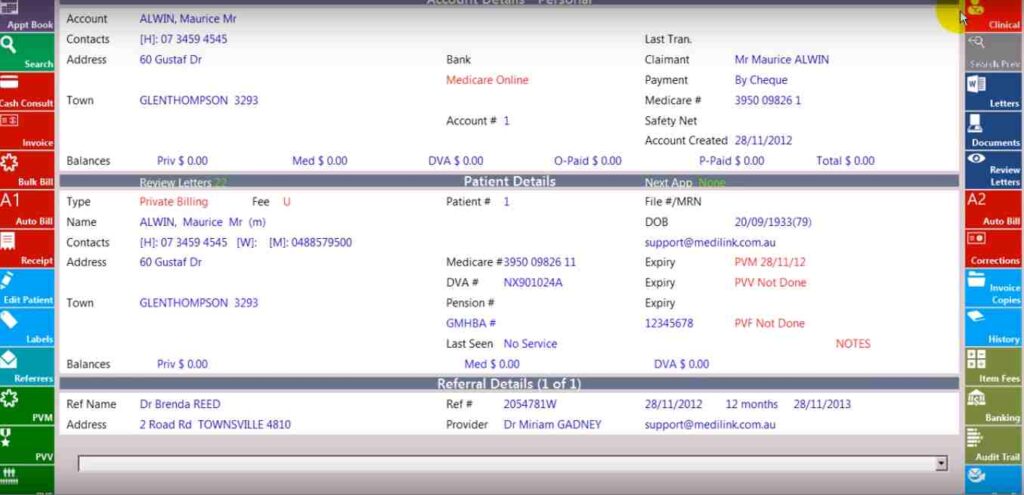
Patient records, lab results, and prescriptions are stored securely and retrievable at any time. The iSAFE module backs up all staff and patient data off-site, so nothing gets lost in the event of a technical issue. 

What Is Medilinks?

Medi Links is a cloud-based electronic medical records software built to give healthcare providers quick, reliable access to patient data, including medical histories, lab results, and prescriptions.

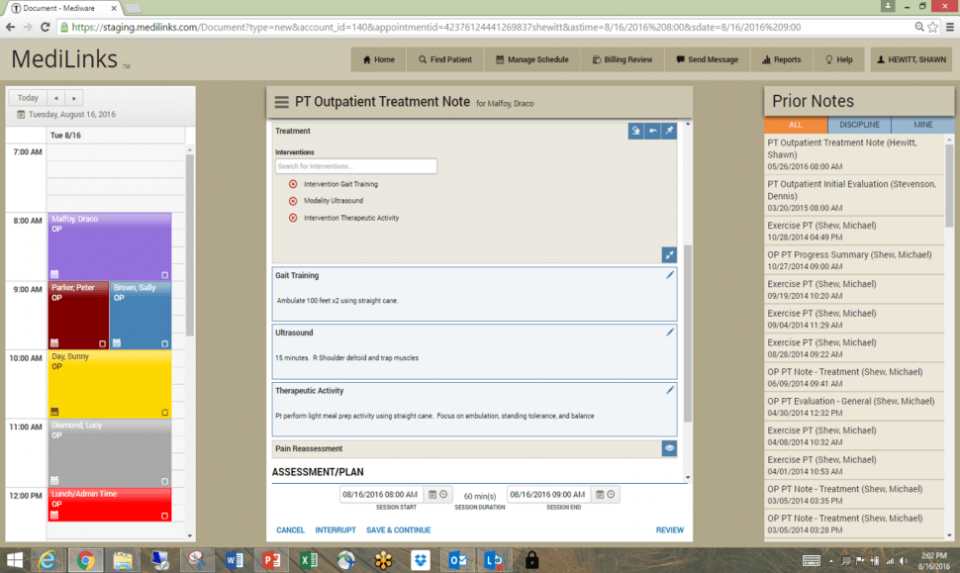
It handles scheduling, billing, documentation, and reporting. Whether you are running a small clinic or a large multi-site network, this tool adapts to the scale and scope of your practice.

Medilinks Integrations

Third-party apps and tools integrations are supported by this EMR software solution, which includes:

  • Medicare
  • My Health Record
  • Data Recovery Platforms
  • Enterprise Mobility Management Tools
  • Incident Management Systems
  • Process Automation Platforms
  • Cloud Management Platforms

Who Is Medilinks For?

A Medilinks login can be leveraged by:

  • Physicians and Doctors
  • Nurses and Clinical Staff
  • Rehabilitation Professionals
  • Allied Health Professionals
  • Caregivers and Family Health Managers
  • Inpatient Rehabilitation Facilities
  • General Practitioner Clinics
  • Hospital Departments
  • Specialist Practices

How Much Does Medilinks Cost?

  • Standard License: $950 per user, per month
  • Full Range: $950 to $3,000 per user, per month (based on practice size and modules)
  • Custom Quote: Available on request based on specific needs

Note: Pricing is subject to change and added from third-party sources. 

Why Choose Medilinks?

Medilinks is a cloud-based system that is genuinely easy to use. It scales from solo practices to large multi-site networks without losing usability.

The iSAFE module keeps all data backed up off-site for added security, and it aligns with healthcare data standards to support interoperability across providers. For practices that want a dependable, flexible, and well-rounded EMR tool, this is a strong choice.

Connect with our software experts to have your queries addressed. You can also watch a free demo and read unbiased Medilinks reviews.


Patient Portal Included
Mobile App Not included
User Login Included
Activity Calendar Included
Claims Management Included
Patient Demographics Included
HIPAA Compliance Included
e-Prescriptions Included
Telehealth Included
Payment/Billing Included
Administrative Management Included
Invoicing Included
Laboratory Integrations Included
Personalized Forms Included
Appointment Scheduling Included

Pros

5
  • Simple to learn and use for all staff levels
  • Live reporting keeps decisions timely and accurate
  • Patients can access their own records independently
  • Cloud-based access works from anywhere on any device
  • Flexible enough to fit small clinics and large networks alike

Cons

3
  • Notes do not save automatically and require manual saving
  • Customer support response times can be slow at peak hours
  • Pricing may feel steep for larger enterprise-level setups

MediLinks Reviews

Overall Rating

4

2 Review(s)

Rating Distribution

5

(0)

4

(2)

3

(0)

2

(0)

1

(0)

Share your experience
John S.

Consulting

Ease of use
8
Value for money
8
Customer Support
7
Functionality
8

My software review

Pros

The platform has been a dependable part of our daily operations. It handles core tasks smoothly and keeps everything organized without adding complexity.

Cons

Limited advanced customization options.

Damian K.

Technology

Ease of use
8
Value for money
9
Customer Support
7
Functionality
8

An excellent System

Pros

The software offers a good mix of features that support our workflow and improve efficiency. It covers most of our needs, though there are occasional areas where improvements could enhance usability. Still, it delivers solid value for the price.

Cons

Occasional lag in updates or syncing.

Frequently Asked Questions

No, Medilinks does not offer a free plan. 

Yes, Medilinks software is cloud-based, meaning you can access it from anywhere without needing a local installation.

Medilinks tool currently supports English.

Medilinks tool gives users access to support through phone, email, FAQs, and an online customer portal. You can also reach out to get detailed Medilinks pricing information based on your practice’s requirements.

Yes, Medi Links supports mobile devices, including iOS and Android, giving users remote access to patient data and core platform features through a single login.

Yes, the Medi Links API is available for integrations and custom workflows.

Yes, Medilinks EMR works on both iOS and Android handheld devices. Users need a valid Medilinks login to access the dashboard from mobile.

The Medilinks system offers a free demo on request. You can reach out to the team directly to arrange one and get a walkthrough of the platform.