Easier Booking and Patient Access
Medesk supports online booking, reminders, deposits, intake forms, calendar management, and patient self-service. These tools reduce manual follow-up and help teams manage demand.



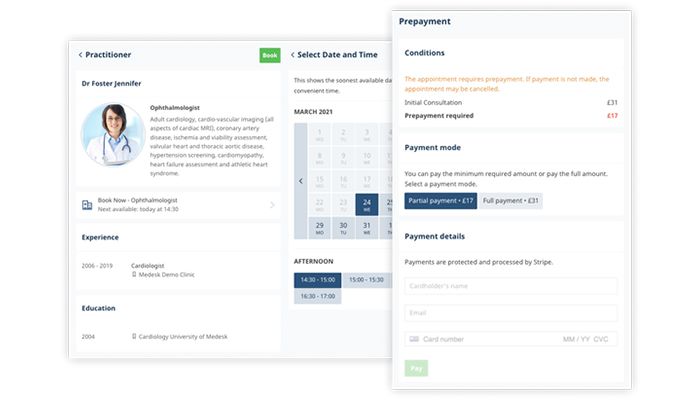
Explore what Medesk EMR Software offers — from day-to-day workflows to advanced capabilities.
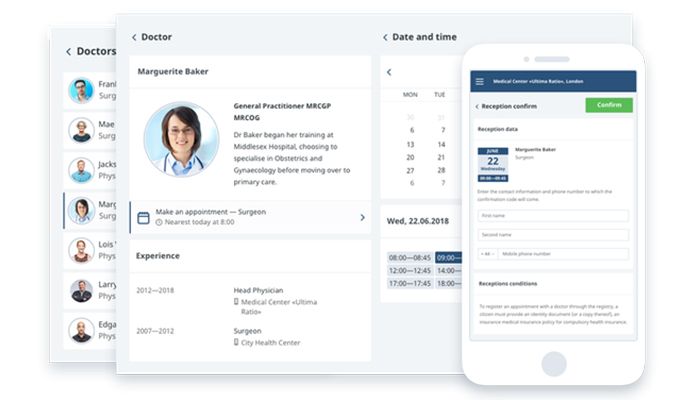
Medesk supports online booking, reminders, deposits, intake forms, calendar management, and patient self-service. These tools reduce manual follow-up and help teams manage demand.
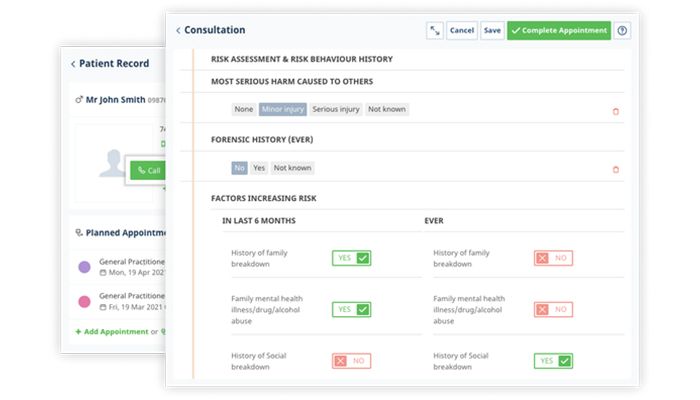
Clinicians can store treatment histories, care plans, consultation notes, forms, and documents in one electronic record.
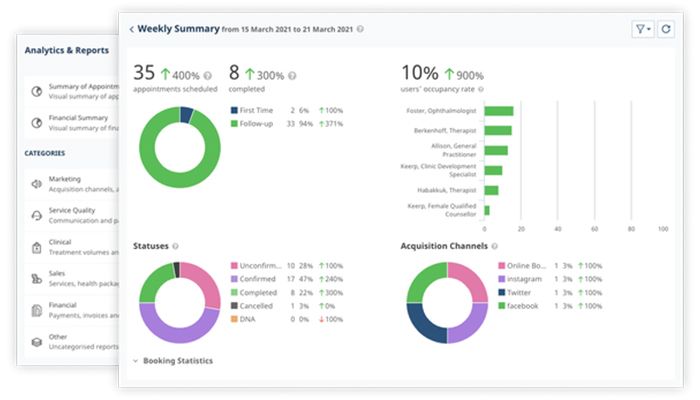
The platform supports invoicing, payments, financial workflows, more than 80 ready-made management reports, and custom report building.
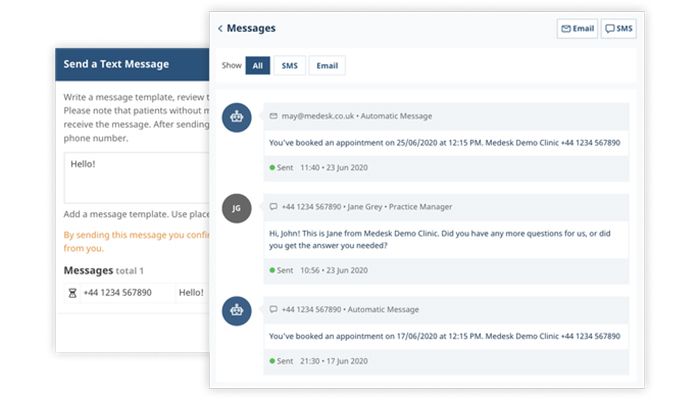
Built-in video consultations, reminders, messaging, and portal access connect in-person and remote workflows.
Medesk EHR follows the patient journey from the moment they book through to payment. Teams keep digital records, build consultation forms, message patients, send invoices, and track performance, all from the same place. Because it runs in the browser, authorized staff can log in with ease from any compatible device without having to maintain local software.
Medesk offers a permanent free plan that covers up to two users, 1,000 patient records, and 50 appointments a month, plus a seven-day free trial if you want to test the paid tier first. The Pro plan starts at $16 per month per 50 appointments and lifts the caps on users and patient records entirely. Actual Medesk pricing will depend on your appointment volume, which features you need, any integrations, and how much setup support is involved.
The free plan lets smaller practices test the workflow. Pro supports growing teams without charging separately for every user.
Compare your options and choose the right software with confidence through Codatis.
Medesk works well for solo practitioners, private clinics, and teams of a multidisciplinary nature. It’s useful across domains like general practice, physiotherapy, mental health, chiropractic, optometry, podiatry, and other outpatient practices. Buyers comparing cloud-based EMR software should assess appointment volume, templates, reports, integrations, and local compliance needs.
Medesk connects with Stripe for payments and deposits, Xero for accounting sync, and Healthcode for UK private medical insurance billing. Not every integration is available everywhere, though, so it’s best to confirm what applies to your country and setup during a demo.
Staff configure services, schedules, clinicians, locations, and booking rules. Patients can book online, complete forms, receive reminders, pay, and join video visits. Clinicians document care in the EHR, while administrators manage invoices and reports. Explore Codatis resources on Medical Scheduling Software, Medical Billing Software, and Telemedicine Software for related buying guidance.
Choose Medesk EMR when your practice needs one system for appointments, records, communications, payments, and reporting. It fits teams that value browser access, flexible user capacity, and patient self-service. Before buying, compare Medesk reviews, migration support, permissions, and integration depth.
The platform has been a dependable part of our daily operations. It handles core tasks smoothly and keeps everything organized without adding complexity.
Limited advanced customization options.
The software offers a good mix of features that support our workflow and improve efficiency. It covers most of our needs, though there are occasional areas where improvements could enhance usability. Still, it delivers solid value for the price.
Occasional lag in updates or syncing.
Yes. Medesk runs in a browser and supports compatible devices.
Yes. The free plan has defined user, record, and appointment limits.
Yes. Practices can launch video consultations from appointments.
Yes. Stripe integration supports deposits and payments.
It suits private practices, solo clinicians, and growing outpatient teams.
Tell us a little about how your practice runs, and a specialist will come back with concrete numbers, a quick read on whether Medesk EMR Software genuinely fits, and a couple of closely-matched options worth weighing up. Straight answers, no sales pressure.
Takes under a minute — we never share your details.
By providing your phone number to Codatis, you consent to receive SMS communications related to your inquiries, service updates, and direct communication with your assigned representative.
Message and data rates may apply in accordance with your mobile service provider.
Codatis does not send unsolicited promotional messages. For more information, please refer to our Privacy Policy below or visit the link provided.
Codatis respects your privacy. No mobile information will be shared with third parties or affiliates for marketing or promotional purposes.
Text messaging opt-in data, consent, and related information will not be shared with any third parties under any circumstances.