Lightning MD Key Features

Explore what Lightning MD EMR Software offers — from day-to-day workflows to advanced capabilities.

5 features

Custom Superbill Creation

The superbill option allows providers to quickly and accurately generate a bill for services provided, which they can customize by service price and diagnosis code, include insurance information and superbill geriatric assessment diagnosis codes, and even add patient demographics to ensure services are reimbursable.

Claims Management & Cleanup

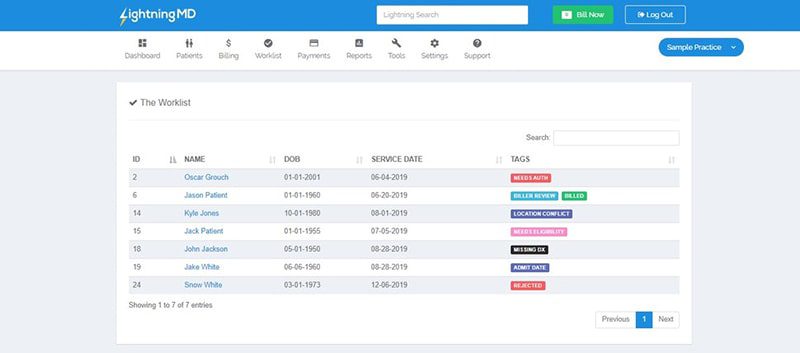
The software can pick out claims that are never likely to resolve are funneled into a work list, allowing problem claims to be quickly located, fixed, and re-worked properly without them getting lost.

Color-Coded Accounts Receivable Tracking

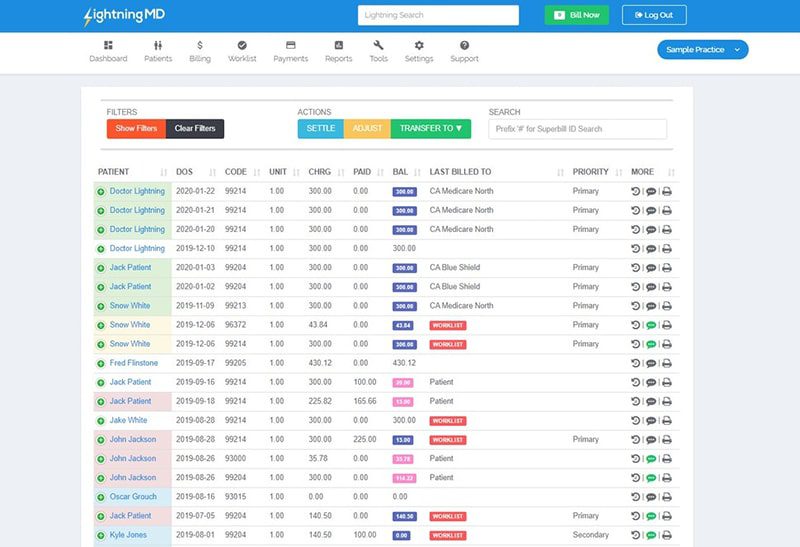
All unpaid balances are sorted by color code and patient statements. The statements are coded with the same color codes to indicate which accounts have fallen behind.

Telehealth & Patient Engagement

Lightning MD provides the complete telehealth experience with secured video visits where providers can access patient information. All the information is from a virtual waiting room, automated appointment texts, and more with secured messaging.

Compliance & Reporting Tools

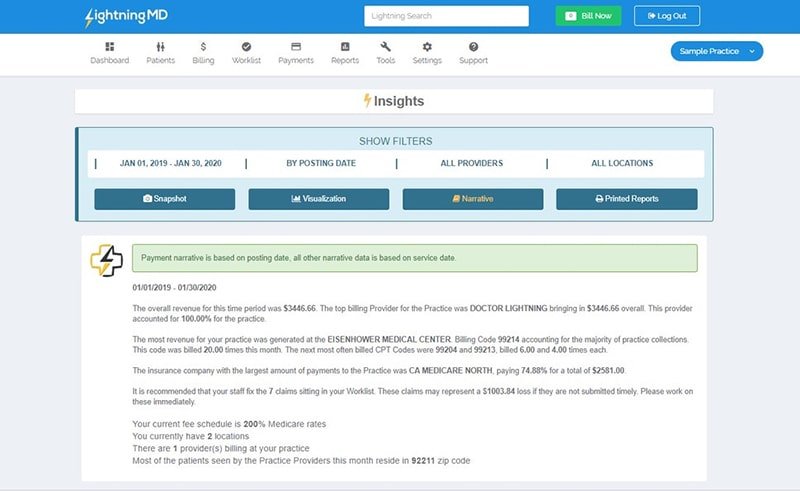
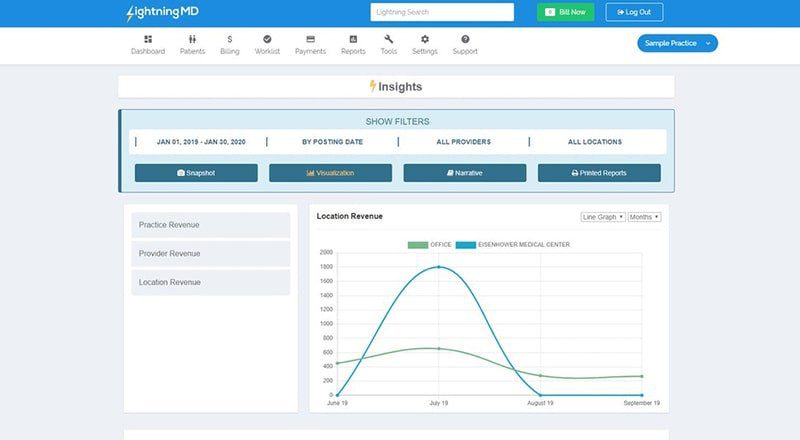
Compliance capabilities are also integrated into the software to help guarantee that it complies with regulatory rules, such as HIPAA and ICD-10. There are great reporting and analytics features that supply practices with insights into how their billing operates and how it can be improved.

What Is Lightning MD EMR Software?

Lightning MD is an EMR software that optimizes the billing process to better facilitate healthcare providers. It helps cut down on administrative burdens, boost efficiency, and boost revenue. They don’t use a standard template but are configured to their specialty, which allows each provider to have the same billing system, with some flexibility to get the most suitable for their requirements.

Who Can Use Lightning MD?

Lightning MD is built to flex across a wide range of billing and practice sizes. It’s commonly used by:

  • Solo & Small Medical Practices
  • Large Multi-Provider
  • Practices Hospital Departments
  • In-House Billing Teams
  • Outsourced Medical Billing
  • Companies Practice Administrators
  • Revenue Cycle & Claims Staff
  • Front-Desk & Scheduling Coordinators

Lightning MD Software Integrations

Lightning MD seamlessly integrates with electronic health records (EHR) and practice management systems. Streamlining workloads and minimizes discrepancies caused by manually entering information into multiple platforms.

Ease of Setup and Support

Lightning MD is a secure and cloud-based medical billing software. It is easy to learn and requires minimal training. Most users able to set up a practice and start using the software within about an hour. Support is available through help-section videos, with the team following up directly to walk users through anything they need, and reviewers frequently note that the staff is responsive to feature requests and regularly rolls out updates based on user feedback.

How Much Does Lightning MD Cost?

Lightning MD pricing begins at $49 USD per month, per provider. It is best for users looking to evaluate the system first before committing to purchasing it. If interested users wish to get a detailed subscription plan suited for their individual practices, they can simply inquire with the vendor and ask for a customized mapping analysis of the plan.

If you want to explore more options regarding the top EHR and EMR software, we are here to help.

Medical Billing & Claims Management Included
Custom Superbill Creation (No Templates) Included
Payment Tracking & Processing Included
Appointment Scheduling Included
Telehealth / Virtual Visits Included
Automated Appointment Reminders Included
Compliance Tools (HIPAA, ICD-10) Included
Reporting & Analytics Included
EHR & Practice Management Integration Included
Free Trial Available Included
Built-in Full EHR/Charting System Not included
Solo & Small Practices Included
Large Practices & Hospital Departments Included
In-House & Outsourced Billing Companies Included

Pros

5
  • Low cost for entering into the service.
  • No pre-designed superbills for use with a particular category of job.
  • Overdue claims are easily identified below with colored AR tracking.
  • Inbuilt TeleHealth and patient engagement features.
  • Fast setup, generally available within minutes, days, or even hours.

Cons

4
  • The interface of the Ledger eTooling is somewhat confusing for some.
  • Several tabs may open in various parts, causing it to be difficult to navigate.
  • The robotic solution does not have its own screen for claim review and approval before submission.
  • After using the system for several months, some full revenue cycle questions may arise.

Frequently Asked Questions

It is a medical billing and medical practice management system, more than a full part of clinical charting, and integrates with medical EHR and medical practice management systems.

Yes, you’ll have a secure video session, virtual waiting rooms, and automated reminders for a virtual visit.

Yes, it has built-in compliance tools to help achieve HIPAA and ICD-10 compliance.

It’s priced from $49 per month per provider; a free trial is available; and custom pricing plans are available upon request.

It is used by solo practices, large multi-provider practices, hospital departments, and in-house medical billing firms.