Therapy practices usually manage patient intake, treatment documentation, insurance authorization, and billing through different systems. This forces the front desk, clinicians, and biller to all re-enter data again, creating duplicate entries of information and increasing the chances of missing information.
InTouch EMR connects these workflows. Clinical staff enter patient records, check insurance eligibility, and authorize demographic visits.
Clinicians can document treatment through configurable templates. Once a note is finalized, claim information can move into the connected billing environment for review and submission. This makes the platform relevant to practices comparing physical therapy EHR Software for outpatient rehabilitation, documentation, and revenue cycle needs.
InTouch EMR Pricing and Plan Details
Current InTouch EMR pricing starts at $5 per day for each licensed provider. The company promotes a month-to-month arrangement without a long-term EMR contract.
The core package includes:
- Patient scheduling
- Clinical documentation
- Custom template creation
- Electronic faxing
- Authorization countdown alerts
- Patient portal access
- Practice analytics
- Internal staff communication
- Billing software integration
- Document uploads
- Ongoing customer support
- Software updates
Some connected services can involve additional charges. These can include advanced home exercise program options, specific appointment reminder configurations, or separate billing services. Practices should request a written quote covering provider licenses, support staff access, clearinghouse services, implementation, data migration, and optional tools.
Want to organize your clinic operations? Get your demo with the Codatis team today!
Target Audience
InTouch EMR is primarily suited to outpatient rehabilitation and private healthcare practices. Its documentation tools and billing workflow make it especially relevant to:
- Independent physical therapy clinics
- Multi-provider PT practices
- Occupational therapy providers
- Speech and language therapy clinics
- Multidisciplinary rehabilitation centers
- Mental and behavioral health professionals
- Practices using internal or outsourced billers
The platform is also suitable for teams that need Cloud-Based EMR Software without maintaining local servers or installing the application on every device.
Larger organizations should confirm whether its reporting, multi-location controls, data exchange options, and administrative permissions meet their operational requirements.
InTouch EMR Integrations
InTouch EMR works closely with its connected billing product and electronic clearinghouse services. This setup supports eligibility verification, electronic claim submission, electronic remittance advice, payment posting, patient statements, and denial follow-up.
The software also connects clinical and administrative functions with:
- Voice, text, and email appointment reminders
- Patient intake processes
- Internal staff messaging
- Home exercise program options
- Reporting and analytics
- Practice marketing tools
How does InTouch EMR software work?
- Staff enter or import patient information, review insurance details, and create the patient chart. Eligibility tools can reduce the need to re-enter demographic information obtained during insurance verification.
- The scheduling system organizes provider calendars and patient appointments. Staff can monitor authorized visits, certification periods, progress-note deadlines, and plan-of-care requirements.
- Clinicians complete evaluations, daily treatment notes, progress notes, and other clinical records through customizable templates. The PT documentation software supports SOAP notes, auto-text, voice recognition, uploaded files, and electronic signatures.
- Templates can include treatment details, clinical findings, goals, outcome measures, and information supporting medical necessity. This helps clinicians create records that connect the services delivered with the selected CPT and ICD-10 codes.
- After the clinician finalizes the note, claim information transfers into the billing workflow. The biller can review codes, modifiers, and claim data before submission.
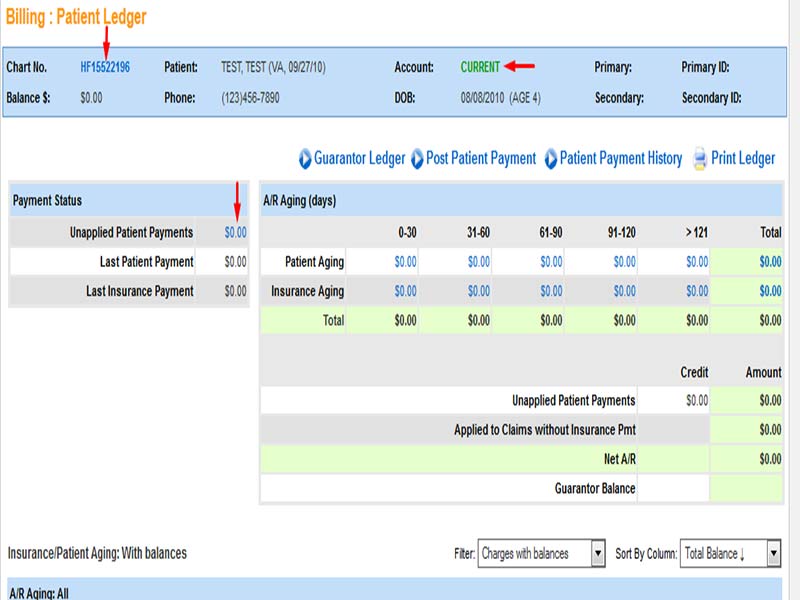
- Administrators can then use financial reports to monitor accounts receivable, payer performance, and cash flow.
Choose Touch EMR Right for Therapy documentation
The platform is likely to fit practices that need customizable PT documentation software, browser access, authorization tracking, and connected claims processing. It is less suitable for buyers that need a large third-party application marketplace without first verifying available connections.
Before deciding, request a current quote and ask for a workflow-based demonstration. Use your own documentation templates, payer requirements, provider count, and billing process to test whether the software meets your clinic’s needs.