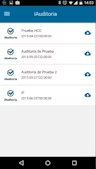
Overview
iAuditor, developed by SafetyCulture, is a leading inspection app that simplifies audits and inspections across industries. iAuditor helps teams coordinate and create visibility around identifying problems and resolving them. It’s being used by companies of every size to drive operational performance and compliance with ease. With iAuditor, your workforce can record inspections on mobile devices, submit reports, and track improvements. Through the integration of both the mobile app and web platform, management maintains complete visibility over processes running in the field to uphold their safety and quality standards. This is why iAuditor is the best option for companies in need of trusted inspection solutions.iAuditor Software Specifications
What is iAuditor?
iAuditor, a product of SafetyCulture, is an inspection and audit tool designed for businesses in industries such as engineering, construction, hospitality, retail, transport and logistics, mining, aviation, and manufacturing. The solution enables organizations to streamline safety audits, compliance checks, and quality inspections efficiently.
Benefits of iAuditor
- Custom checklists and forms created digitally
- Perform inspections using a mobile device (iOS, Android, Windows)
- Record your offline inspections and sync them later
- Export results in various formats: PDF, DOCX, XML, and CSV
- Include pictures, GPS coordinates and digital signatures to ensure accurate reporting
Administrative teams benefit from insights into organizational performance, while mobile teams can conduct inspections without delays. Doing this all automatically and storing reports allow companies to look for trends, spot areas of recurrence that are out of sight, or keep activities compliant.
iAuditor Pricing
iAuditor offers flexible pricing to meet different corporate needs:
- Free Plan: $0/user/mon: Basic inspections and quarterly newsletters
- Premium Plan: $29/user/month: All advanced features and templates
- Enterprise Plan: Custom pricing: For large enterprises with specific requirements
Generally, you can request custom iAuditor pricing that will vary based on the size of your team and what your organization requires.
Who uses iAuditor?
iAuditor serves multiple industries. Typical users include:
- Quality and safety management solutions for small to mid-size businesses
- Firms in construction, manufacturing, hospitality, logistics, mining and retail
- Inspection and audit field teams
The app is particularly useful for companies that require regular reporting, risk management, and compliance monitoring.
iAuditor Integrations
iAuditor works with popular tools, making your job easier:
- Zapier: Automate data and notifications
- Procore: Construction project management integration
- Dropbox: To save reports and forms on the cloud
- Microsoft SharePoint: Centralized document management
iAuditor also has an API, which allows it to integrate with in-house custom systems. That way, your business ecosystem becomes the place where inspection data can easily travel.
How Does iAuditor Work?
iAuditor digitizes inspections and audits. Here’s how that helps your organization:
- Design Templates: Pre-configure or design your own forms for audits, safety checks, and inspections.
- Perform Inspections: Teams inspect from tablets or even a smartphone, offline.
- Collect Data: Capture photos, signatures, GPS locations, and notes.
- Generate Reports: One-click reports in PDF, DOCX, XML, or CSV.
- Analyze the Trends: Analyze the facts to check the errors.
iAuditor standardizes your inspection process and empowers everyone on the team to take action efficiently.
Why Choose iAuditor?
If you’re figuring out which inspection tool is best, then the obvious choice would be iAuditor. It’s particularly suitable for:
- Maintaining safety consistency
- Tracking quality improvements over time
- Digitizing manual inspection workflows
- Real-time, on-the-ground intelligence
Because this mobile-first platform comes with analytics, you can ensure that audits are completed in a timely manner, regardless of whether they are being performed out of office or offline.

iAuditor Features
Mobile accessibility enables inspectors and team members to conduct audits and inspections from their smartphones or tablets. The platform can be accessed on iOS, Android, and any Windows-based devices, so users have easy access to the system.
Mobile accessibility is particularly beneficial for teams operating in multiple locations, since it brings every member of the team into the same system and immediately makes inspection data available to managers and stakeholders.
No technical expertise is required, as editable templates empower organizations to develop customized inspection checklists. The drag-and-drop interface allows for easy template design by simply adding fields, questions, images, or sections as needed.
The teams can select from ready-made templates for common inspection processes and customize them according to the actual operational requirements. For other examples, companies can add safety checkpoints and inspections of the equipment to make sure it complies with the guidelines or steps for quality control.
In the field, teams can fill out checklists, log observations, take photos, and add comments even without internet connectivity. No data is sent outside of the device until it can contact the internet, and everything stays encrypted on-device until then.
When the network is reestablished, inspection data is synchronized with the central platform automatically. Offline capabilities can be especially valuable on remote construction sites, in industrial facilities, and in extensive field operations.
The software automates the structured, professional reports that conform to standards. Automated reporting relieves you from this burden of administration and ensures that your reports are consistent and accurate.
See The Software In Action Watch Free Demo!
Top Recommended Software
Pros and Cons of iAuditor
iAuditor Software Reviews
My software review
Pros
The platform has been a dependable part of our daily operations. It handles core tasks smoothly and keeps everything organized without adding complexity.
Cons
Limited advanced customization options.
An excellent System
Pros
The software offers a good mix of features that support our workflow and improve efficiency. It covers most of our needs, though there are occasional areas where improvements could enhance usability. Still, it delivers solid value for the price.
Cons
Occasional lag in updates or syncing.
Frequently Asked Questions
Support is offered via phone, email, and chat, along with guides and tutorials, a knowledge base, and a self-help resource center.
It is used by small to enterprise businesses across construction, manufacturing, logistics, hospitality, and retail.
iAuditor offers a free and $29/user/month premium with custom enterprise pricing. You can ask for a customized iAuditor price.
iAuditor has built-in Zapier, Procore, Dropbox, and Microsoft SharePoint integration and API access available for trusted partners to develop their own integrations.
You can easily connect your inspection data with other business solutions using the API.