Smart Scheduling Tools
With the scheduling module, you get to sync provider calendars through efficient management of recurring visits and appointments within practices.


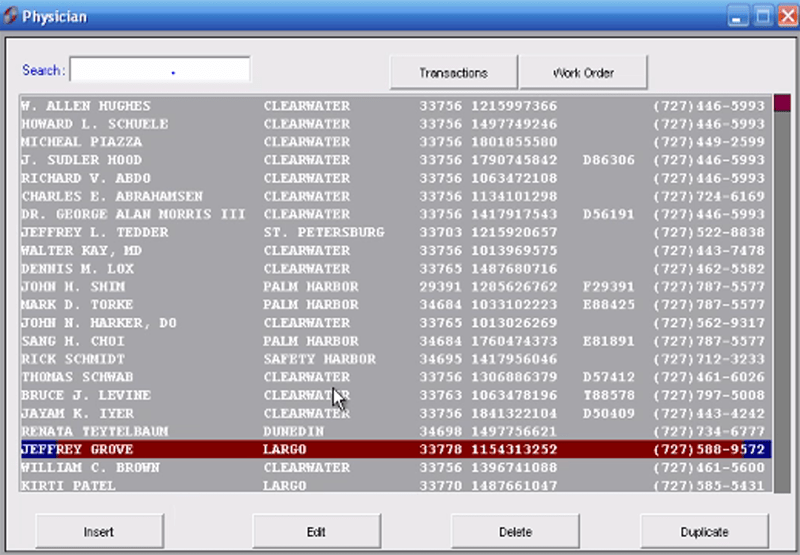
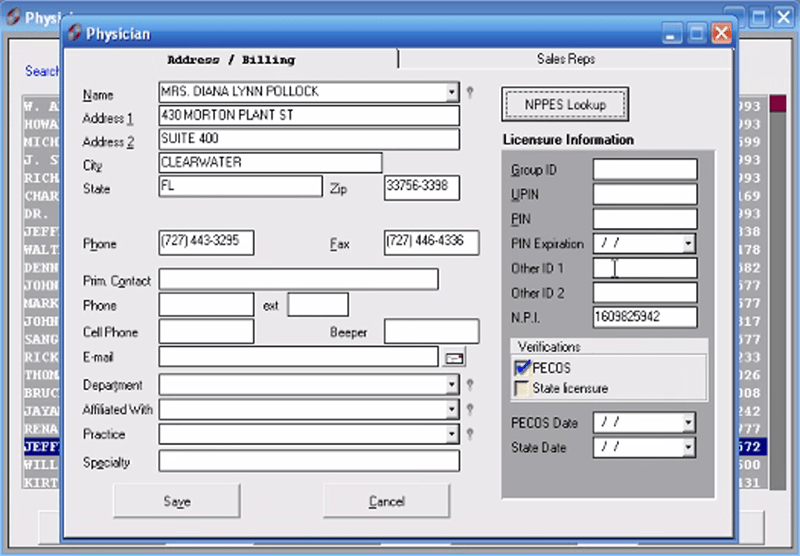
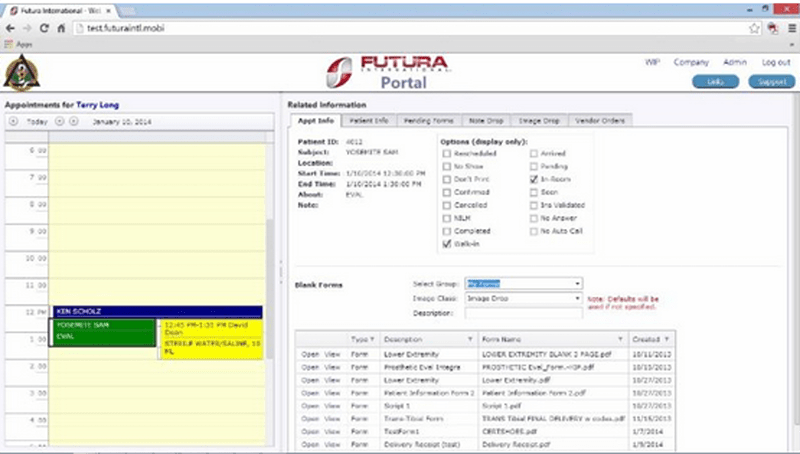
Explore what Futura Practice Management Software offers — from day-to-day workflows to advanced capabilities.
With the scheduling module, you get to sync provider calendars through efficient management of recurring visits and appointments within practices.
Claims scrubbing, as well as tracking of payment and financial information, along with payer-specific edits, are some benefits the platform extends to make billing workflows smoother.
Custom reporting tools allow clinics to analyze operational efficiency and financial activity.
By digitizing patient data, this helps the healthcare system to access strong records and streamline healthcare workflows.
Futura Practice Management software is an innovative medical EHR software and practice management solution for sophisticated administrative and clinical operations in healthcare organizations. The software offers a single interface for handling appointments, patient records, billing, scheduling, and reporting.
It offers features typically associated with EHR software, such as tracking of patient information, workflow management, scheduling templates, and financial reporting.
An EHR helps in capturing patient information electronically and enables rapid and secure access to medical records. With the help of modern EHR systems, it enables easy communication, reduces paperwork, and solves day-to-day functionalities for practice management.
Futura Practice Management pricing begins with a single payment of $6500. It typically offers pricing based on the practice size, implementation requirements, additional modules/plug-ins/subscriptions that you may need, and customization.
Healthcare providers may reach out directly to the vendor requesting the following:
Futura Practice Management software integrates with QuickBooks to provide the following:
It has integration capabilities, as is common in the modern EHR/EMR software systems, helping clinics to connect scheduling, billing, and reporting processes together.
By minimizing redundancy and enhancing operational efficiency, practices often look for flexible integration or scalable EHR management software.
Staff have the ability to manage appointments for various providers and office locations across the platform. Users can:
This enhances appointment planning and mitigates scheduling overlaps.
Futura Practice Management software proves to be the most suitable choice for healthcare organizations searching for a trusted EHR tool, scheduling automation, and billing management, as it integrates administrative and financial features into a single solution.
Choose Futura Practice Management software if you need
Futura Practice Management is also a great alternative for medical practices hoping to find reliable EHR systems and workflow automation tools, as it allows users to request a demo before implementation so practitioners can see the mechanics of how the platform operates.
The platform has been a dependable part of our daily operations. It handles core tasks smoothly and keeps everything organized without adding complexity.
Limited advanced customization options.
The software offers a good mix of features that support our workflow and improve efficiency. It covers most of our needs, though there are occasional areas where improvements could enhance usability. Still, it delivers solid value for the price.
Occasional lag in updates or syncing.
Futura Practice Management software solutions offer all tools in a single interface to manage scheduling, billing, reporting, claims processing, and patient workflows.
The platform offers a medical billing system, claims scrubbing tools, reimbursement management, and revenue cycle reporting.
According to publicly available information, Futura Practice Management pricing starts at approximately $6500 as a one-time payment. Pricing may vary depending on practice size, customization requirements, and additional modules.
The software offers support through phone assistance, online portals, tutorials, and training resources. Some sources also mention customer support and onboarding guidance for new users.
Tell us a little about how your practice runs, and a specialist will come back with concrete numbers, a quick read on whether Futura Practice Management Software genuinely fits, and a couple of closely-matched options worth weighing up. Straight answers, no sales pressure.
Takes under a minute — we never share your details.
By providing your phone number to Codatis, you consent to receive SMS communications related to your inquiries, service updates, and direct communication with your assigned representative.
Message and data rates may apply in accordance with your mobile service provider.
Codatis does not send unsolicited promotional messages. For more information, please refer to our Privacy Policy below or visit the link provided.
Codatis respects your privacy. No mobile information will be shared with third parties or affiliates for marketing or promotional purposes.
Text messaging opt-in data, consent, and related information will not be shared with any third parties under any circumstances.