Overview

eSchedule is a cloud-based  software that makes employee scheduling easier. It uses smart automation to plan shifts and manage attendance. E-schedule offers shift suggestions, keeps a record of attendance and leave, and updates the team. It provides flexible and economical plans. Some users say bulk shift updates can be risky, but the system is easy to adjust.The tools help you plan faster.

Specifications of eSchedule

Employee Data Management
Hiring and Applicant Tracking
Performance Tracking
Time and Attendance Monitoring

What is eSchedule app Best For?

eSchedual’s Shift Guidance feature helps businesses optimize staffing based on past demand and ensure you’re always properly staffed. It also sends real-time schedule updates to keep both managers and employees in the loop about any changes.

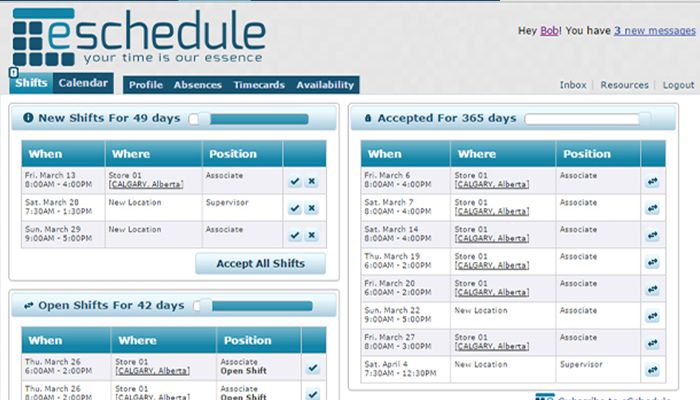
The software is designed to be easy to use. Employees can interact with schedules, swap shifts, or request time off. Managers have full visibility and control, even when demand unexpectedly shifts.

eSchedule Pricing

eSchedule software offers flexible pricing for businesses of all types. You can try it free for 15 days, no credit card needed. There are four pricing tiers based on your employee count:

  • $20/month (annual) or $25/month (monthly) for up to 15 employees
  • $35/month (annual) or $40/month (monthly) for 16-30 employees
  • $55/month (annual) or $65/month (monthly) for 31-60 employees
  • $80/month (annual) or $95/month (monthly) for 61-100 employees

For more than 100 employees, contact the sales team for a custom quote.

(Note: Pricing may change.)

eSchedule Integrations

The company has not shared details on integrations.

How Does the eSchedule System Work?

To get started with eSchedule:

  1. Log in using your account credentials.
  2. Go to the ‘Schedules’ page to view or create schedules.
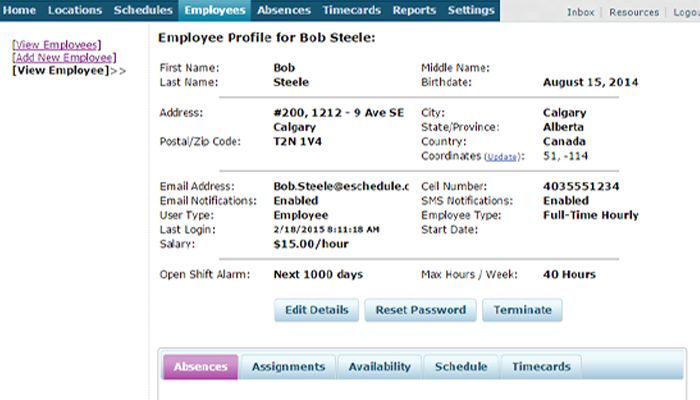
  3. Under the ‘Employees’ tab, check that all your staff members are listed with their availability, roles, and contact info.
  4. In the ‘Locations’ tab, make sure all your locations are established correctly.
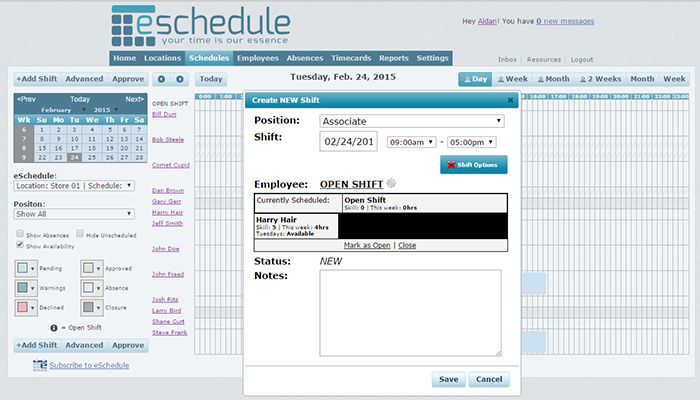
  5. Check out the ‘Schedule Wizard’ to create your schedule template by picking dates, adding shifts, and assigning employees.
  6.  Publish and share the schedule to enable employees to access it on their phones or print a copy.
  7. Employees receive notifications about any updates via mobile or email.

You can also schedule a free demo to learn about the features in more detail.

Who Is eSchedule platform For?

eSchedule is useful for businesses of all types, in industries like:

  • Retail
  • Healthcare
  • Food and beverages

Is eSchedule Right For You?

If you need a reliable way to handle scheduling, eSchedule might be a good fit. It’s trusted by large companies in retail and healthcare, with security features like SOC 2 Type II compliance and bank-level encryption to protect employee and customer data. eSchedule has been acknowledged by CIO Review as one of the top 20 HRTech solutions. Fortune 500 companies use it for its flexible workflows.

Still unsure? Contact our customer support team and we’ll help you figure out if eSchedule is the right choice.


eSchedule Features

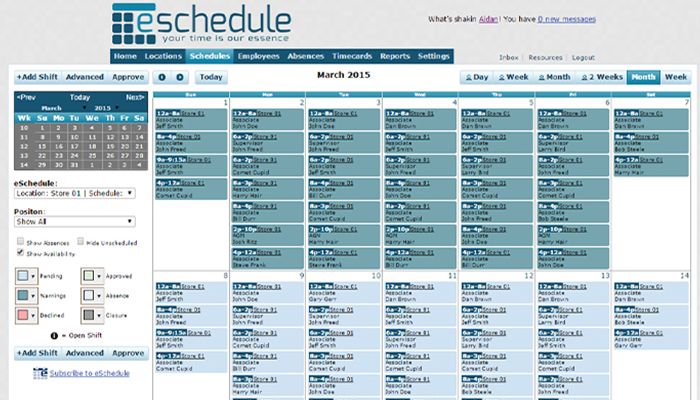
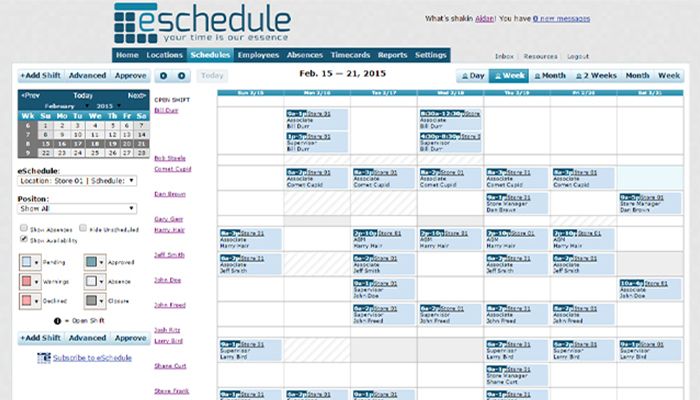
Creating staff rosters shouldn’t feel like a puzzle. With eSchedule, you build schedules around your team’s real availability and shift requirements. A built-in wizard walks you through each step choose dates, assign roles, and set rules. The software then prepares a draft calendar you can refine before posting. You’ll spend less time adjusting spreadsheets and more time focusing on your team.

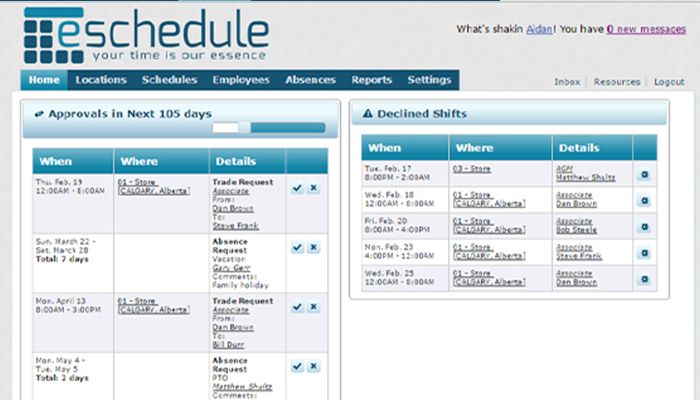
Everyone needs a break sometimes, but tracking who’s off when often turns messy. Here, employees send their requests through the app. You approve, reject, or comment in seconds. Notifications go out right away, so people know where things stand. This keeps your calendar clean and prevents scheduling surprises.

Shift swaps and last-minute openings happen all the time. eSchedule gives you tools to handle both smoothly. Managers can offer open spots to available staff, and workers can trade among themselves within specific rules. Every change is logged, keeping staffing levels balanced and transparent. You stay in control without micromanaging.

When you want data, you shouldn’t wait for someone else to pull it. eSchedule lets you generate your own reports on attendance trends, wage expenses, and staffing efficiency. The dashboard updates instantly, so you can track performance or budget shifts in real time. It turns scheduling data into something useful for planning and decision-making.

Paper timesheets disappear. Manual entries cause errors. The eSchedule solution fixes both. Employees log in and out from their phones, and the system records hours, breaks, and overtime automatically. Managers get reliable numbers for payroll without extra steps. It’s a cleaner, faster way to handle time tracking.

See The Software In Action Watch Free Demo!

    eSchedule Reviews

    Overall Rating

    4.1

    0 Review(s)

    Rating Distribution

    5

    (0)

    4

    (0)

    3

    (0)

    2

    (0)

    1

    (0)

    Share your experience

    No reviews found

    Frequently Asked Questions (FAQs)

    No, it does not offer an API.

    It supports the English language.

    Yes, it supports mobile devices.

    The software is used by businesses of all types across industries like food and beverage, retail, and healthcare.

    eSchedule offers support through phone, email, help desk, chat, and FAQs.