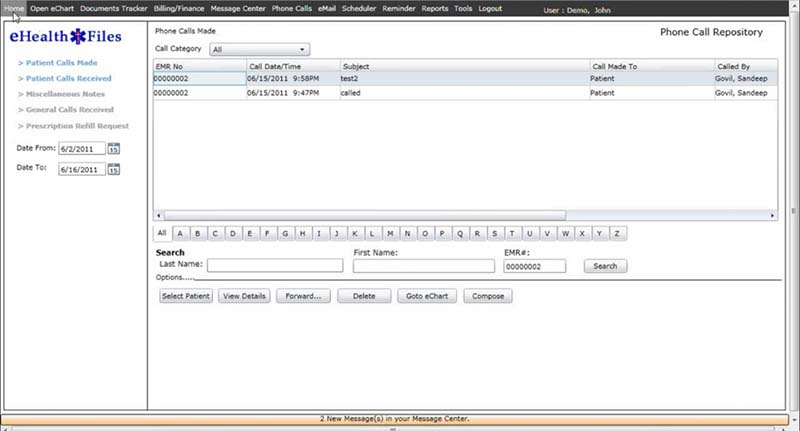
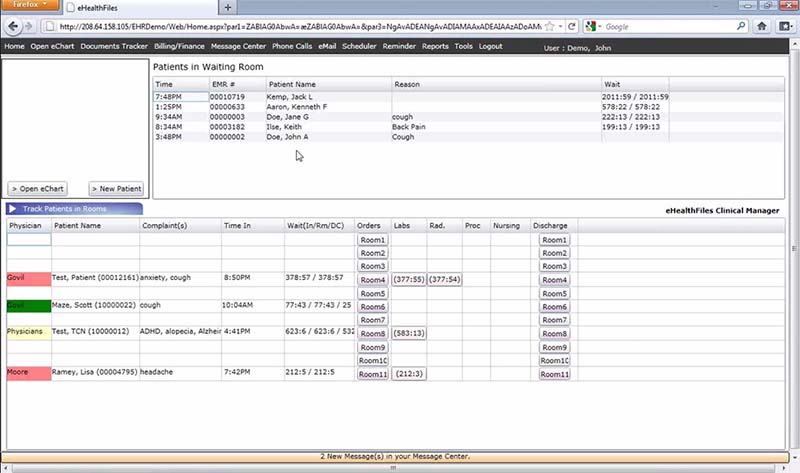
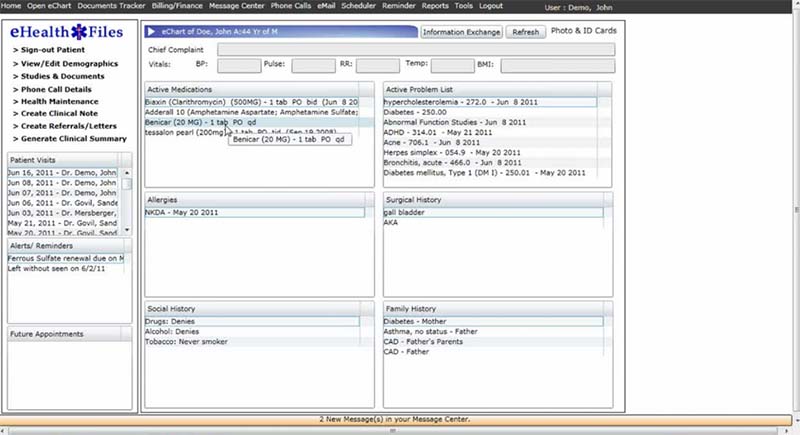
eHealthFiles EHR software is a cloud-based electronic health record system that helps you store, update, and manage patient health information in digital form. In simple words, EHR meaning refers to a digital health record that includes patient history, diagnoses, allergies, medications, clinical notes, treatment details, and care activities.
This software for EHR use supports both clinical and administrative work. Your team can document visits, manage prescriptions, review medication risks, schedule appointments, track referrals, create reports, and support billing from the same system.
eHealthFiles EHR Pricing
eHealthFiles EHR pricing is not listed publicly on major software listing pages. Public directories ask users to request pricing or get a quote instead of showing fixed plans.
Before you choose eHealthFiles EHR software, ask the vendor about monthly cost, setup fees, user limits, training, data migration, support, contract length, billing tools, and the practice management module. You should also confirm whether online training is still free and whether the module remains free for your package.
Who uses eHealthFiles EHR?
eHealthFiles EHR software is made for healthcare providers across different specialties. Public listings mention medical offices, residency training programs, multi-specialty users, and the U.S. Department of Defense.
This EHR software is suitable for practices that need clinical documentation, e-prescribing, patient records, appointment scheduling, patient portal access, tracking tools, coding support, and claims support.
eHealthFiles EHR Integrations
eHealthFiles EHR software integrates with its practice management module. This module supports superbills and claim generation using information entered in the EHR. Public listings also mention lab integration as part of the product specifications.
The available public information does not confirm a wide list of third-party integrations. Before buying this EMR/EHR software, ask the vendor about lab systems, billing systems, clearinghouses, pharmacies, patient communication tools, reporting exports, and data migration.
How Does eHealthFiles EHR Software Work?
eHealthFiles EHR software works by keeping patient records, clinical documentation, prescriptions, scheduling, reporting, and billing-related data inside one cloud-based system.
Your team starts by entering patient demographics, medical history, allergies, and other basic information. During the visit, providers can document care through clinical notes, nursing documentation, physician documentation, customizable templates, and the clinical manager.
The system then supports e-prescribing, allergy alerts, drug interaction checks, and health maintenance tracking. After the visit, the practice can use E/M coding, charge capture, Medicare code necessity checks, superbills, and claim generation through the practice management module.
Patients can also use the patient portal to schedule appointments, request medication refills, and view their medical information online.
Choose eHealthFiles EHR Software for Cloud-Based Clinical and Billing Support
Choose eHealthFiles EHR software if your practice needs cloud-based medical EHR software with clinical documentation, e-prescribing, patient portal access, scheduling, tracking, and billing support.
Use it if you want customizable templates, patient tracking, referrals tracking, studies tracking, document management, clinical analysis reporting, and discharge documentation.
Use it if your team needs EHR software that connects clinical notes with charge capture, E/M coding, medical necessity checks, superbills, and claims.