Patient Access and Communication
This patient portal allows you to share records securely. It streamlines documentation and enhances interaction with your patients.



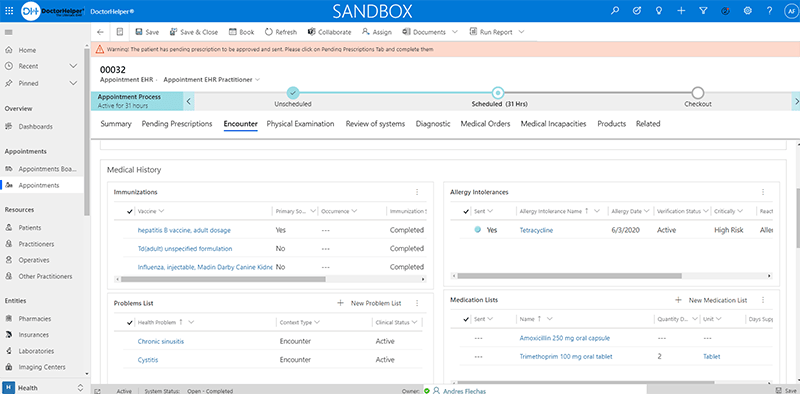
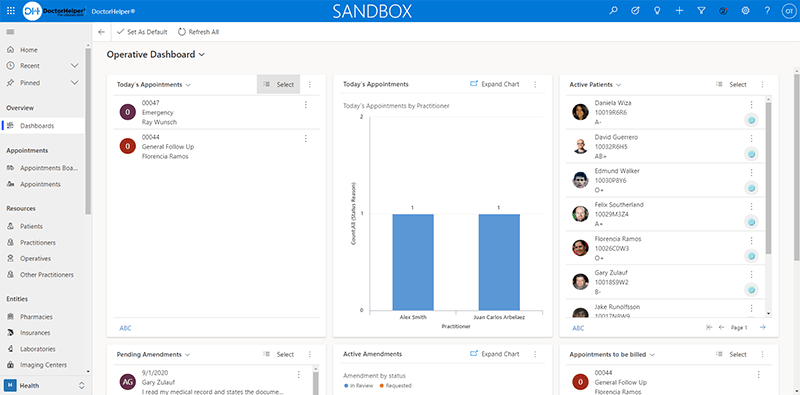
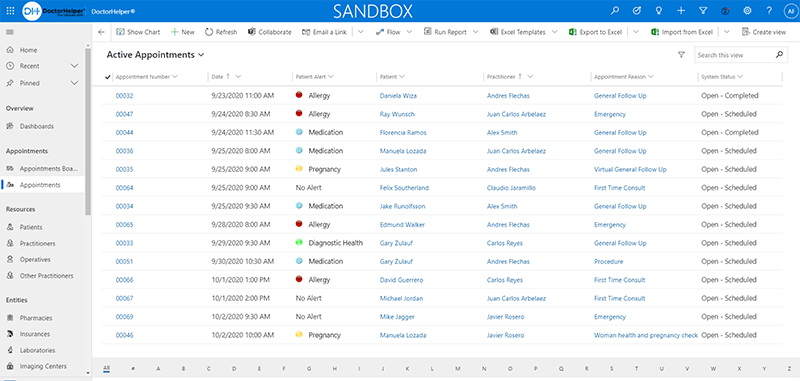
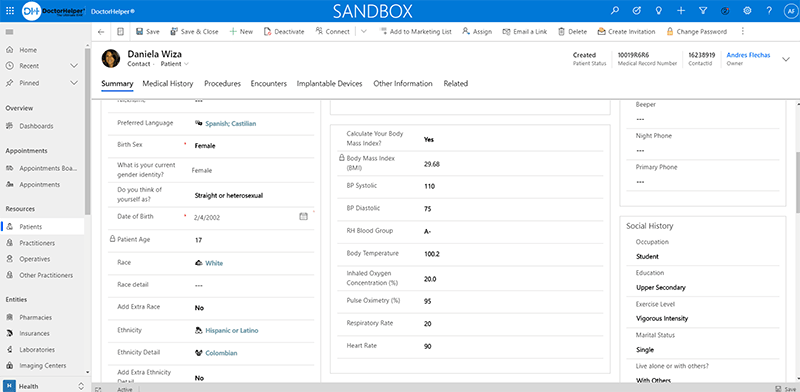
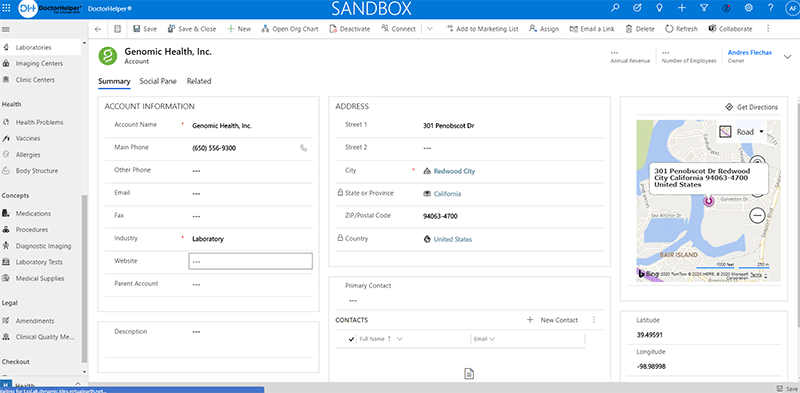
Explore what DoctorHelper EHR offers — from day-to-day workflows to advanced capabilities.
This patient portal allows you to share records securely. It streamlines documentation and enhances interaction with your patients.
The billing module consists of Superbill features and customizable insurance profiles. It allows you to manage claims and record payments easily.
Telehealth allows remote consultations. Because patients can communicate with you without the need to visit in person, this improves access and reduces delays.
The system checks insurance, computes co-payments, and assists in coding. This helps in keeping the financial performance steady.
Track medical supplies, expiration dates, and stock levels. Avoiding shortages and efficiently managing resources thanks to alerts.
DoctorHelper is an all-in-one EHR/EMR software designed with the capability of managing patient data and clinical workflows as well as financial processes.
You can store and access:
DoctorHelper EHR Pricing: Starting at $149. Your price depends on your specialty and the size of your practice.
You can see full plans by asking for a DoctorHelper EHR demo or contacting the vendor directly. It allows you to see how the system works with your workflow before you dive in.
DoctorHelper is used by
Available as an all-in-one solution, this system is used in a variety of healthcare settings if you require less customization on the software for EHR.
DoctorHelper connects with Microsoft tools to extend the functionalities:
These integrations assist you in minimizing manual work and effectively managing communication.
Use the DoctorHelper EHR login page
Choose this solution if you want the following:
The platform has been a dependable part of our daily operations. It handles core tasks smoothly and keeps everything organized without adding complexity.
Limited advanced customization options.
The software offers a good mix of features that support our workflow and improve efficiency. It covers most of our needs, though there are occasional areas where improvements could enhance usability. Still, it delivers solid value for the price.
Occasional lag in updates or syncing.
You can use it for managing patient records, billing, scheduling, and communication.
Yes. It provides deployment based on cloud and premises according to your requirements.
Using your credentials, you are able to log into the platform through the DoctorHelper EHR login.
Request a demo to explore features and workflows on DoctorHelper EHR.
Tell us a little about how your practice runs, and a specialist will come back with concrete numbers, a quick read on whether DoctorHelper EHR genuinely fits, and a couple of closely-matched options worth weighing up. Straight answers, no sales pressure.
Takes under a minute — we never share your details.
By providing your phone number to Codatis, you consent to receive SMS communications related to your inquiries, service updates, and direct communication with your assigned representative.
Message and data rates may apply in accordance with your mobile service provider.
Codatis does not send unsolicited promotional messages. For more information, please refer to our Privacy Policy below or visit the link provided.
Codatis respects your privacy. No mobile information will be shared with third parties or affiliates for marketing or promotional purposes.
Text messaging opt-in data, consent, and related information will not be shared with any third parties under any circumstances.