Smart Call Module
After a join me.CS Dental, these modules assist in the recognition of the caller just from the call, providing all the necessary data to the practitioners for greater client satisfaction rates.


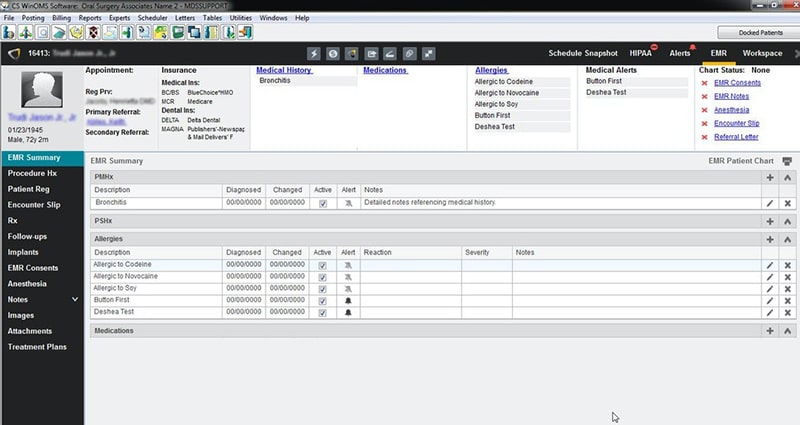
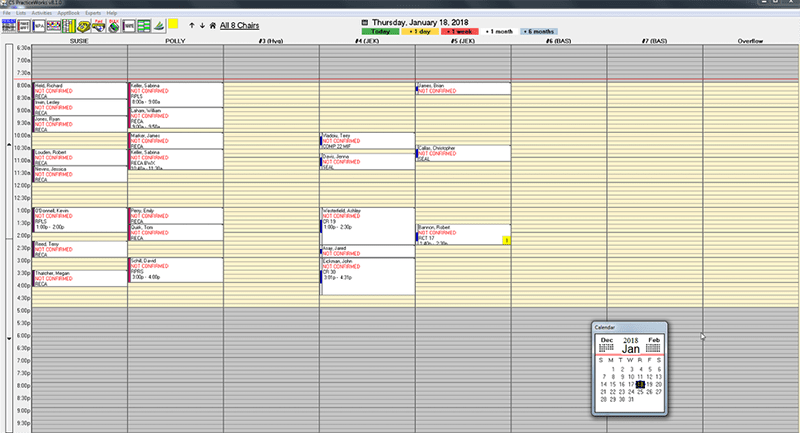
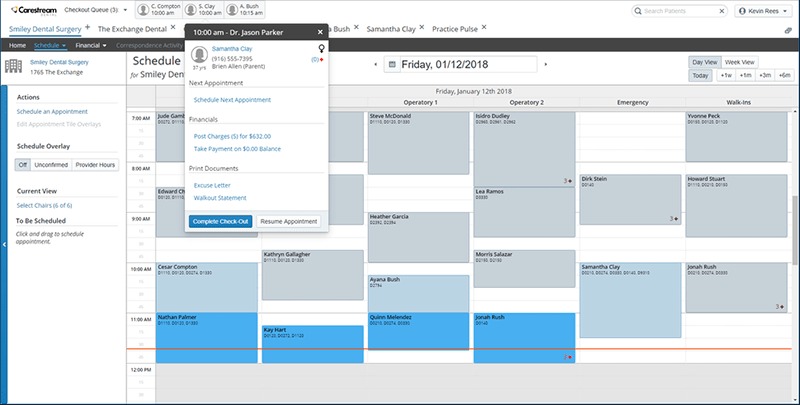
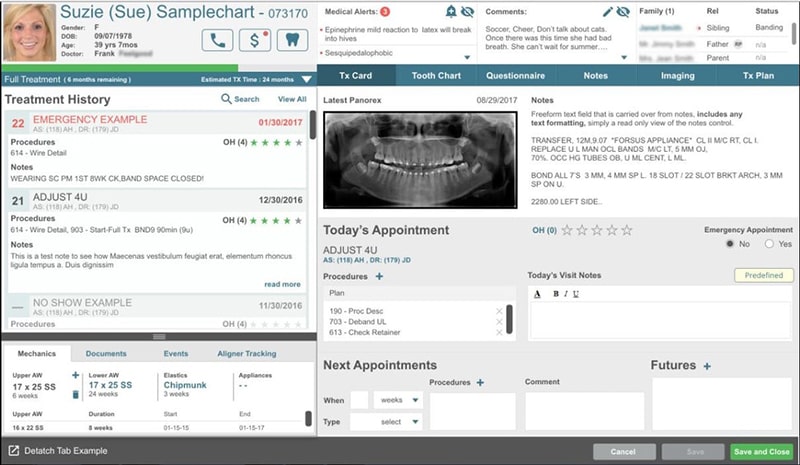
Explore what Carestream Dental offers — from day-to-day workflows to advanced capabilities.
After a join me.CS Dental, these modules assist in the recognition of the caller just from the call, providing all the necessary data to the practitioners for greater client satisfaction rates.
After a Carestream login, dentists can visualise their schedules and available slots through intuitive dashboards. With these boards, gaps can be recognized and filled, the search gets simplified, tasks can be allocated, upcoming sessions can be viewed, and much more.
This feature provides all the imaging data to a unified screen for quick visualization, updates, comparisons, etc.
Caries detector integration allows sensors to identify dental caries without missing any. These assist in better diagnosis and patient care.
After your CS imaging installation, these scanners can be linked and used for result compilation, then visualization with precision and acceleration.
CarStream is a unified and intuitive dental imaging tool that streamlines your practice management like a professional. This system encompasses everything that is needed in the modernized dental care sector, tolerating no compromise on care quality, such as 3D imaging, Intraoral cameras, finished FDA inspections, advanced automations, and precise diagnosis.
Carestream Dental software integrates with these Intraoral scanners and certain third-party apps:
Schedule a free Carestream demo for more details.
After a join me CS Dental login, dentists can benefit from robust imaging integration, equipment, and smart UI. This system automates payment management, reminders, CBCT systems, claims management, line-item monitoring, data access, etc. Task management and allocation can also be streamlined with the use of this tool. Practices can simply add accuracy, centralization, prioritized workflows, and unhindered coordination to their operations and overall processes.
This system can be leveraged by:
Carestream pricing is not yet provided on the official website by the vendors, but you can dial the Carestream dental support phone number for accurate estimates. You can also connect with us for a tailored quote.
Add your credentials for a Carestream Dental login and follow these steps for further utilization:
Schedule a free demo for an in-depth understanding/
You can choose this system based on these offerings:
Feel free to connect with us to clear any doubts. You can also watch a free demo and read unbiased Carestream reviews.
The platform has been a dependable part of our daily operations. It handles core tasks smoothly and keeps everything organized without adding complexity.
Limited advanced customization options.
The software offers a good mix of features that support our workflow and improve efficiency. It covers most of our needs, though there are occasional areas where improvements could enhance usability. Still, it delivers solid value for the price.
Occasional lag in updates or syncing.
Certainly not, the Carestream software does not have a free plan available.
Yes, Carestream Dental Software is cloud-based, along with the Sensei Cloud system.
English is the language that Dental Carestream supports.
Carestream Dental support allows buyers to get answers through the online virtual AI agent, FAQs, form submission, resource library, phone, and email. You can also get details about the Carestream pricing.
The Carestream practice management module called Sensei Cloud provides remote access. Users can access the functionalities of this software platform through a single Carestream login.
Yes, the Carestream Dental API is available.
According to Carestream Dental reviews, the CS Sensei Cloud software supports iOS and Android handheld devices, with a requirement for a Carestream Dental login to access the dashboard.
Yes, there is a Carestream free trial option upon request, and you can also request a free demo.
Indeed, the apps this tool integrates with are IO scanners, SoftDent, WinOMS, 3DISC, iTero, OrthoTrac, MEDIT, PracticeWorks, DEXIS, and SoftDent.
Tell us a little about how your practice runs, and a specialist will come back with concrete numbers, a quick read on whether Carestream Dental genuinely fits, and a couple of closely-matched options worth weighing up. Straight answers, no sales pressure.
Takes under a minute — we never share your details.
By providing your phone number to Codatis, you consent to receive SMS communications related to your inquiries, service updates, and direct communication with your assigned representative.
Message and data rates may apply in accordance with your mobile service provider.
Codatis does not send unsolicited promotional messages. For more information, please refer to our Privacy Policy below or visit the link provided.
Codatis respects your privacy. No mobile information will be shared with third parties or affiliates for marketing or promotional purposes.
Text messaging opt-in data, consent, and related information will not be shared with any third parties under any circumstances.