Caregiver Desktop Software Features

Explore what CaregiverDesktop EHR offers — from day-to-day workflows to advanced capabilities.

5 features

Visit Documentation and Digital Charting

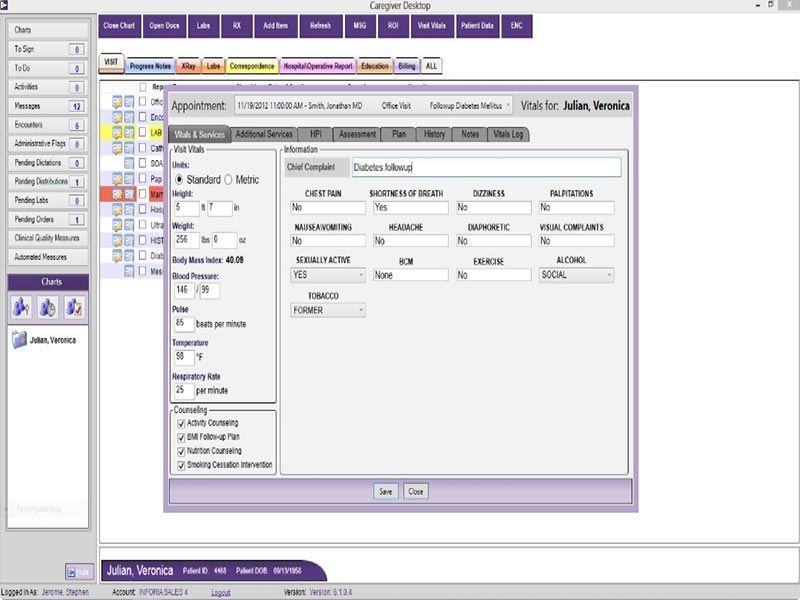
With CaregiverDesktop, providers document patient encounters digitally with customizable forms and structured charting tools. The type of data you are usually trained on includes patient histories, allowing physicians to document diagnoses, medicines prescribed, treatment plans, and progress notes.

Billing and CPT Code Management

The billing feature facilitates claims processing and CPT code entry directly from the platform. This permits users to streamline billing workflows while decreasing reliance on external systems.

Several CaregiverDesktop reviews also point out that this is very easy to do and will assist the staff with their administrative tasks when inputting CPT codes.

Script Writing and Lab Ordering

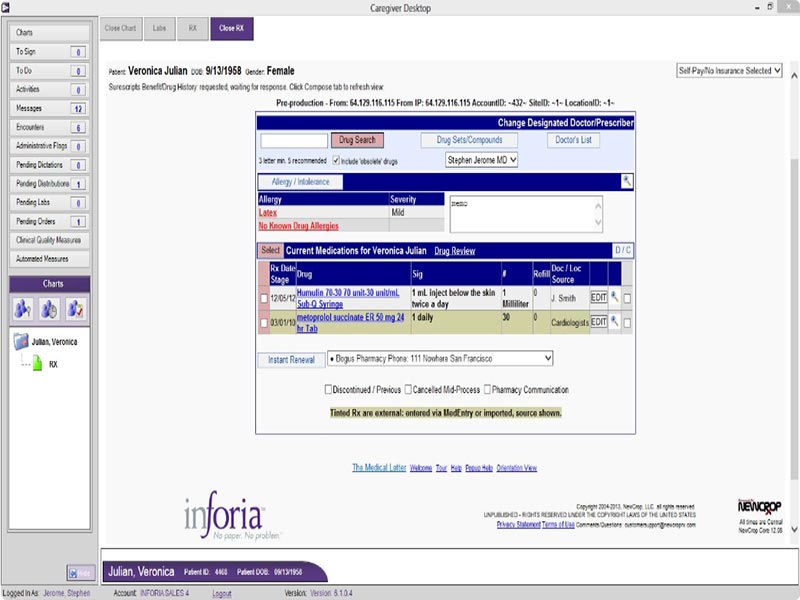
Through the software interface, providers have the capability of managing prescriptions and lab ordering. These tools support more rapid clinical workflows by minimizing the need to toggle between different systems during patient visits.

Integrated medication search features also assist providers in consulting prescription data while documenting.

Secure Communication Tools

CaregiverDesktop includes secure internal messaging facilities that allow direct communication between staff and providers. You can even use the patient engagement module to securely message patients and share educational resources.

Workflow Automation and Task Prioritization

The software has features that help practices prioritize tasks, reminders, preauthorizations, and operational workloads. This means that staff can track admin duties from a single interface rather than relying on paper-based/various manual systems.

What is CaregiverDesktop EHR?

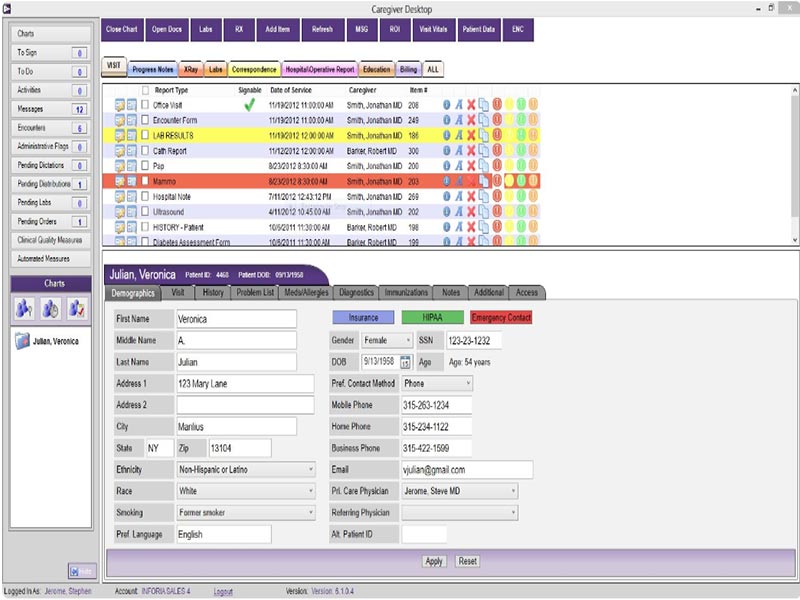
CaregiverDesktop EHR is an all-in-one integrated EHR platform that provides business features for electronic patient records, scheduling, billing, prescriptions, and clinical documentation. The software replaces paper charts with centralized electronic records, digitizing patient information.

An EHR system is a digital collection of patient health information that allows providers to access records, medications, diagnoses, treatment plans, and lab results all in one place.

This is made possible in CaregiverDesktop with workflows, customizable forms, and charting that are built right into the system. Internal messaging lets providers communicate, document encounters, and assign diagnosis codes; this gives them access to task management.

CaregiverDesktop supports integration with different practice management systems and hospital interfaces to keep patient information connected across care environments.

Caregiver Desktop Pricing

The pricing of CaregiverDesktop EHR not only provides a basic structure but also determines its cost based on the size and operational needs of a medical practice. Standard subscription costs are not published by the vendor. Pricing is custom; practices must request a quote that considers workflows, the number of providers, and implementation requirements.

Pricing also does not remain publicly available; hence, it would be advisable for the healthcare organizations evaluating the best EHR software solutions to request a CaregiverDesktop demo or live consultation so as to know more about deployment costs, support, and what all comes in a module before buying.

Who uses CaregiverDesktop software?

CaregiverDesktop EHR is designed for small-sized healthcare practices and specialty clinics that require centralized patient documentation and operational management tools. People use the platform mainly for:

  • Behavioral health providers
  • Dermatology clinics
  • Cardiology practices
  • Neurology centers
  • OB/GYN providers
  • Orthopedic practices

CaregiverDesktop has tools that allow documentation and patient management for these tasks.

The interface supports scheduling, patient records, billing, and internal communication for healthcare administrators, physicians, billing teams, nurses, and front-office staff.

CaregiverDesktop Integrations

The vendor has not disclosed a complete list of its third-party integrations. In contrast, CaregiverDesktop relates to existing practice management software and connects with hospital systems for data interchange and operational continuity.

Additional medical billing and scheduling applications are included in the overall package. This structure ensures practices can minimize redundant data entry and better coordinate workflows across departments.

How Does CaregiverDesktop EHR Work?

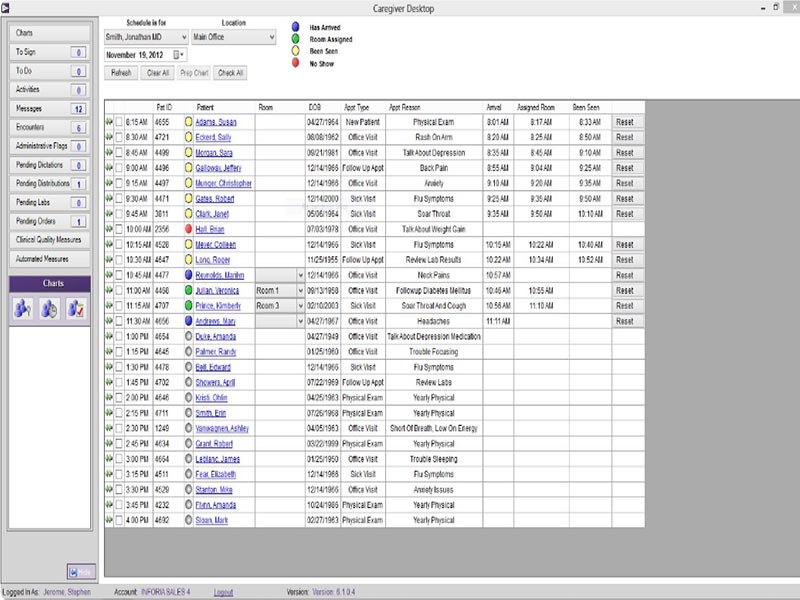
  • Log in to the system; providers can establish or look up patient files with information regarding medical history, medicines, diagnoses, and records of treatment. The dashboard categorizes and centralizes all clinical and administrative tasks into a workspace that helps manage day-to-day healthcare activities.
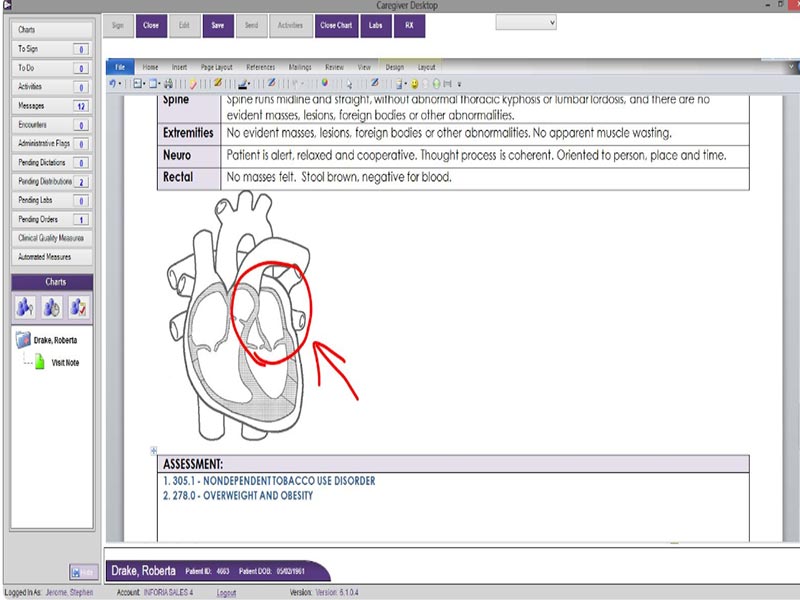
  • Physicians can document charting notes, treatment plans, diagnoses, and progress notes within this electronic medical record-based charting system. Additionally, the software auto-populates digital forms into patient charts and guides providers to specific diagnosis codes as they document clinical care.
  • It also aids in the conversion of processes that are still done on paper records to electronic health documentation systems.
  • The scheduling module aids practices in setting up appointments, provider availability, patient reminders, and workflow activities. Teams can categorize tasks, monitor preauthorizations, and automate day-to-day administrative tasks.
  • In this way, workflow automation minimizes manual coordination and enables practices to oversee daily operations more effortlessly.
  • Caregiver Desktop comes with billing tools that help you manage claims and administrative offices.

Appointment Scheduling Included
e-Prescribing Included
Billing Management Included
Lab Integration Included
Patient Portal Included
Secure Messaging Included
Workflow Automation Included
Digital Forms Included
Internal Messaging Included
ONC-ATCB Certified Included
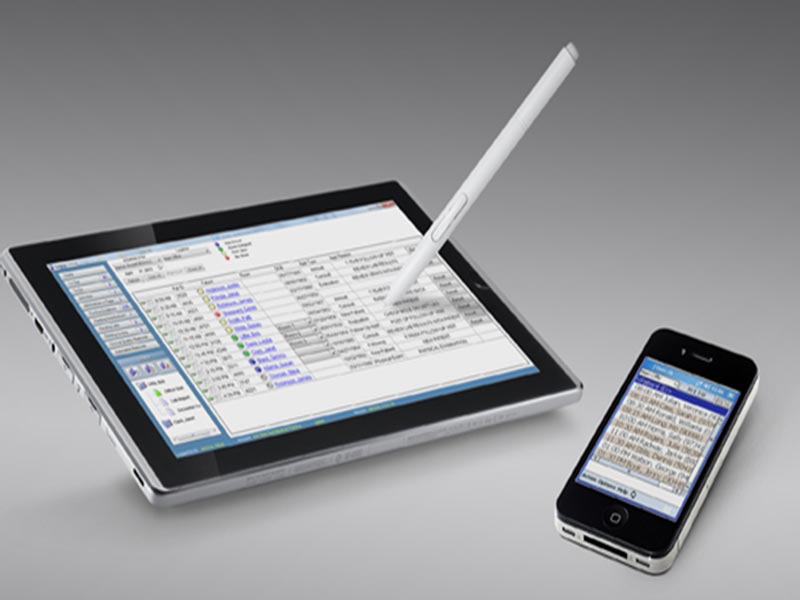
Mobile Access Included
Practice Management Integration Included

Pros

9
  • User-Friendly Interface
  • Digital Forms
  • You can create and customize digital patient forms
  • CPT Code Entry
  • Integrated Workflow Tools
  • A single platform for scheduling, billing, messaging, and charting
  • Cloud-Based Access
  • Paper chart-dependent way of keeping track of records?
  • ONC-ATCB Certified

Cons

2
  • Performance Issues
  • Limited Public Integration Details

CaregiverDesktop EHR Reviews

Overall Rating

4

2 Review(s)

Rating Distribution

5

(0)

4

(2)

3

(0)

2

(0)

1

(0)

Share your experience
John S.

Consulting

Ease of use
8
Value for money
8
Customer Support
7
Functionality
8

My software review

Pros

The platform has been a dependable part of our daily operations. It handles core tasks smoothly and keeps everything organized without adding complexity.

Cons

Limited advanced customization options.

Damian K.

Technology

Ease of use
8
Value for money
9
Customer Support
7
Functionality
8

An excellent System

Pros

The software offers a good mix of features that support our workflow and improve efficiency. It covers most of our needs, though there are occasional areas where improvements could enhance usability. Still, it delivers solid value for the price.

Cons

Occasional lag in updates or syncing.

Frequently Asked Questions

CaregiverDesktop EHR is a cloud-based system for healthcare practices designed to help manage patient records, scheduling patients, billing, and documentation of clinical notes, and placing lab orders while providing secure communication.

Yes. CaregiverDesktop EHR is a cloud-based electronic health record (EHR) software designed specifically for accessing and managing digital healthcare workflows online.

Yes. It has integrated billing and claims management features, including CPT codes.

The software works in conjunction with practices in behavioral health, dermatology, cardiology, neurology, OB/GYN, and orthopedic fields.